Availability & booking
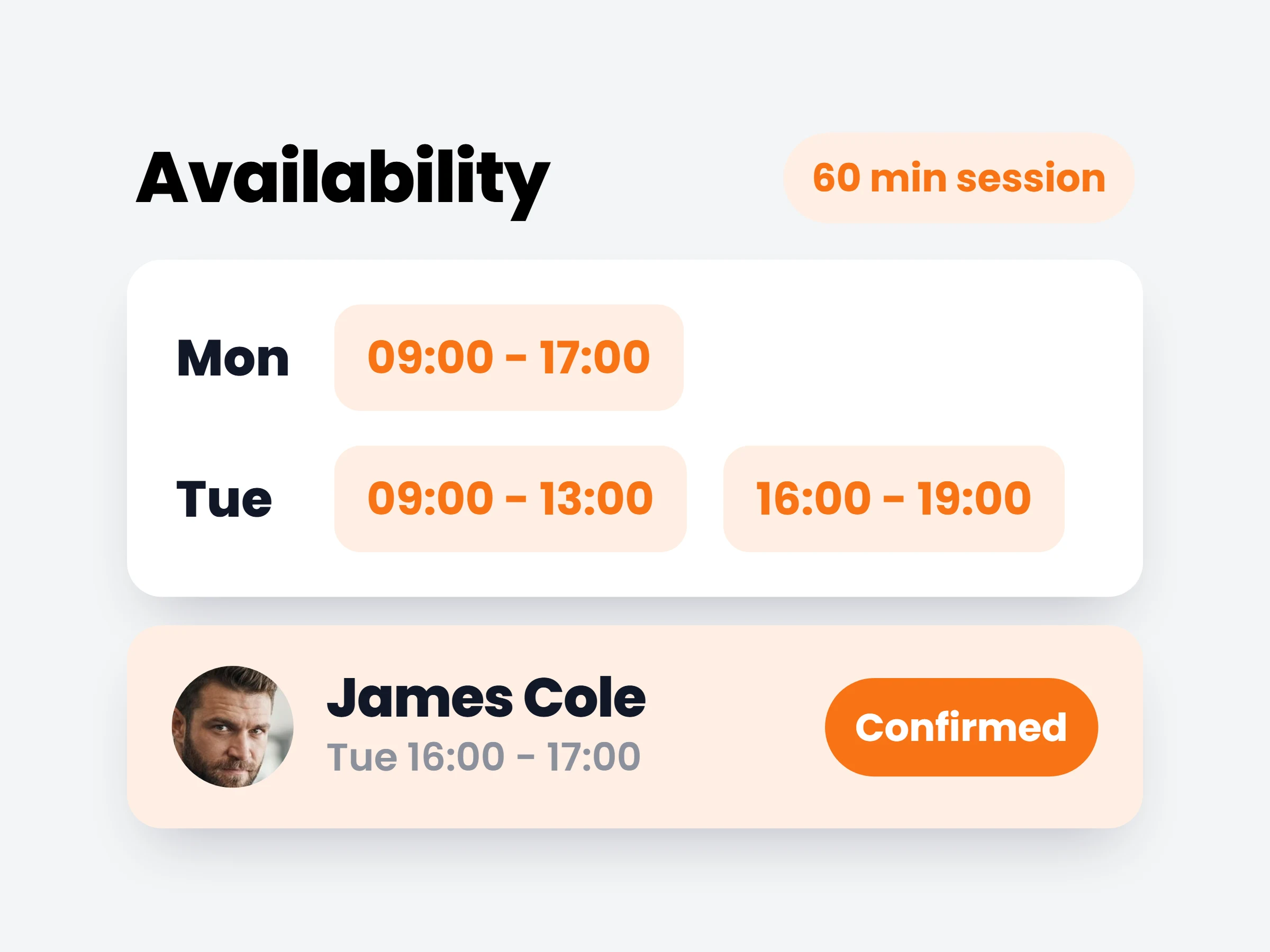
Define appointment types and weekly availability windows — clients book sessions inside the hours you actually work.
How trainers can use it
No more scheduling ping-pong
Clients pick from what’s genuinely free instead of proposing times you have to decline.
Different sessions, different lengths
A 30-minute check-in call, a 60-minute session, a 90-minute assessment — each type books its own duration.
Protect your off-hours
Publish only the hours you actually train. Evenings and Sundays simply don’t exist as options.
Set the hours you work once; clients book themselves into them. Every booking lands on the calendar you already run your week from — no back-and-forth to find a slot.
How it works
- 01
Define your appointment types
Each with its own duration — a 60-minute session books differently than a 30-minute call.
- 02
Set weekly windows
Mark when you’re bookable per weekday. Evenings off? They simply don’t exist as options.
- 03
Clients pick a free slot
They only see times inside your windows and around your existing schedule. Booked sessions block automatically.
Set-ups trainers run
- 1:1 personal training60 min, weekdays 09:00–17:00
- Video check-in call30 min, Tuesday and Thursday evenings
- Movement assessment90 min, two slots on Saturday morning
- Split daysmorning window + evening window, afternoon blocked for programming
It is already in your account.
Every update ships to every trainer automatically. New here? Start free and try it with your own clients.