Preset client languages and translated emails
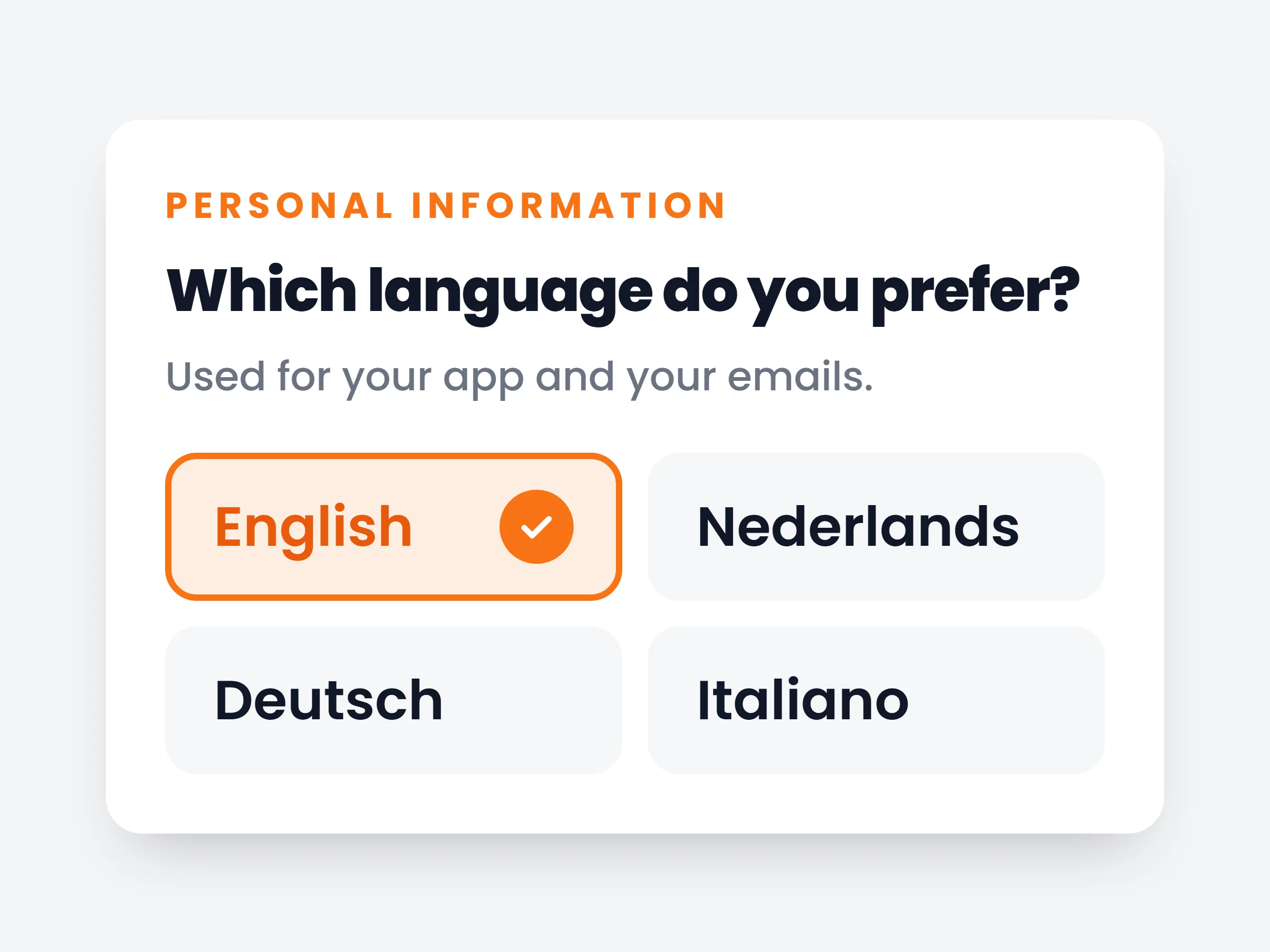
Preset a language for new clients in onboarding, detect it from their browser, or let each client choose. Every invite and email arrives in that language.
How trainers can use it
Mixed client base
Set Detect automatically. Each client gets their invite, onboarding and app in their own language. You change nothing.
One language for everyone
Preset Italian in the onboarding tab. Every new client starts in Italian, from the first invite.
One exception
Pick a language on the Add client form for that client only. Everyone else keeps the default.
Coach in Dutch, invite an Italian client, and everything they see is Italian: the invitation, the signup page, their onboarding, the app, and every email after that. Even the ingredient database shows Kipfilet instead of chicken breast.
You decide how the language gets picked. Set it per client when you add them, or choose one rule for all new clients in your onboarding settings: one fixed language, auto-detect from the client’s browser, or let each client choose during onboarding. Whatever the rule, you can still override it on any client’s profile.
How it works
- 01
Set the client language
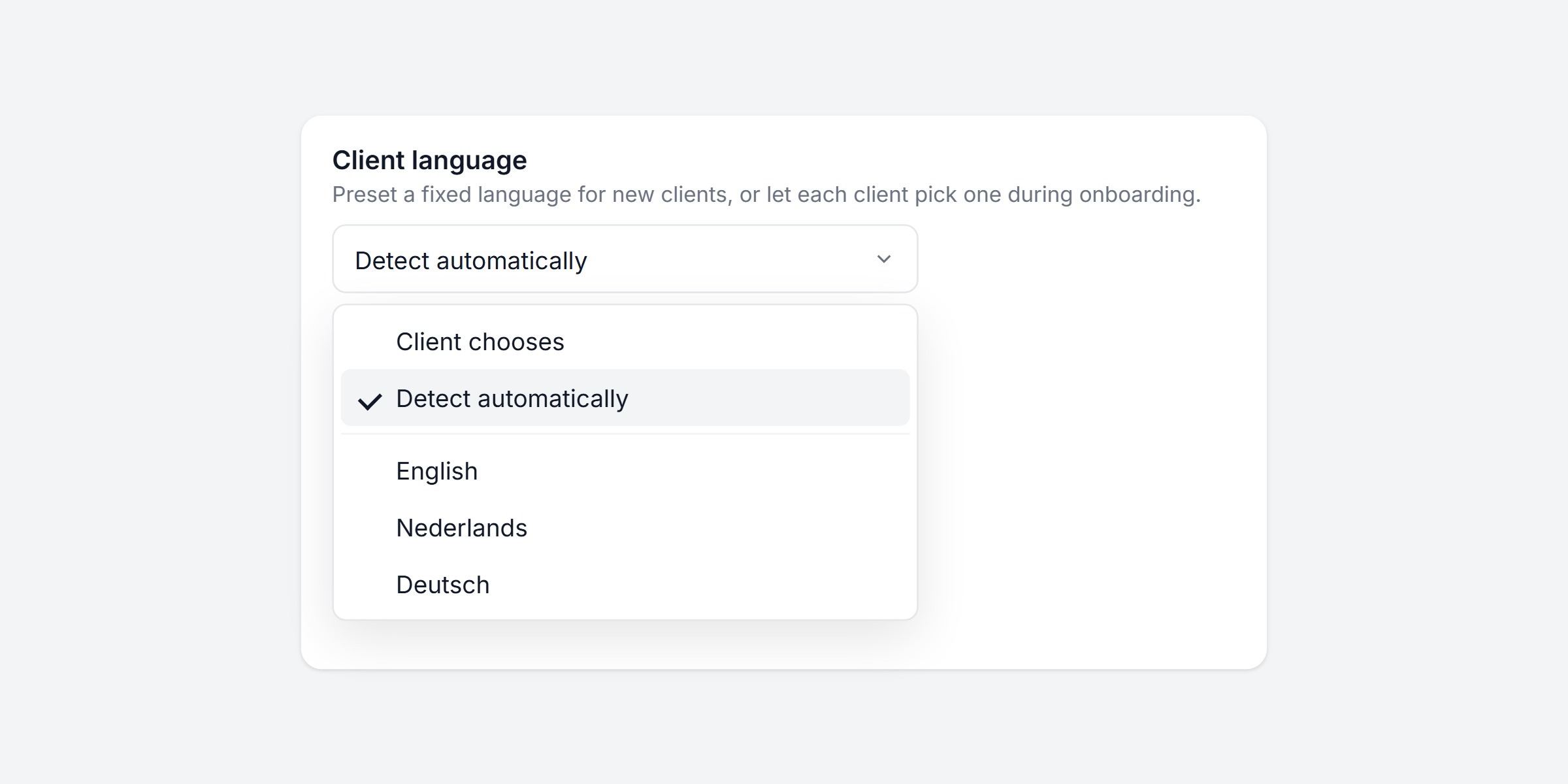
In your onboarding tab, choose the rule for new clients: let the client choose, detect it automatically from their browser, or preset one fixed language.
- 02
Invite the client
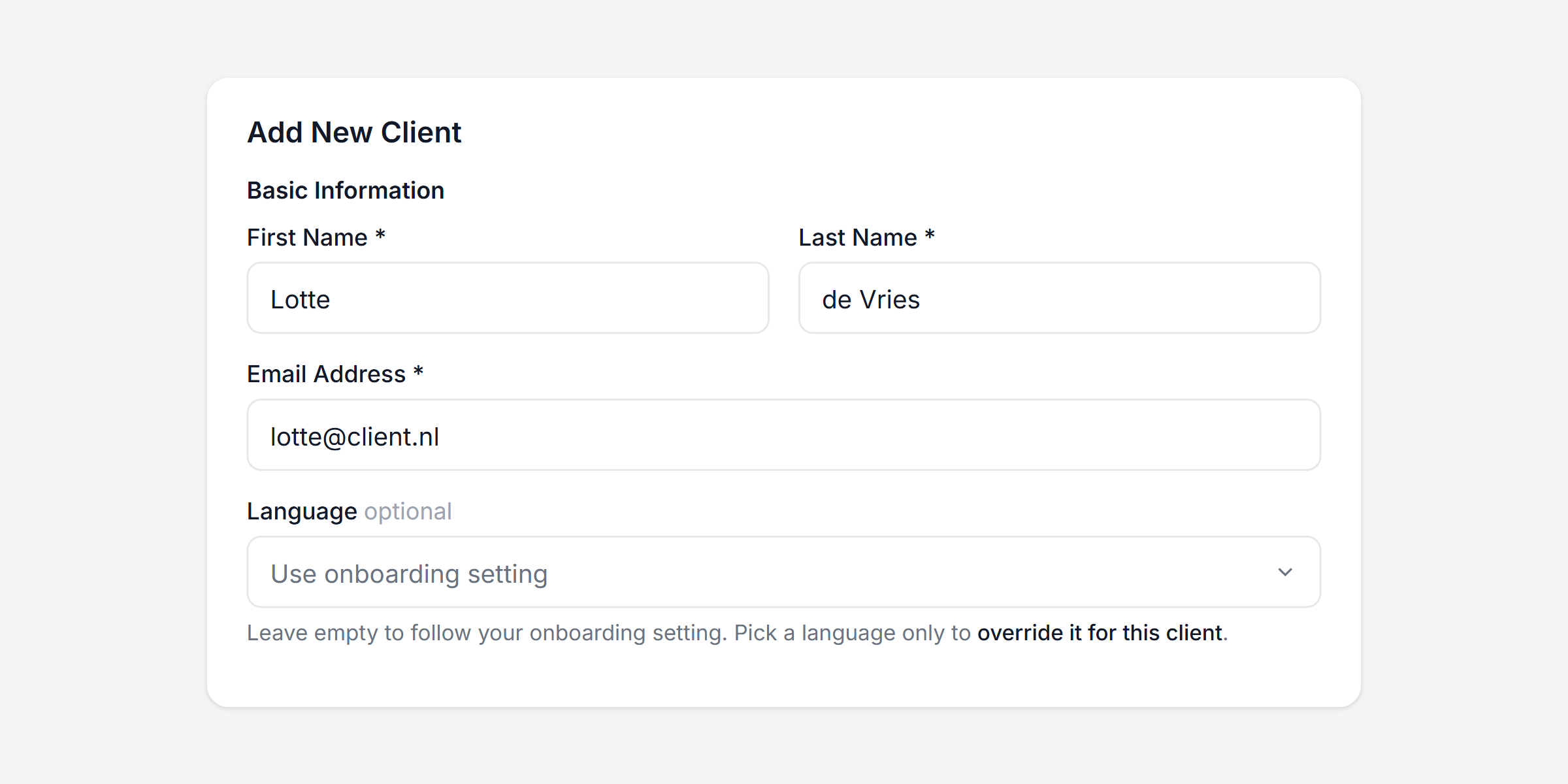
The Language field on the Add client form is optional. Leave it empty and the client follows your onboarding setting. Pick a language only to override it for that one client. You can change it later on their profile.
- 03
They get everything in that language
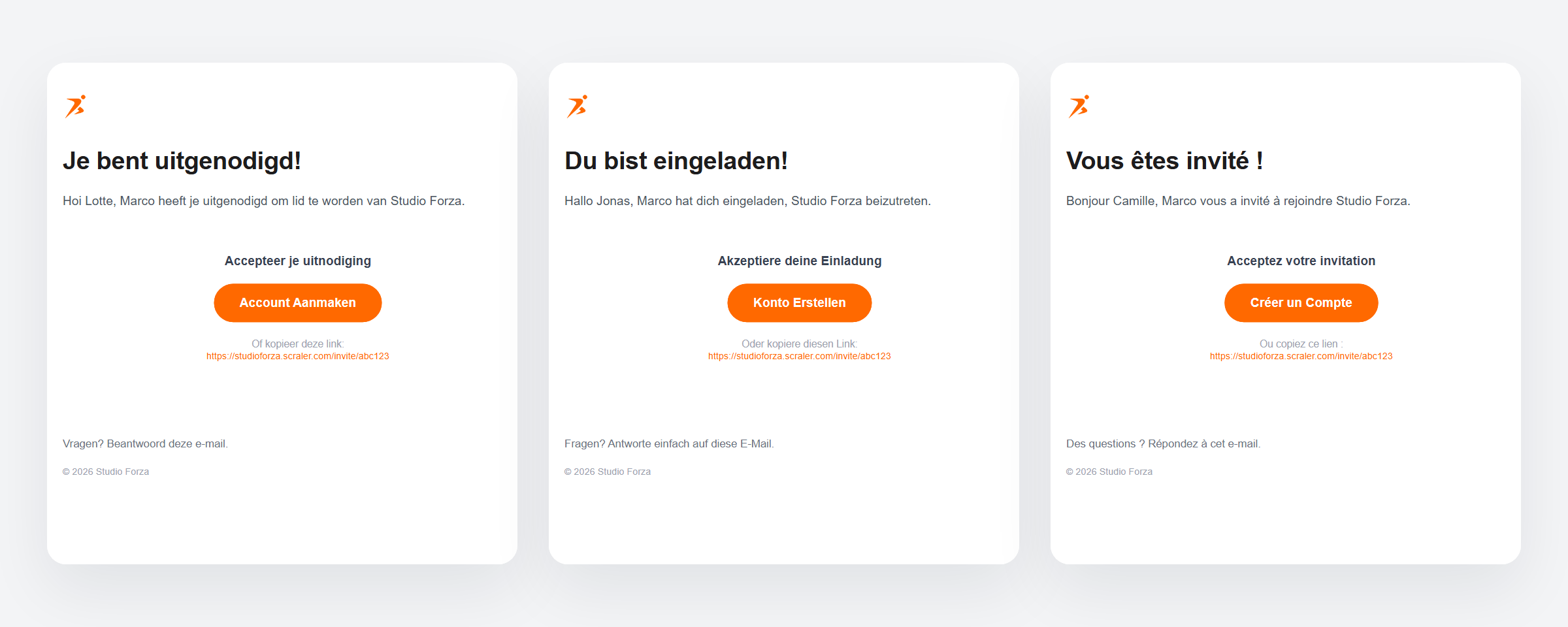
The invite lands in their inbox in that language, and so does the signup page, onboarding, the app and every email after that.
It is already in your account.
Every update ships to every trainer automatically. New here? Start free and try it with your own clients.