Workout sections: warm-up, main, finisher, cool-down
Split any workout into named sections, so a client sees at a glance what is the warm-up, what is the real work and what closes the session.
See where it fits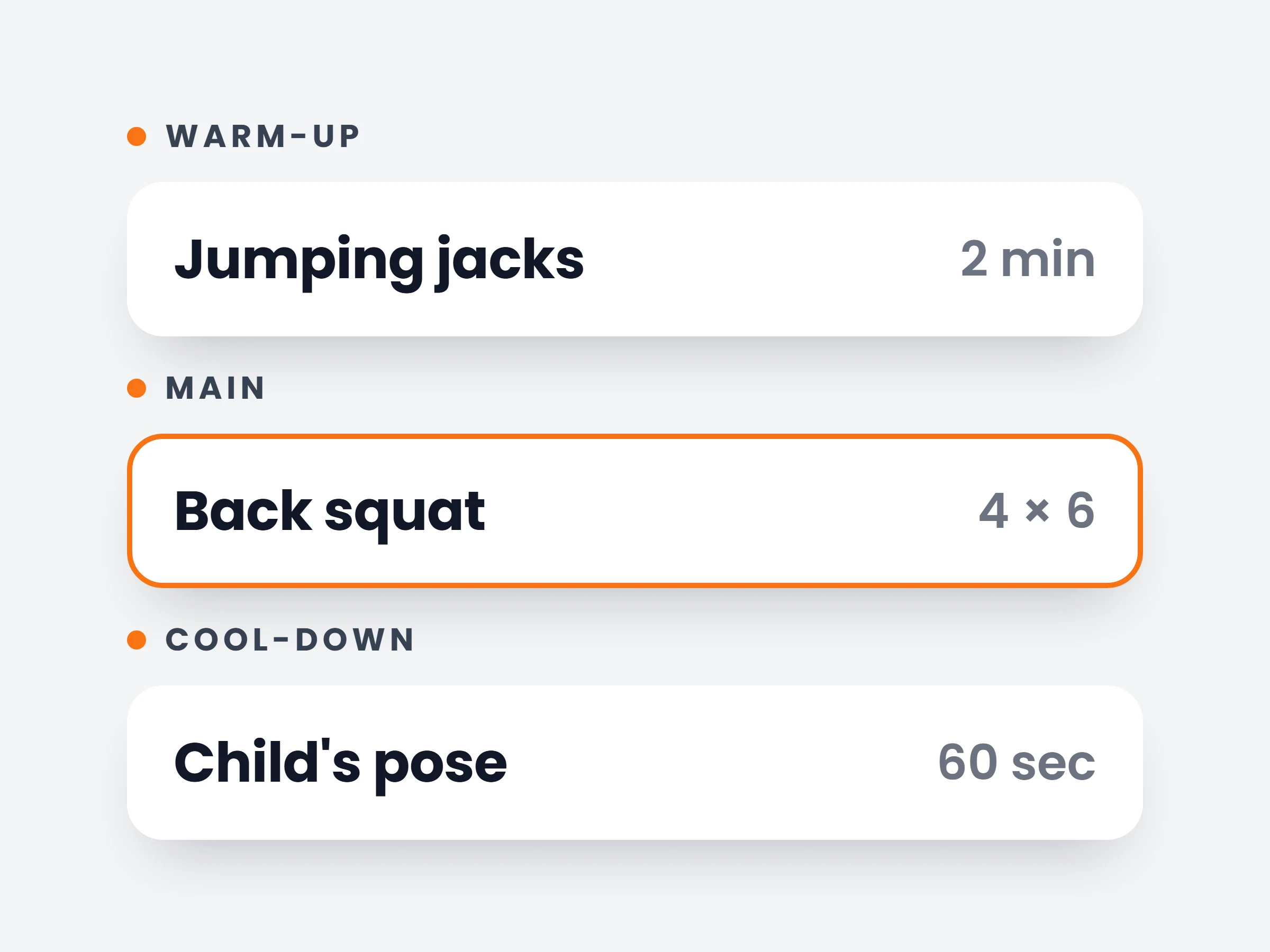
How trainers can use it
Warm-ups that actually happen
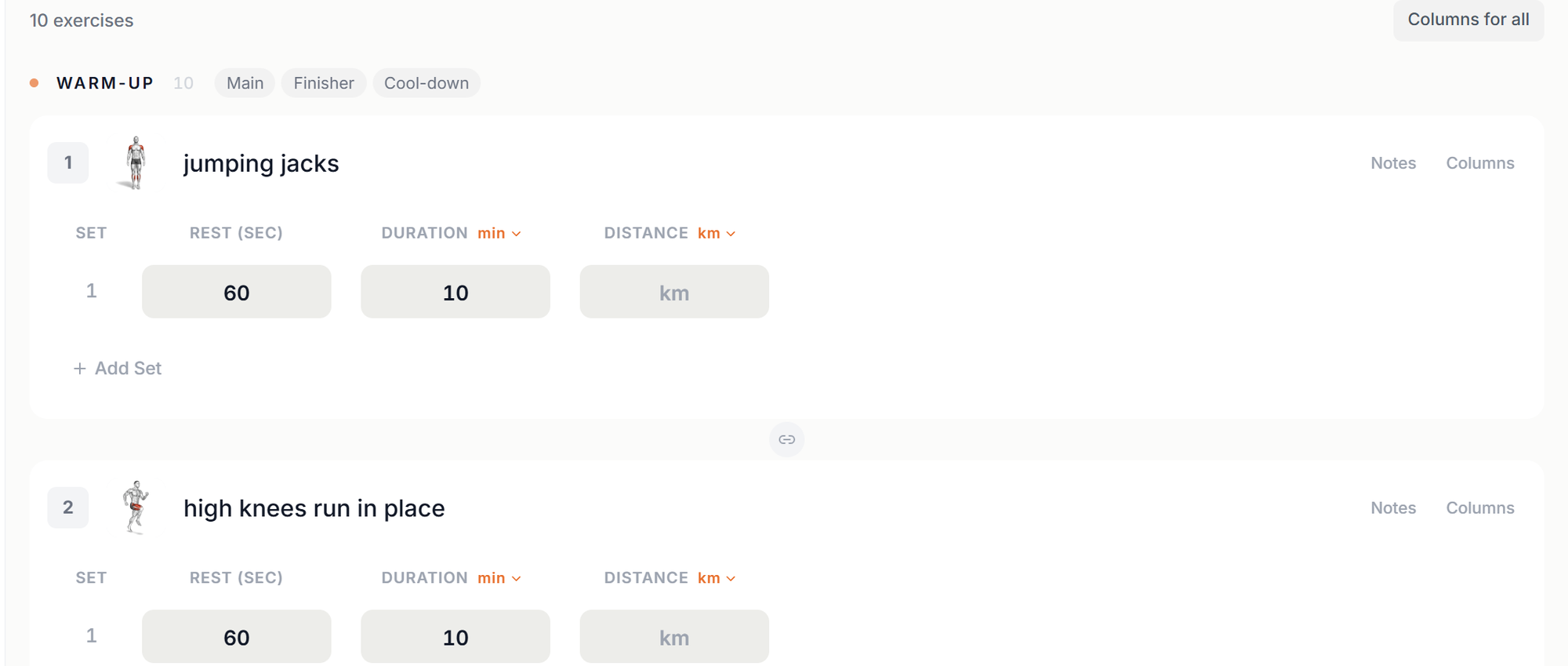
A separate Warm-up section makes it obvious the first ten minutes are part of the plan, not optional extras.
Classes with a clear running order
Structure a group session the way you run it on the floor: warm-up, main block, finisher, stretch.
Programs that are easy to scan
Clients see where the heavy work starts and how much is left, without reading every exercise name.
A long workout reads like one list of exercises, and clients lose track of which part they are in. Now you can split a workout into sections. Give each one a name, like Warm-up, Main, Finisher or Cool-down, and every exercise below it belongs to that part of the session until the next section starts.
Sections are part of the workout, so they travel with it: into plans, into the client’s app and into the live workout. Supersets and circuits always stay inside one section.
How it works
- 01
Add a section
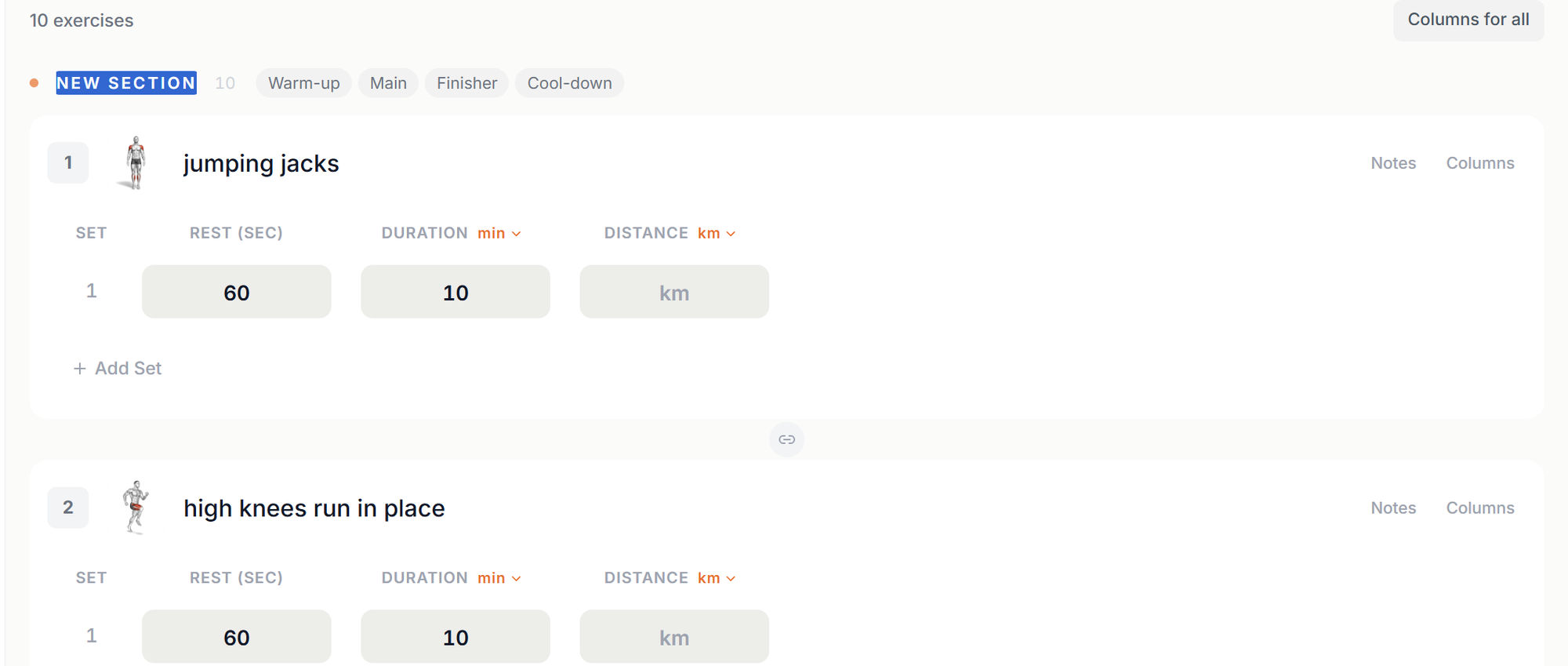
In the workout builder, press + Section above the first exercise, or on the line between any two exercises. A new section header appears, ready for its name.
- 02
Name it in one click
Type any name, or pick one of the suggestions: Warm-up, Main, Finisher or Cool-down. The header shows how many exercises sit in that section.
- 03
Move exercises between parts
Drag an exercise into another section and it joins that part of the workout. Clear a section’s name, or press its X, to fold its exercises into the section above.
It is already in your account.
Every update ships to every trainer automatically. New here? Start free and try it with your own clients.