Automations 2.0: multiple triggers and AI suggestions you approve
Combine several automation triggers, now nine covering the whole client journey, and let AI suggest plan changes that wait in your inbox for approval.
See where it fits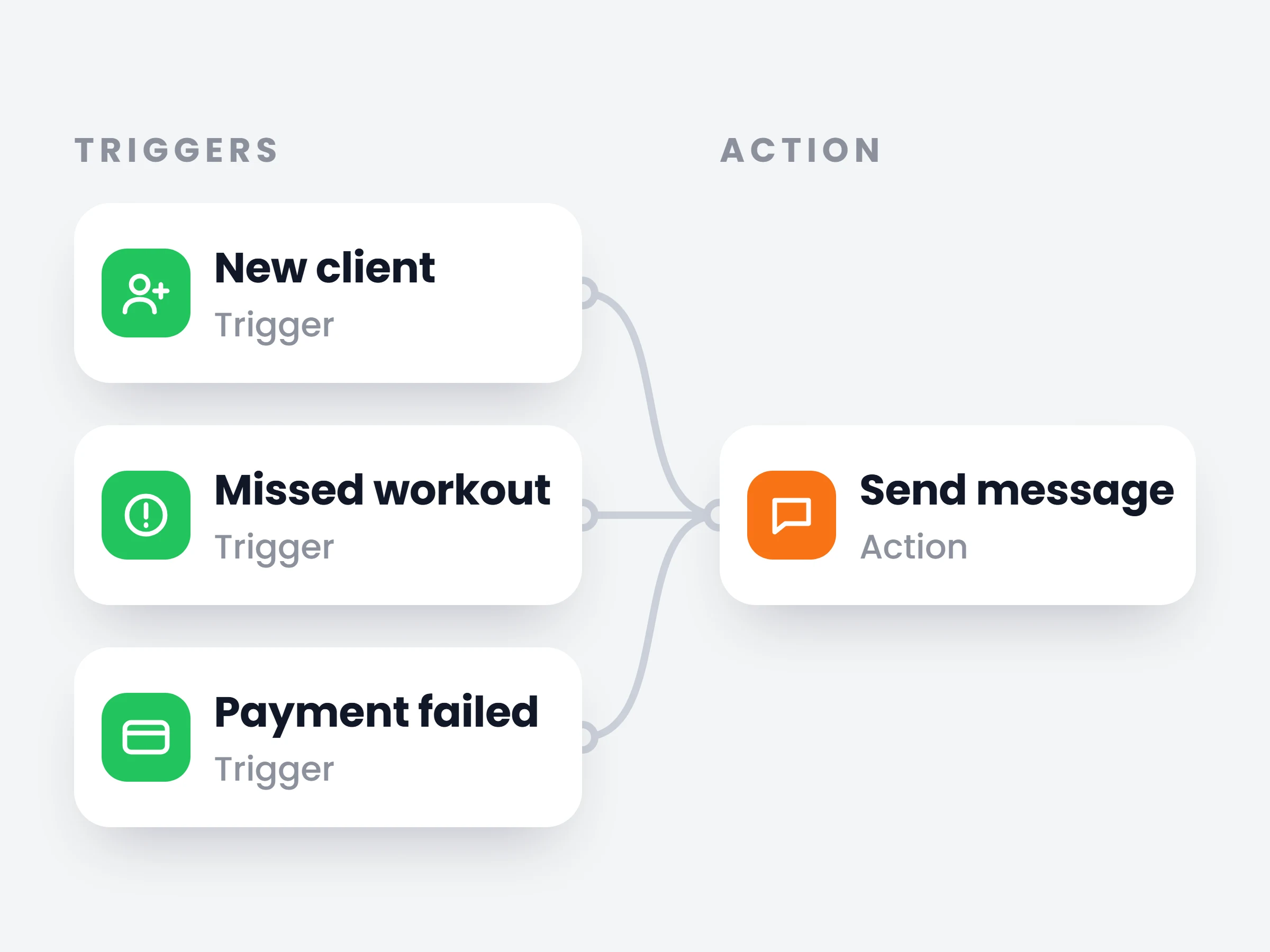
How trainers can use it
Combine signals into one automation
A missed workout alone might be a busy week. Missed workout plus low meal adherence is drift — one automation watches for the combination and sends a check-in request the moment it appears.
Never let a missed workout slide
A same-day “everything OK for tomorrow?” message — sent while it still matters, without you watching the calendar.
Approve AI suggestions from your inbox
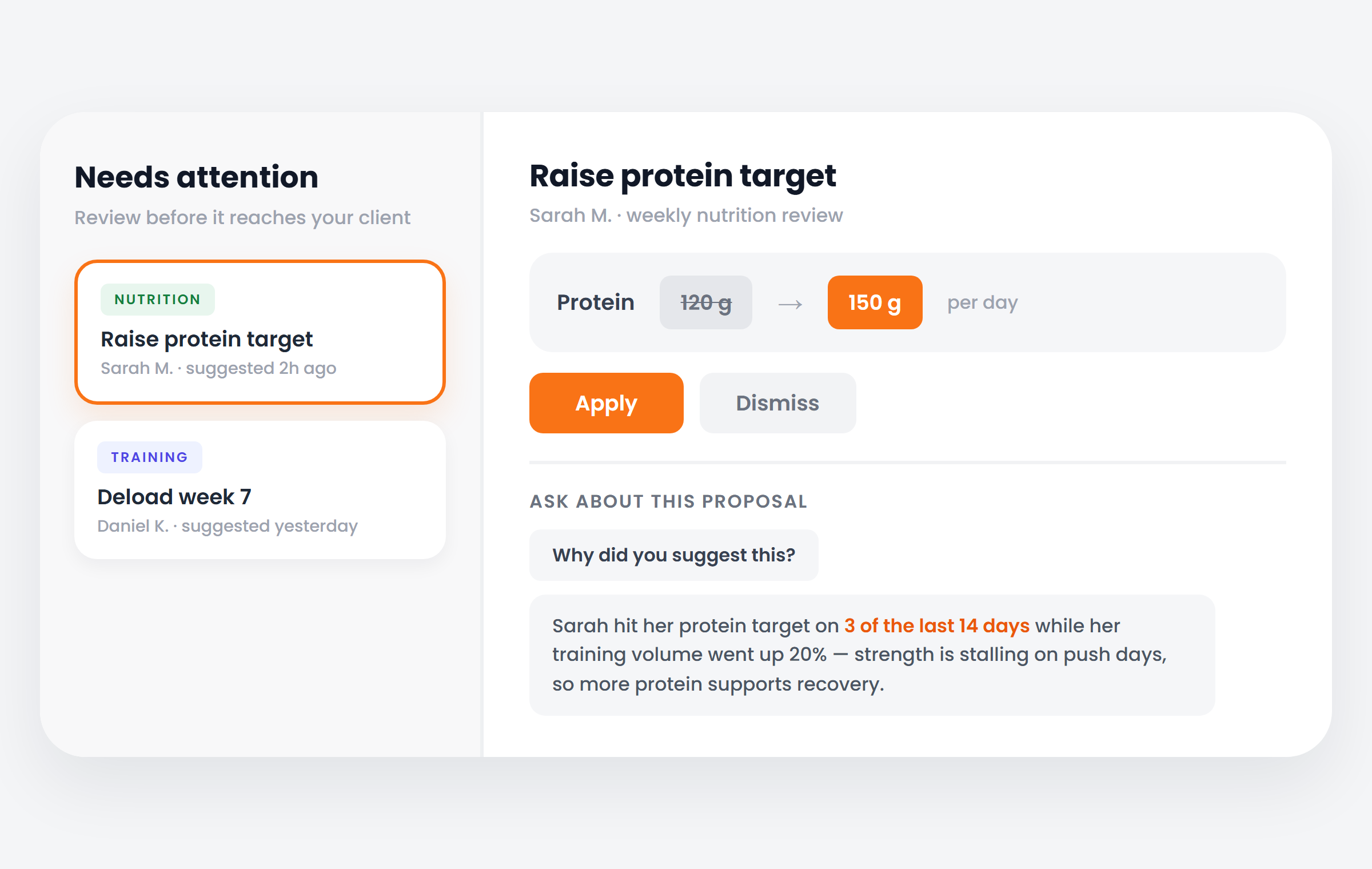
The AI suggests a macro tweak or a deload in Needs attention, reasoning attached — you skim, ask why, and hit Apply.
Triggers grew in two directions. There are more of them — nine, spanning the whole journey: a new client, a new subscription, a missed workout, a logged weight, a submitted check-in, low meal adherence, a client going quiet, a completed plan, a failed payment. And one automation can now combine several of them, so a single workflow watches for exactly the situation you care about.
The second change is AI suggestions. An automation can now have the AI look at a client and suggest a plan change — a macro tweak, a deload week. Every suggestion the AI makes waits in Needs attention with the exact before and after; ask it why and it answers from the client’s own data. Nothing touches the plan until you click Apply.
How it works
- 01
Pick your triggers
Choose one or several of the nine moments — the day someone joins, the workout they missed, the payment that failed.
- 02
Chain the steps
Messages, check-in requests, plan assignments, payment requests — in order, each configured on its own panel.
- 03
Or let AI build it
Describe the outcome in a sentence and AI drafts the whole workflow, ready to tweak and enable.
It is already in your account.
Every update ships to every trainer automatically. New here? Start free and try it with your own clients.