Reply directly to check-ins
Respond to a client’s check-in right where they submitted it — clients see your feedback in the app the moment you send it.
See where it fits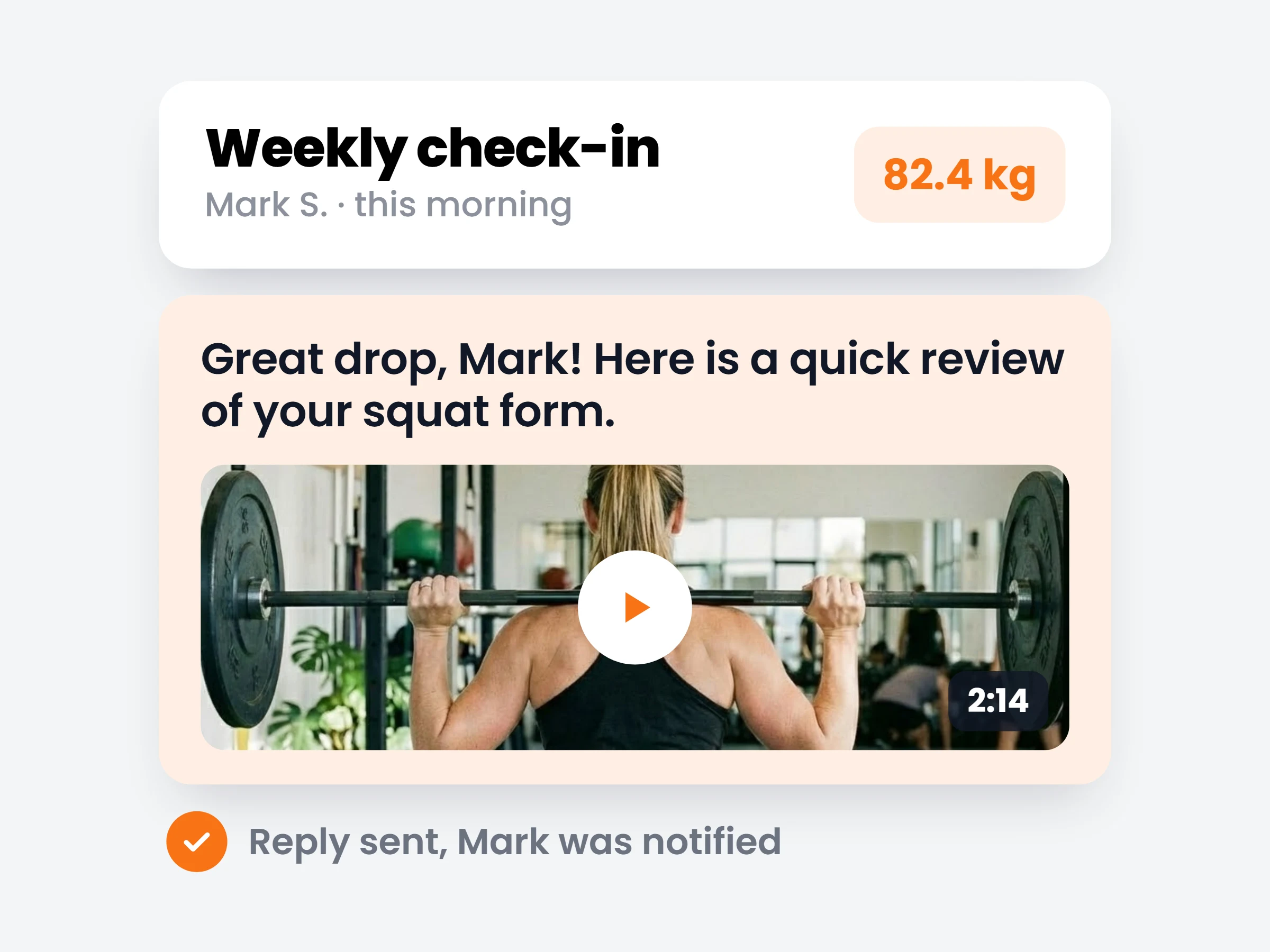
How trainers can use it
Close the loop same day
Reply to Monday weigh-ins the moment you review them, while the feedback can still shape the week.
Feedback that stays attached
Your notes live on the check-in itself — next month you can scroll back and see exactly what you said and why.
Fewer “did you see it?” messages
Clients know their check-in was read, because your reply lands right underneath it.
Check-ins used to be one-way. Now your reply lives on the check-in itself — attached to the exact weigh-in, photos and answers it’s about, not floating somewhere in a chat history.
How it works
- 01
Review the submission
Weight, photos, answers — the whole check-in on one screen, with the trend since last week.
- 02
Reply right underneath
Write your feedback — or paste a Loom link for a video review — directly on the check-in.
- 03
Client gets it instantly
They’re notified in the app and see your reply attached to what they submitted.
Replies coaches send
- Form reviewa 2-minute Loom breaking down their squat video
- Macro adjustment“drop carbs to 180g on rest days, keep protein at 150g”
- Next-week focusone concrete thing to nail before the next check-in
- A win, celebratedsometimes “−0.6 kg, four workouts, great week” is the whole reply
It is already in your account.
Every update ships to every trainer automatically. New here? Start free and try it with your own clients.