Record video replies on check-ins
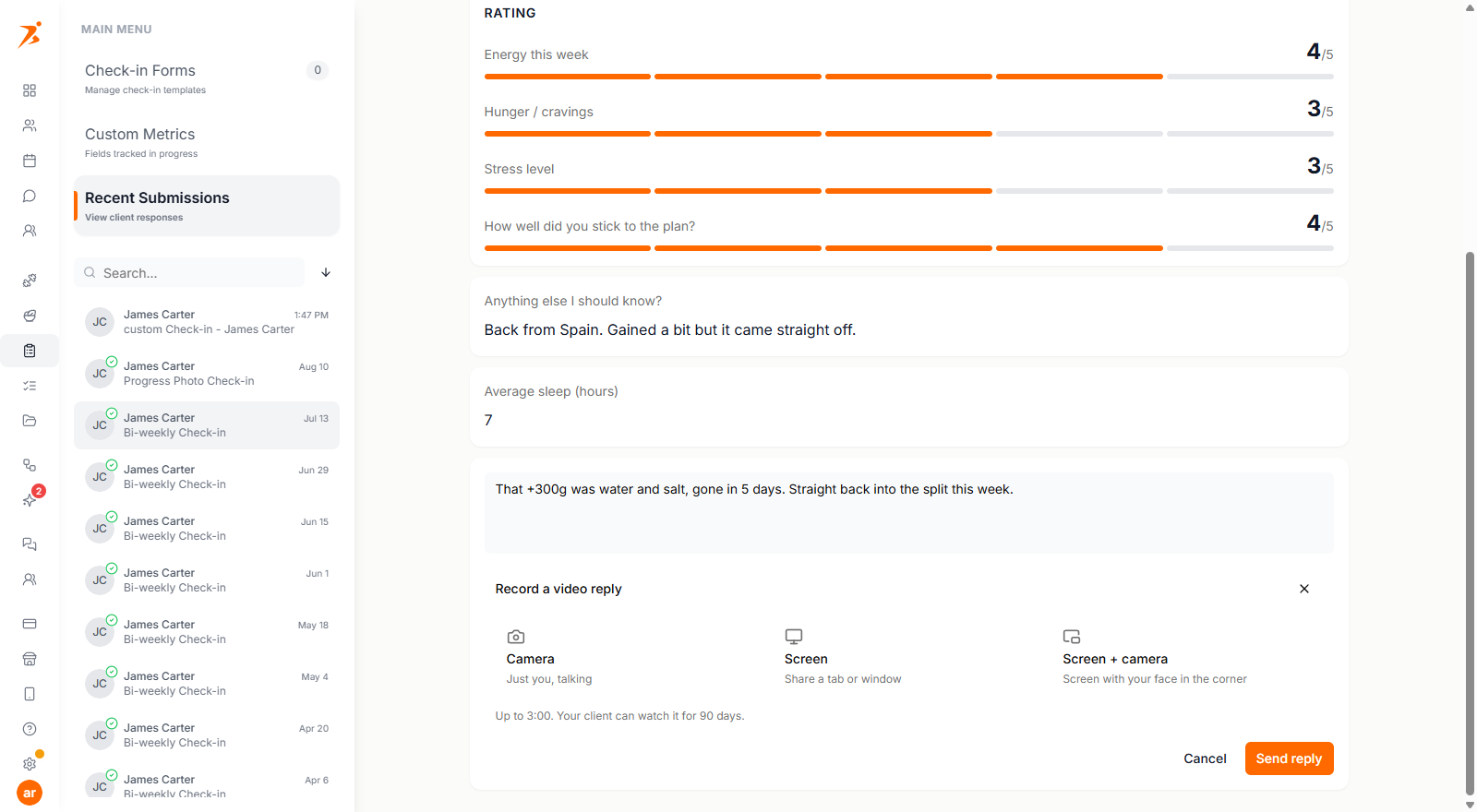
Reply to a check-in with a video recorded right in the dashboard: your camera, your screen, or both at once, up to three minutes, no Loom account needed.
See where it fits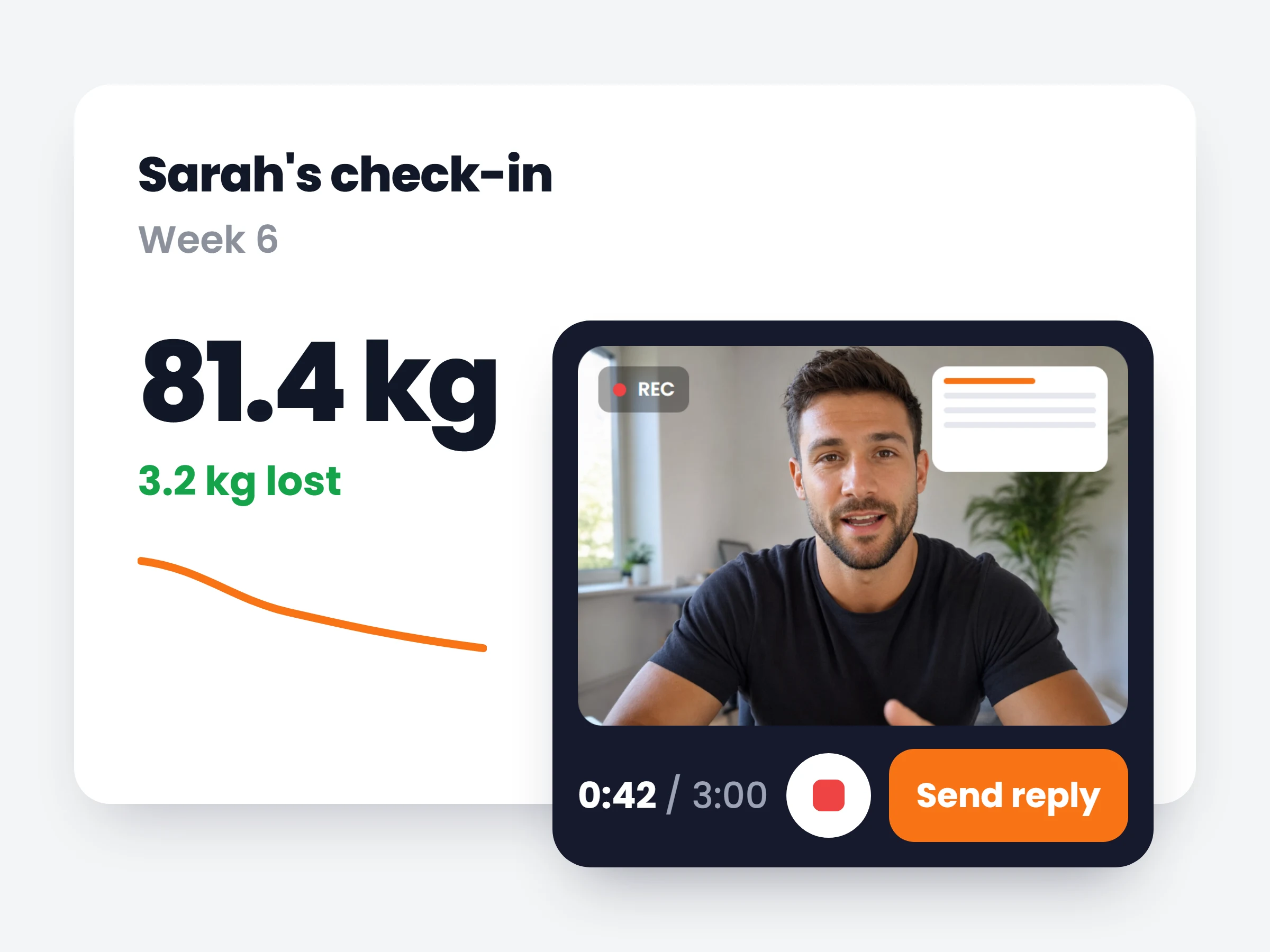
How trainers can use it
Feedback with the evidence on screen
Instead of describing a chart in text, show it. Screen recording turns a check-in reply into a mini coaching call.
One less tool in the stack
The record-upload-paste-link loop through Loom becomes one button inside the check-in you were already reviewing.
The personal touch, at scale
A short video reply feels like 1:1 attention but takes less time than typing the same feedback out.
Some feedback needs your face, and some needs their charts on screen while you talk over them. Check-in replies can now be recorded directly in the dashboard: camera only, screen only, or camera and screen together, switchable mid-take. The recorder floats while you work, so you can start talking, navigate to the client’s progress charts or their logged workouts, and keep recording the whole way.
Recordings run up to three minutes and land on the check-in like any written reply. The client is notified and watches it in the app, attached to the exact submission it is about, with access for 90 days. Prefer Loom or YouTube? Pasting a link still works exactly as before.
How it works
- 01
Hit record on the reply
Choose camera, screen, or both. The floating recorder starts immediately, right on the check-in you are reviewing.
- 02
Talk over their data
Navigate anywhere in the dashboard while recording: pull up their weight chart, their photos, their logged sets. Switch capture modes mid-take if the point changes.
- 03
Send it with the reply
The video attaches to the check-in. The client gets notified and plays it in the app, on iPhone and Android, for 90 days.
Replies coaches record
- Weigh-in walkthroughscreen share the weight trend and explain why this week is fine
- Form reviewtheir squat video on screen, your voice over the fix
- Plan-change explainercamera on, 90 seconds on why carbs are moving up
- A personal winsometimes a 20-second face-to-camera beats any text
It is already in your account.
Every update ships to every trainer automatically. New here? Start free and try it with your own clients.