Run more than one community
Create as many community spaces as you coach — one default space every client joins automatically, plus invite-only groups for program cohorts and VIPs.
See where it fits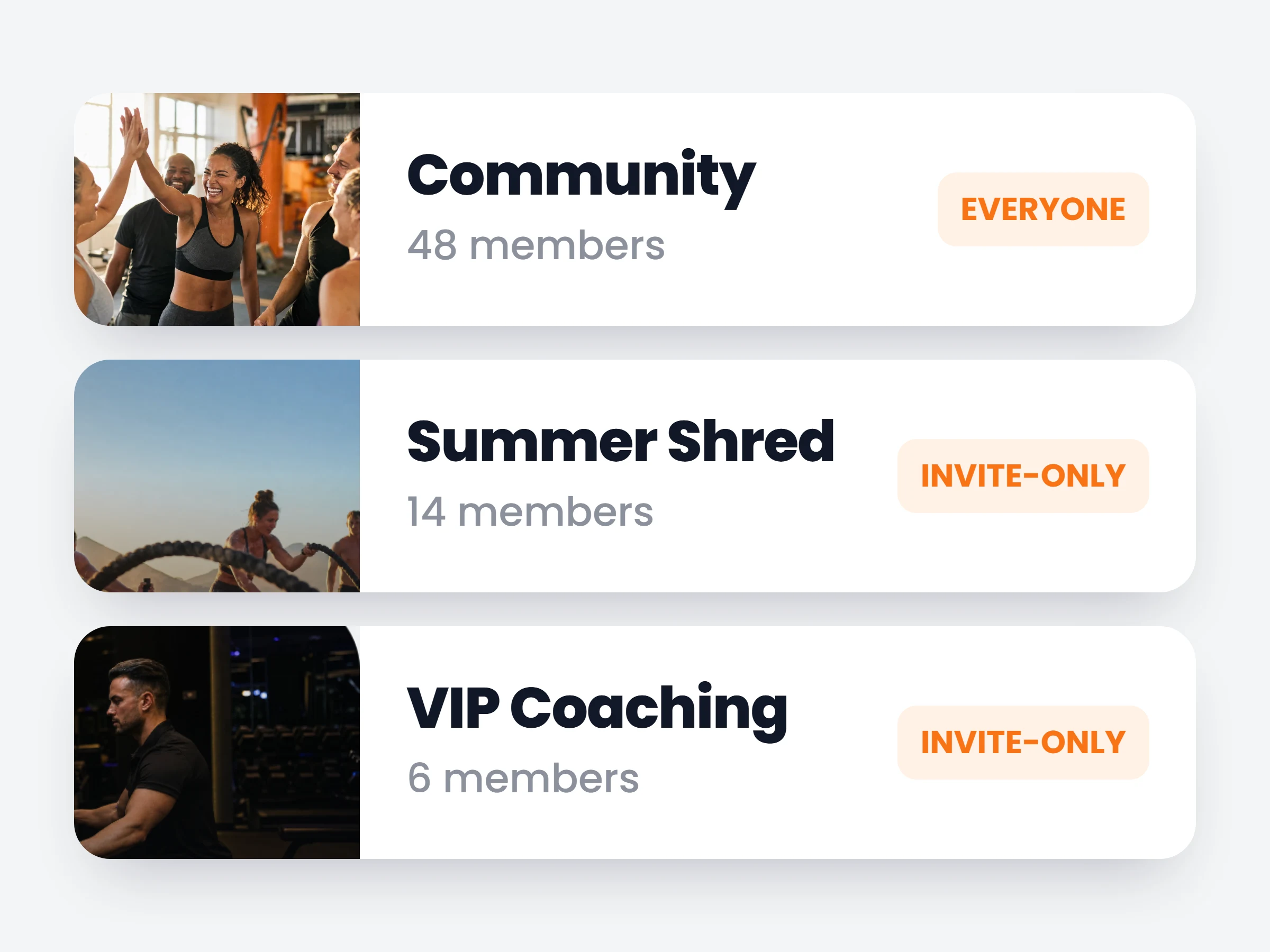
How trainers can use it
Give each program its room
Everyone on the same plan shares one feed: same questions, same milestones, better answers.
Make VIP feel VIP
A private, invite-only space for your top tier — closer access to you is part of what they pay for.
One feed for every client stops fitting the moment you run a program cohort or a VIP tier. Now your account holds as many communities as you need: a default space everyone joins automatically, and invite-only groups where only the clients you add can see and post. Each has its own feed, announcements and member list.
Clients aren’t bothered by the structure — someone in a single community lands straight in it, no switching, no empty tabs.
How it works
- 01
Create a space
Give it a name and a cover. Your default community keeps welcoming every client automatically; new spaces start empty.
- 02
Invite the members
New spaces are invite-only — pick the clients who belong, and only they see the community exists.
- 03
Post where it belongs
Each community has its own feed and announcements, with everything the feed already does — polls, scheduled posts, videos.
Spaces trainers run
- Everyonethe default community — announcements and wins for all clients
- Program cohorteveryone on the same plan, comparing notes
- VIP clientsa private room for your 1:1 tier
It is already in your account.
Every update ships to every trainer automatically. New here? Start free and try it with your own clients.