White Label Fitness App: How Coaches Get Their Own Branded App
A white label fitness app is a coaching app published under the coach or gym's own name and icon in the App Store and Google Play, not the software vendor's. It is not the same as in-app branding (your logo and colours inside the vendor's app). It usually needs a top plan, developer accounts and several weeks.

- Three different things get called "branded": an unbranded client app, in-app branding (logo and colours inside someone else's app), and a true white-label app with your own store listing.
- Where vendors state it, the coach or gym holds its own Apple Developer Program account (USD 99 a year). Google Play varies: some vendors publish under their own account, others make you register one (USD 25 one-time).
- Published launch times run from about 4 weeks to 60 days, and most vendors do not publish one at all.
- Published one-time setup fees range from none to USD 169, and the plan or add-on required is usually the vendor's top tier.
- No vendor compared here publishes what happens to a live app after you cancel, so ask before you sign.
What is a white label fitness app?
A white label fitness app is coaching software that a coach, studio or gym publishes as its own product: its own name, its own icon, its own listing in the App Store and Google Play. The client never sees the vendor's brand. Under the surface it usually runs on the same platform every other customer of that vendor uses, just built and released under a different identity.
That is different from two other things people also call "branded app," and mixing them up is the most common mistake when shopping for one.
Most vendors sell tier 2 as a lower-cost feature and reserve tier 3 for a top plan or a paid add-on, because a real store listing means developer accounts, a submission and ongoing review obligations on top of the software itself. For what a fully custom build would cost instead, see fitness app development cost.
What's actually in a white-label app, beyond the icon?
A white-label app is not just a rename of the client app. Among the coaching platforms that list what their branded app contains (Trainerize, Everfit and FitBudd, for example), it carries the same coaching tools as their standard client app: programming (the kind of numbers a one rep max calculator or TDEE calculator would set as a starting point), nutrition, messaging and selling or payments.
- Workout builder and logging
- Nutrition and check-ins
- In-app payments and memberships
- Messaging and community
- Push notifications
- Booking and scheduling
What does change between vendors is what sits behind the store listing. Trainerize's Studio Plus plan, which includes its branded app, also adds group video calls and API access; Kajabi's branded app bundles courses, cohorts, coaching programmes and podcasts rather than fitness-specific tools; Uscreen's is built around video on demand and livestreaming, with in-app purchases and offline viewing; Hapana's is a gym member app with class booking, waitlists and wearable sync.
Match the app to what you actually deliver, not just to who publishes it.
Who owns the developer accounts?
This is the detail that catches people out, because Apple and Google are often handled differently.
- Apple. Every vendor here that states a policy for an app under your own name requires the coach or business to hold its own Apple Developer Program account, currently USD 99 a year paid to Apple. The reason is Apple's App Review Guideline 4.2.6: apps made from a commercial template are rejected unless submitted by the provider of the app's content, so the vendor cannot publish your app under its own account. One exception: Trainerize's cheaper Pro-level app needs no Apple account because it stays on the shared ABC Trainerize Apple listing.
- Google Play. Handled less consistently. Some vendors publish under their own Google Play account on your behalf (no account needed from you); others make you register your own, at Google's one-time USD 25 registration fee. Check which model a vendor uses before assuming Android is included.
- A registered business. Several vendors also require a D-U-N-S number or a legally registered company before they will submit a white-label app, since Apple's organisation enrolment needs a D-U-N-S number.
The wording differs by vendor. Trainerize's Studio and Enterprise apps require the business's own Apple Developer account and a legally registered business. Everfit's help centre instructs the business to create its own Apple and Google developer accounts, get a D-U-N-S number and add Everfit as an admin. Kajabi says the creator needs their own Apple and Google developer accounts so they can manage in-app purchases and respond to app reviews directly. Uscreen says the customer is responsible for developer accounts across Apple, Google, Roku, Amazon and Samsung, while Uscreen keeps ownership of the app source code. Kahunas requires the coach's own Apple Developer account plus a Google Developer Organization account. FitBudd's pricing FAQ says launching needs a D-U-N-S number plus developer account fees of USD 99 for Apple and USD 25 for Google. Hapana's support docs ask the business to enrol in the Apple Developer Program itself.
How long does review and launch take?
Published timelines vary and most vendors do not commit to one. Where a figure exists: Trainerize states an average turnaround of 4 weeks for Studio and Enterprise apps, depending on assets, responsiveness and app store approval. Kajabi states 6 to 8 weeks from purchasing the branded app add-on.
Uscreen states an average release time of 30 to 60 days. Kahunas states the app goes live within 30 days once account setup is done. Glofox's FAQ only covers the store submission step itself, which it says may take up to 2 to 3 days.
Everfit, My PT Hub, PT Distinction, FitBudd, Hapana and Exercise.com do not publish a timeline.
Budget 4 to 8 weeks as a working assumption, and treat anything faster as a bonus. Getting your own Apple Developer account approved (and a D-U-N-S number, if you do not have one) can add time before the vendor even starts, and a store rejection for missing metadata or a broken link resets the clock.
How much does a white label fitness app cost?
Prices checked on 22 September 2026 on each company's own pricing page; they change, so confirm before you buy.
- Own store listing
- Yes, from Studio Plus
- Plan or add-on required
- Studio Plus plan (Pro users can buy a lighter app under a shared Apple listing)
- Published setup fee
- None on Studio Plus; USD 169 one-time for the Pro-level app
- Published monthly cost
- USD 275/mo (Studio Plus plan price, app included)
- Own store listing
- Yes, Enterprise only
- Plan or add-on required
- Enterprise (contact sales)
- Published setup fee
- Not published
- Published monthly cost
- Not published (custom quote)
- Own store listing
- Yes, White Label App
- Plan or add-on required
- Add-on on Premium, or included in Ultimate
- Published setup fee
- Not published
- Published monthly cost
- EUR 145/mo add-on on top of Premium (EUR 59/mo), or included in Ultimate at EUR 215/mo
- Own store listing
- Yes, Pro and Master
- Plan or add-on required
- Pro or Master plan
- Published setup fee
- Not published
- Published monthly cost
- USD 59.90/mo (Pro) or USD 89.90/mo (Master), app included
- Own store listing
- Yes, Ultimate only
- Plan or add-on required
- Ultimate plan
- Published setup fee
- Not published
- Published monthly cost
- USD 99/mo (Ultimate plan price, app included)
- Own store listing
- Yes, Super Pro and above
- Plan or add-on required
- Super Pro or Elite plan
- Published setup fee
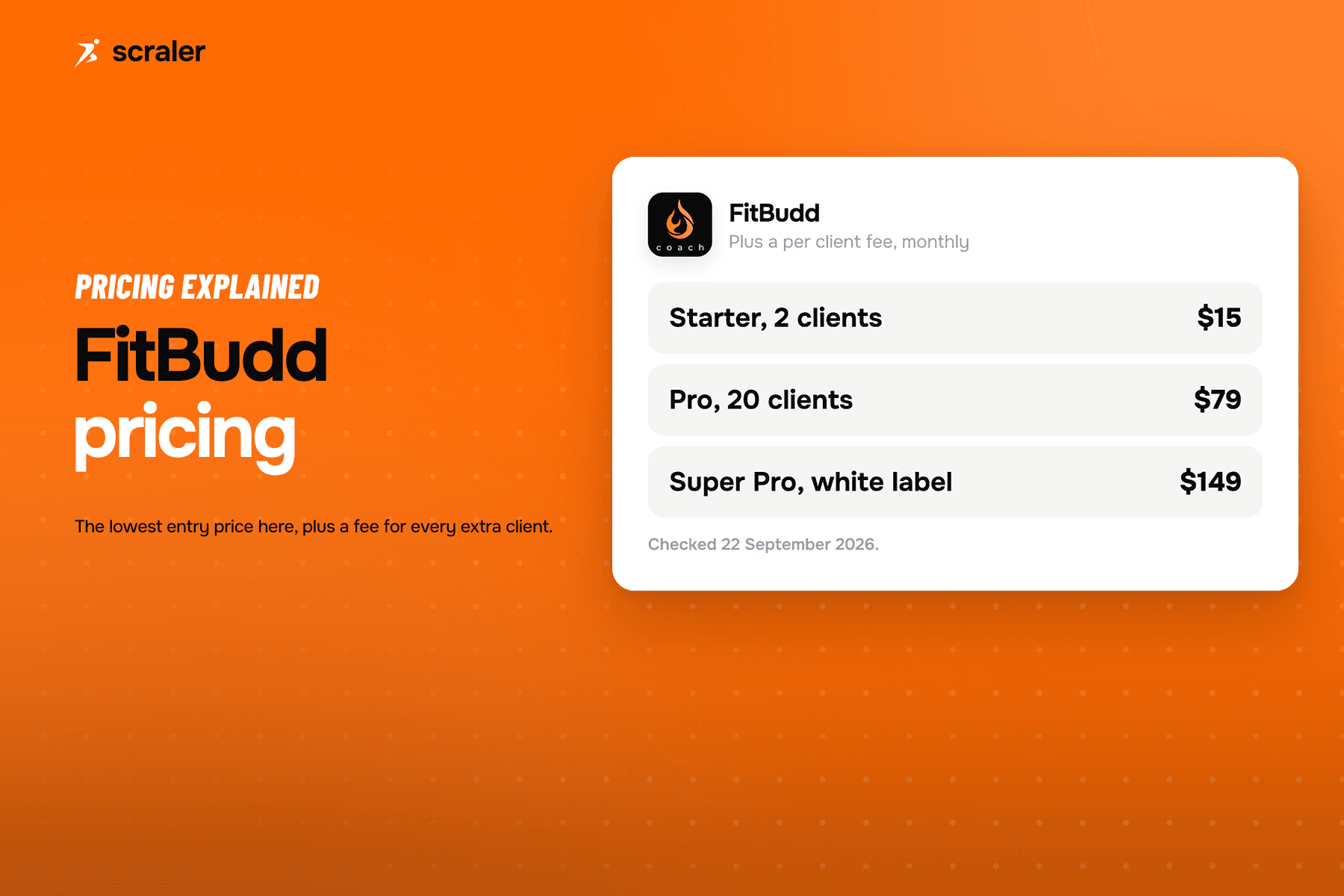
- USD 75 one-time (Super Pro); USD 100 one-time (Elite)
- Published monthly cost
- USD 149/mo (Super Pro plan price)
- Own store listing
- Yes, on every plan (add-on below Pro)
- Plan or add-on required
- Included on Pro; USD 199/mo add-on on Basic and Growth
- Published setup fee
- Not published
- Published monthly cost
- USD 199/mo add-on, or included on the USD 499/mo Pro plan
- Own store listing
- Yes, App Essentials and above
- Plan or add-on required
- App Essentials plan
- Published setup fee
- Not published
- Published monthly cost
- USD 499/mo billed monthly (USD 449 billed annually), plus USD 0.99 per subscriber
- Own store listing
- Optional add-on on Essential/Boost; included on Elite
- Plan or add-on required
- Essential plan and up (add-on), or Elite
- Published setup fee
- Not published
- Published monthly cost
- Not published (plans start at USD 99/mo; app add-on price not disclosed)
- Own store listing
- Branded member app on every tier; "white-labelled app" listed on Pro
- Plan or add-on required
- Basic tier and up (per-location quote)
- Published setup fee
- Not published
- Published monthly cost
- Not published (per-location quote)
- Own store listing
- Yes
- Plan or add-on required
- Not published (quote only)
- Published setup fee
- Not published
- Published monthly cost
- Not published
- Own store listing
- Yes, Ultimate plan
- Plan or add-on required
- Ultimate plan
- Published setup fee
- Not published
- Published monthly cost
- From $109 per month (100 active clients)
Two patterns worth noticing. First, only FitBudd (USD 75 or USD 100) and Trainerize's Pro-level app (USD 169) publish a one-time fee; everywhere else the cost sits in a top-tier plan or a monthly add-on, or is not disclosed. Second, several vendors (Everfit, Hapana, Glofox, Exercise.com) put the real number behind a sales call, which is worth knowing before you spend time comparing on price alone.
Which white-label option suits which business?
- Trainerize. Best for established studios, gyms or coaches with a registered business and up to 500 clients, who want the app included in the plan. Limitation: your own Apple listing starts at the USD 275/mo Studio Plus plan; the USD 169 Pro app stays on the shared ABC Trainerize Apple listing.
- Everfit. Best for large fitness brands and creators with 500 or more clients. Limitation: the white-label app is Enterprise only and priced by quote.
- My PT Hub. Best for coaches already on Premium who want to add an app, or who want every add-on in one plan. Limitation: the White Label App is a EUR 145/mo add-on on top of the Premium price.
- PT Distinction. Best for independent and hybrid coaches who want a branded app at a low plan price. Limitation: Pro includes 25 clients and Master 50, with per-client charges above that, and the pricing page does not say who holds the developer accounts or how long launch takes.
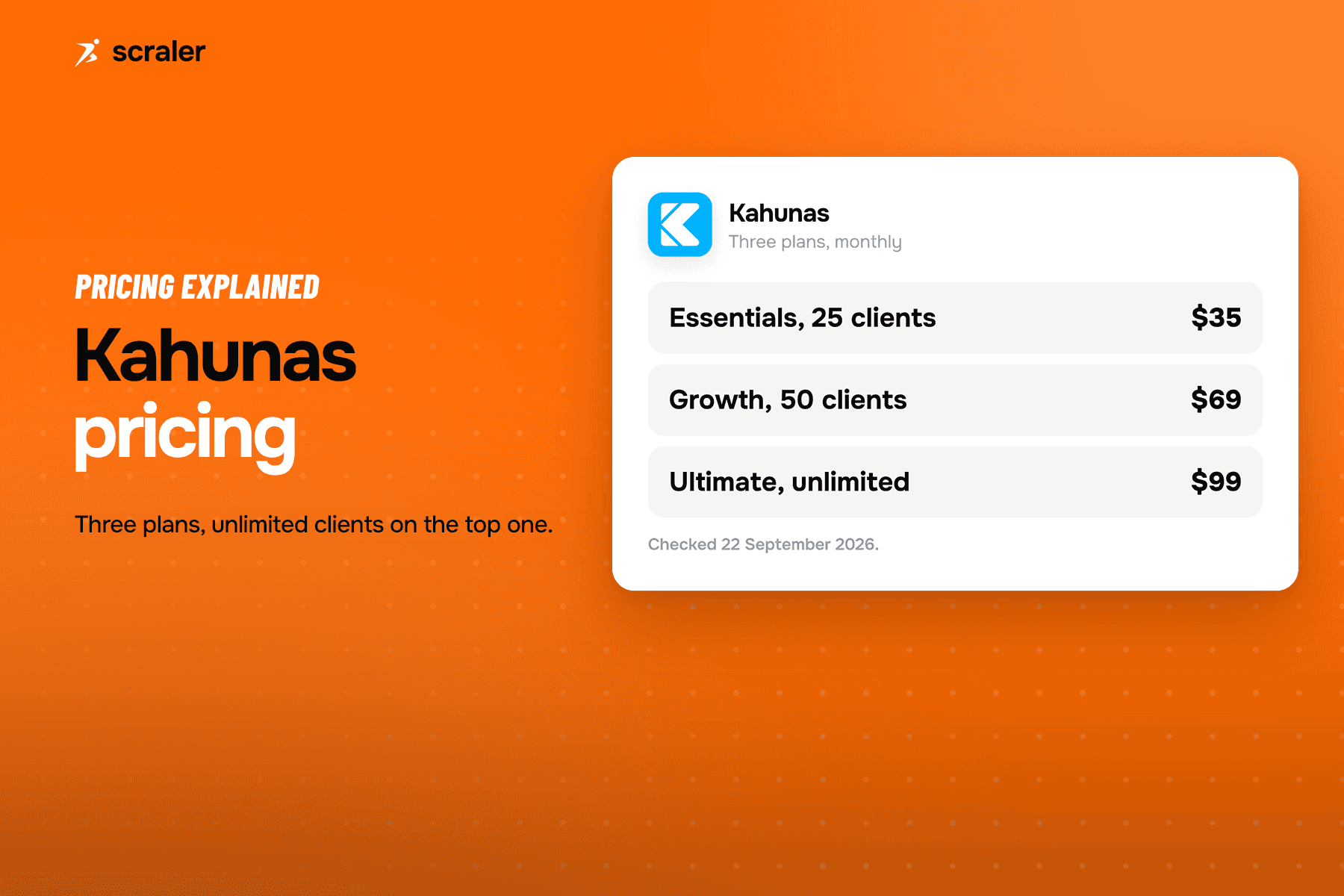
- Kahunas. Best for online coaches who want unlimited clients and their own app on one plan. Limitation: you register both an Apple Developer account and a Google Developer Organization account yourself.
- FitBudd. Best for solo coaches, studios and influencers who want the setup fee stated up front. Limitation: Super Pro includes 20 clients (USD 2 per extra client) and you pay the D-U-N-S, Apple and Google costs.
- Kajabi. Best for coaches and creators selling courses, cohorts and podcasts. Limitation: the app is a USD 199/mo add-on below Pro and has no fitness-specific tools.
- Uscreen. Best for video on demand and livestream businesses. Limitation: the entry price for apps is USD 499/mo plus a per-subscriber fee, and Uscreen keeps the app source code.
- Glofox. Best for gyms and studios built around class booking. Limitation: below Elite the app is an add-on with no published price.
- Hapana. Best for studios and multi-location gyms. Limitation: pricing is per location and quote only.
- Exercise.com. Best for gyms and multi-service fitness businesses wanting one platform. Limitation: plan, price, developer account model and timeline are all unpublished.
What happens if you stop paying?
None of the vendors here publish a detailed policy for what happens to a live white-label app after a downgrade or cancellation, so treat this as a question to ask directly before signing, not something to assume. The app runs on the vendor's platform behind the scenes, so it depends on that subscription in some form.
Ask any vendor you are considering, in writing, before you sign: what happens to the store listing, the client logins, and any custom domain the day after a lapsed payment. Get the answer on paper rather than assuming it works like the rest of the subscription.
When is a white label fitness app worth it, and when is it not?
- You already have 50 or more paying clients and a recognisable business name
- Clients ask "is there an app with your name on it"
- You run a studio, gym or team where staff and members expect one shared brand
- You plan to be coaching under this name for years, not testing an idea
- You are under 20 clients and still finding your niche
- In-app branding (your logo and colours) already satisfies clients
- You are not ready to hold your own Apple Developer account and pay its annual fee
- You might rebrand or pivot the business within the next year
A branded app is a business asset, not a feature toggle. It is worth the setup, the developer account and the wait when the business is stable enough that the name on the app icon will still be the right name in two years.
Where does Scraler fit?
Scraler puts the white-label app on the Ultimate plan (100 to 500 active clients, from $109 a month for the 100-client tier). iOS is published under the coach's own Apple Developer account (USD 99 a year to Apple), as with the other vendors that state a policy; Android is published under Scraler's own Google Play account, so there is no Google developer fee to pay.
Scraler handles the build and store submission. Its custom app page says to allow about a week for building and store review once the paid Ultimate subscription and the required store setup are ready; Apple account approval is separate, and store reviews can take longer.
The mobile app designer comes with Premium, one tier down, where it shapes the experience inside the Scraler client app; Ultimate adds your own app name, icon and store listing. You can design the app and prepare the listing during the 14-day trial, and building starts once the paid Ultimate subscription begins. Scraler is newer and smaller than established platforms like Trainerize and Everfit, the white-label app is only on Ultimate, and payments only unlock from Premium. If you are not ready for a store listing, branding such as a branded subdomain starts lower down the plan ladder. See the full breakdown on pricing, or if you are moving from another platform, Scraler's migration team will rebuild your existing clients, workouts and meal plans for you.
How much can you actually change, beyond a logo?
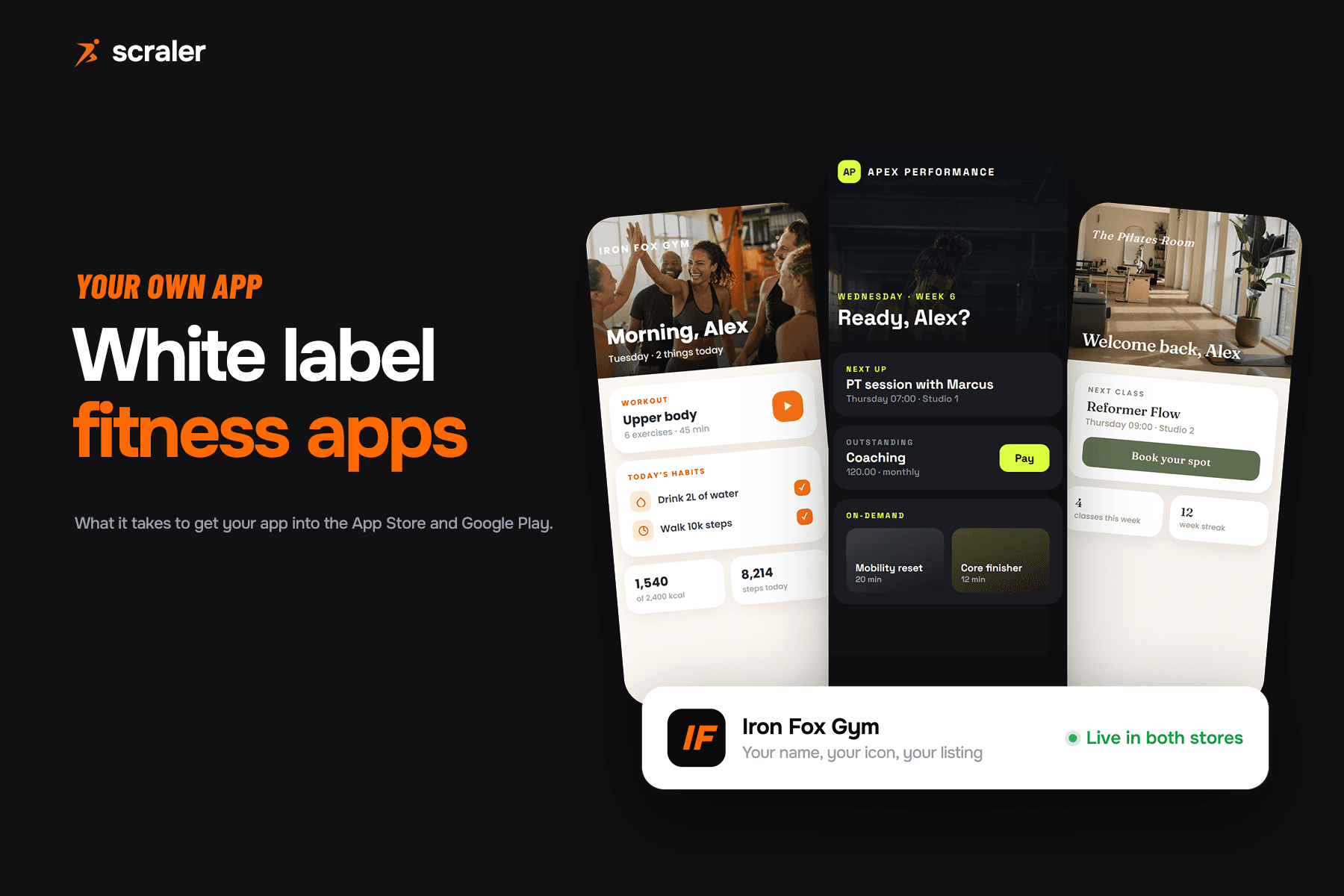
This is the question most vendors answer with a colour picker. On Scraler the app design is a builder: you choose which tabs exist, build pages of your own, and set the visual language the whole app inherits.
- The tab bar. Up to five tabs. Home and profile stay, the rest you choose: workout, food tracker, chat, progress, habits, schedule, check-ins, community or resources. Each tab can be renamed and given its own icon.
- Pages you build yourself. Up to two custom tabs, each holding up to eight sections, built from blocks: heading, text, announcement, image, gallery, video, button, spacer, on-demand collections, cookbooks, habits, upcoming workouts, progress and a trainer card.
- Page headers. Every page picks a treatment: a photo hero, a compact band, a plain title or nothing at all, with a background photo and a darkening slider.
- The look. Card and page colours, text colours, corner radius, card padding, grid spacing, shadow depth and one of six type styles, from rounded to condensed to serif.
- AI that fills it in. Answer a few questions about your business and the first version of every page is generated for you, then a design chat edits any page by asking.
What that adds up to: two coaches on the same platform can ship apps that look nothing alike. A strength gym with photo headers and a dark palette, a Pilates studio in cream and sage with class bookings on the home page.
What it does not do, and no honest vendor should claim it does: the core screens keep their layout. Logging a set, tracking food, chatting and the profile screen work the same in every app, and you restyle them rather than rebuild them. That is what keeps the app stable through every update.
Your own app in the App Store and Google Play, iOS under your own Apple Developer account, designed with Scraler's app designer. See what's included on Ultimate.
View pricingFrequently asked questions
- What is the difference between a white label app and in-app branding?
- In-app branding puts your logo and colours inside the vendor's own app, which still has the vendor's name in the App Store. A true white-label app has its own store listing under your business name; the vendor's brand is not visible in the store.
- Do I need my own Apple developer account for a white label fitness app?
- For an app under your own name, yes, with every vendor here that states a policy. Apple's review guidelines reject template apps not submitted by the content provider, so the coach or business holds its own Apple Developer Program membership, currently USD 99 a year.
- How much does a white label fitness app cost?
- It is rarely a single number. Among vendors that publish prices, the plan or add-on runs from USD 59.90 a month (PT Distinction Pro) to USD 499 a month plus per-subscriber fees (Uscreen), and some add a one-time setup fee on top of developer account fees. Several do not publish pricing at all and require a sales call.
- How long does it take to launch a white label fitness app?
- Where vendors publish a figure, it runs from about 4 weeks (Trainerize) or 30 days (Kahunas) to 6 to 8 weeks (Kajabi) or 30 to 60 days (Uscreen). Several vendors do not state a timeline, and your own Apple account approval can add time.
- What happens to my white label app if I cancel my subscription?
- None of the vendors compared here publish the exact mechanics. The app runs on the vendor's platform behind the scenes, so ask directly what happens to the store listing, client logins and any custom domain before you sign up.
- Is a white label app worth it for a small coaching business?
- Usually not yet. In-app branding covers most small coaches' needs at a lower cost. A white-label app is worth the developer account and setup once the business has an established name and enough clients to justify a permanent App Store presence.