Custom app builder
Design the app your clients open: nav bar pages, home screen cards, headers, backgrounds and typeface, all on a live phone preview published in one click.
See where it fits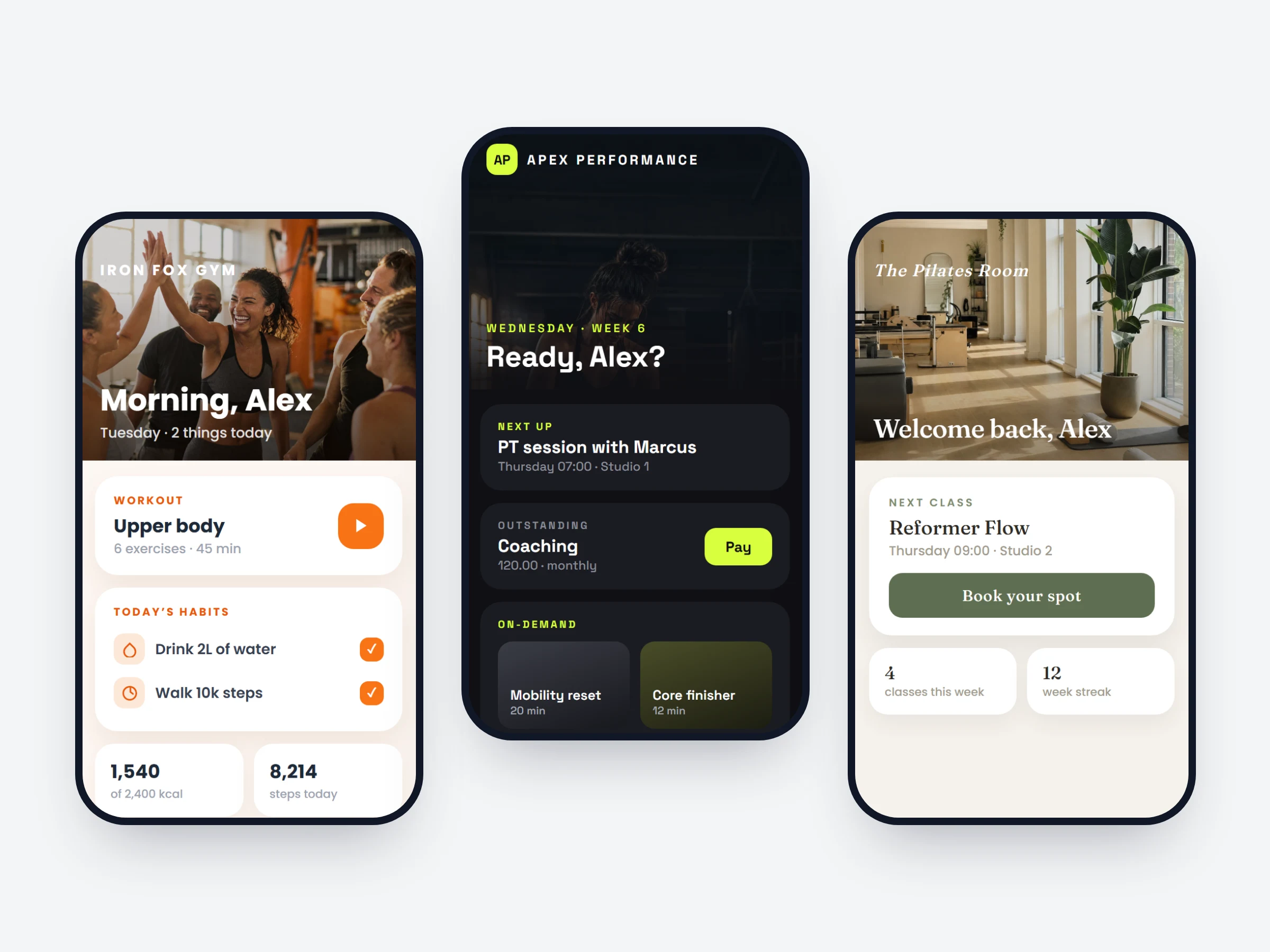
How trainers can use it
Make the app unmistakably yours
Your colours, your photos, your typeface — the app clients open every day looks like your brand, not a generic template.
Lead with what you coach
An on-demand studio puts the workout library on top; a nutrition coach leads with meals and habits. Same app, different front page.
Redesign without a developer
Restyle for a rebrand or a seasonal challenge in minutes on the live preview — publish when it looks right.
It starts with the pages. Add, reorder or remove them, and they become the tabs of your app’s nav bar — training, nutrition, habits, community, chat, profile — each with its own tab name and icon. The tab bar holds a handful; pages you leave out stay in the app, reachable from the client’s Profile.
Then the home screen: a stack of cards — today’s workout, outstanding payments, calories and steps, habits, what’s next — that you drag into order or hide, plus your own sections laid out as carousels, grids or lists. Headers, backgrounds and typeface are set per page, everything updates on the live phone preview, and one Publish makes it live for every client.
How it works
- 01
Build the nav
Add, reorder or remove pages — each becomes a tab with its own name and icon. Left-out pages stay reachable from Profile.
- 02
Arrange the home screen
Workout, payments due, calories and steps, habits, next up — drag to reorder or hide, and add your own blocks as carousels, grids or lists.
- 03
Style and publish
Headers, backgrounds and typeface per page, tuned on the live preview — one Publish makes it live for all your clients at once.
It is already in your account.
Every update ships to every trainer automatically. New here? Start free and try it with your own clients.