Workout modes: guided player or a list logger
Choose how clients open a workout in the app. One exercise at a time with its video, or every exercise on one page with sets logged in a table.
See where it fits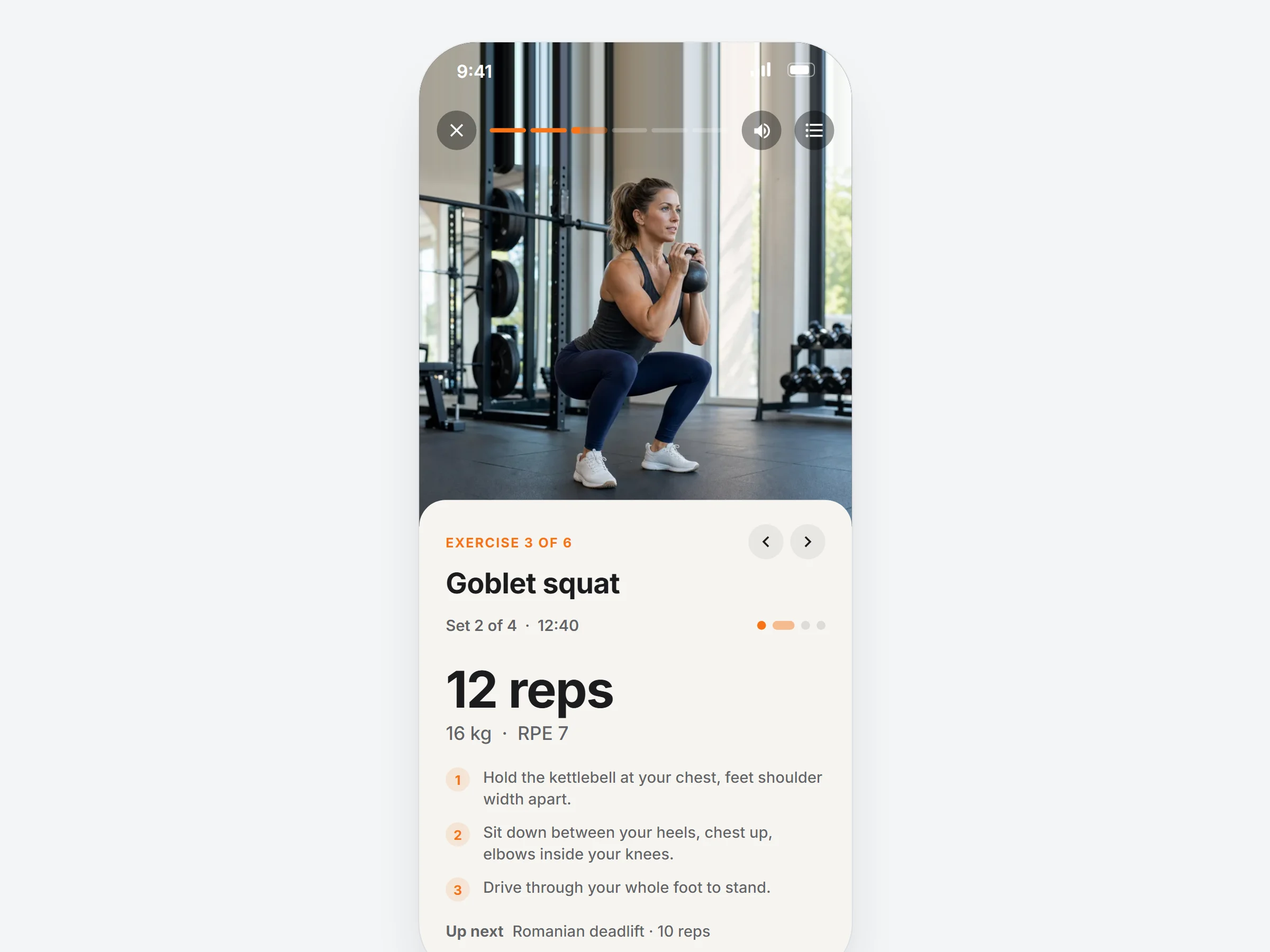
How trainers can use it
Same workout, two ways to run it.
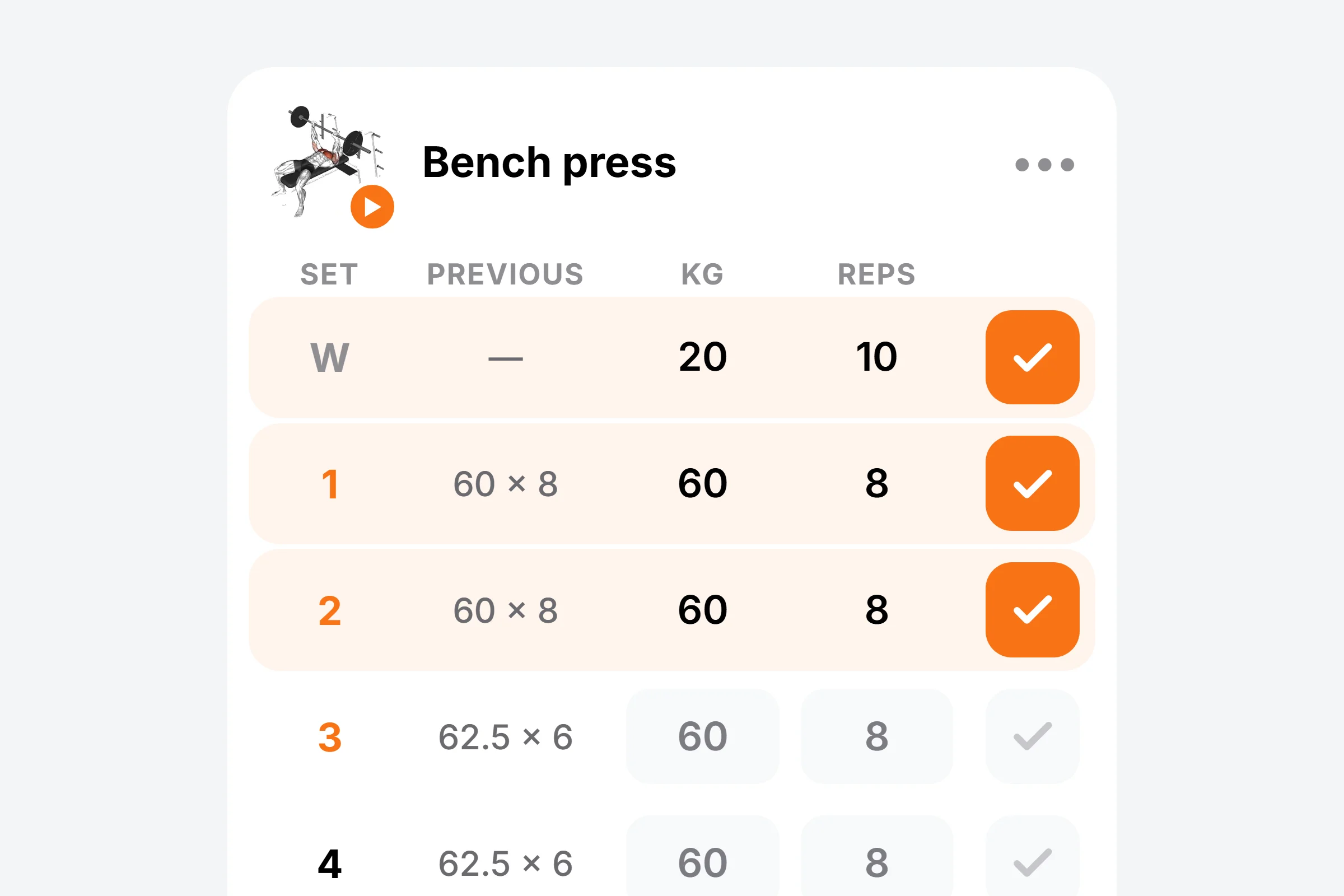
Lifters who know the drill
The whole session and last time’s numbers on one page, like their own logbook.
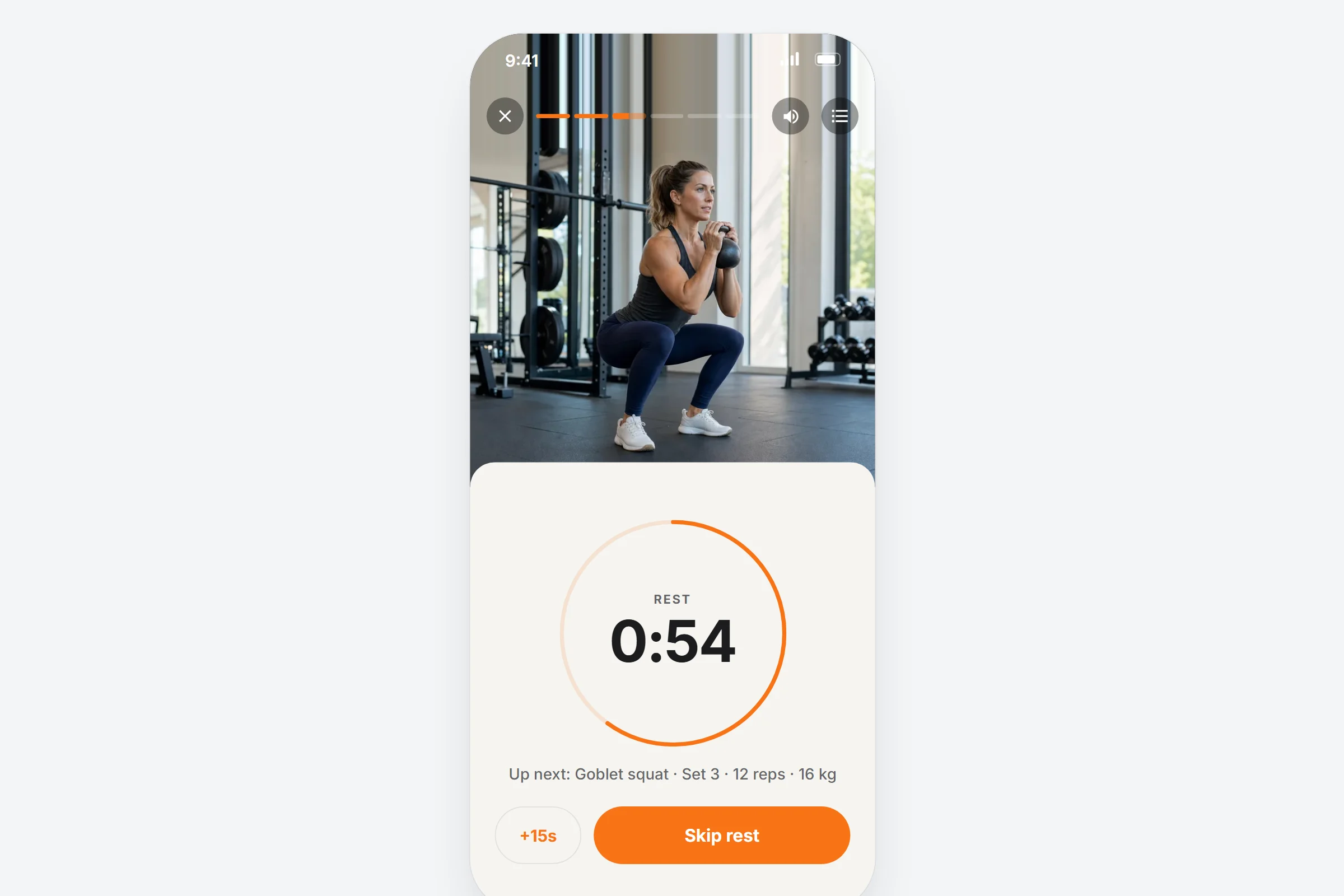
Beginners who need guidance
One exercise with its demo video, and the rest timer runs on its own.
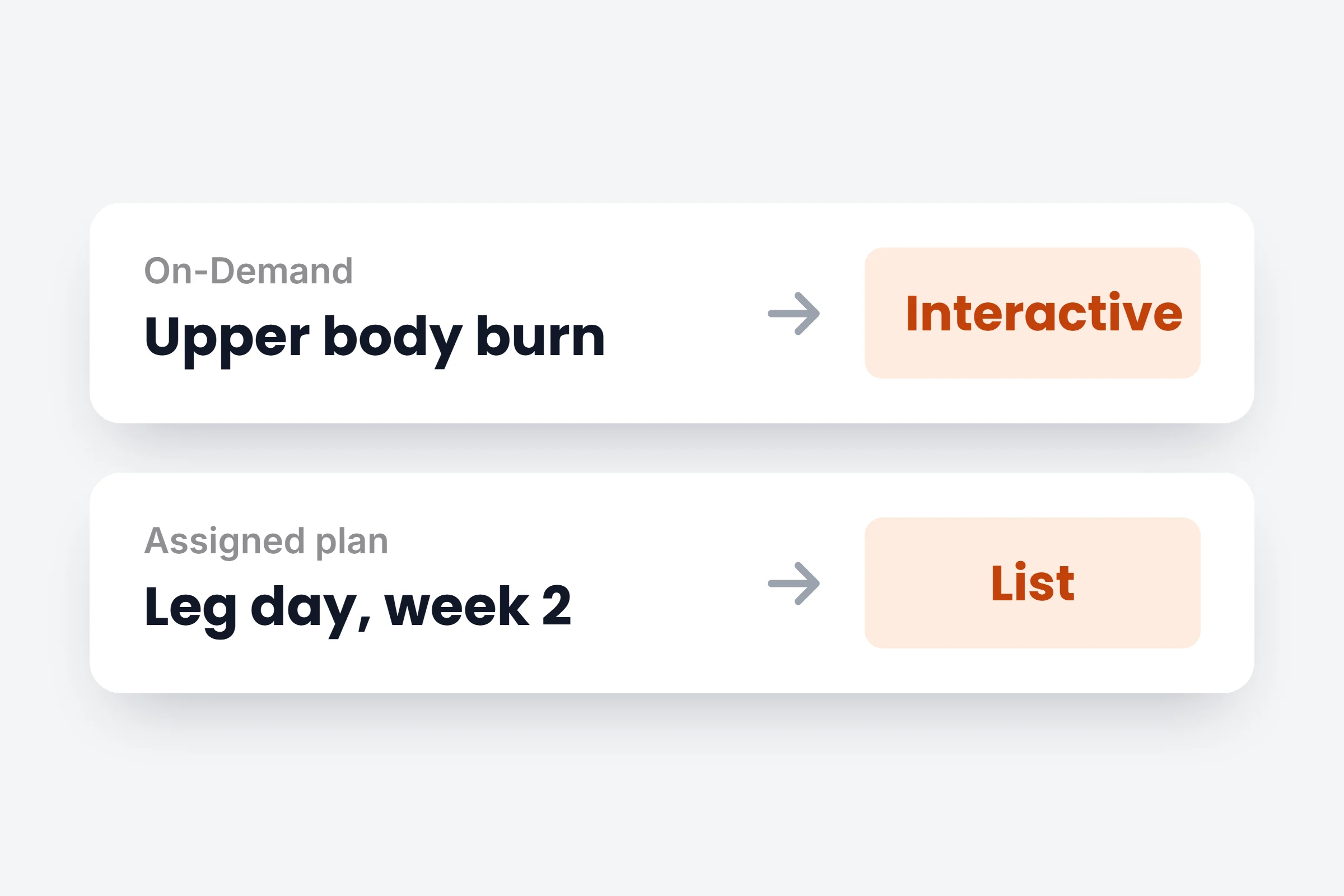
On-Demand stays guided
By workout type opens On-Demand workouts interactive and your plans as a list.
How it works
- 01
Pick your default
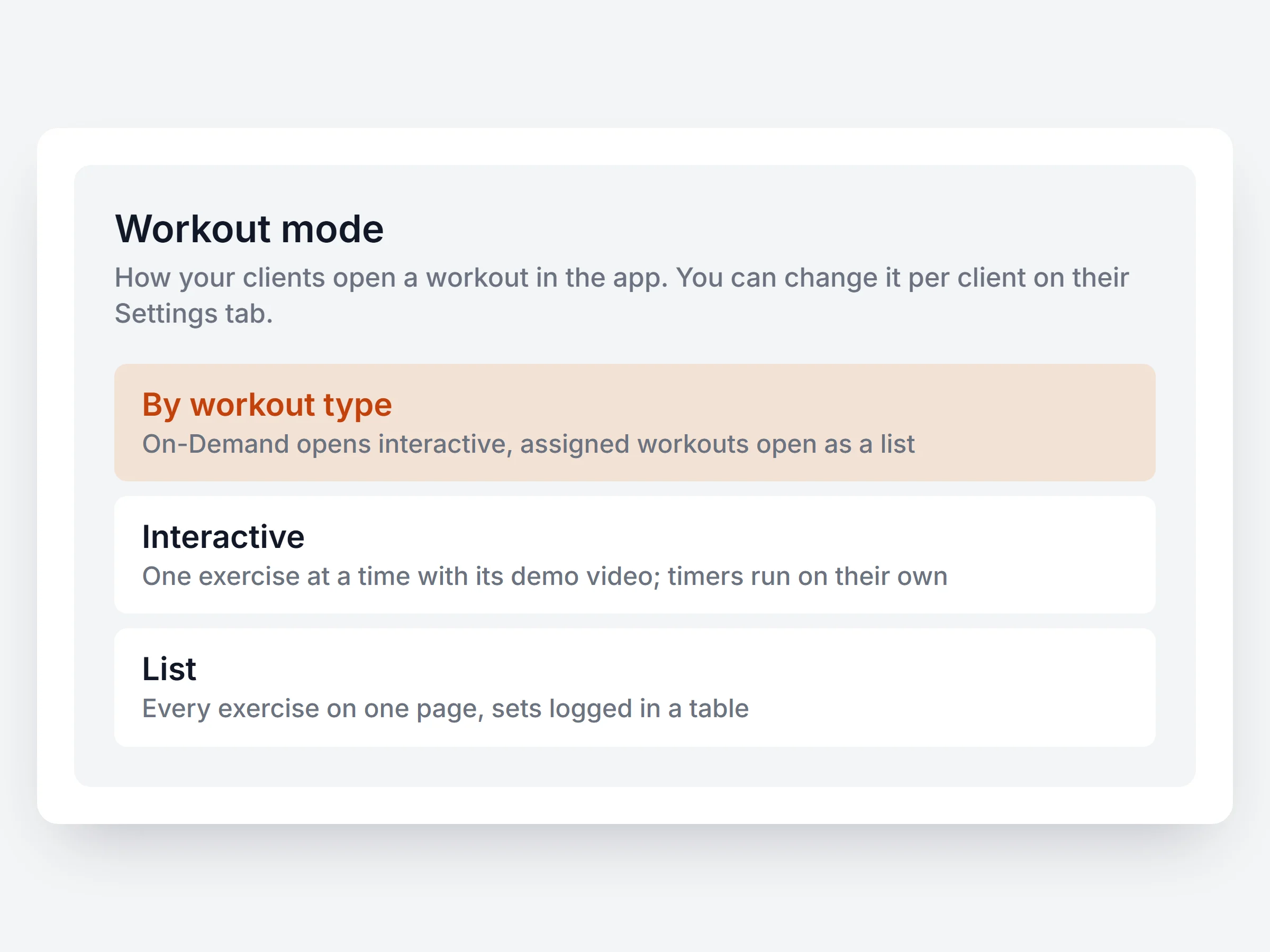
In Settings, Features, set Workout mode to Interactive, List, or By workout type.
- 02
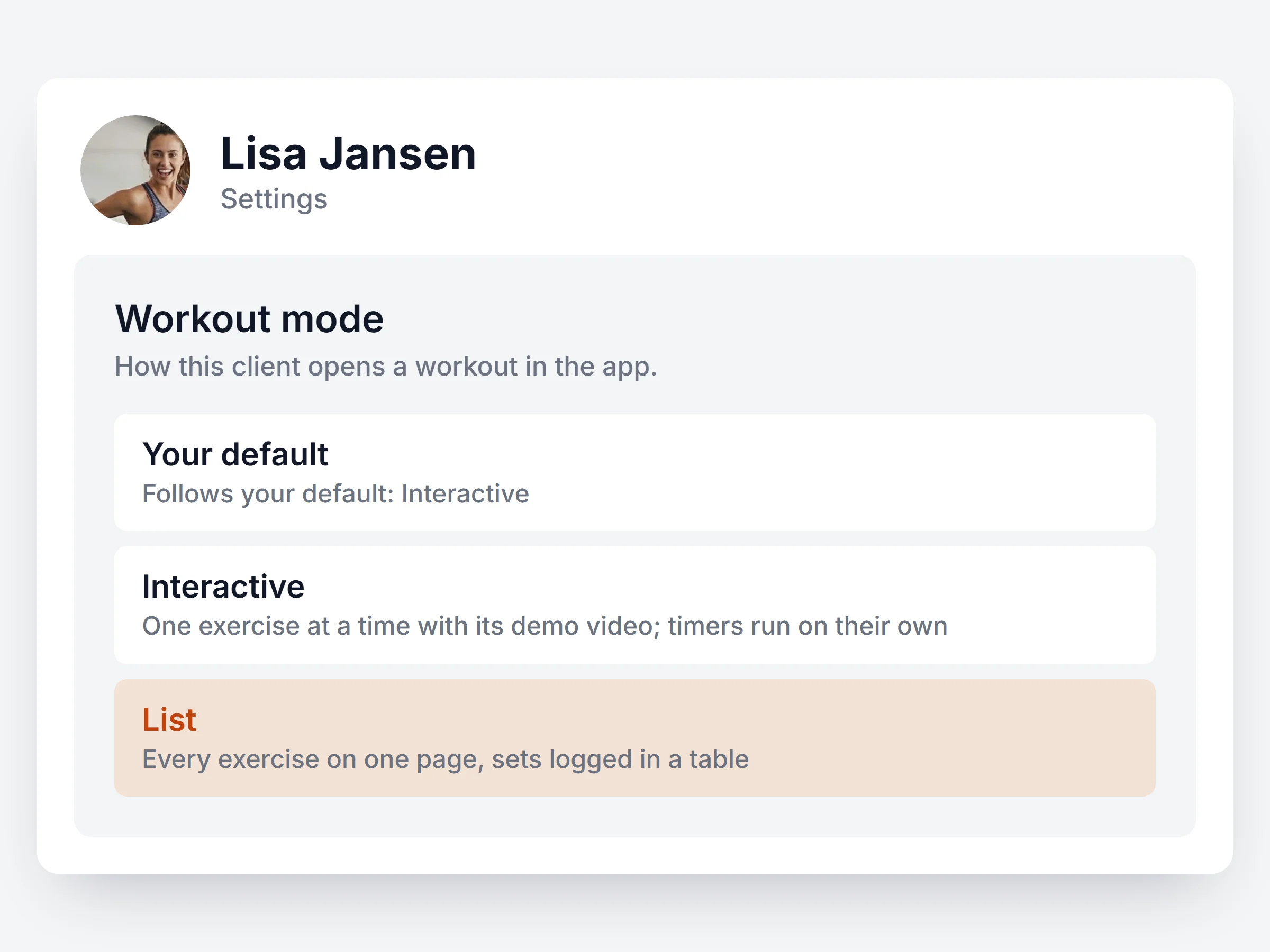
Change it per client
Someone prefers the other mode? Set it on their Settings tab. Everyone else follows your default.
- 03
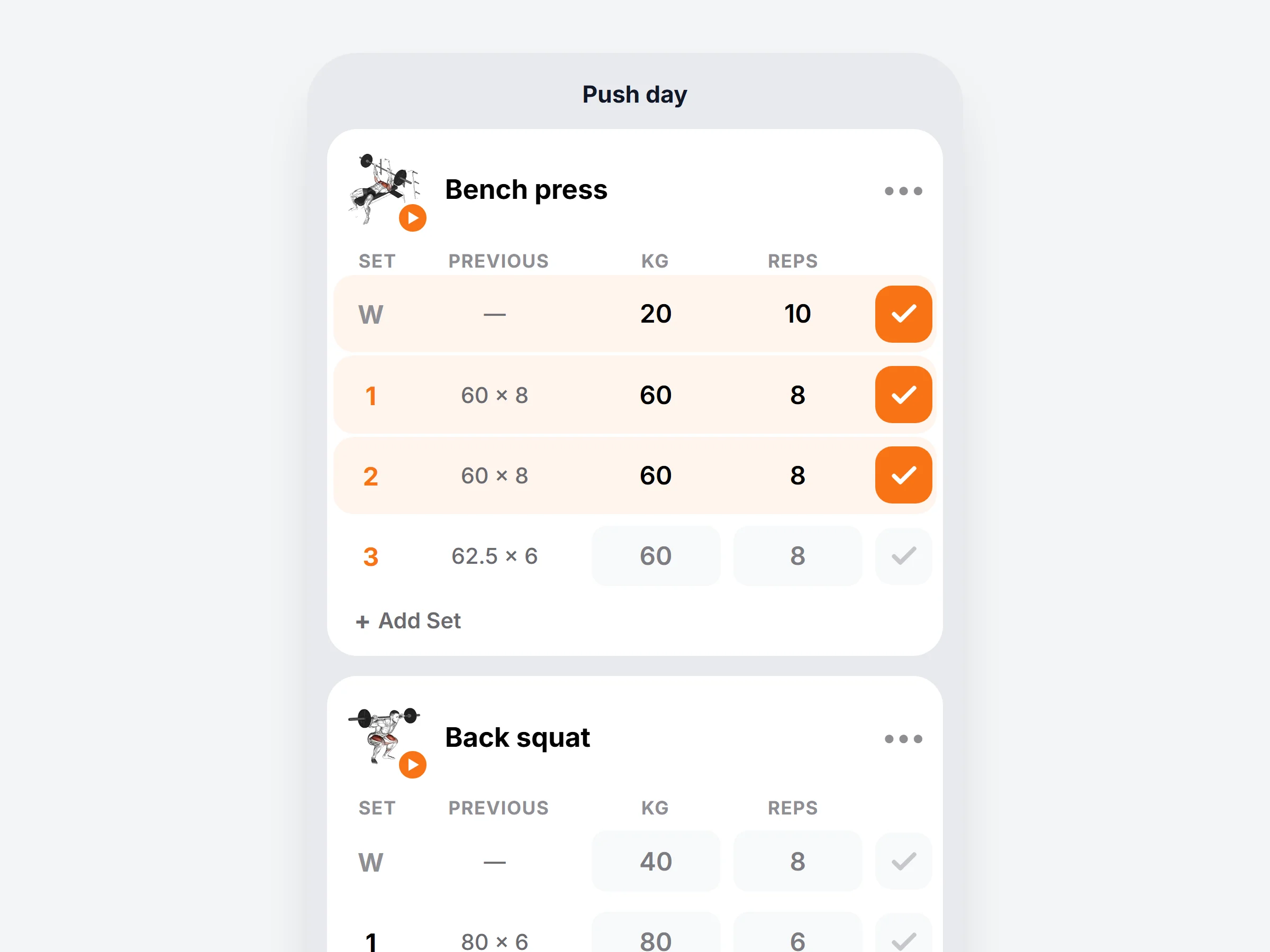
Clients log their sets
In List mode the whole workout sits on one page. Last time’s numbers show next to every set.
You stay in charge
Nothing to rebuild
Every workout you already made opens in both modes.
Switch mid workout
A client can jump to the other mode inside the workout.
Supersets stay together
Supersets and circuits keep their rounds in both modes.
One history
Weight, reps, time, distance and RPE land in the same log.
Let every client train their way.
Start a 14 day free trial and open the same workout in both modes.