Personal Trainer CRM: Client Management Software Compared (2026)
A personal trainer CRM is software that holds every client record in one place: contact details, the lead-to-client pipeline, onboarding answers, private notes, progress history, payment history and reminders. Most trainers get more value from a coaching platform with client management built in than from a general CRM built for sales teams.

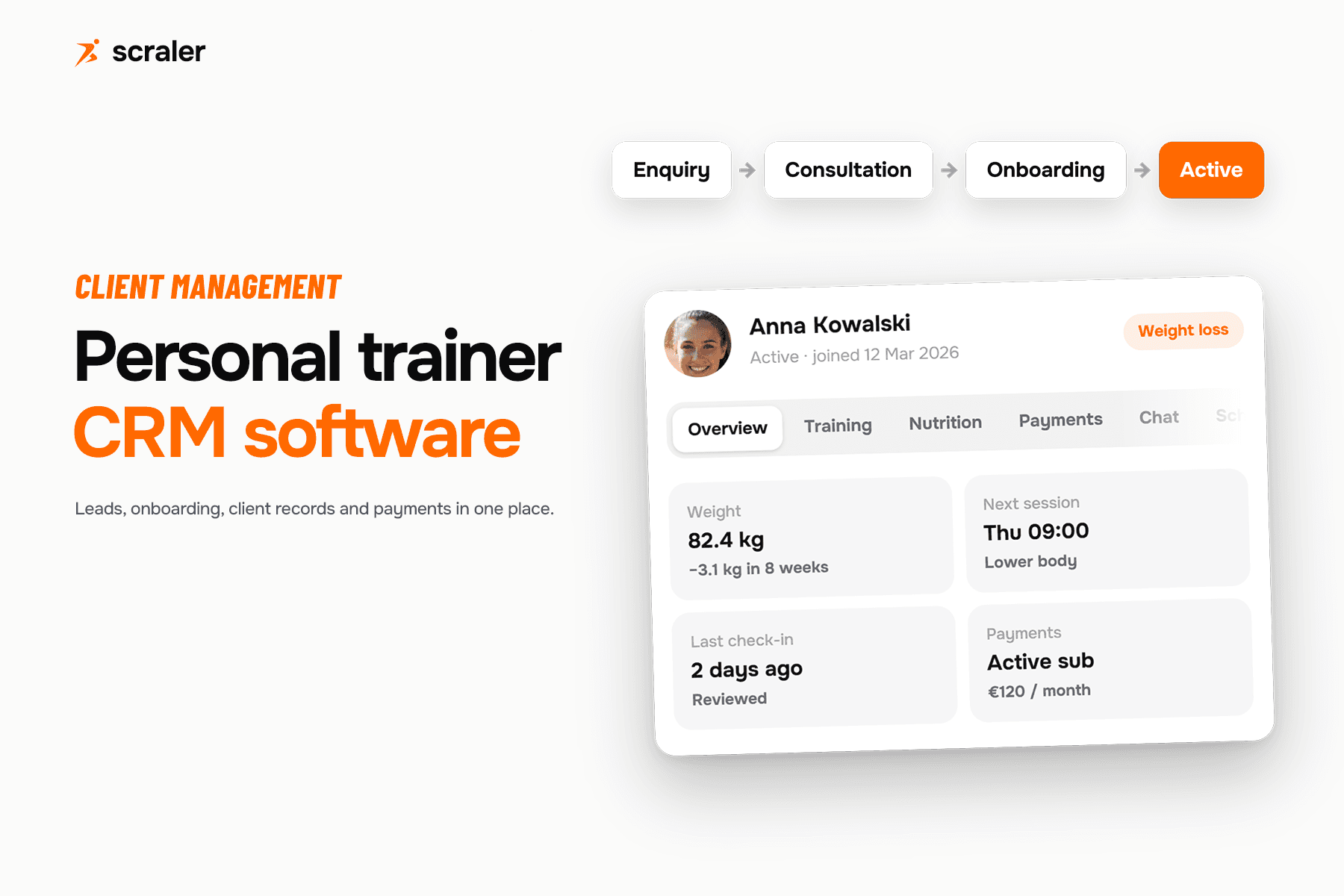
- A trainer CRM needs six things: client records, a lead pipeline, onboarding forms, notes, progress and payment history, and a way to archive without losing data.
- A general CRM like HubSpot handles the lead pipeline well but has no training, nutrition or check-in features built for coaching.
- Coaching platforms bundle client management with the actual coaching tools, so client data does not live in two systems.
- Client limits, onboarding forms and payments history vary a lot between the eight tools compared below. Check the table before you commit to one.
What does a CRM mean for a personal trainer?
CRM stands for customer relationship management. For a sales team that usually means deals and pipelines. For a personal trainer it means something more specific: one record per client that follows them from first enquiry to active subscription to, eventually, an archived account, without re-typing anything along the way. The personal trainer income calculator works out what a roster that size actually pays you.
In practice, a personal trainer CRM needs to hold six kinds of information well: Most of it starts with a client intake form and grows with each weekly client check-in form.
- Client records. Name, contact details, category or goal, when they joined, and their current status (lead, invited, active, archived).
- A lead-to-client pipeline. Someone fills in an enquiry form, books a consultation, then converts to a paying client. If that handoff lives in your head or a notes app, it gets dropped.
- Onboarding forms. Health screening, goals, measurements and starting stats, collected once at signup instead of chased over the first three weeks.
- Notes and progress history. What you noticed in the last session, plus weight, measurements (the same numbers a BMI calculator uses) and photos over time, attached to the client, not scattered across text threads.
- Reminders and payment history. Who missed a check-in, whose card failed, what they have paid so far.
- Archiving without losing data. A client who pauses or leaves should not disappear. You want their history kept, and you usually do not want them counting against a client cap while inactive.
Should you use a general CRM or a coaching platform?
Two honest options exist. A general CRM such as HubSpot has a free tier with contact records, deal pipelines and tasks; a spreadsheet is the free alternative. Neither has a concept of a training programme, a check-in or a recurring coaching charge, so you would still need a second tool once someone becomes a client.
- Good at leads, enquiries and follow-up tasks
- No training, nutrition or check-in features
- Payment history needs a separate invoicing tool
- Free or low cost to start
- Client record includes training, nutrition and check-ins
- Onboarding form feeds straight into the client profile
- Payment history sits on the same profile as the coaching
- Usually priced by client count, not by contacts
The practical answer: use a general CRM if your business is mostly sales calls before anyone becomes a client, such as a gym selling memberships. Use a coaching platform if most of your admin happens after signup, true for most personal trainers; the comparison below covers that category, plus one gym-focused platform for reference.
Personal trainer client management software compared
All eight tools below manage client records, but they differ on client limits, onboarding forms and whether payment history is included or an add-on. Every figure comes from each company's own pricing or features page.
- Best for
- Coaches who want a free start
- Client limit, cheapest usable plan
- 1 client (Basic, free)
- Price
- Free, then from $10/mo (Grow, 2 clients)
- Onboarding forms
- Consultation forms on Pro and up
- Payments history
- Stripe add-on, $10/mo on Grow and Pro; included on Studio
- Best for
- Strength, bodybuilding and rehab coaches
- Client limit, cheapest usable plan
- 5 clients (Starter)
- Price
- $29.98/mo
- Onboarding forms
- Not published
- Payments history
- TrueCoach Payments (Stripe) on every plan, 5% fee per transaction
- Best for
- Coaches who want a free 5-client start
- Client limit, cheapest usable plan
- 5 clients (Starter, free)
- Price
- Free, then from $19/mo (Pro, 5 clients)
- Onboarding forms
- Forms and questionnaires on Pro and up
- Payments history
- Payments and Packages add-on from $9/mo
- Best for
- Coaches who want payments on every plan
- Client limit, cheapest usable plan
- 3 clients (Starter)
- Price
- €25/mo
- Onboarding forms
- Not published
- Payments history
- Included on every plan; check-ins automated on Premium and up
- Best for
- Coaches who want a low per-client overage cost
- Client limit, cheapest usable plan
- 3 clients (Basic, plus $6/client/mo over)
- Price
- $19.90/mo
- Onboarding forms
- Not published
- Payments history
- PayPal native; Stripe via Zapier
- Best for
- Coaches who want check-in forms from the cheapest plan
- Client limit, cheapest usable plan
- 25 clients (Essentials)
- Price
- $35/mo
- Onboarding forms
- Custom check-in forms included
- Payments history
- Stripe and PayPal, no commission per the homepage
- Best for
- Gyms and studios selling memberships
- Client limit, cheapest usable plan
- Not published (quote-only)
- Price
- From $99/mo (exact tiers quote-only)
- Onboarding forms
- Not published
- Payments history
- Not published
- Best for
- Coaches who want training, nutrition and client management on one profile
- Client limit, cheapest usable plan
- 50 active clients (Plus)
- Price
- From EUR/GBP 39, USD 49, AUD 79 per month
- Onboarding forms
- Custom intake form, required fields you choose
- Payments history
- Included from Premium plan (not on Plus)
A few things the table does not show. Trainerize's and Everfit's free tiers are real but small. TrueCoach, My PT Hub, PT Distinction, Kahunas and Scraler have no free plan for active clients and offer trials instead. Glofox does not publish per-tier prices or client limits, only a starting figure, so it is hard to compare directly against the others.
Trainerize for client management
- Cheapest plan
- Free (Basic, 1 client)
- Clients included
- 1 (Basic)
- Payments
- $10/mo add-on (Grow, Pro); included on Studio
- Branded app
- Not published
Trainerize suits a coach who wants to start free and grow. Consultation forms, the closest thing to an onboarding form, arrive on the Pro plan, which scales by client seats as the roster grows. Payments run through a Stripe add-on, only bundled in on the much larger Studio plans. Read more on trainerize.com.
TrueCoach for client management
- Cheapest plan
- $29.98/mo (Starter, 5 clients)
- Clients included
- 5 (Starter)
- Payments
- Stripe, 5% fee per transaction
- Branded app
- Not published
TrueCoach is built around strength, bodybuilding, physical therapy and CrossFit coaching. Clients track custom habits, progress pictures, body metrics and macros. TrueCoach Payments runs on Stripe and is available to coaches in the US, UK, Canada and Australia. No onboarding-form feature is listed, so check this directly at truecoach.co.
Everfit for client management
- Cheapest plan
- Free (Starter, 5 clients)
- Clients included
- 5 (Starter)
- Payments
- $9/mo add-on
- Branded app
- Not published
Everfit's free Starter plan is one of the more usable free tiers here. Forms and questionnaires for check-ins, plus habit coaching, are Pro-plan features, and Pro then scales by client count as the roster grows. Payments are a separate add-on rather than included; see everfit.io.
My PT Hub for client management
- Cheapest plan
- €25/mo (Starter, 3 clients)
- Clients included
- 3 (Starter)
- Payments
- Included on every plan
- Branded app
- Not published
My PT Hub includes payment processing on every plan, unusual among the tools here. Automated check-ins arrive on Premium and above, which also moves to unlimited clients, workouts and nutrition plans. No onboarding-form feature is published; details at mypthub.net.
PT Distinction for client management
- Cheapest plan
- $19.90/mo (Basic, 3 clients)
- Clients included
- 3, then $6/client extra
- Payments
- PayPal native; Stripe via Zapier
- Branded app
- Not published
PT Distinction's per-extra-client rate falls as the roster grows. Payments run through PayPal natively or Stripe via Zapier, some setup involved rather than a built-in processor. No onboarding-form feature is published; see ptdistinction.com.
Kahunas for client management
- Cheapest plan
- $35/mo (Essentials, 25 clients)
- Clients included
- 25 (Essentials)
- Payments
- Stripe and PayPal, no commission
- Branded app
- Not published
Kahunas includes custom check-in forms from its cheapest plan, alongside custom habit tracking and messaging with voice notes. Its top Ultimate plan removes the client cap entirely. Lead gen forms and bulk client upload only start on the middle Growth tier, so on Essentials new clients are added one at a time. Read more at kahunas.io.
Glofox for gyms and studios
- Cheapest plan
- From $99/mo (quote-only)
- Clients included
- Not published
- Payments
- Not published
- Branded app
- Not published
Glofox is aimed at gyms and multi-location businesses rather than a single trainer, pricing per business on request, with client limits, onboarding forms and payment details all behind a quote. If you run a gym selling memberships, it is worth a look, but its numbers cannot be compared directly without contacting sales at glofox.com.
Scraler for client management
- Cheapest plan
- USD 49/mo (Plus, 50 clients)
- Clients included
- 50 active (Plus)
- Payments
- Included from Premium
- Branded app
- Not published
Scraler's client roster is searchable and filterable, with colour-coded categories you define, and every profile holds training, nutrition, payments, chat, schedule, activity and private trainer notes in one place. Onboarding is a custom intake form that calculates starting calorie (TDEE) and macro targets automatically, and check-in templates cover weight, measurements, photos, ratings and free text on a schedule you set.
An archived client keeps their full history and stops counting toward the active-client cap, so pausing someone does not cost a paid seat. You can import a client list from Excel or export any client's full history in one click; see client data export.
Plus, the cheapest plan built for real coaching, and payments, packages and earnings are a Premium-plan feature, not included on Plus. Scraler is also newer and smaller than Trainerize or Everfit, with no free plan for active coaching, only a short trial; see pricing for the full breakdown.
Roster, onboarding form, notes, progress history and payments on a single client profile. 14-day free trial on every plan.
Start free trialHow do you switch CRM without losing client data?
The risk in switching is not the new software, it is the old data: client contact details, training history, nutrition plans and payment records built up over months. Before you commit, check two things: can you export a full client list to a readable spreadsheet, and does the new tool support importing that list rather than re-typing every client by hand.
If you are moving off a platform such as Trainerize, TrueCoach, Everfit or My PT Hub, Scraler's team rebuilds clients, workouts and meal plans from your export for free. See how switching works for details.
Frequently asked questions
- What is the difference between a CRM and client management software for personal trainers?
- CRM is the general term, mostly used for sales pipelines. "Client management software" usually means a CRM built specifically for coaching, with training, nutrition, check-ins and payment history attached to the client record rather than just contact details.
- Can I use a spreadsheet instead of a CRM?
- For a handful of clients, yes. It breaks down once you need reminders, a payment history, or an onboarding form that feeds calculations automatically, because all of that becomes manual re-entry.
- Is HubSpot good for personal trainers?
- HubSpot's free CRM (up to 2 users, 1,000 contacts) handles leads and follow-up tasks well, but it has no training, nutrition or check-in features, so most trainers still need a separate coaching tool once someone becomes a client.
- Do archived or paused clients count toward my plan limit?
- It depends on the platform. In Scraler, archived clients keep their full history but do not count toward the active-client cap. Check this specifically before archiving, since not every tool works this way.
- What should an onboarding form for a personal trainer include?
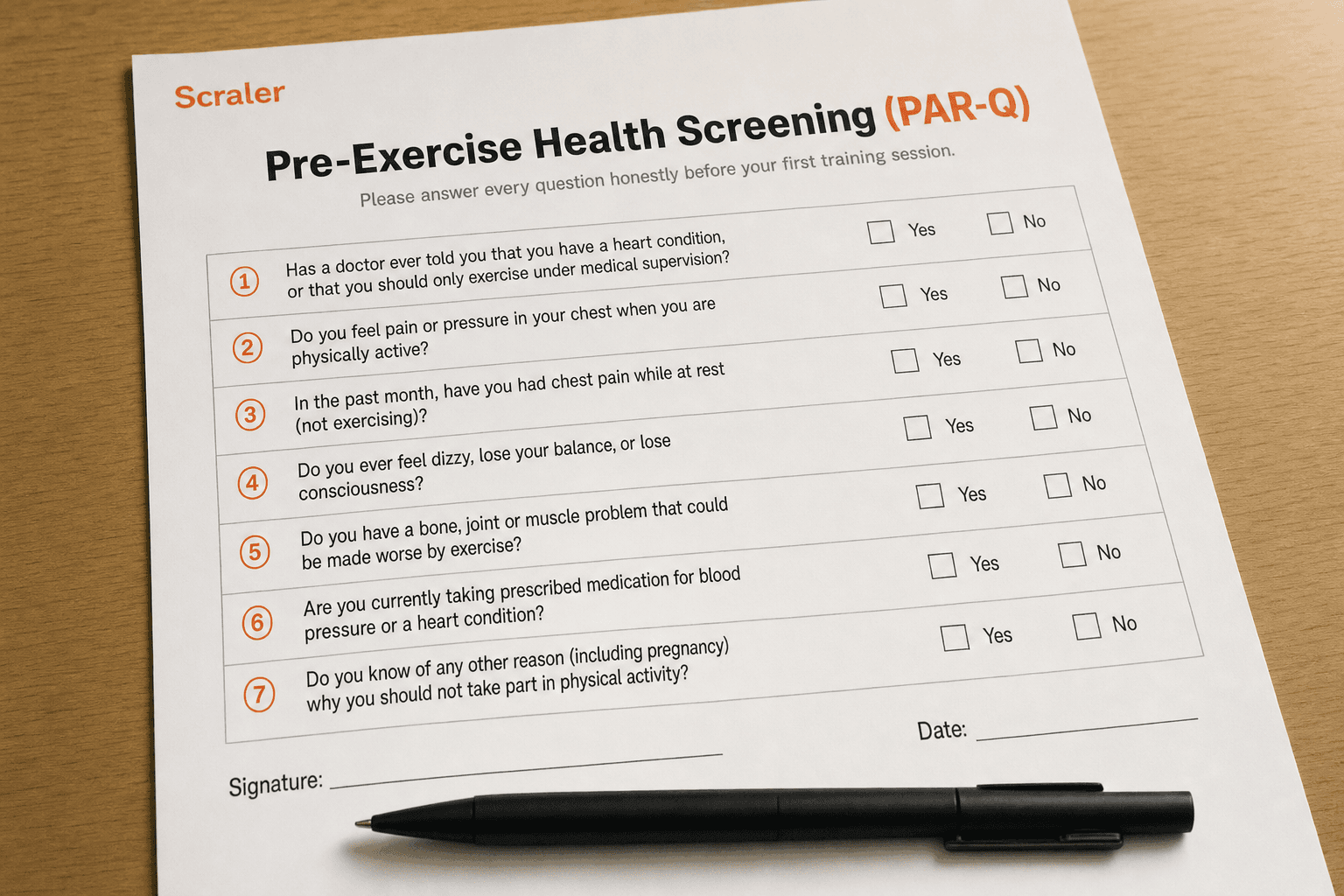
- At minimum: health screening (a PAR-Q), current weight and measurements, goals and activity level. See our free PAR-Q template for the health-screening half of that form.
- Can I export my client data if I switch software?
- You should be able to, and it is worth confirming before you sign up rather than after. Under GDPR, a client also has the right to ask what personal data you hold on them, so an export function is not optional in practice. In Scraler, one button on a client's profile exports their full history to Excel (how it works).