Personal Training Booking Software: What to Look For and What It Costs (2026)
Personal training booking software, also called personal trainer scheduling software, lets clients pick a free slot, pay and get a reminder without messaging you. Look for four things: availability that matches your hours, session types with a duration and price, payment at booking, and reminders. Coaching apps such as Everfit, Trainerize and Scraler include it from $19 to $50 a month.

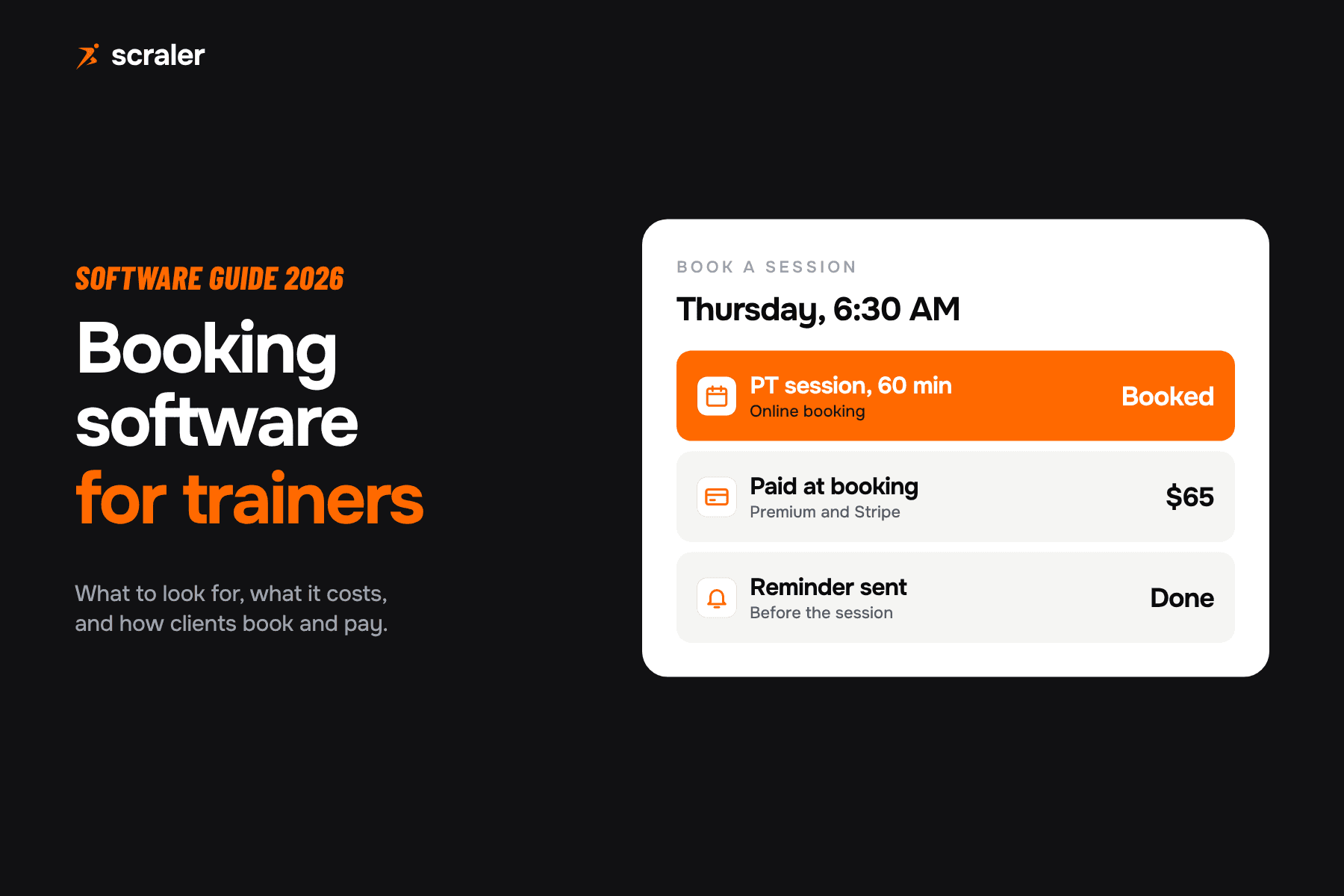
- A good booking tool has four parts: your weekly hours, session types, payment at booking and reminders.
- Prices checked on each pricing page: Everfit Pro from $19 a month, Trainerize Pro plus the Business add-on from $50, Scraler Plus $49.
- A standalone scheduler like Acuity ($20 a month) books sessions but does not know your client, program or packages.
- One empty slot a week costs about $2,990 a year in the worked example below, so reminders pay for themselves fast.
Most trainers start with a text thread and a paper diary. It works with five clients and breaks at fifteen. This guide covers what booking and scheduling software should do for a trainer, which tools include it, and what each costs. Prices come from each vendor's own pricing page, read on 7 October 2026. Plans differ in client limits and features, so read the notes next to each number. Booking is one part of wider personal trainer software, which also covers programs, check-ins and payments.
What is personal trainer scheduling software?
It is the part of your system that turns "when are you free?" into a booked, paid session. You set the hours you work. Clients see the free slots and book one. The session lands on your calendar and the client gets a reminder. Good tools also handle repeat sessions, group classes and payment.
There are two kinds. A standalone scheduler such as Calendly or Acuity does booking and nothing else. A coaching platform such as Scraler, Everfit or Trainerize puts booking next to the client record, the program and the payments. For a trainer, the second kind usually makes more sense, because the session, the client and the money are in one place. Studios with several trainers should also read our guide to fitness studio software.
What should booking software for personal trainers do?
Ignore the long feature lists and check these six things. If a tool fails two of them, you will end up back in your text thread.
- Why it matters
- Clients only see slots inside your real hours, so you stop negotiating times.
- Why it matters
- A 30 minute assessment, a 60 minute session and a group class each need their own length and price.
- Why it matters
- A paid slot is a committed slot. It also ends the chase for payment after the session.
- Why it matters
- A reminder before the session is the cheapest way to cut no-shows.
- Why it matters
- Most of your clients train on a fixed day. Repeat bookings and standing classes save re-booking every week.
- Why it matters
- The booking should sit next to the client's program, check-ins and packages, not in a separate login.
| Check | Why it matters |
|---|---|
| Weekly availability | Clients only see slots inside your real hours, so you stop negotiating times. |
| Session types | A 30 minute assessment, a 60 minute session and a group class each need their own length and price. |
| Payment at booking | A paid slot is a committed slot. It also ends the chase for payment after the session. |
| Reminders | A reminder before the session is the cheapest way to cut no-shows. |
| Recurring sessions and classes | Most of your clients train on a fixed day. Repeat bookings and standing classes save re-booking every week. |
| One client record | The booking should sit next to the client's program, check-ins and packages, not in a separate login. |
Also check what the client sees. Booking only works if clients actually use it, so it should live in the same app they already open for workouts and messages.
Is a standalone scheduler like Calendly or Acuity enough?
It can be, if you only sell one to one sessions and you are happy to run a second tool. Acuity Scheduling charges $20 a month paid monthly ($16 if paid annually) for one calendar, client self-scheduling and payments through Stripe, Square, PayPal or Venmo. Calendly has a free plan with one event type and one calendar, and charges $12 per seat a month on the Standard plan, billed monthly.
The catch is what they do not know. A scheduler has no idea which package a client bought, how many sessions are left, or what the client trained last week. You link the booking to the client by hand. For a trainer with a few clients that is fine. Past that, you want the booking inside the platform that already holds the client.
Which coaching apps include scheduling, and what do they cost?
The table shows what each pricing page says today. Where a page does not mention booking, we say so instead of guessing. If booking matters to you, ask the vendor before you pay.
- Plan and price (monthly billing)
- Plus $49
- Booking on the pricing page
- Appointment types, weekly availability, recurring classes, online booking
- Clients
- 50
- Plan and price (monthly billing)
- Pro from $19
- Booking on the pricing page
- Booking & Scheduling listed in the plan
- Clients
- 5 at $19, 50 at $95
- Plan and price (monthly billing)
- Pro from $25 plus Business add-on $25
- Booking on the pricing page
- Scheduling is in the add-on, with shareable booking links
- Clients
- 5 at $25, 50 at $135
- Plan and price (monthly billing)
- Starter $25, Premium $59 list
- Booking on the pricing page
- 1 to 1 bookings on both, group bookings and classes on Premium
- Clients
- 3 on Starter
- Plan and price (monthly billing)
- Starter $29.98, Standard $69.98
- Booking on the pricing page
- Not listed on the pricing page
- Clients
- 5 on Starter, 20 on Standard
- Plan and price (monthly billing)
- Basic $19.90
- Booking on the pricing page
- Not listed; the page lists scheduled email and SMS and package sales
- Clients
- 3 included
| Tool | Plan and price (monthly billing) | Booking on the pricing page | Clients |
|---|---|---|---|
| Scraler | Plus $49 | Appointment types, weekly availability, recurring classes, online booking | 50 |
| Everfit | Pro from $19 | Booking & Scheduling listed in the plan | 5 at $19, 50 at $95 |
| Trainerize | Pro from $25 plus Business add-on $25 | Scheduling is in the add-on, with shareable booking links | 5 at $25, 50 at $135 |
| My PT Hub | Starter $25, Premium $59 list | 1 to 1 bookings on both, group bookings and classes on Premium | 3 on Starter |
| TrueCoach | Starter $29.98, Standard $69.98 | Not listed on the pricing page | 5 on Starter, 20 on Standard |
| PT Distinction | Basic $19.90 | Not listed; the page lists scheduled email and SMS and package sales | 3 included |
Two things stand out. First, the client count matters more than the entry price. Everfit Pro is $19 for 5 clients and $95 for 50. Trainerize Pro is $135 for 50 clients before the $25 Business add-on, so $160 with scheduling. Scraler Plus is $49 for 50 clients. Compare at the number of clients you plan to have in a year, not at the starter tier.
Second, payment is often a separate line. Trainerize lists a $10 a month Stripe payments add-on, and Everfit lists a Payments & Packages add-on from $9 a month. Add those up before you compare. For a full price breakdown of one of them, see Trainerize pricing or Everfit pricing.
How do you take payment when a client books?
Attach a price to the session type. The client pays when they book, and the money lands in your Stripe account. This works best for single sessions, assessments and trial sessions. For regular clients, a session pack or a monthly membership is usually better, because nobody has to pay every week. We cover how to build those in personal training packages, and what to charge in personal training prices.
Payment processing is not free, so include it in your rate. Stripe lists 2.9% + 30 cents per successful domestic card payment. Worked example: on a $65 session that is $1.89 + $0.30 = $2.19, so you keep $62.81. Your booking tool may add its own fee on top, so check that too.
How do reminders reduce no-shows?
A client who is reminded the day before is less likely to forget, and you hear about a problem while there is still time to fill the slot. We do not have a trustworthy industry figure for no-show rates, so here is a worked example instead. Say you book 20 sessions a week for 46 weeks at $65, the Bark US average per session.
If 1 in 10 sessions is missed and not refilled, that is 2 empty slots a week, or $5,980 a year. Even 1 in 20 is $2,990. A reminder system that cuts that in half is worth more than any monthly software fee on this page. Pair it with a clear cancellation rule in your client contract.
How does booking work in Scraler?
You set your weekly open hours under Availability. Under Appointment Types you create each service with a name, a duration, online or a location, and an optional price. Clients tap Book a session in their app, see the types you switched on and the free slots inside your hours, and book. The booking goes into your calendar as confirmed. On Premium, visitors can also book from your landing page; their session is confirmed once they verify their email.
- Plans. Online booking needs the Plus plan ($49 a month). Charging for a session needs Premium ($69 a month) and a connected Stripe account.
- Recurring sessions and classes. Repeat a session daily, weekly, every 2 weeks or monthly and choose when the client gets a reminder. Group sessions take more than one client.
- Your own hours per service. Turn on "Only bookable at specific times" to give a service its own booking hours.
- Clashes. Moving a session warns you when it overlaps another one.
- Studios. Sessions and services can carry a location, and the calendar can be filtered per club.
Scraler puts your calendar, appointment types, payments and client programs in one place, so a booking is already linked to the client who made it.
See schedulingHow do you choose the right booking software?
- 1.Count your clients in 12 months. Price every tool at that number, not at the starter tier.
- 2.List what you sell. Single sessions, packs, classes, memberships. Check the tool handles each one.
- 3.Check payment. Is it included, an add-on, or a separate tool? Add the fees to the monthly price.
- 4.Test it as a client. Book a session from a phone. If it takes more than a minute, your clients will text you instead.
- 5.Ask about what is not listed. For TrueCoach and PT Distinction, the pricing pages do not list booking. Ask the vendor before you decide.
Frequently asked questions
- What is the best booking software for personal trainers?
- It depends on how many clients you have and what you sell. For a few one to one clients, a standalone scheduler like Acuity at $20 a month is enough. If you also sell programs, packs or memberships, a coaching platform with booking built in keeps everything in one place. Compare tools at the client count you expect in a year.
- How much does personal trainer scheduling software cost?
- On the pricing pages we checked on 7 October 2026: Everfit Pro from $19 a month, My PT Hub Starter $25, Acuity Starter $20, Scraler Plus $49 and Trainerize Pro plus the Business add-on from $50. Entry prices cover 3 to 5 clients on most plans, so the price at 50 clients is higher.
- Can clients pay when they book a personal training session?
- Yes, in tools that connect to a payment provider. In Scraler you add a price to the appointment type, which needs the Premium plan and a connected Stripe account. Stripe lists 2.9% + 30 cents per domestic card payment.
- Is Calendly good enough for personal trainers?
- Calendly books sessions, and its free plan has one event type and one calendar. It does not know your client's program or packages, so you connect those by hand. It works for a small one to one business and gets awkward as you add packs, classes and online clients.
- Can I run group classes with booking software?
- Check this before you buy, because it differs by tool. My PT Hub lists group bookings and classes on its Premium plan. Scraler supports group sessions with more than one client and recurring classes people sign up for.