Software for Personal Trainers: Features, Types and What It Costs
Software for personal trainers is the dashboard and client app where you build programs, track clients, run check-ins and take payments. It comes in several types, from all-in-one coaching apps to CRM and scheduling tools. Across 10 tools we checked on 7 October 2026, the cheapest plan for 30 clients cost $49 to $165 a month.

- Look for seven jobs in one app: clients, programs, nutrition, check-ins, scheduling, payments and a client app with your name on it.
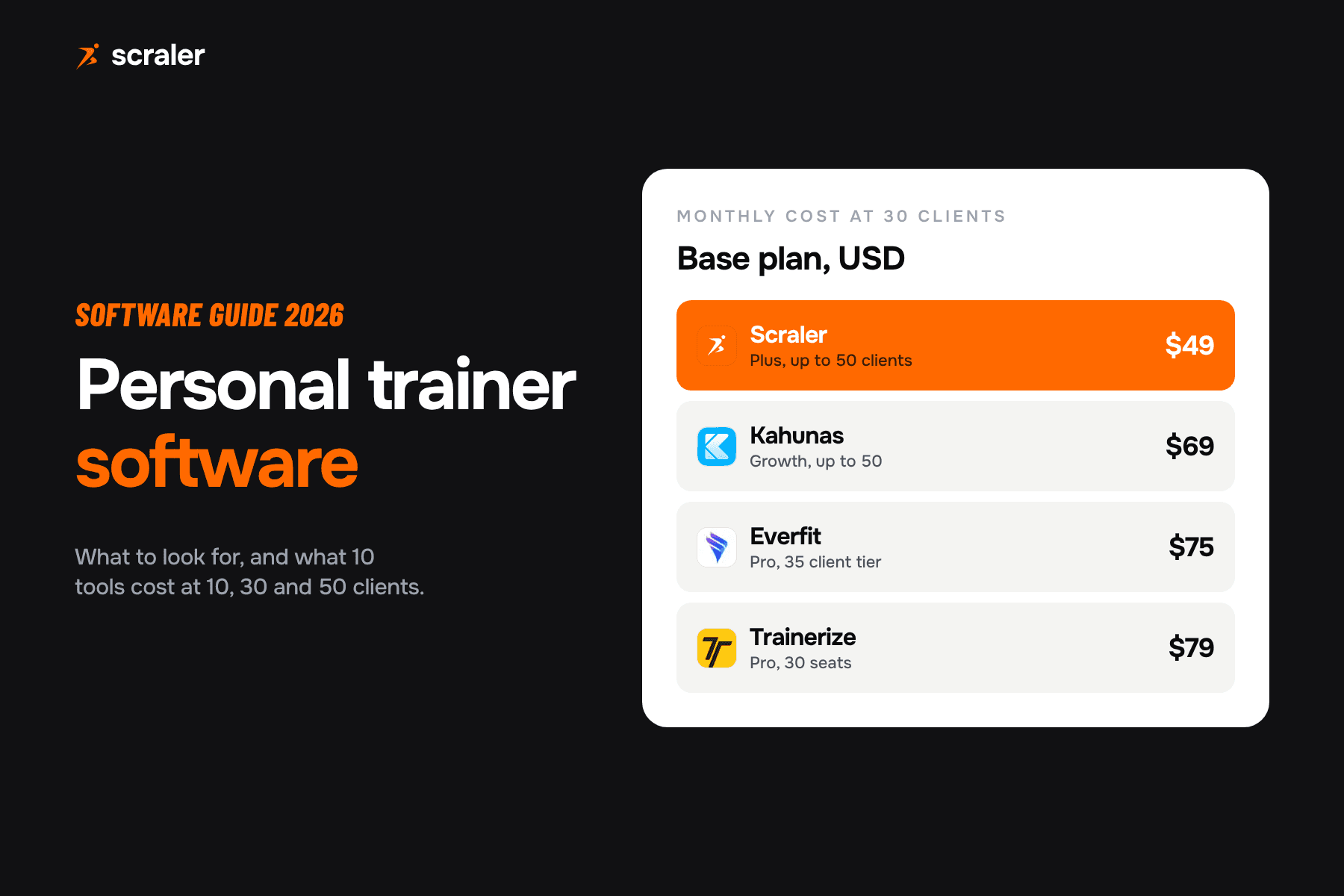
- At 30 clients the base plans cost $49 to $165 a month. At 10 clients the range is $25 to $79, and at 50 clients it is $49 to $165.
- Check the pricing model, not just the price: client bands, a charge per extra client, or one flat plan.
- Payments, meal planners and a branded app are extra on some tools and included on others. Price your whole stack.
- Test with a few real clients during the free trial before you move your roster.
This is the buyer's guide: what the software should do, which type you need, how to compare options and what ten tools cost at three roster sizes. Every price comes from the vendor's own pricing page, read on 7 October 2026 and re-checked on 25 November 2026; the table links each one. For a ranked review of each tool with pros and cons, see our pick of the best app for personal trainers and their clients. If you coach mostly remotely, read online coaching platforms, and if you coach health, nutrition or wellness clients, see coaching apps for health and nutrition coaches.
What is personal trainer software?
It is the core piece of fitness technology behind your coaching business. You build workouts and meal plans, assign them, and your clients follow them in a mobile app. You see what they logged, message them and check in on progress. Better tools also sell your packages, bill clients on a schedule and book sessions.
It is not the same as gym management software, which runs front desk, memberships and classes for a facility. If you coach one to one or online, you want coaching software. If you run a gym, read our gym management software guide.
What should software for personal trainers do?
We score every tool against the same seven jobs. They are the things a coach does every week, so a gap in any of them becomes a second app, a spreadsheet or a lot of copy and paste.
- Clients. One profile per client with history, notes and tags, so you are not hunting through chats.
- Programs. A builder with an exercise video library, templates you can assign to many clients and edit for one.
- Nutrition. Meal plans or macro targets, and a way for clients to log what they eat.
- Check-ins. A weekly form with photos and measurements that lands in the client profile.
- Scheduling. Sessions, classes and reminders, if you coach in person or hybrid.
- Payments. Recurring billing and packs through Stripe or similar, paid out to you.
- Client app. An app clients actually open, ideally with your name and logo.
What should you look for before you buy?
Most buying mistakes are about pricing structure and exit costs, not features. Check these five things on the pricing page and in the trial.
- 1.The pricing model. Some tools sell client bands, so the price steps up at set counts. Some charge a base fee plus a fee per extra client. Some have one flat plan with a cap, and a few are unlimited. Pick the model that fits how you expect to grow.
- 2.What the base plan leaves out. Payments, a meal planner, video calls or a branded app can each be a separate fee.
- 3.Your app, or theirs. A branded app can mean your colors in a shared app or your own store listings. These are very different.
- 4.What happens when you cancel. Ask whether clients, payment plans and your app survive a downgrade.
- 5.How a trial feels with real clients. Trials run from 14 to 30 days. Onboard a few actual clients, not a demo; our client onboarding software guide lists what to test.
How much does personal trainer software cost?
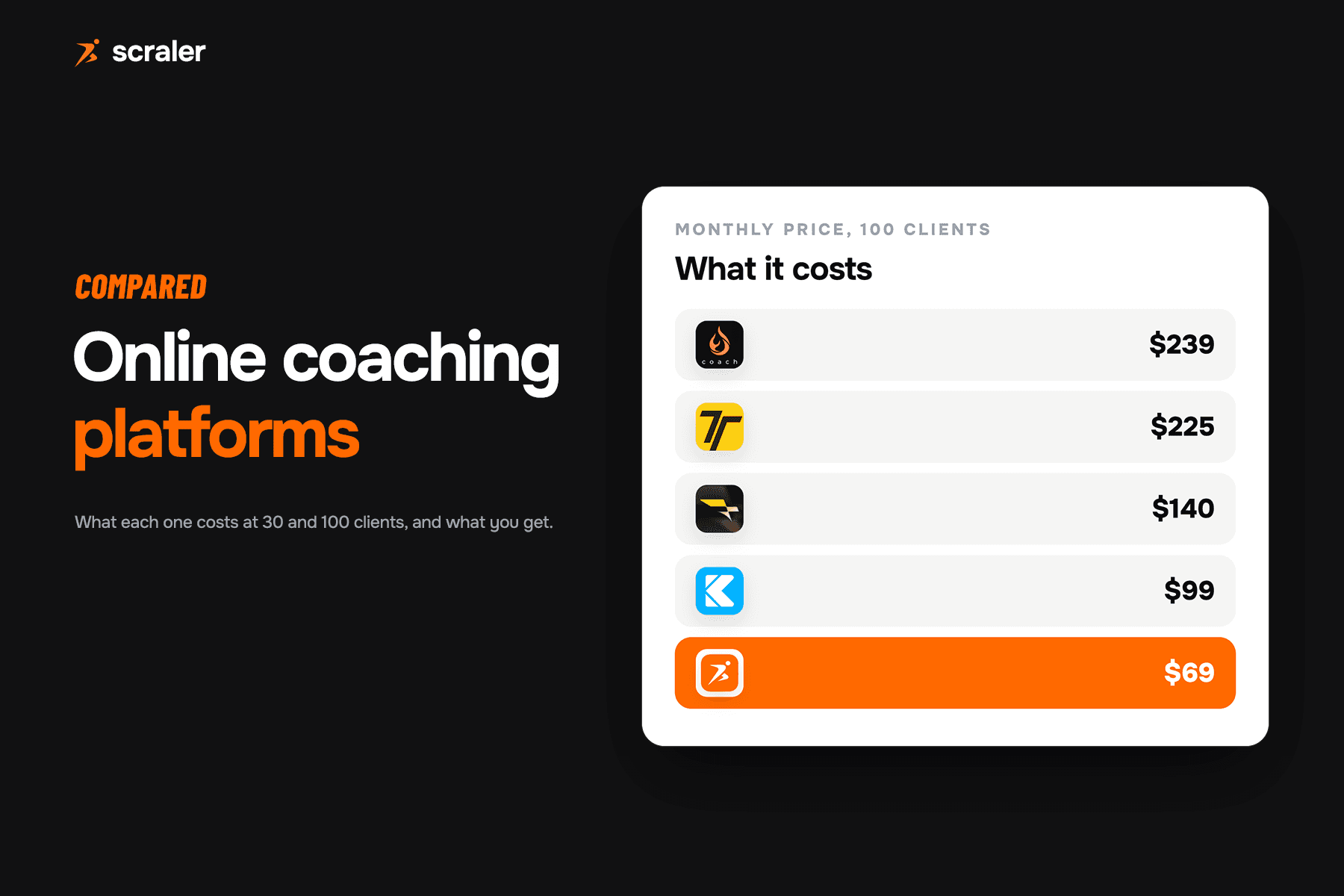
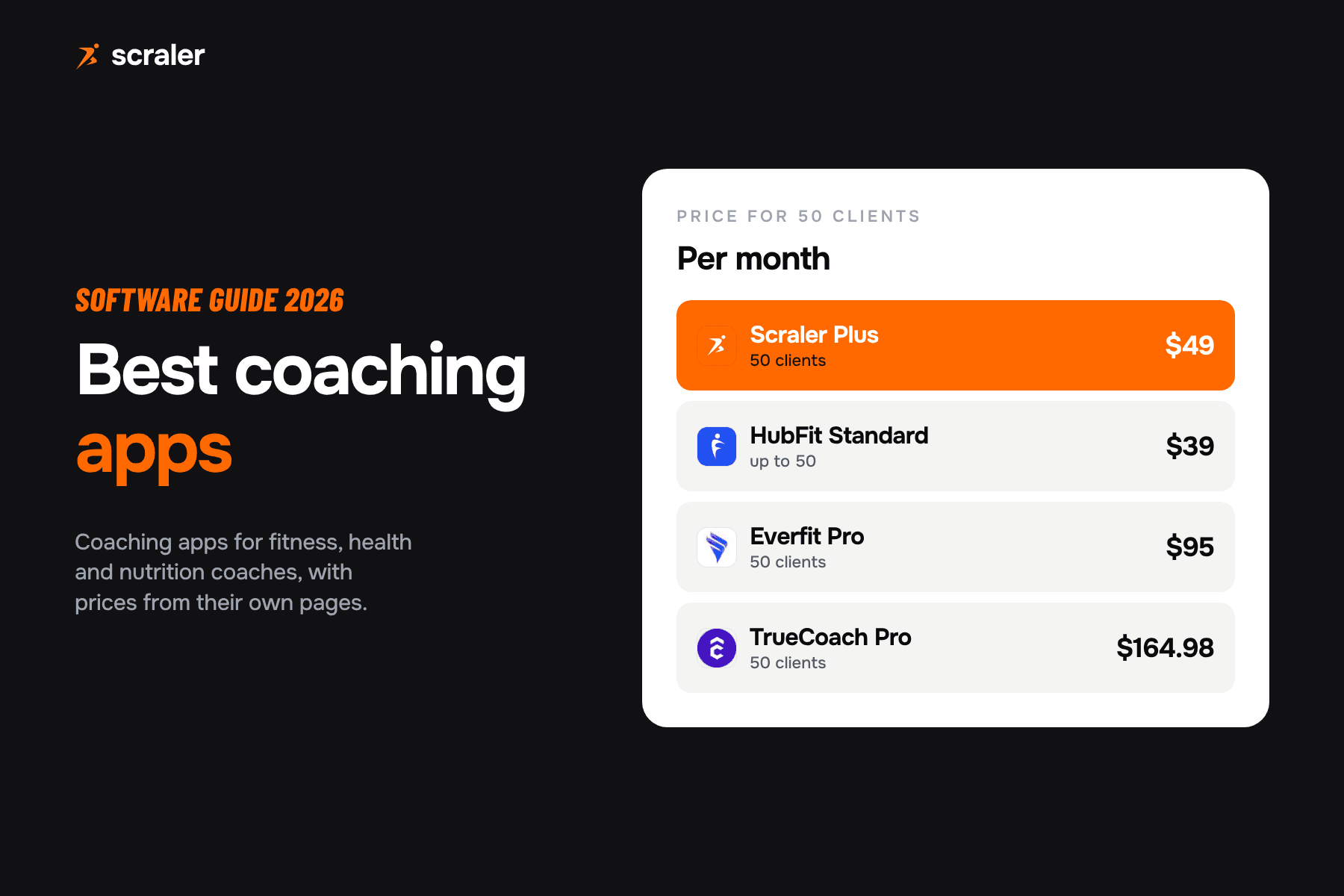
For a coach with 30 clients, the cheapest base plan across the ten tools below ran from $49 to $165 a month, about 3.4 times between the cheapest and the dearest. The comparison below uses each vendor's list price with monthly billing, and picks the cheapest plan that fits the roster. Annual billing is cheaper on most.
The price depends heavily on your roster size, because the tools scale differently. Here is the same set at 10, 30 and 50 clients.
- 10 clients
- $49
- 30 clients
- $49
- 50 clients
- $49
- Pricing model
- Flat plan, up to 50 clients
- 10 clients
- $59
- 30 clients
- $59
- 50 clients
- $59
- Pricing model
- Unlimited clients from Premium (pricing page)
- 10 clients
- $59.90
- 30 clients
- $71.90
- 50 clients
- $89.90
- Pricing model
- Base fee plus a fee per extra client (pricing page)
- 10 clients
- $50
- 30 clients
- $75
- 50 clients
- $100
- Pricing model
- Per seat, rate falls as the roster grows (pricing page)
- 10 clients
- $29
- 30 clients
- $75
- 50 clients
- $95
- Pricing model
- Client bands on Pro (pricing page)
- 10 clients
- $79
- 30 clients
- $79
- 50 clients
- $79
- Pricing model
- One plan for 6 to 50 clients (pricing page)
- 10 clients
- $50
- 30 clients
- $79
- 50 clients
- $135
- Pricing model
- Client seat tiers on Pro (pricing page)
- 10 clients
- $25
- 30 clients
- $90
- 50 clients
- $90
- Pricing model
- Client bands (pricing page)
- 10 clients
- $47
- 30 clients
- $99
- 50 clients
- $139
- Pricing model
- Base fee plus a fee per extra client (pricing page)
- 10 clients
- $69.98
- 30 clients
- $164.98
- 50 clients
- $164.98
- Pricing model
- Plans capped at 20 and 50 clients (pricing page)
What pushes the price up beyond the base plan?
The base price leaves out things many coaches need. On the pricing pages, extras look like this:
- Price (USD)
- $10 a month
- Where
- Trainerize add-on
- Price (USD)
- $9 a month
- Where
- Everfit add-on
- Price (USD)
- $45 a month at 30 to 200 clients
- Where
- Trainerize Advanced Nutrition
- Price (USD)
- $39 a month
- Where
- Everfit add-on
- Price (USD)
- $50 a month each
- Where
- FitBudd add-ons
- Price (USD)
- $169 / $95 / $75 one time
- Where
- Trainerize Pro / My PT Hub / FitBudd Super Pro
| Extra | Price (USD) | Where |
|---|---|---|
| Payments | $10 a month | Trainerize add-on |
| Payments and packages | $9 a month | Everfit add-on |
| Meal planner | $45 a month at 30 to 200 clients | Trainerize Advanced Nutrition |
| Meal plans and recipes | $39 a month | Everfit add-on |
| Appointments, or team members | $50 a month each | FitBudd add-ons |
| Branded app, setup | $169 / $95 / $75 one time | Trainerize Pro / My PT Hub / FitBudd Super Pro |
A worked example for a coach with 30 clients who wants payments and a meal planner, at list prices and monthly billing. Trainerize Pro 30 is $79, plus $10 for Stripe payments and $45 for Advanced Nutrition, so $134 a month. Everfit Pro at the 35 client tier is $75, plus $9 and $39, so $123 a month; our Everfit review breaks down those add-ons. Scraler Premium is $69 a month with payments and the meal plan builder included. My PT Hub, TrueCoach and PT Distinction list payments inside their plans, while FitBudd lists payments as an add-on on Starter, so check each page for your own stack.
Which personal trainer software has a branded app?
Most do, but the meaning of "branded" varies. This is what each pricing page says:
- Branded app on the pricing page
- Pro: $169 one time, shared Apple listing. Own listings on Studio, from $275 a month
- Branded app on the pricing page
- Custom Branding on Pro. White label on Enterprise, for 500+ clients
- Branded app on the pricing page
- Custom-branded fitness app listed on Standard and Pro
- Branded app on the pricing page
- $95 one time. White label app with store listing $145 a month on Premium
- Branded app on the pricing page
- Logo and colours in the Kahunas client app from 200 clients, $200 a month. No own store listing on any plan
- Branded app on the pricing page
- Super Pro $149 a month, white label app, plus a $75 setup fee
- Branded app on the pricing page
- Custom branded apps from Pro, $59.90 a month
- Branded app on the pricing page
- White-label app on Ultimate, $109 a month
- Branded app on the pricing page
- No branded app listed on the pricing page
| Tool | Branded app on the pricing page |
|---|---|
| Trainerize | Pro: $169 one time, shared Apple listing. Own listings on Studio, from $275 a month |
| Everfit | Custom Branding on Pro. White label on Enterprise, for 500+ clients |
| TrueCoach | Custom-branded fitness app listed on Standard and Pro |
| My PT Hub | $95 one time. White label app with store listing $145 a month on Premium |
| Kahunas | Logo and colours in the Kahunas client app from 200 clients, $200 a month. No own store listing on any plan |
| FitBudd | Super Pro $149 a month, white label app, plus a $75 setup fee |
| PT Distinction | Custom branded apps from Pro, $59.90 a month |
| Scraler | White-label app on Ultimate, $109 a month |
| Hevy Coach, CoachRx | No branded app listed on the pricing page |
If a listing under your own name matters, see our guide to white label fitness apps. It covers what Apple and Google ask of you.
What types of personal trainer software are there?
Most coaches start with an all-in-one coaching app and add a specialist tool only when one job outgrows it. These are the main types and the guide that covers each one.
- What it does
- Programs, nutrition, check-ins, chat and a client app in one place
- What it does
- Selling, onboarding, check-ins and automations for remote clients
- What it does
- Forms, notes, meal plans and billing for coaches beyond training
- Guide
- Coaching apps
- What it does
- Leads, client records, notes and follow ups
- Guide
- Personal trainer CRM
- What it does
- Booking, reminders and paid sessions
- What it does
- Intake forms and a new client's first week, without a call
- What it does
- Exercise library, templates and program delivery
- What it does
- How these tools fit together for a trainer, studio or gym
- What it does
- Memberships, classes and several trainers
| Type | What it does | Guide |
|---|---|---|
| All-in-one coaching app | Programs, nutrition, check-ins, chat and a client app in one place | Best apps for personal trainers |
| Online coaching platform | Selling, onboarding, check-ins and automations for remote clients | Online coaching platforms |
| Health and nutrition coaching app | Forms, notes, meal plans and billing for coaches beyond training | Coaching apps |
| Client CRM | Leads, client records, notes and follow ups | Personal trainer CRM |
| Scheduling software | Booking, reminders and paid sessions | Personal trainer scheduling software |
| Client onboarding | Intake forms and a new client's first week, without a call | Client onboarding software |
| Workout builder | Exercise library, templates and program delivery | Workout builder software |
| Business stack | How these tools fit together for a trainer, studio or gym | Fitness business software |
| Studio and gym software | Memberships, classes and several trainers | Fitness studio software |
The ten tools priced above are all-in-one coaching apps. Trial lengths run from 14 days (Scraler, Kahunas, CoachRx, TrueCoach) to 30 days or a month (the rest). For how each one handles workout logging, check-ins and its client app, with pros and cons per tool, see the best apps for personal trainers roundup.
Scraler handles your clients, workout and meal plans, check-ins, chat and payments, with a white-label app on Ultimate. Start with a 14 day free trial.
See client managementHow do you choose personal trainer software?
- 1.Write down your roster in a year. If you will have 20 clients, cheap small bands work. At 60 or 100, a flat or unlimited plan may win.
- 2.List the jobs you need. Use the seven above and mark which are must haves.
- 3.Price your whole stack. Add payments, nutrition and an app to each base plan. The coaching software cost calculator does it for your own client count.
- 4.Shortlist two or three and run real clients through the trial. Check how fast you can build a week of training and how clients react to the app.
- 5.Check the exit. Know what happens to clients and payments if you cancel.
The cheapest tool is rarely the best deal. A $20 gap on the monthly bill matters less than an hour a week of admin you win back, so judge on time saved as well. You can estimate what your own coaching earns with the personal trainer income calculator.
Pricing breakdowns, alternatives and head to head comparisons
Every tool above has its own pricing breakdown: what each plan costs, what the add-ons add, and what a real roster pays. To price them against each other at your own client count, use the coaching software cost calculator.
- Trainerize pricing: free for 1 client, then priced per client seat
- Everfit pricing: a free tier, then client steps, with meal plans and payments as add-ons
- TrueCoach pricing: three client bands and a flat 5 percent on payments
- Kahunas pricing: priced per seat, with the rate falling as the roster grows
- My PT Hub pricing: unlimited clients in EUR, once past the entry plan
- CoachRx pricing: four published client bands, with a per-client fee above 150
- FitBudd pricing: a low entry price, plus a fee for every extra client
- PT Distinction pricing: a base fee plus a falling per client rate
- Hevy Coach pricing: one feature set, priced purely by client count
If your shortlist is down to two, these compare them at the same roster sizes: Everfit vs Trainerize, TrueCoach vs Trainerize, Everfit vs TrueCoach, PT Distinction vs Trainerize, Kahunas vs Everfit, Trainerize vs Kahunas and My PT Hub vs Trainerize.
Leaving a tool rather than choosing one? Start with Trainerize alternatives, Everfit alternatives, TrueCoach alternatives, My PT Hub alternatives or Kahunas alternatives. Scraler's switch programme rebuilds clients, workouts and meal plans from an export.
Related guides
- Best apps for nutritionists: practice, meal planning and food logging apps sorted by job.
- AI for personal trainers: how to use an AI personal trainer as a first draft.
- Small group personal training: programming and pricing semi-private sessions.
- ABC Trainerize: what changed after the acquisition and who should switch.
- Fitness app development cost: how to create a fitness app, custom or branded.
Frequently asked questions
- How do I pick the right personal trainer software?
- Start from roster size and what you sell. Under 10 clients, small band plans are cheapest. From 30 to 50 clients, flat plans and unlimited plans often win. If you want payments, nutrition and your own app, price the full stack, not the base plan. For a ranked list, see best apps for personal trainers.
- What types of personal trainer software are there?
- The main types are all-in-one coaching apps, online coaching platforms, health and nutrition coaching apps, client CRMs, scheduling software, onboarding tools, workout builders and studio or gym software. Most solo coaches need one all-in-one app and add a specialist tool only when one job outgrows it.
- How do you choose software for personal trainers?
- Pick one app that covers your roster and what you sell. Check seven jobs: clients, programs, nutrition, check-ins, scheduling, payments and a client app. On 7 October 2026 the cheapest plan for 30 clients cost $49 to $165 a month across the ten tools we checked. For app by app reviews, see best apps for personal trainers.
- How much does personal trainer software cost per month?
- For 30 clients, the cheapest base plans on the ten tools we checked cost $49 to $165 a month on 7 October 2026. At 10 clients, the range is $25 to $79. At 50 clients, it is $49 to $165.
- Is there free personal trainer software?
- A few tools have a free plan for a small number of clients. Everfit has a free Starter for 5 clients, and Trainerize and My PT Hub each have a Free plan for 1 client. Most others offer a free trial of 14 to 30 days instead.
- What is the difference between personal trainer software and an app?
- The software is the coach side: dashboard, builders, billing and client records. The app is what clients use on their phone. Good tools give you both, and some let you put your own name on the app.
- Do I need software if I only have a few clients?
- You can start with a spreadsheet, but programs, check-ins and payments get messy as the list grows. Software also gives clients a place to log workouts, which spreadsheets do poorly.
- Can I switch personal trainer software later?
- Yes, but plan it. Rebuild your templates and payment plans first, move clients in groups, and cancel the old tool last. Trainerize, for one, deactivates clients above its free limit when you cancel.