Workout Builder App for Trainers: What to Look For in 2026
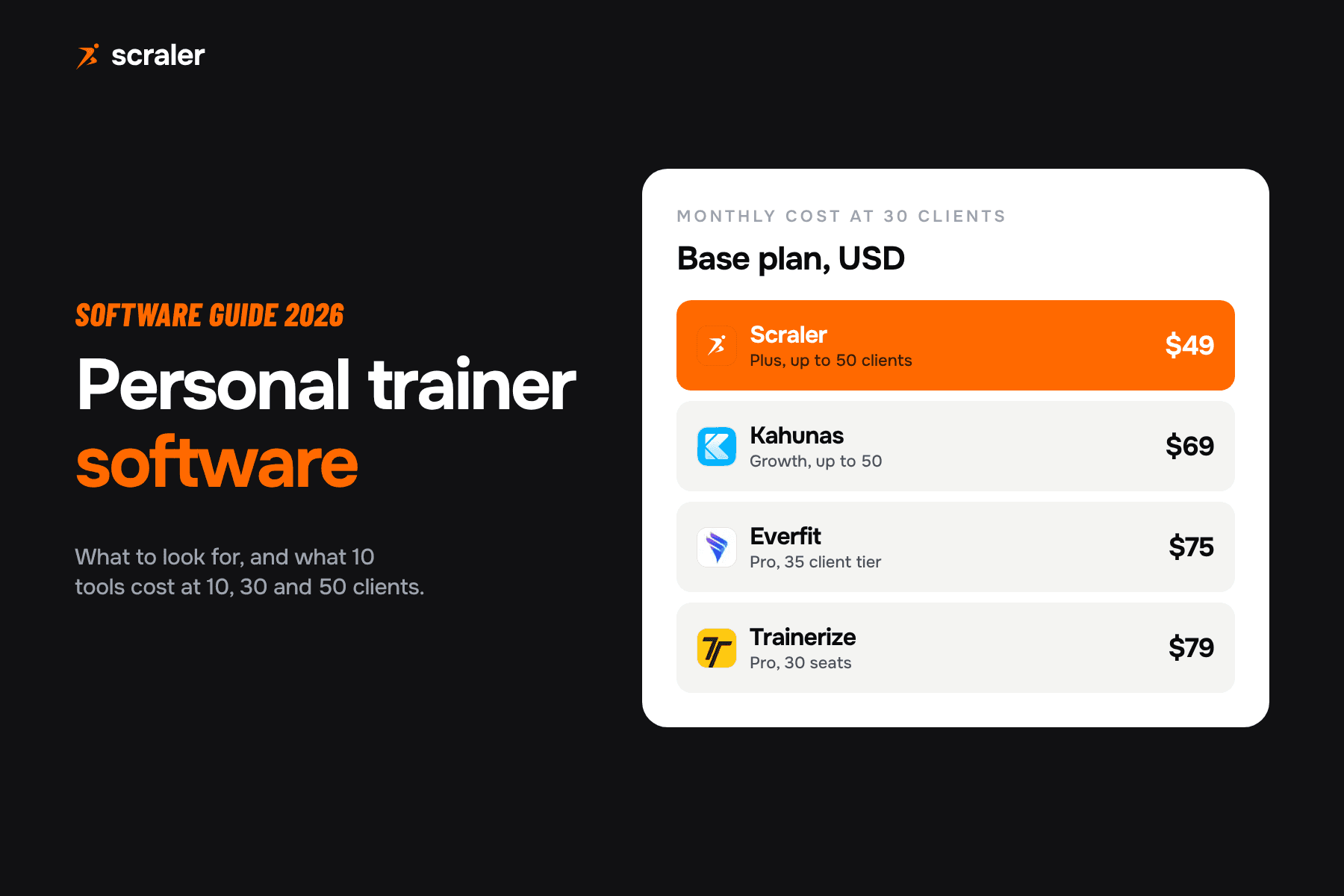
A workout builder app lets you create exercises, workouts and multi-week programs once, assign them to clients, and see what they log. Good workout builder software has a video exercise library, reusable templates, supersets, progression and client logging. At 50 clients, plans cost from $49 to $165 a month on the pricing pages we checked.

- Check eight things in any workout builder app: exercise library with video, templates, a calendar builder, sets and load with RPE, supersets, progression, client logging and spreadsheet import.
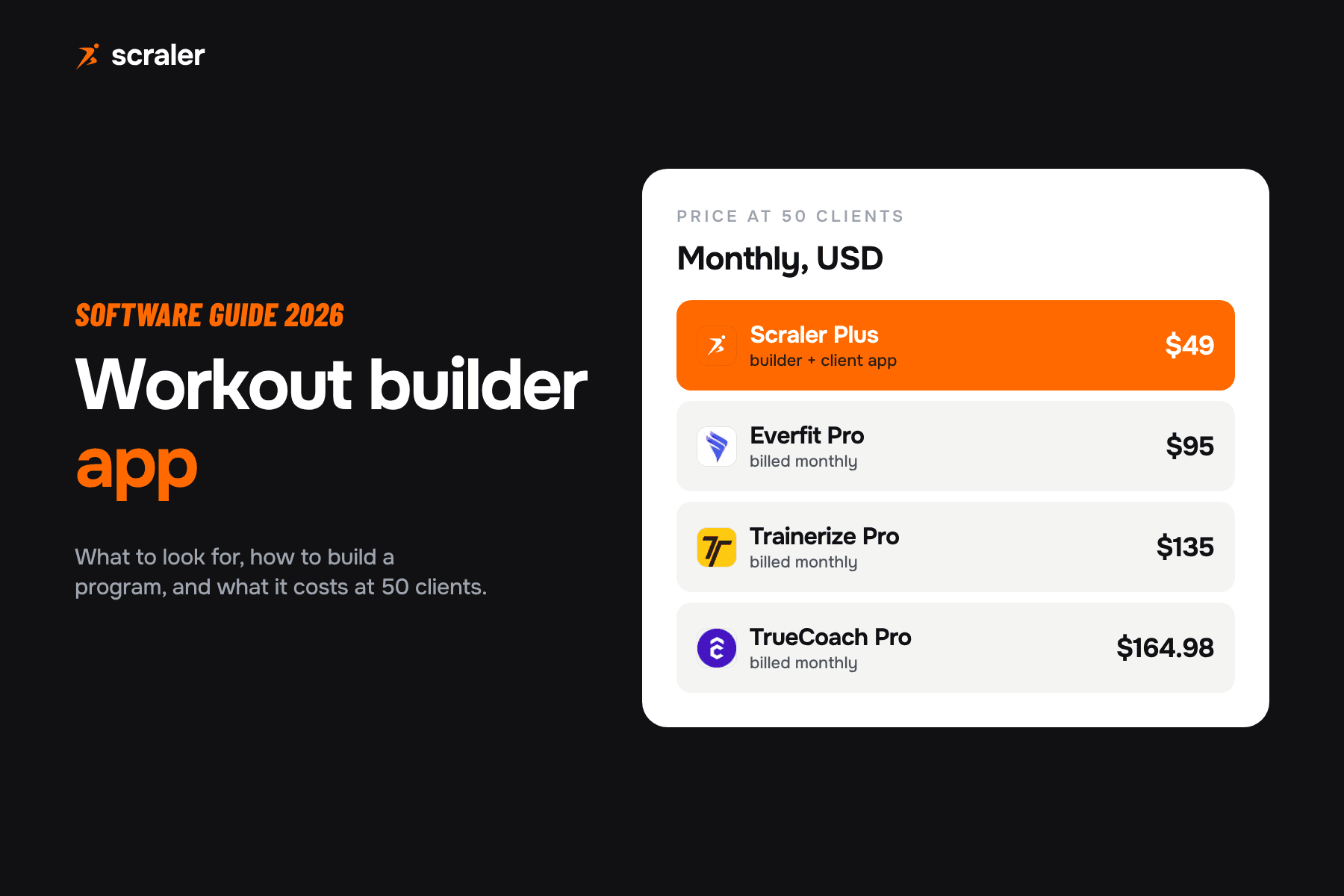
- At 50 clients on monthly billing we read $49 (Scraler Plus), $95 (Everfit Pro), $135 (Trainerize Pro) and $164.98 (TrueCoach Pro). Annual billing is cheaper on all four.
- Build programs in layers: exercises, then workouts, then weeks, then assign. Reuse workouts and copy weeks instead of starting from a blank page.
- Test the builder on a free trial with one real client program before you move your whole business.
Writing programs is the part of coaching that does not scale. A new client needs a plan, an existing client needs the next block, and every plan needs sets, reps, loads, notes and a video for each exercise. Workout builder software exists to take the typing out of that and to put the finished program in the client’s hands, where they can log it.
This guide covers what a workout builder app is, what it should include, how to build a program in it, what four platforms charge for 50 clients, and when a spreadsheet is still enough. Prices are from each tool’s own pricing page, checked on 7 October 2026. It is one part of the wider personal trainer software stack.
What is a workout builder app?
A workout builder app is software where a coach builds training programs and a client follows them. The coach picks exercises from a library, sets the sets, reps, load and rest, arranges workouts across days and weeks, and assigns the result to a client. The client sees each session in a mobile app, watches the exercise videos, and logs what they lift.
The difference from a plain workout planner or a spreadsheet is the loop. The program goes out, the results come back, and you can adjust the next block with the numbers in front of you. Most workout builder software also bundles messaging, check-ins and payments, which is why the same tools show up in lists of the best apps for personal trainers. On paper, the same loop runs through a workout log template.
What should workout builder software include?
Eight features decide whether a workout builder saves you time or just moves the typing somewhere else. Check each one on a live trial, because a feature page does not tell you how many clicks it takes.
- 1.Exercise library with video. A client who cannot see how to do a movement will do it badly or skip it. Look for a built-in library plus the ability to add your own exercises with your own videos or GIFs.
- 2.Workout templates. Build a lower body day once and reuse it. Templates are where most of the time saving comes from.
- 3.A calendar builder. Dragging workouts onto days and weeks shows the whole program at a glance and makes rest days and weekly volume easy to see.
- 4.Sets, reps, load and RPE. You should be able to prescribe a fixed weight, a percentage of one rep max, or a target effort. Our free one rep max calculator and RPE calculator help set those numbers.
- 5.Supersets and circuits. Grouped exercises need to display as a group to the client, not as unrelated lines.
- 6.Progression. You need to copy a week, change the load or volume, and carry the result forward, so a 12 week block is not 12 separate builds.
- 7.Client logging. Clients should log sets, reps and weight in an app, and you should see the history next to the plan.
- 8.Spreadsheet import. If you already have programs in Excel or Google Sheets, an import tool saves rebuilding the back catalogue by hand.
Two more things matter but do not fit a checklist. One is how fast the builder feels with a real program, which you only learn by building one. The other is whether the client app is something your clients will open every day, since a great builder with a poor client app produces plans nobody follows.
How do you build a workout program step by step?
The order below works in most workout builder apps. It moves from small pieces to the finished program, so you reuse the pieces.
- 1.Pick the exercises. Choose from the library, and add your own where the library falls short. Give custom exercises a video before you use them in a program.
- 2.Build the workouts. For each session, set the sets, reps, load or RPE and rest. Group supersets and add coaching notes where form is the issue.
- 3.Place them on a calendar. Spread workouts across the week, then across the weeks of the block. Check the total weekly volume per muscle group.
- 4.Assign it. Send the program to one client, or to a group of clients on the same plan. Set the start date.
- 5.Review the logs. After a week or two, look at what was lifted, what was skipped and what felt hard. Copy the week, adjust it, and carry on.
Save the finished program as a template. The next client with the same goal and schedule starts from your template and you change only what is different about them. That is where a builder pays for itself, because the second program takes a fraction of the effort of the first. If you would rather start on paper, our workout plan template uses the same structure, and an AI personal trainer can draft the first version for you to review.
How much does workout builder software cost?
Most platforms price by active clients, so the number that matters is the cost at the client count you actually have. We compared four at 50 clients, on monthly billing, from each tool’s own pricing page.
- At 50 clients, billed monthly
- $49
- Billed annually
- $441 a year
- Builder notes
- Calendar builder, exercise library with video, supersets, % of 1RM
- At 50 clients, billed monthly
- $95
- Billed annually
- $79 a month
- Builder notes
- Library of 1000+ exercises or your own with custom videos
- At 50 clients, billed monthly
- $135
- Billed annually
- Saves 10%
- Builder notes
- AI Workout Builder from the Grow plan, custom exercise videos on Pro
- At 50 clients, billed monthly
- $164.98
- Billed annually
- $136.99 a month
- Builder notes
- Program and workout builder, 3,000+ video exercise library
| Tool and plan | At 50 clients, billed monthly | Billed annually | Builder notes |
|---|---|---|---|
| Scraler Plus | $49 | $441 a year | Calendar builder, exercise library with video, supersets, % of 1RM |
| Everfit Pro | $95 | $79 a month | Library of 1000+ exercises or your own with custom videos |
| Trainerize Pro | $135 | Saves 10% | AI Workout Builder from the Grow plan, custom exercise videos on Pro |
| TrueCoach Pro | $164.98 | $136.99 a month | Program and workout builder, 3,000+ video exercise library |
Smaller rosters cost less on the tools that scale by client count. Everfit charges $19 a month for 5 clients and $49 for 20 on monthly billing. Trainerize starts at $25 a month for up to 5 clients on Pro, and TrueCoach’s entry plan is $29.98 for up to 5 clients. Everfit and Trainerize also have a free tier for a very small roster, and TrueCoach offers a 14 day free trial.
Is a spreadsheet good enough for workout programs?
For a handful of clients, yes. A spreadsheet is free, you know it, and you can build any structure you like. It starts to hurt as the roster grows, or when you coach people remotely, because the spreadsheet cannot show a video, cannot take a log entry from the client and cannot remind anyone to train.
- Free and flexible
- Fine for a few in-person clients
- No exercise videos in the client’s hand
- Client logs by message or screenshot
- Every program rebuilt or copied by hand
- Monthly cost per client count
- Built for remote and hybrid clients
- Video exercise library
- Logging inside the client app
- Templates, copy week, assign to many
We have not published a time saved figure here, because it depends on how you write programs and we have not run a timed study. Run your own test instead. Pick a real 12 week program from your files. Time how long it takes to build it from scratch in a trial of the builder. Then time how long it takes to update week 5 for one client. Compare both numbers with how long the same two jobs take in your spreadsheet. If you already have the program in a file, test the import tool as well.
Which workout builder app should you choose?
There is no single best workout builder app. The right one depends on how many clients you have, whether you coach in person, online or both, and what else you want the platform to do. These are our opinions, based on the pricing pages above.
How does the Scraler workout builder work?
Scraler’s workout builder follows the five steps above. You build workouts from an exercise library that includes your own exercises with GIFs, videos and instructions. You drag workouts onto a weekly calendar, copy whole weeks and adjust the volume, and set progression from week to week. Weights can be prescribed as a percentage of one rep max, with RPE calculated from reps and intensity.
- Supersets, giant sets and circuits display as one group, so the client sees how to run the combination.
- Excel import reads programs from your spreadsheets with an AI parser and maps the data for you.
- AI program generation (Premium plan) drafts a full program from a short description, which you then edit like any other.
- Client logging happens in the Scraler client app, and the history sits beside the plan.
Create workouts from your exercise library, drag them onto a calendar, copy weeks to progress the plan and assign it to your clients.
See workout planningWhichever tool you choose, warm-up sets are part of the program too. The free warm-up set calculator works out the ramp up to a working weight, which you can paste into your exercise notes.
Frequently asked questions
- What is the best workout builder app for personal trainers?
- It depends on your roster and how you coach. Compare four things on a free trial: the exercise library with video, templates, how fast you can copy and progress a week, and how clients log. Then compare price at your client count. At 50 clients we read $49 to $164.98 a month across four platforms.
- How much does workout builder software cost?
- On monthly billing at 50 clients, Scraler Plus is $49, Everfit Pro $95, Trainerize Pro $135 and TrueCoach Pro $164.98, all in USD. Entry plans for around 5 clients start at $19 to $29.98 a month on the tools that price by client count. Annual billing is cheaper on all of them.
- Is there a free workout builder for trainers?
- Some platforms have a free tier for a very small number of clients. Everfit lists a Forever Free plan for up to 5 clients, and Trainerize has a free Basic plan with 1 client seat. Free tiers limit clients and features, so check what is included before you build your programs there.
- Can I import my Excel programs into a workout builder?
- Some builders can. Scraler has an Excel import that reads programs from spreadsheets with an AI parser and maps the data. Test the import on one real program, because messy spreadsheets need a quick review after import.
- What is the difference between a workout builder and a workout planner?
- A workout planner organises sessions on a calendar. A workout builder also holds the exercise library, templates, sets and load prescriptions, and delivers the program to a client app where they log their training. For coaching clients you want the builder.