Checkups are structured progress forms that clients fill out on their own schedule. You define what data to collect, and they report it.
A checkup is a form sent to a client that collects specific progress data. Checkups can include:
Weight
Body weight
Measurements
Chest, waist, hips, arms, legs
Progress Photos
Front, side, and back
Custom Questions
Any questions you define
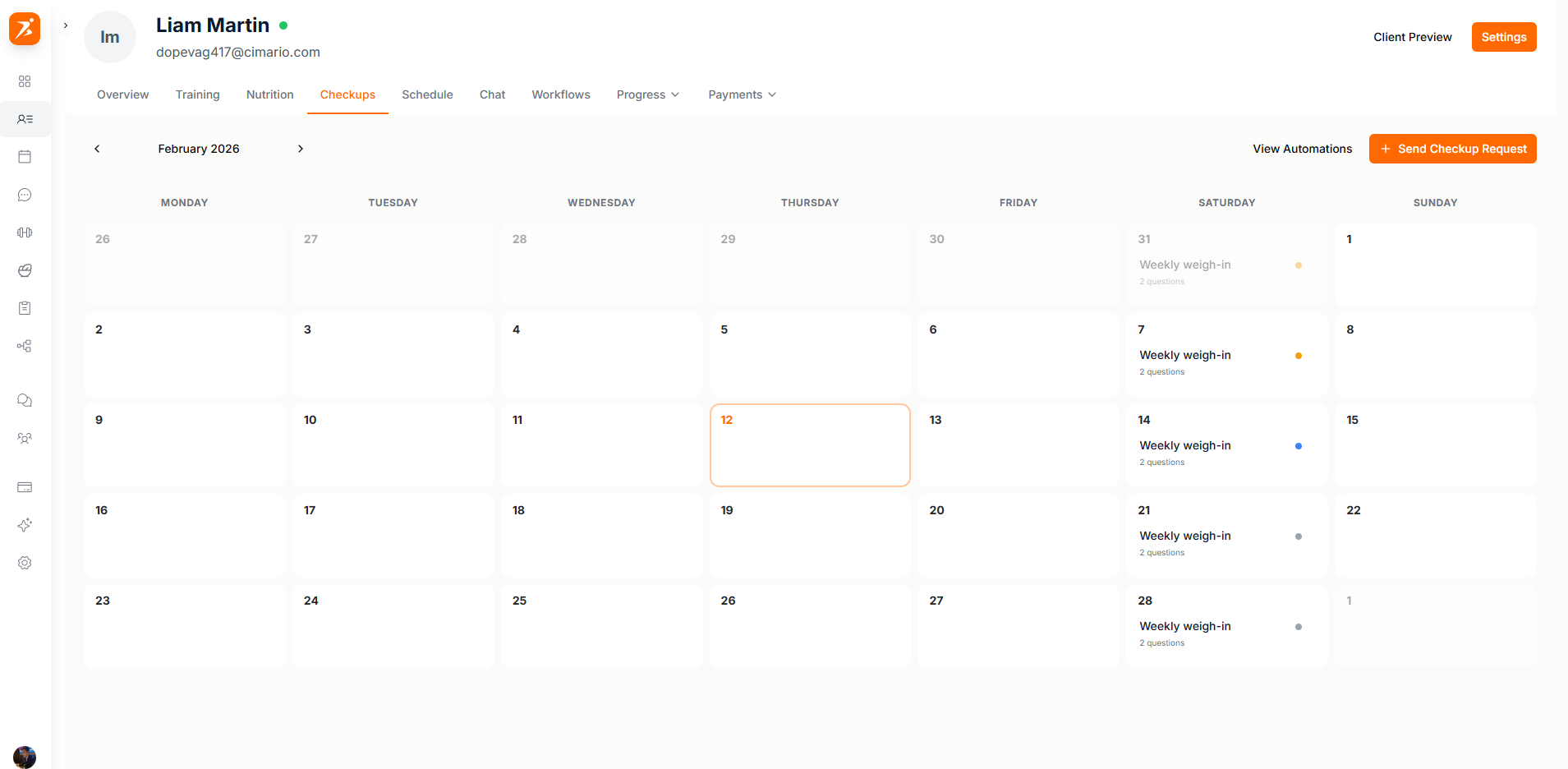
Screenshot: Checkups calendar
Show: monthly calendar with checkups on various days, green (completed) and yellow (pending) status dots, "Send Checkup" button visible
public/docs/checkups-calendar.png
Click "Send Checkup" or click any empty day on the calendar:
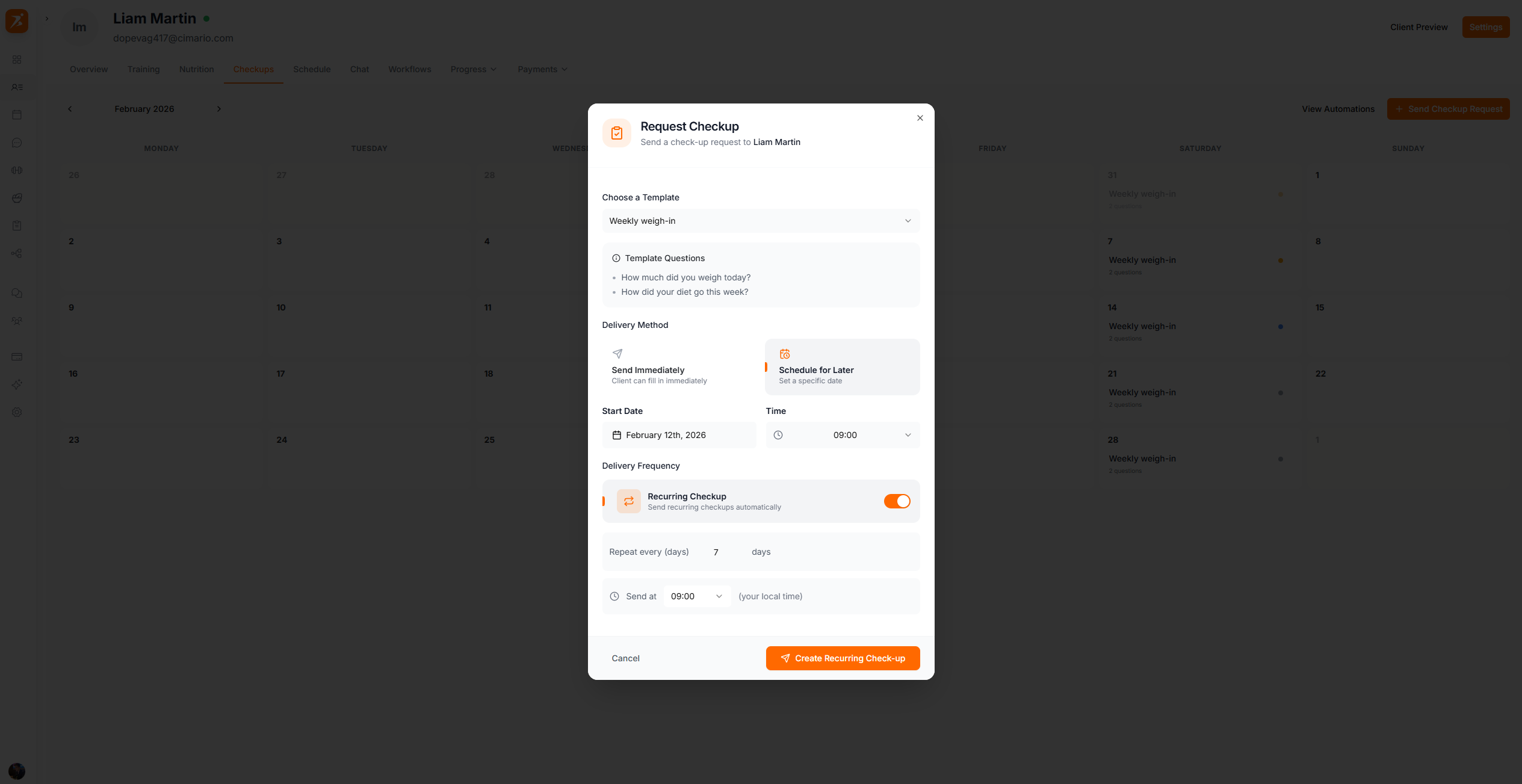
Screenshot: Create checkup dialog
Show: "Request Checkup" modal with template dropdown selected, delivery method options, and "Create Checkup" button
public/docs/create-checkup.png
Three delivery options:
Sends now, client fills it in at their convenience
Send on a specific date
Automatically sends on the configured schedule
Save reusable checkup configurations as templates. Examples:
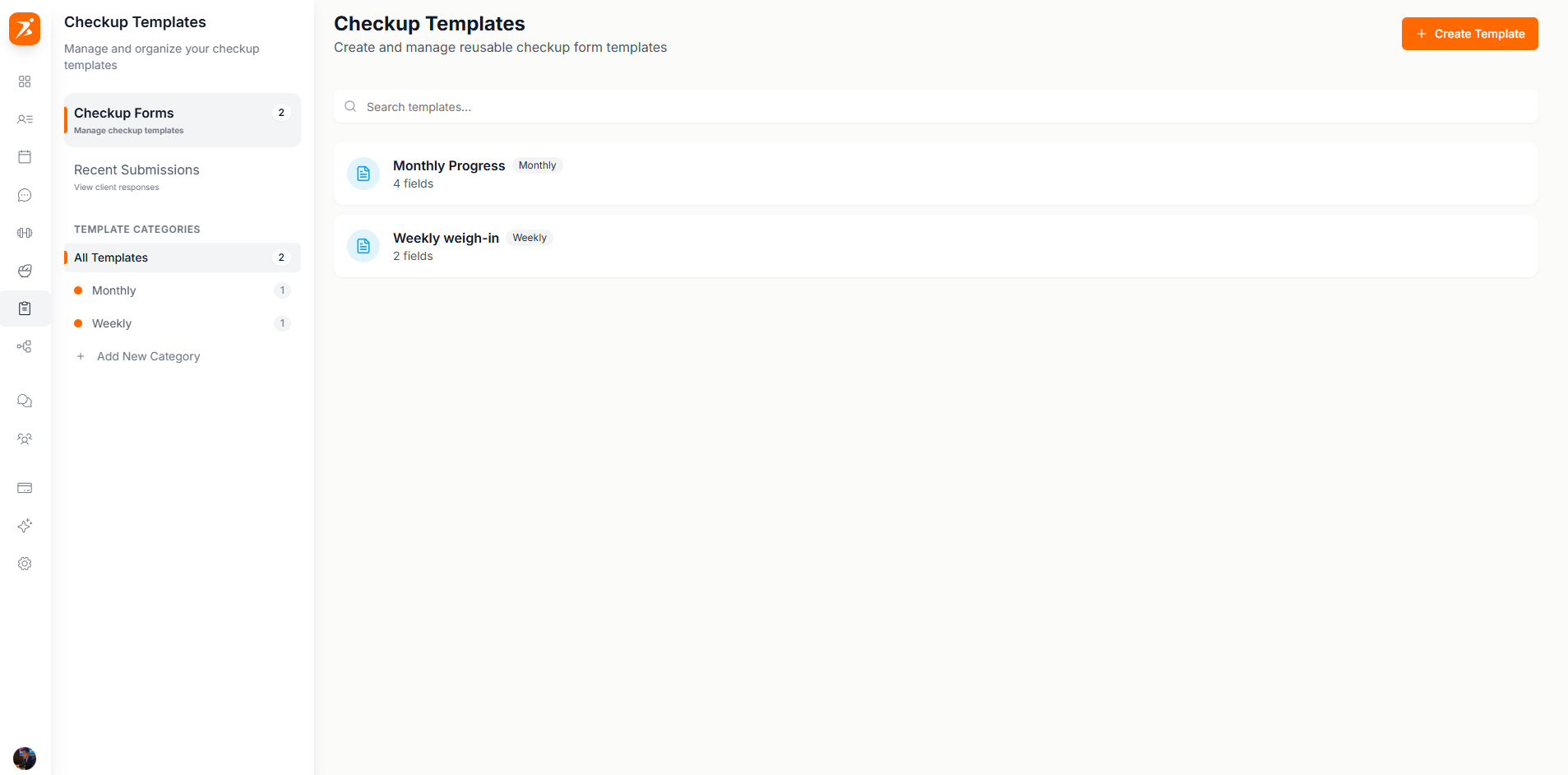
Screenshot: Checkup templates
Show: template list with 3+ templates (Weekly Weigh-in, Monthly Progress, etc.), question count badges, edit buttons
public/docs/checkup-templates.png
Weekly Weigh-in
Weight and notes
Monthly Progress
Weight, measurements, photos
Program Check
Custom training questions
Intake Form
Initial assessment
Submitted checkups show all responses in a single view:
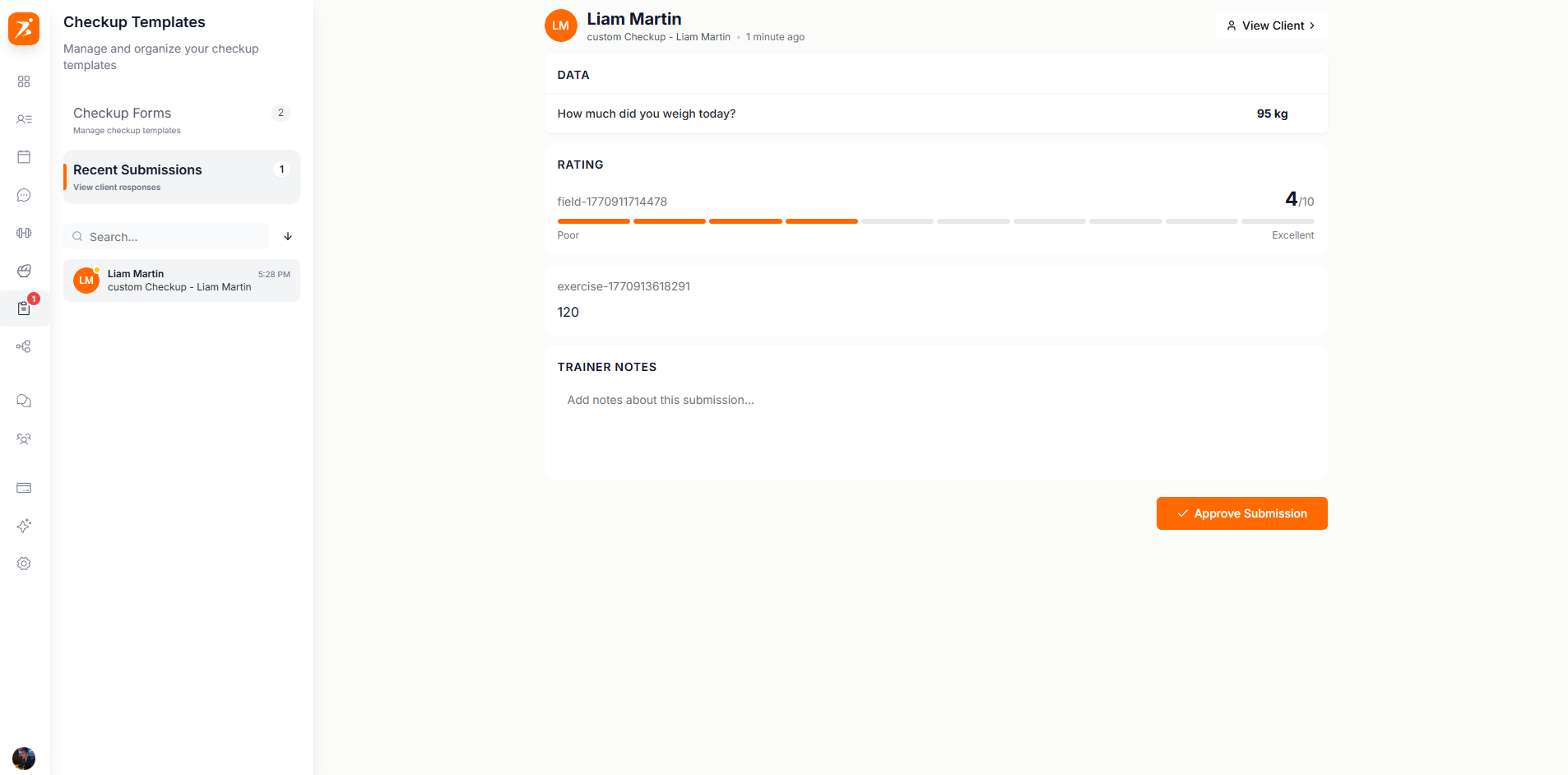
Screenshot: Reviewing a checkup submission
Show: submission detail view with weight/body fat data, trainer notes field, and Approve/Reject buttons at bottom
public/docs/checkup-review.png
Approved data flows automatically into progress charts.
Stay on top of every client's progress
Automated checkups, templates, and approval workflows.
Get Started Free