Workouts are the building blocks of your training plans. Create them once as templates, then reuse them across plans or assign them directly to clients.
The Workouts page shows all your saved templates, searchable and filterable:
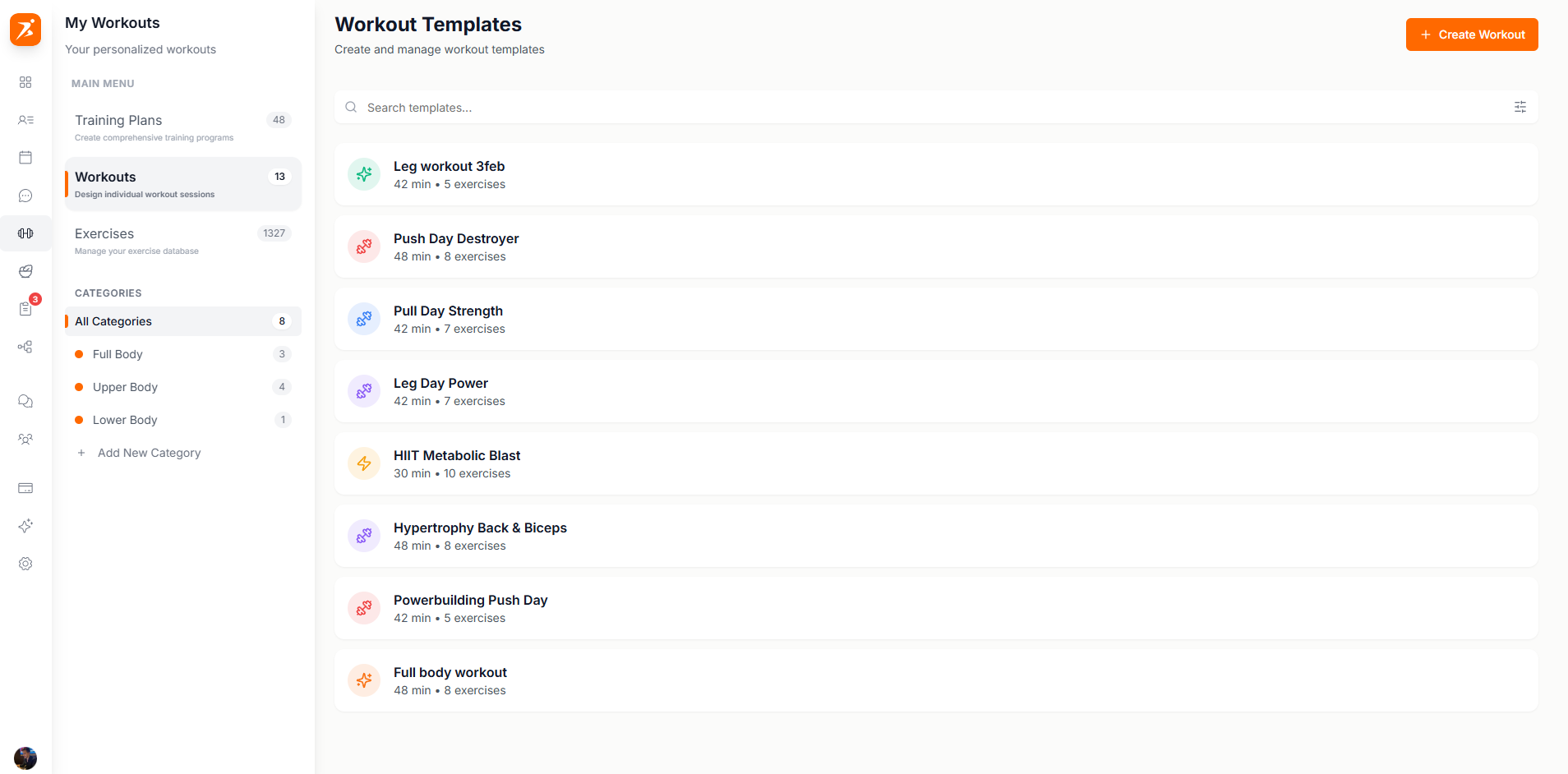
Screenshot: Workout templates library
Show: 4+ workout templates with tags, duration, and exercise count visible, search bar at top
public/docs/workout-templates.png
Click "Create Workout" to choose between AI or manual:
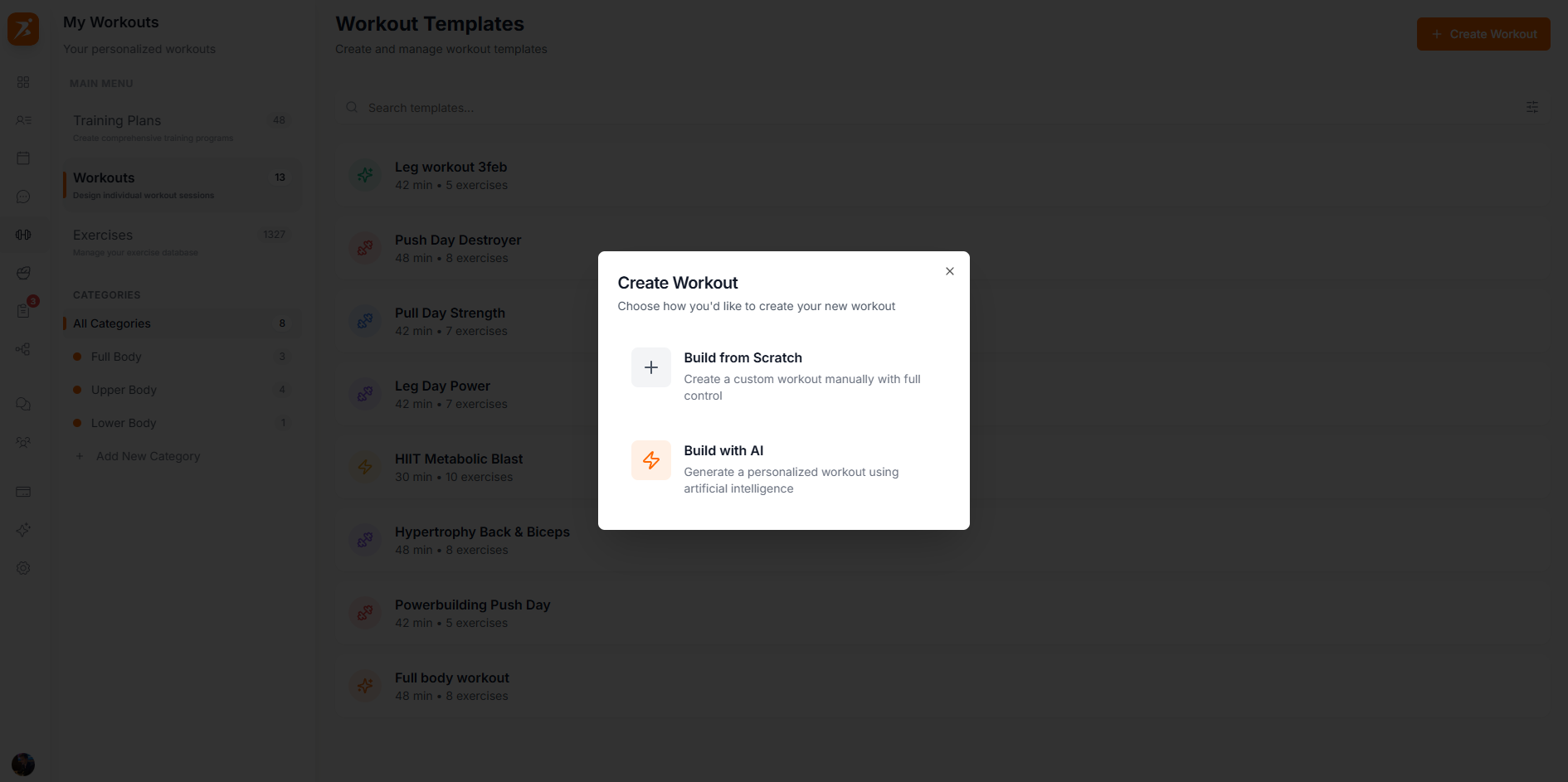
Screenshot: Create workout dialog
Show: modal with "Build with AI" and "Build from Scratch" options
public/docs/create-workout.png
Create a custom workout manually
AI generates exercises based on your goals
The builder has your exercise library on the left and the workout on the right. Click or drag exercises to add them, then configure sets, reps, weight, and rest:
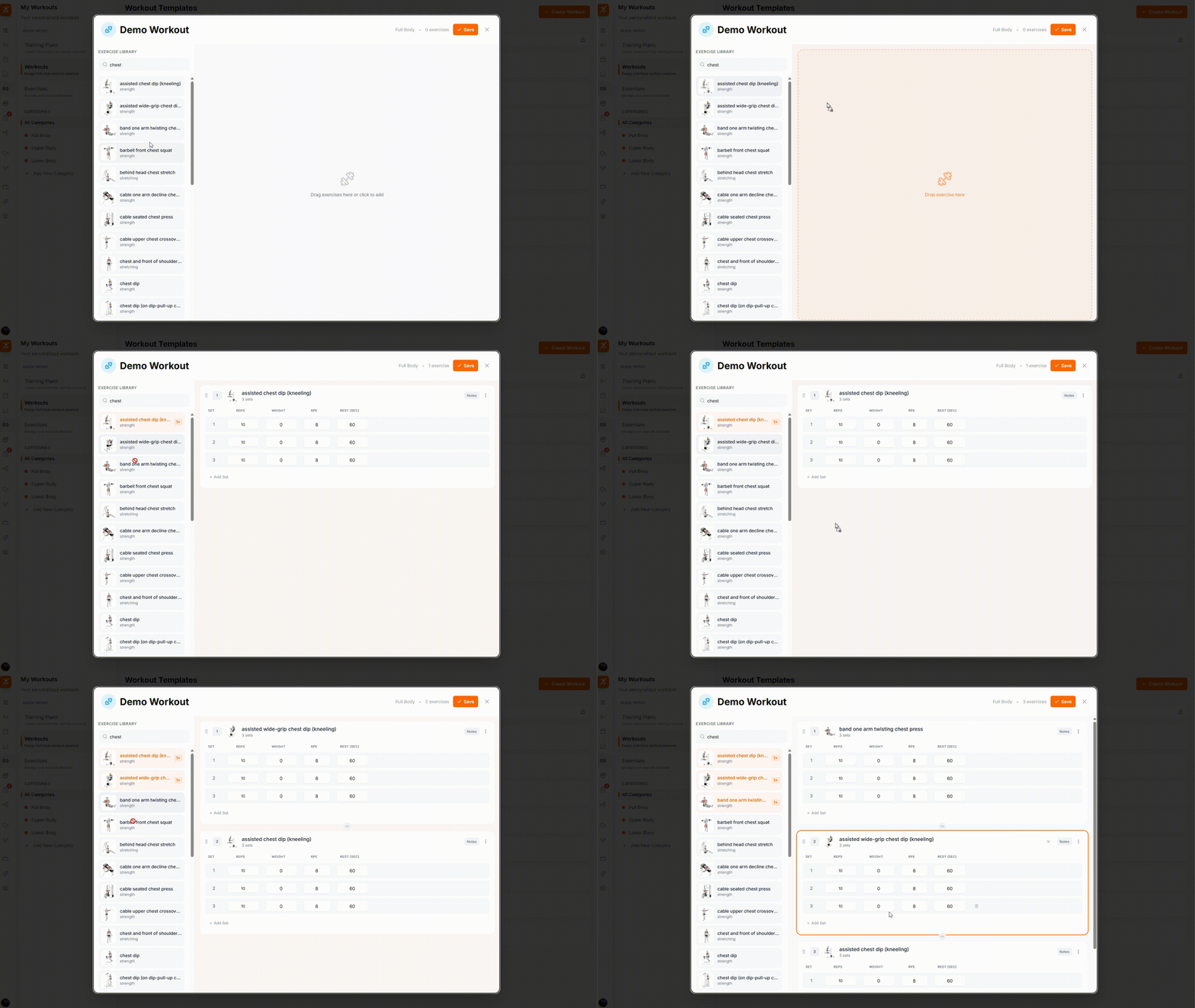
GIF: Building a workout
Record: drag exercises from the library sidebar, add them to the workout, configure sets/reps in the table
public/docs/building-workout.gif
Drag exercises from the library to add them. Click the chain icon between any two exercises to link them as a superset.
Click the chain icon between two exercises to link them as a superset:
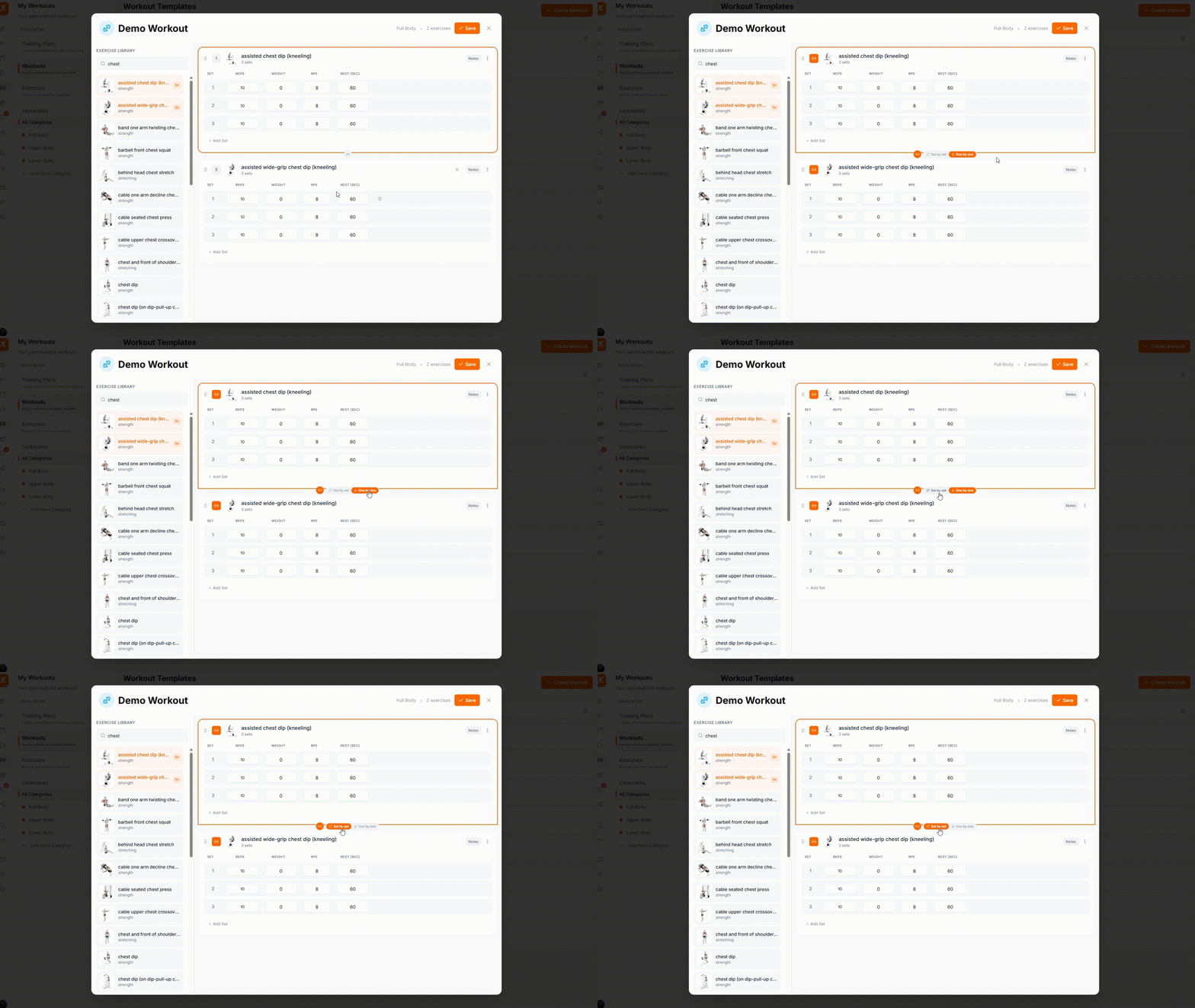
GIF: Creating a superset
Record: click chain icon between two exercises, show them linking together with orange superset badges
public/docs/creating-superset.gif
Linked exercises are visually grouped and numbered badges turn orange to indicate superset status.
Each exercise has a settings icon to configure which columns appear in the sets table:
Reps (always shown)
Weight (kg/lbs)
RPE (Rate of Perceived Exertion)
% 1RM (Percentage of 1 Rep Max)
Rest (seconds)
Duration
Cardio exercises
Create workouts your clients will love
Drag-and-drop builder, supersets, and customizable columns — all included.
Get Started Free