Weight trends, body measurements, training gains, and nutrition — all updated automatically from checkups, workouts, and food tracking.
Weight, body fat, and BMI charts over time
Per-exercise 1RM and volume trends
Shareable visual report for any time period
Key metrics at the top, followed by trend charts:
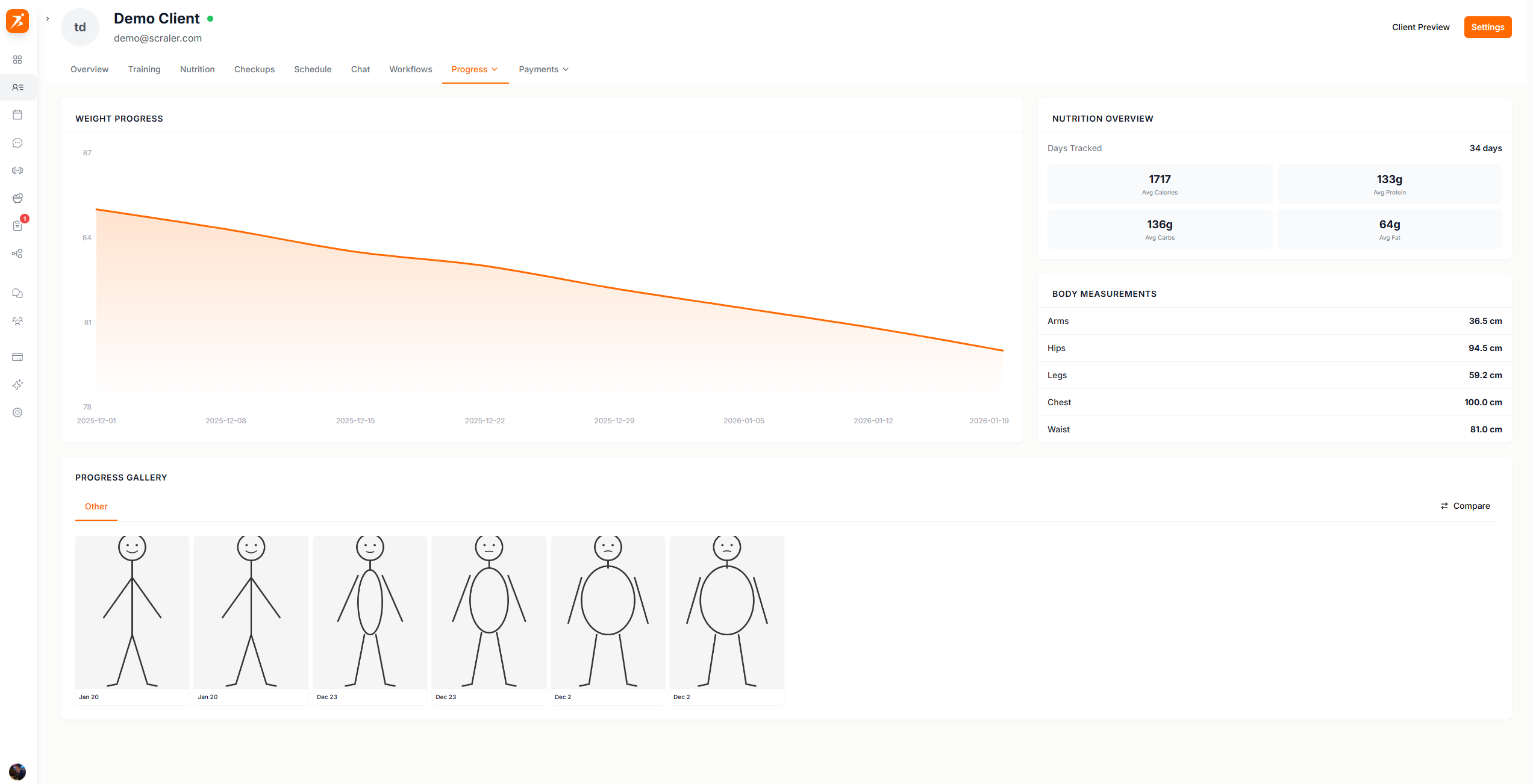
Screenshot: Progress overview
Show: hero metric cards (weight, target, body fat), weight chart with trend line, body measurements with sparklines
public/docs/progress-overview.png
Lists every tracked exercise with best lifts and sparkline progression charts:
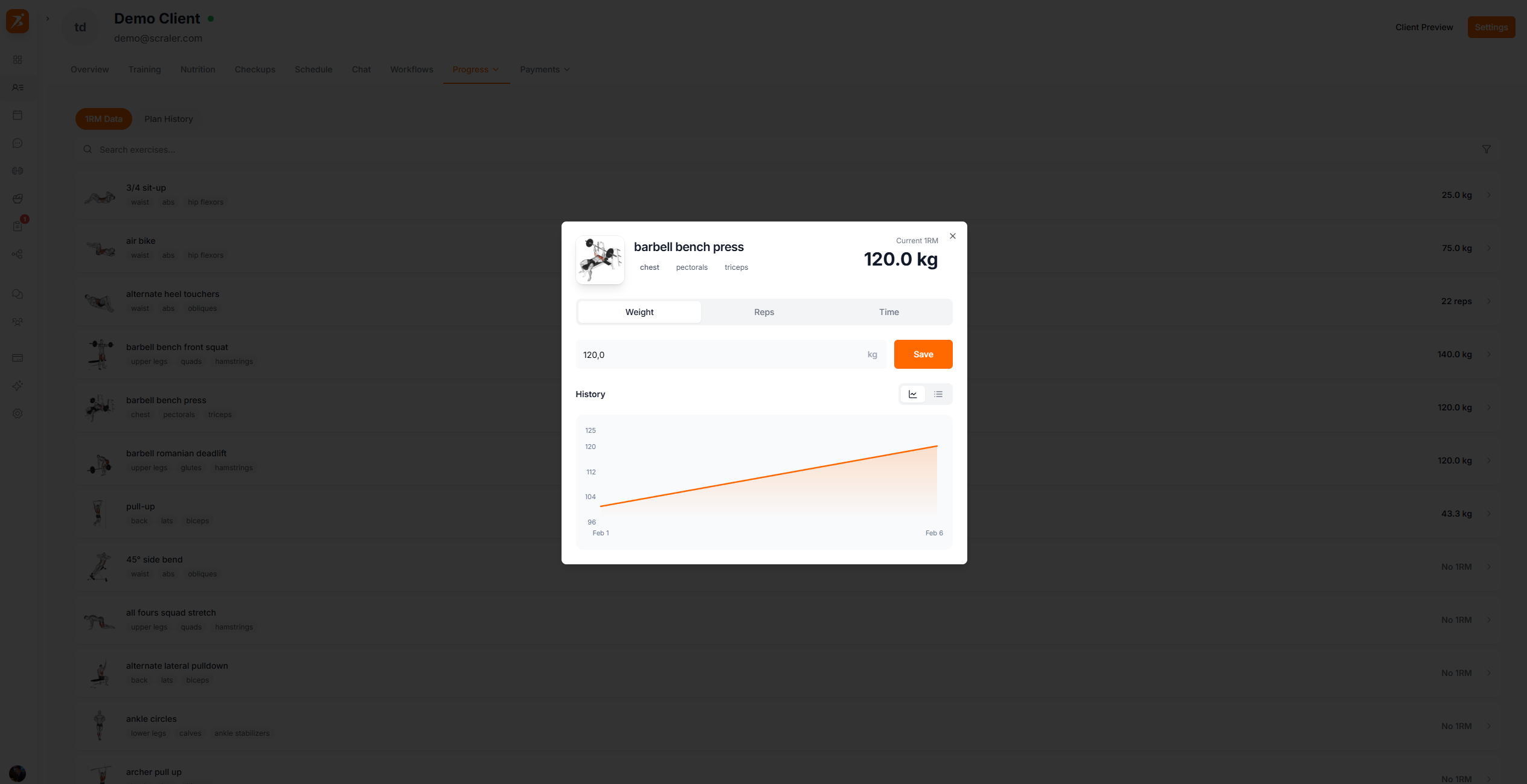
Screenshot: Training progress
Show: exercise list with 1RM values, sparkline progress charts, muscle group labels, search bar at top
public/docs/training-progress.png
The weight you see next to each exercise is their 1RM (one-rep max) — the heaviest they've lifted for that movement. This gets calculated automatically from their logged workout sessions.
Progress data is aggregated automatically from:
Checkups
Weight, body fat, measurements, and photos
Workout Sessions
Sets, reps, and loads from completed workouts
Food Tracking
Nutrition data from logged meals
Client Settings
Target weight and height for goal calculations
Generate a branded, Stories-style slideshow from your client's progress data and send it directly via chat.
Select which data to include:
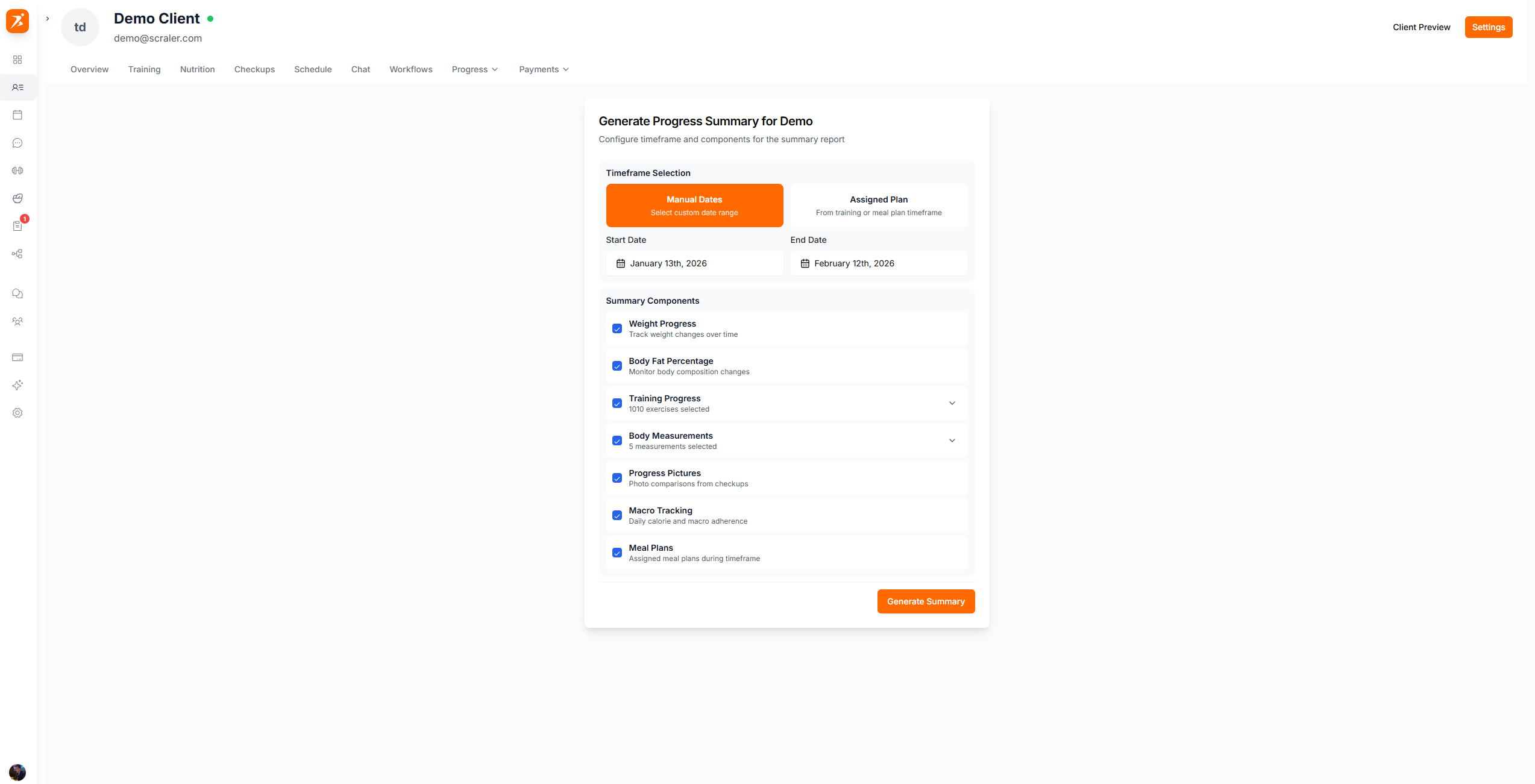
Screenshot: Configure progress summary
Show: configuration panel with timeframe selection, component toggles (weight, body fat, training, etc.), and "Generate Summary" button
public/docs/configure-summary.png
Weight Progress
Track body weight changes over time
Body Fat Percentage
Body composition changes
Training Progress
exercises selected
Body Measurements
measurements selected
Progress Pictures
Before/after photos from checkups
Macro Tracking
Daily nutrition averages
The generated summary shows a dashboard with all selected metrics:
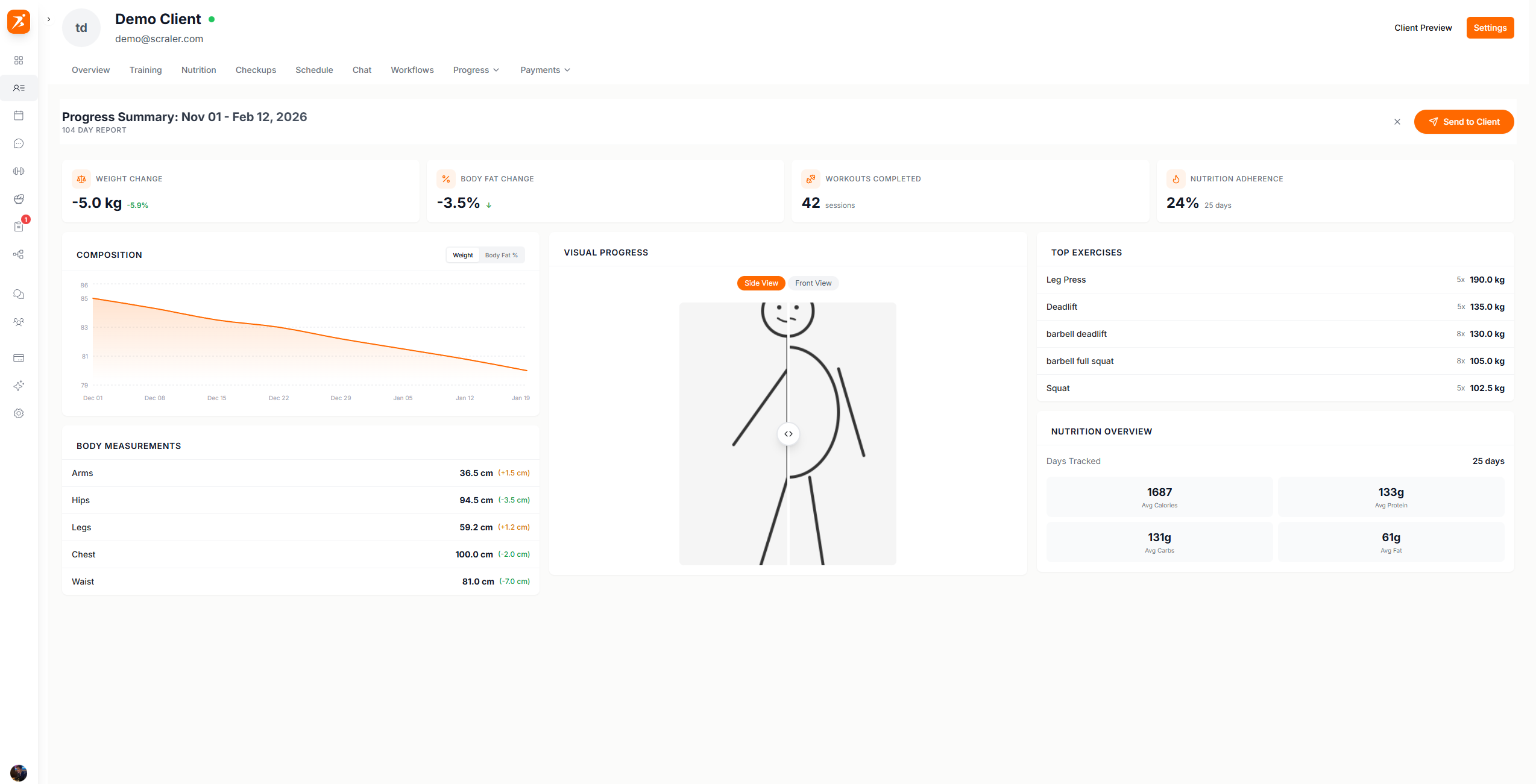
Screenshot: Generated progress summary
Show: summary dashboard with stat cards (weight change, body fat, workouts completed), charts, measurement deltas, and "Send to Client" button
public/docs/generated-summary.png
Click "Send to Client" to deliver it as a chat message. The client taps to view the full slideshow.
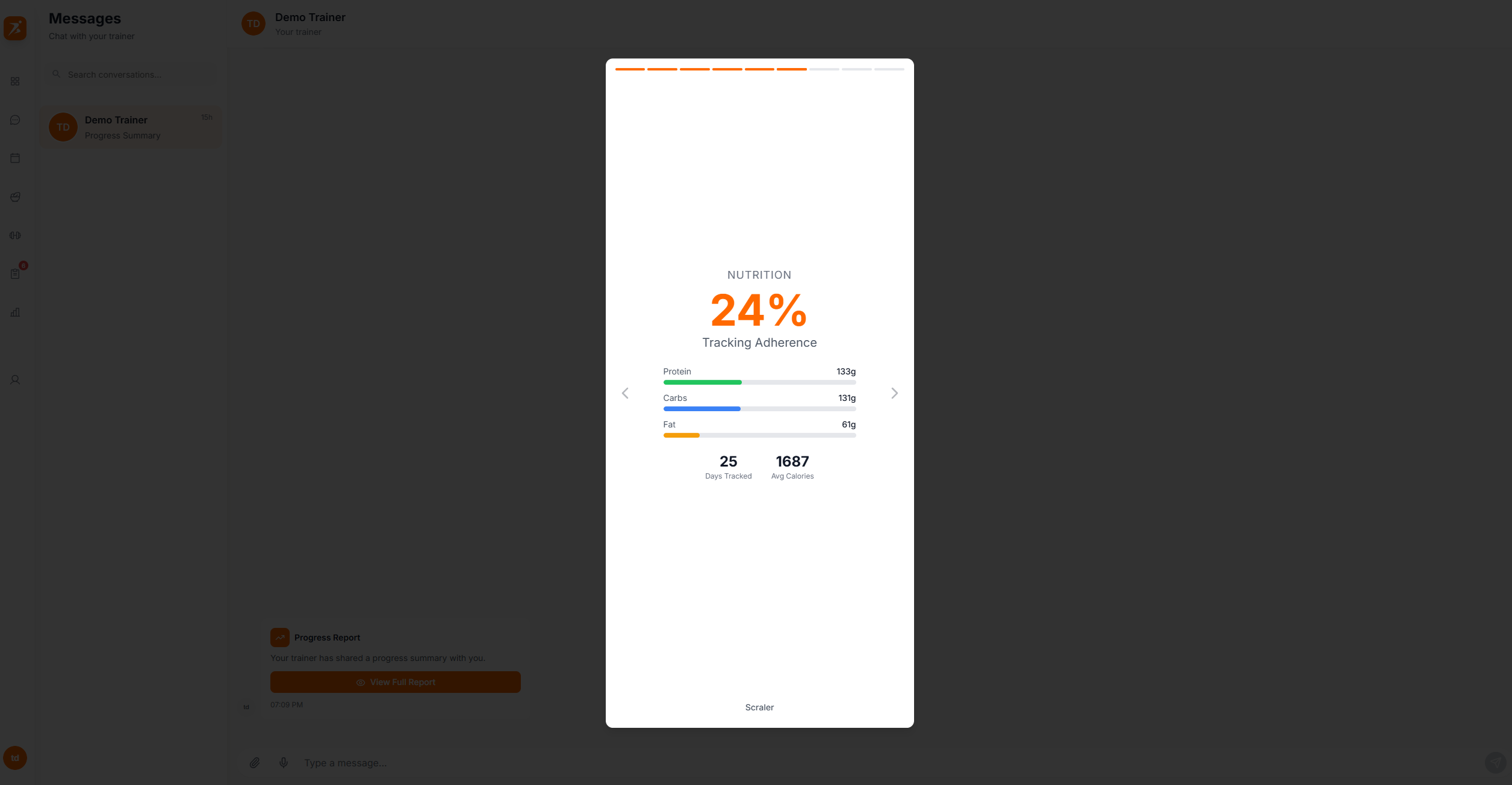
Screenshot: Summary sent in chat
Show: chat conversation with the progress report card message, "View Full Report" link visible on the card
public/docs/summary-in-chat.png
Clients see a full-screen Stories-style slideshow of their progress:
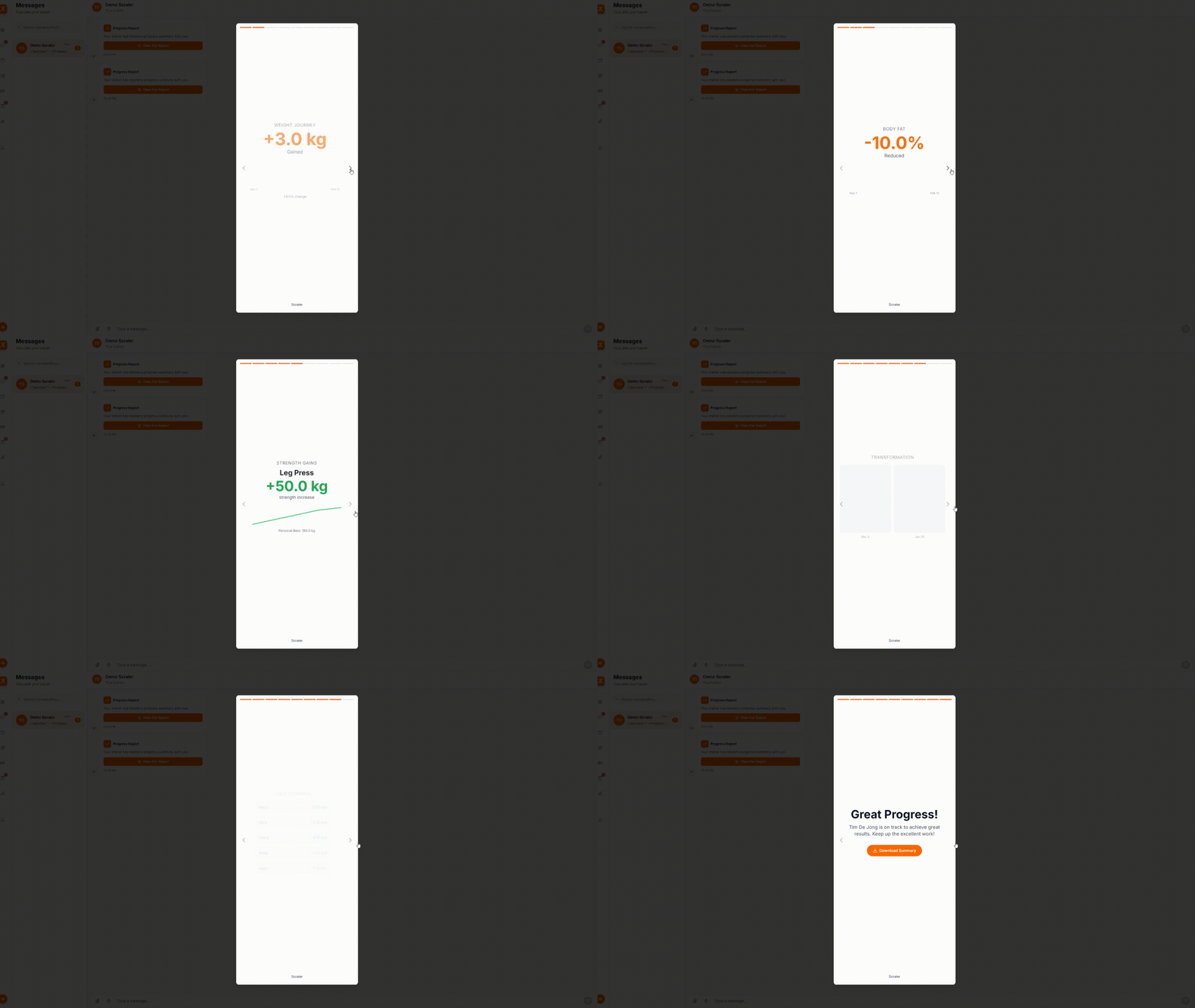
GIF: Stories-style slideshow
Record: tap through 3-4 slides of the progress summary — intro slide, weight chart slide, progress photos, outro with download button
public/docs/progress-slideshow.gif
Slides are generated based on selected components:
Intro
Client name, date range, "Tap to continue"
Weight
Total weight change with sparkline chart
Body Fat
Body fat percentage change with chart
Workouts
Total workouts and exercises tracked
Strength
Top exercise improvement with chart
Nutrition
Tracking adherence and macro breakdown
Photos
Side-by-side before/after comparison
Measurements
Body measurement changes list
Outro
Congratulations message with download button
The final slide includes a download button for a branded results image. Includes:
Your brand colors and logo
Key stats
Client name and date range
Portrait format for social sharing
Clients can share this on social media — organic marketing when they post their results.
Show your clients how far they've come
Charts, 1RM tracking, and Instagram-style progress summaries.
Get Started Free