The Clients page is your client roster. Search, filter by status or category, and manage profiles from here.
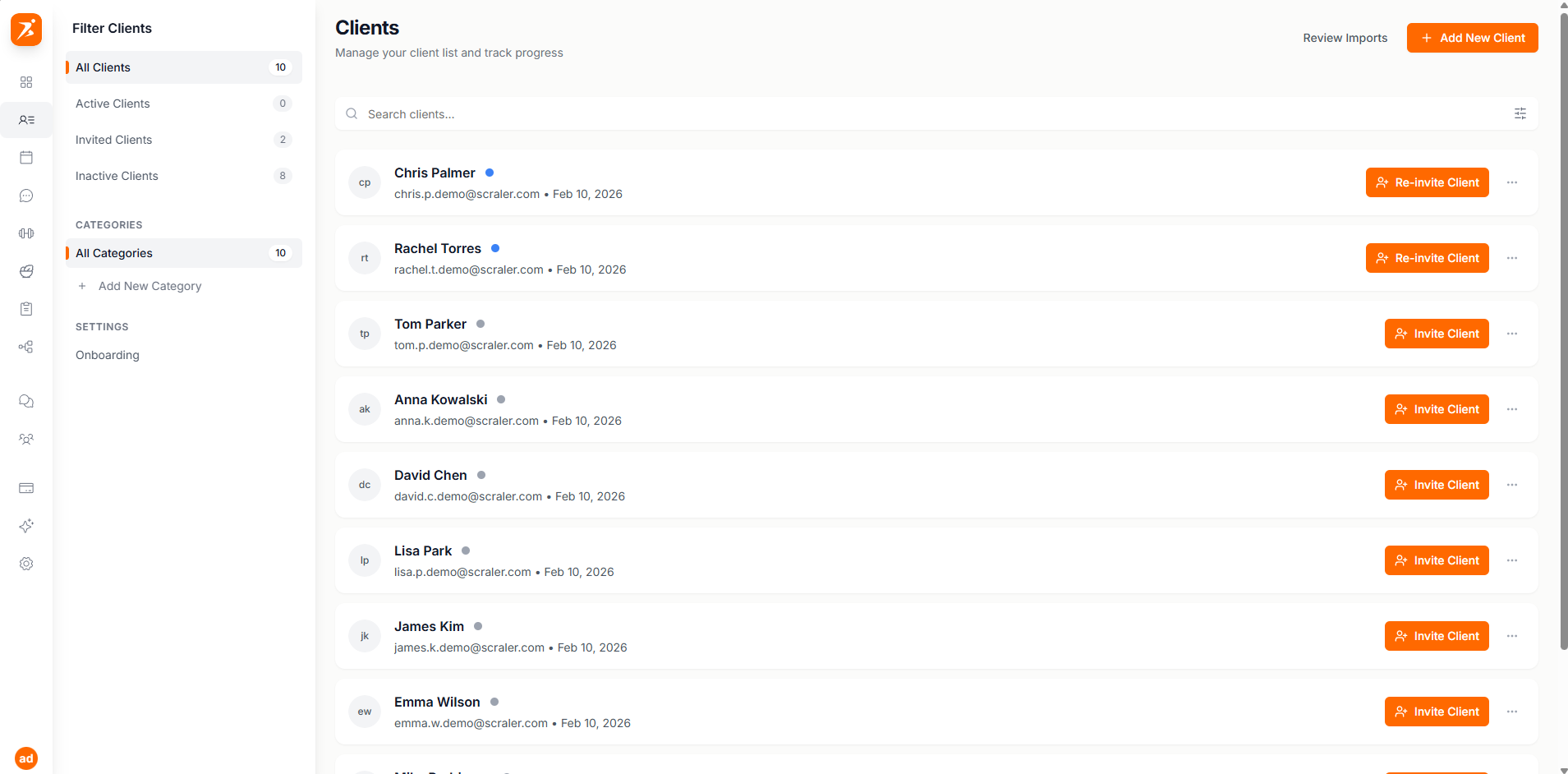
Screenshot: Clients page
Show: full clients page with search bar, 4+ client cards showing avatars, names, status dots, category badges, and action buttons
public/docs/clients-page.png
A colored dot shows each client's current state:
Active
Signed up and has full access
Invited
Invitation sent, awaiting signup
Inactive
Added but not yet invited
See Invitations & Status for the full breakdown.
Tag clients with categories like "Weight Loss", "Competition Prep", or "Online Coaching" to keep things organized. Click any category to filter your list instantly.
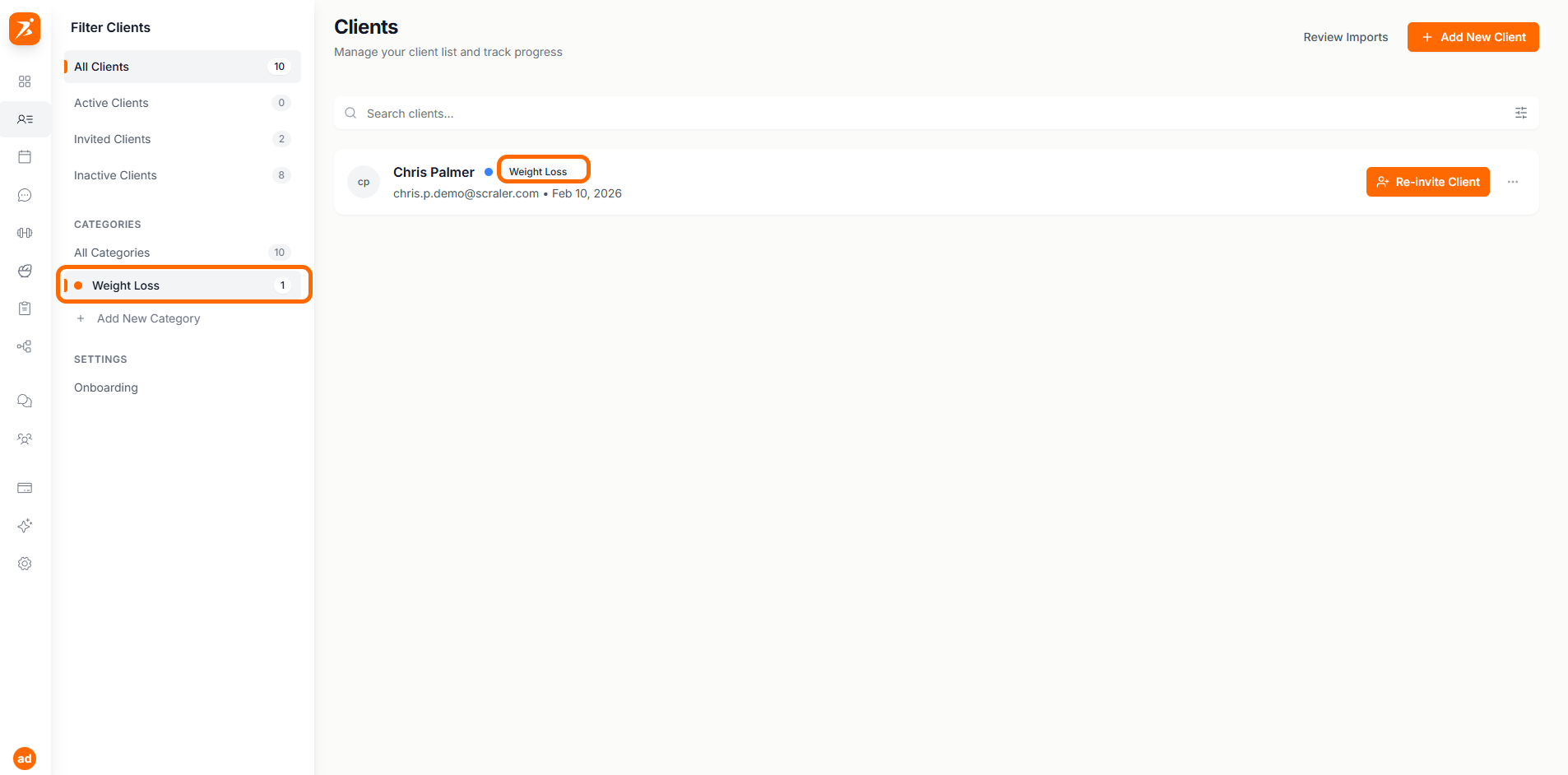
Screenshot: Client categories and filtering
Show: sidebar with category list (Weight Loss, Muscle Building, etc.) and filtered client grid, active category highlighted
public/docs/clients-categories.png
Need to tag a bunch of clients at once? Turn on mass select mode, check the clients you want, and assign categories or remove them in one go.
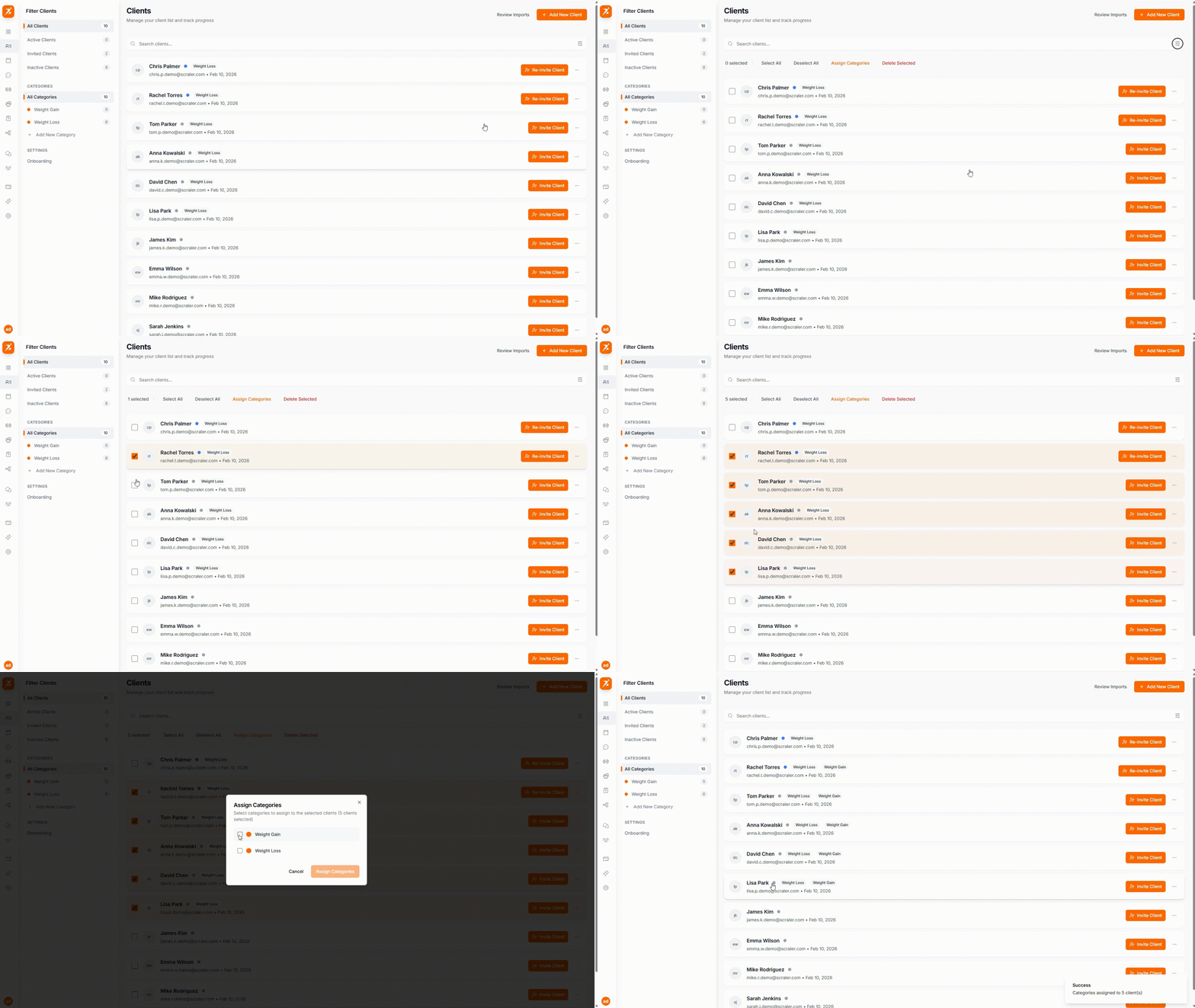
GIF: Bulk actions
Record: enable mass select, check 3 clients, click "Assign Categories", pick a category from dropdown
public/docs/clients-bulk-actions.gif
Client capacity depends on your plan:
Free Plan
1
1 client
Plus Plan
25
Up to 25 clients
Premium Plan
∞
Unlimited clients
When you reach your limit, the "Add New Client" button changes to "Upgrade to Add" and links to your subscription settings.
Manage all your clients in one place
Search, filter, and organize your roster effortlessly.
Get Started Free