Let AI build the meal plan for you. Set your targets, pick the days, and it fills everything in.
A form appears where you choose:
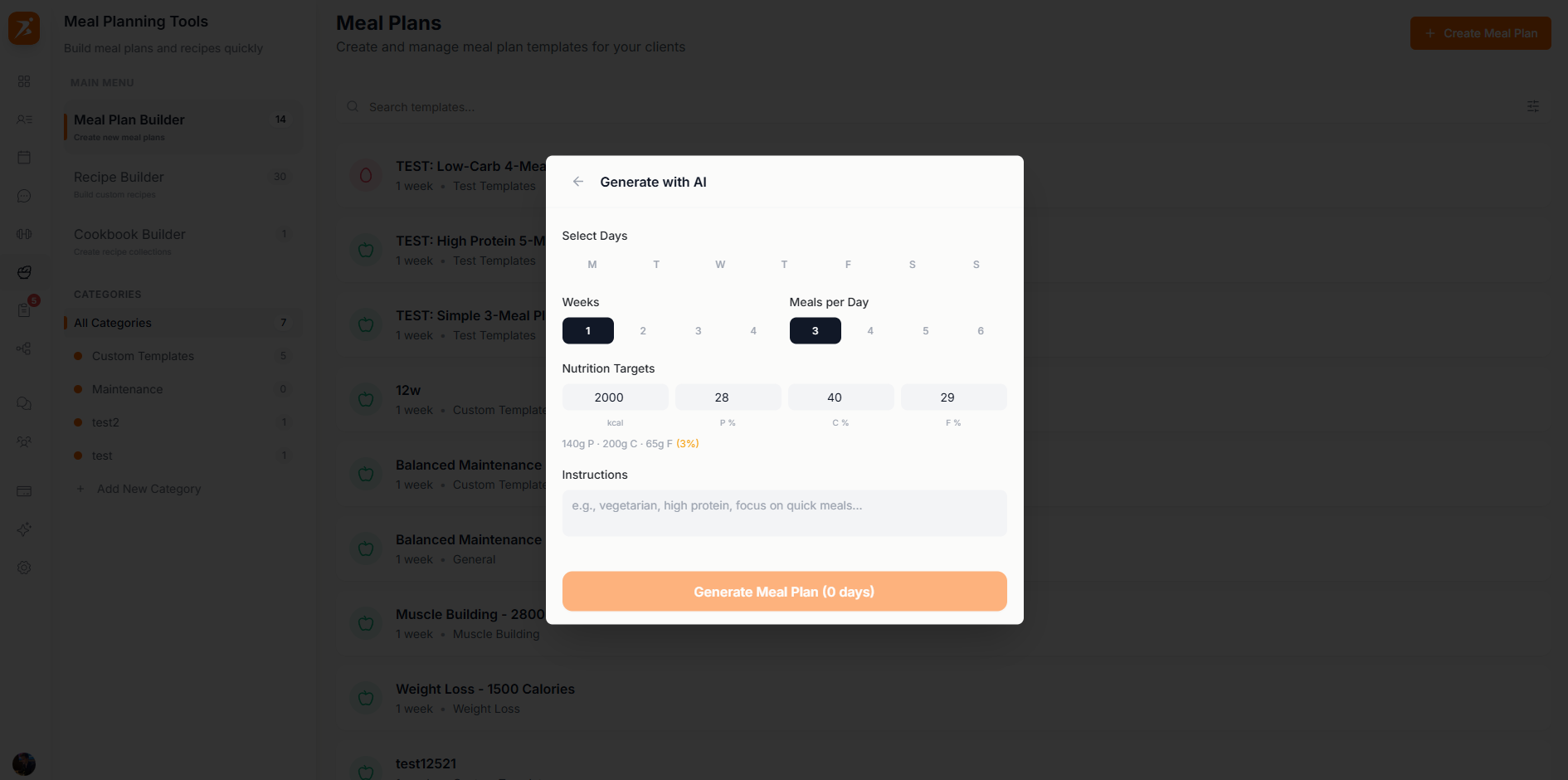
Screenshot: AI meal plan configuration
Show: "Generate with AI" dialog with day selection buttons (M T W T F S S), Weeks selector (1-4), Meals per day selector (3-6), Nutrition targets grid (kcal, P%, C%, F% inputs with gram summary below), Special Instructions textarea, and "Generate Meal Plan" button
public/docs/ai-meal-config.png
Select Days
Weeks — 1 to 4 weeks
Meals Per Day — 3, 4, 5, or 6 meals per day
Nutrition Targets (Optional) — Calories and macro percentages. Auto-filled if the client already has targets.
Special Instructions — Dietary restrictions, cuisine style, foods to avoid, etc.
Click generate and wait a few seconds. AI creates all meals for every selected day.
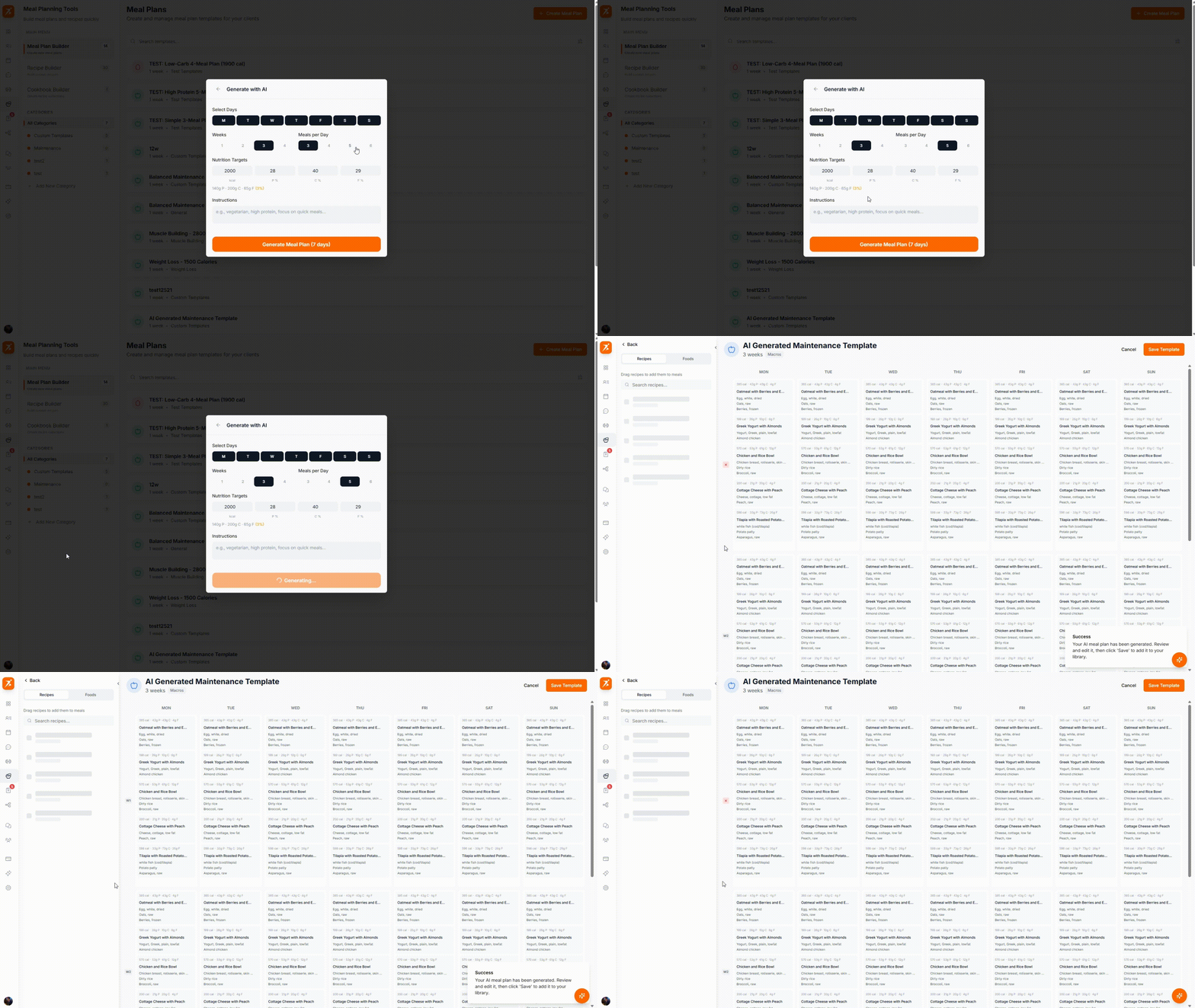
GIF: AI generating a meal plan
Record: click "Generate Meal Plan", show loading spinner, then transition to the builder with all days filled in with generated meals
public/docs/ai-meal-result.gif
The plan opens in the builder. Change anything you want before saving.
Check the Meals
Look through each day.
Swap Any Meal
Replace meals from your recipe library or food database.
Tweak Portions
Use auto-adjust to hit exact macro targets.
Save or Assign
Save as template or assign to a client.
Let AI do the meal planning for you
Generate complete weekly plans in seconds — then fine-tune in the builder.
Get Started Free