Group your recipes into collections (cookbooks) and share them with clients. You can offer them for free or sell them as paid products through Stripe.
Group recipes by theme
Your choice per cookbook
Publish when ready
The Cookbooks tab shows all your recipe collections with recipe counts and publish status.
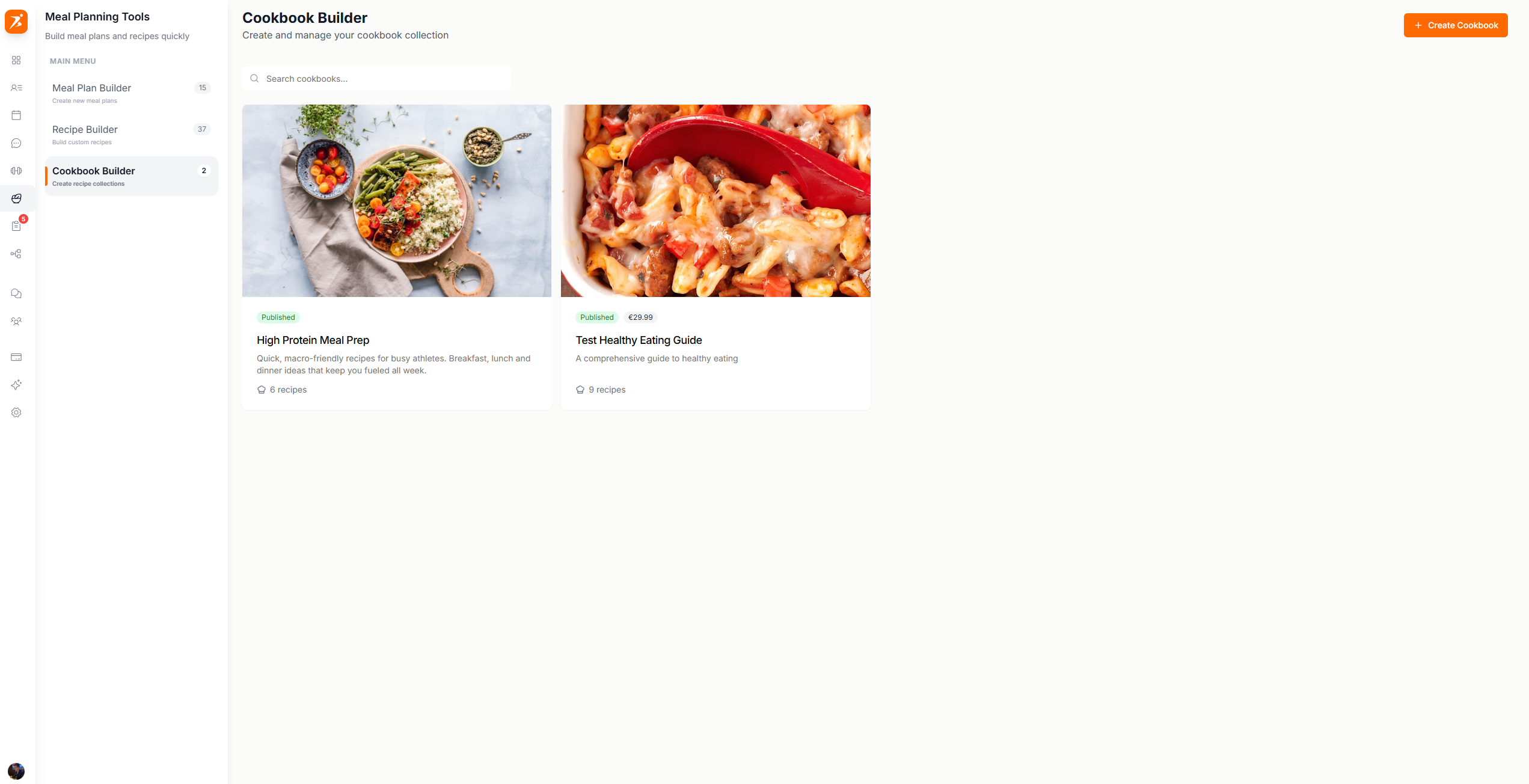
Screenshot: Cookbook library
Show: Cookbooks tab inside the Meal Plans page. Cookbook cards with cover images, published/draft badges, recipe counts, price labels for paid cookbooks, search bar, "Create Cookbook" button
public/docs/cookbook-library.png
Click "Create Cookbook" and add a cover image, name, and description.
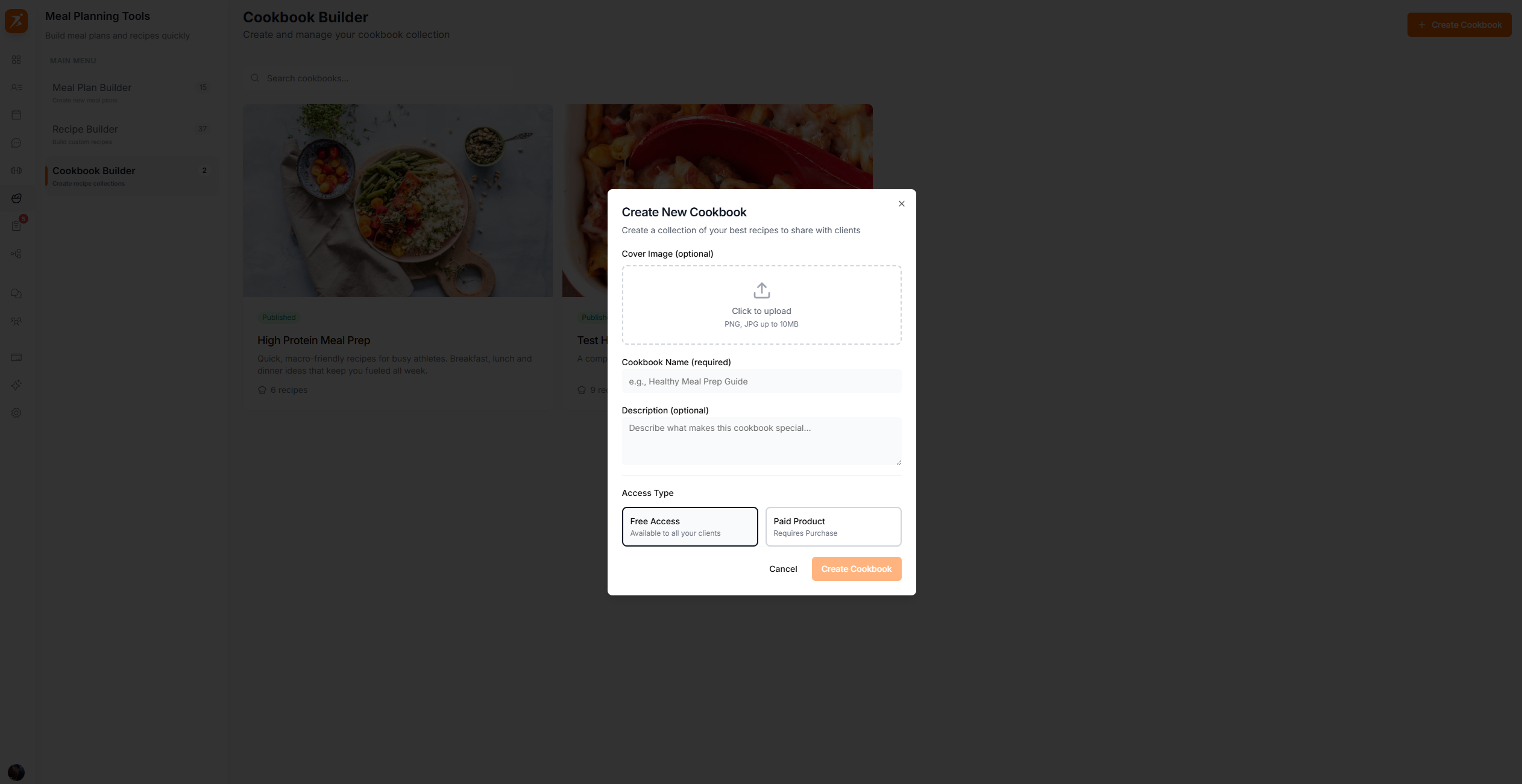
Screenshot: Create cookbook dialog
Show: "Create New Cookbook" form with cover image dropzone, name input, description textarea, Free/Paid access type toggle, Cancel and Create buttons
public/docs/create-cookbook.png
Available to all clients
Requires purchase
Open a cookbook and click "Add Recipes" to select from your recipe library.
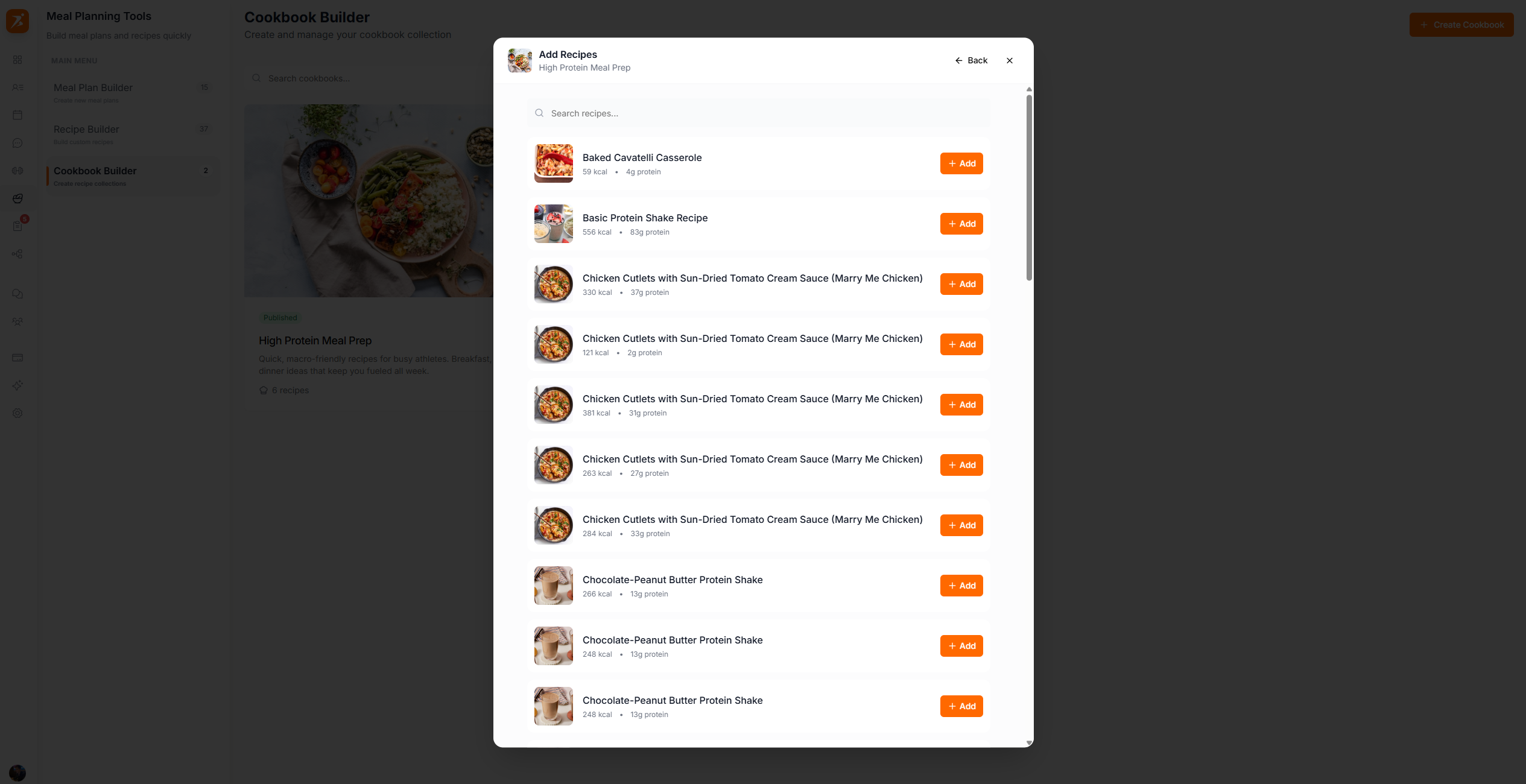
Screenshot: Cookbook detail view
Show: cookbook header with cover image, title "High Protein Meals", recipe count, "Add Recipes" and Settings buttons, recipe grid with 4+ cards showing images, calorie and protein data
public/docs/cookbook-detail.png
Group recipes by goal (weight loss, muscle gain) or dietary preference.
Upload cover images for the cookbook grid and detail views.
Duplicate a cookbook to create variations. The copy starts as a draft.
Sell collections via Stripe. Payments appear in your earnings dashboard.
Turn your recipes into a revenue stream
Bundle recipes into cookbooks, set pricing, and sell to clients through Stripe.
Get Started Free