Manage your training schedule with an interactive calendar. Book sessions, set recurring appointments, and track payments.
All sessions, personal tasks, and availability with color-coded status indicators.
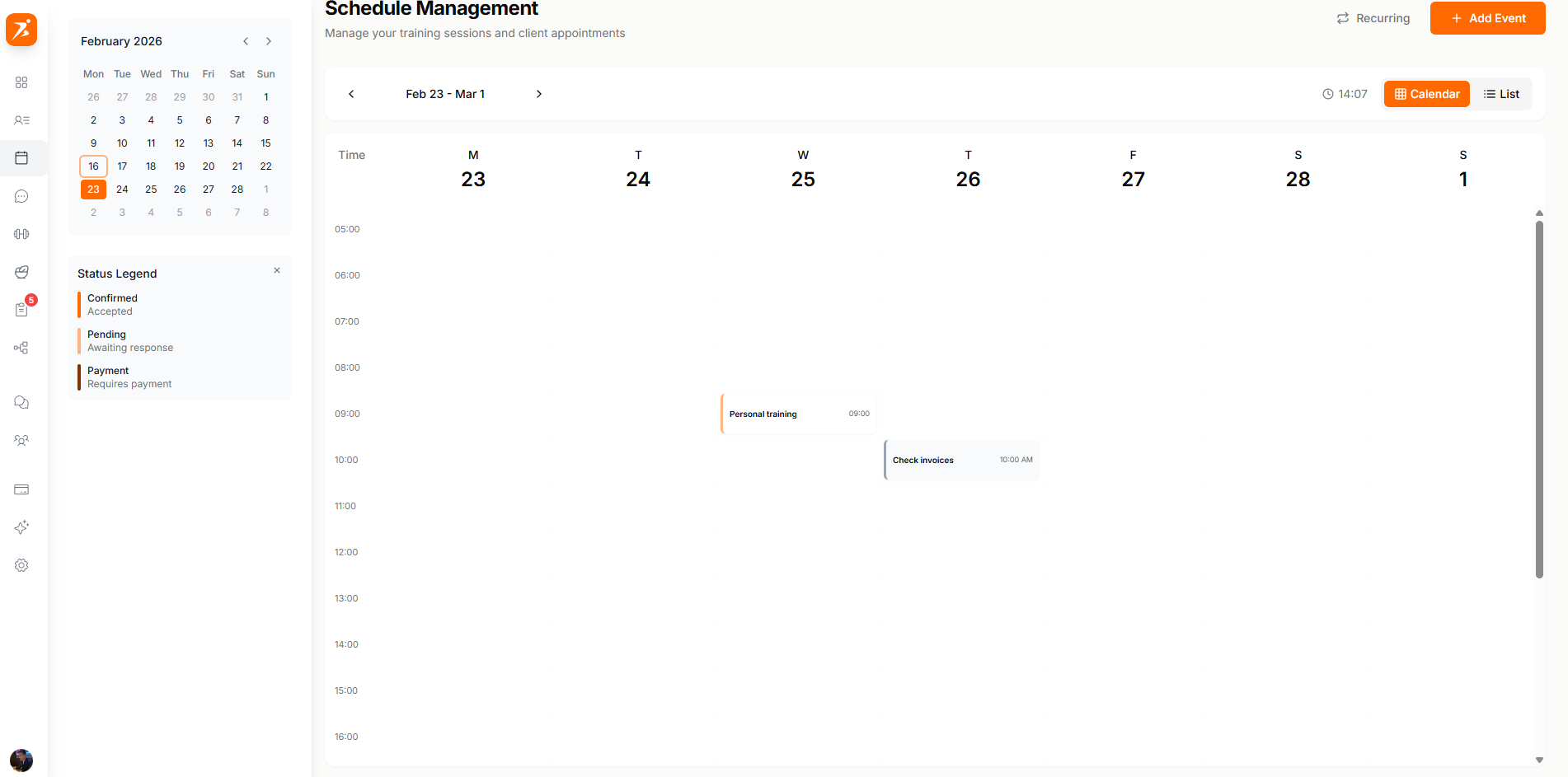
Screenshot: Weekly calendar view
Show: week view with date navigation (Feb 10-16), "New Appointment" button, 7-day grid with time slots (8:00-12:00), appointment cards on various days — PT session (orange border, "Paid" badge), Group HIIT (green border, "3 clients"), personal task (gray), status legend at bottom (Confirmed, Pending, Payment Due, Completed, Personal Task, Cancelled)
public/docs/weekly-calendar.png
Use the 4-step booking wizard to create appointments. Select clients, add details, set time and price, and configure recurring options.
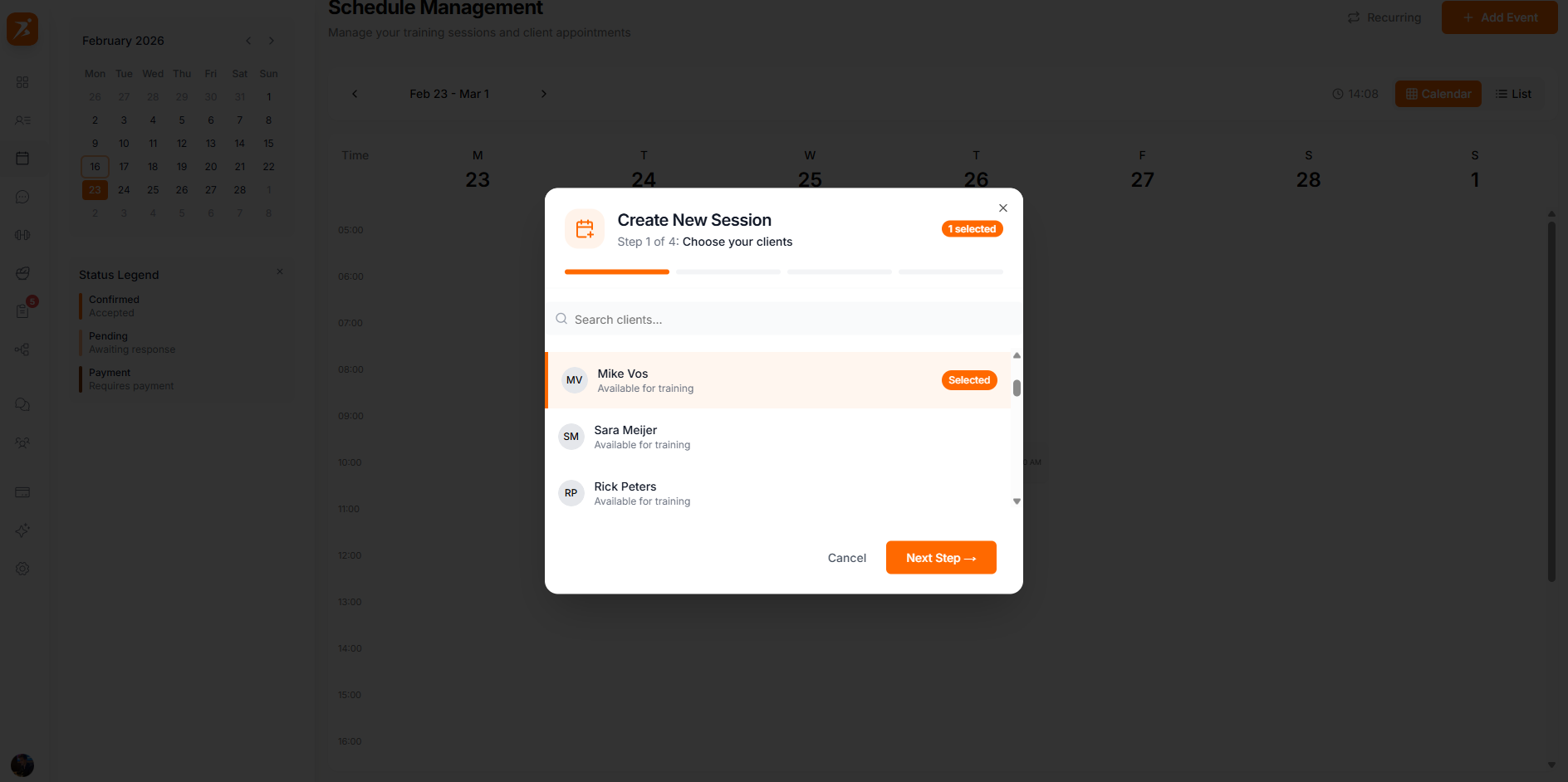
Screenshot: 4-step booking wizard
Show: split view — left panel: step indicator (1-2-3-4), Step 1 "Select Clients" with client list (Sarah Johnson selected with orange highlight); right panel: Step 3 "Time & Price" with date/time pickers, price input (€75), location field, recurring options (None, Weekly selected, Bi-weekly, Monthly)
public/docs/booking-wizard.png
Click any appointment to view details, update status, manage payment, or reschedule.
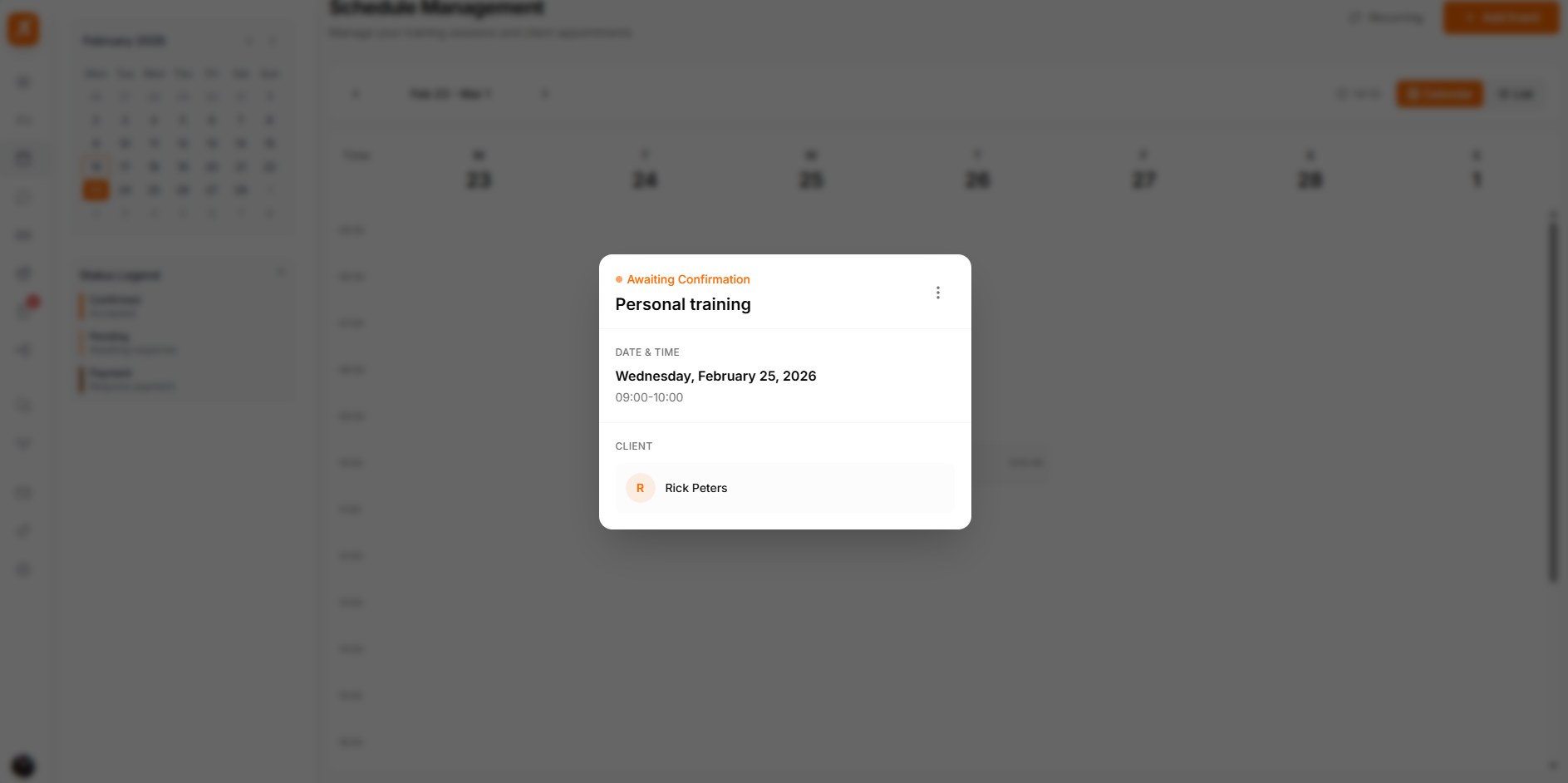
Screenshot: Appointment detail panel
Show: detail card with client name/avatar, "Confirmed" green badge, date (Mon Feb 10), time (8:00-9:00 AM), location (Studio A), price (€75 Paid), recurring info (Weekly, next: Feb 17), action buttons at bottom — Complete (green), Reschedule (gray), Cancel (red)
public/docs/appointment-detail.png
Drag appointments to new time slots to reschedule. Clients are notified automatically.
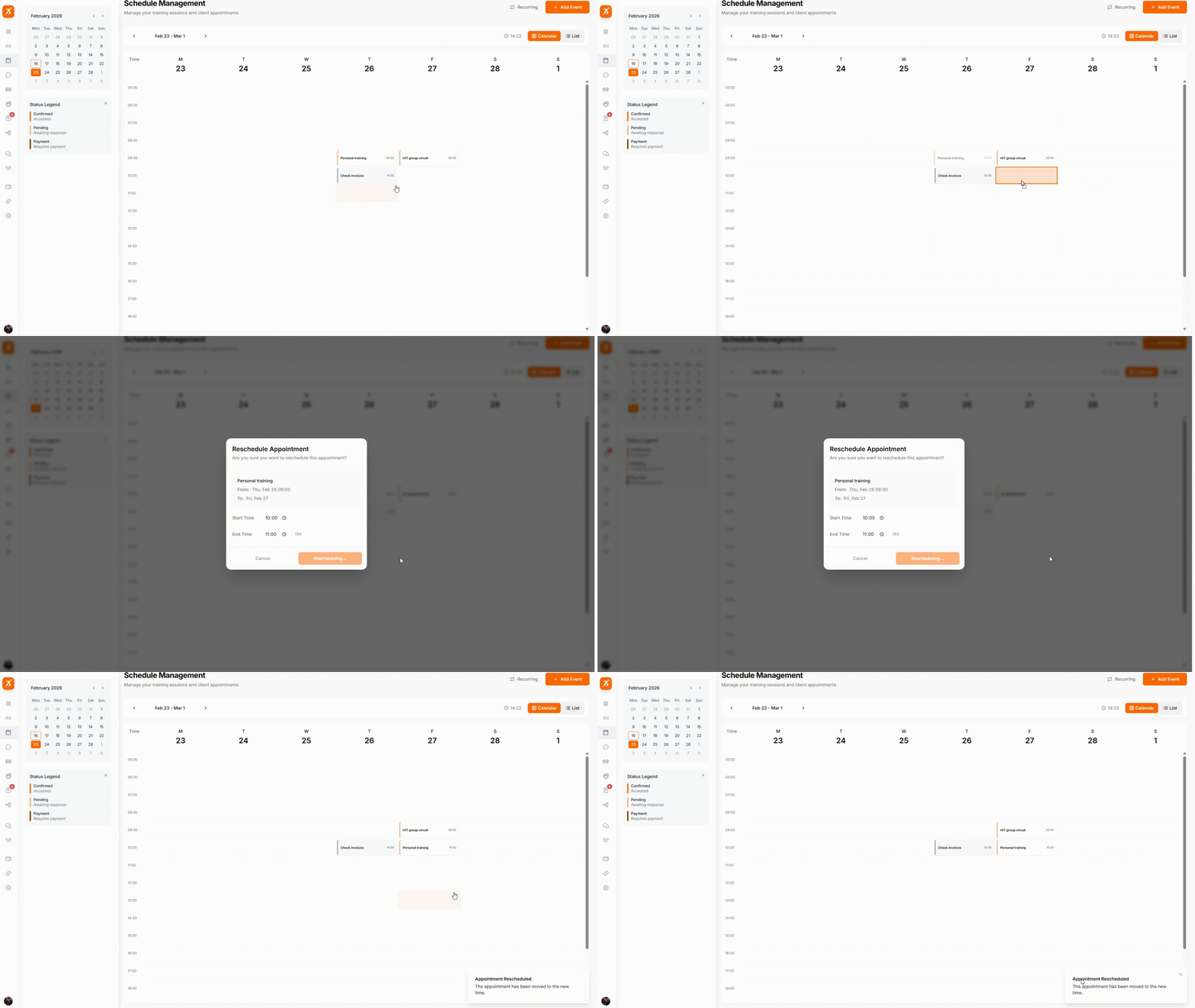
GIF: Drag & drop rescheduling
Record: grab an appointment card on Monday 8:00, drag it across the calendar grid to Wednesday 10:00, show the card snapping into the new slot with a brief animation, notification toast "Client notified" appears
public/docs/drag-drop-rescheduling.gif
Book multiple clients into a single session. Track payment status individually for each participant and see total revenue at a glance.
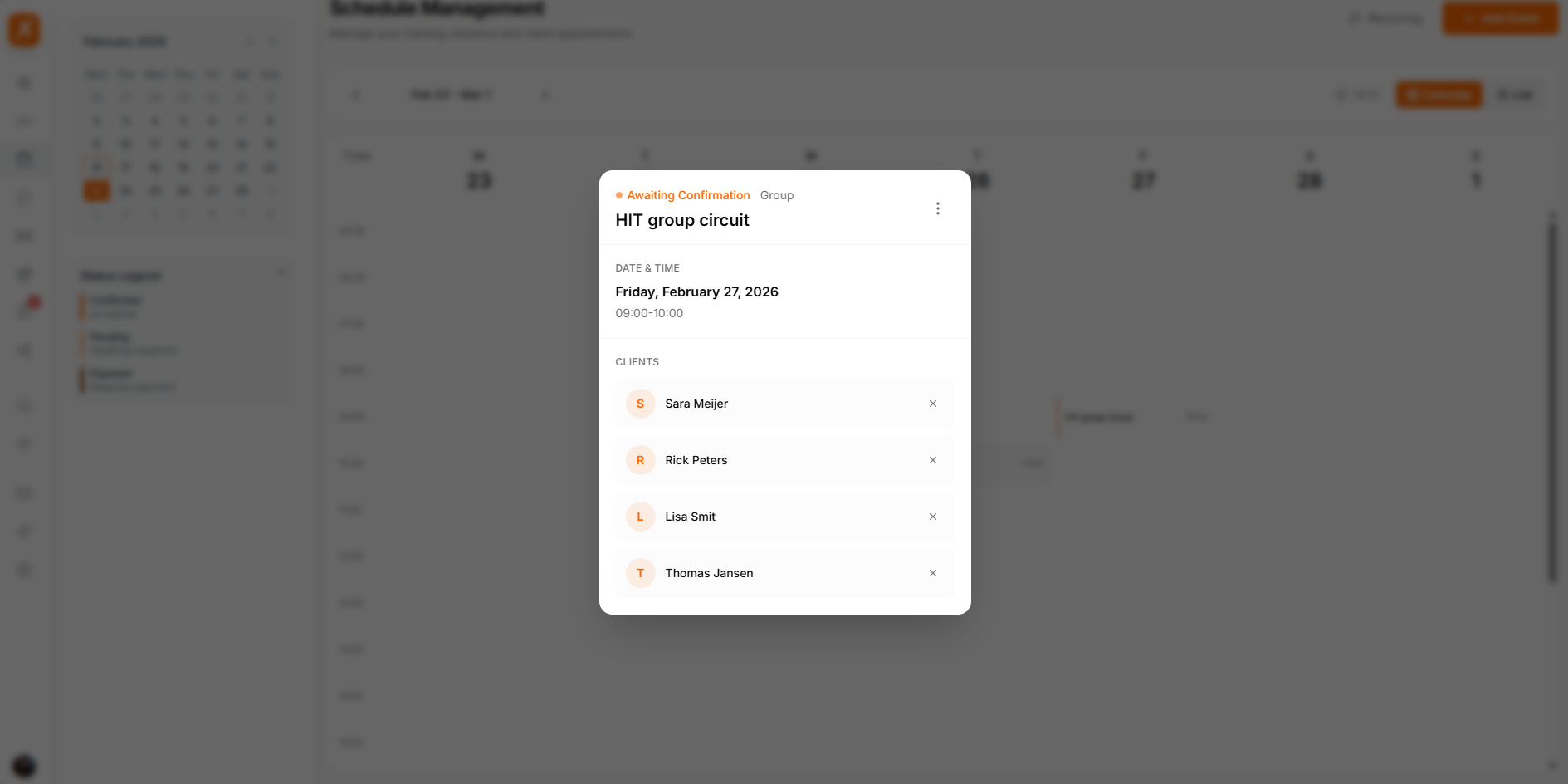
Screenshot: Group appointment detail
Show: group session card "Group HIIT" with green icon, 3 clients listed (Sarah Johnson Paid, Mike Peters Paid, Emma Wilson Pending) each with individual payment status, total revenue €150/€225 at bottom
public/docs/group-appointment.png
Block time for admin work, breaks, or preparation. Personal tasks appear on your calendar but aren't visible to clients.
Block time for client programming, emails, and business tasks.
Schedule lunch breaks and rest periods between sessions.
Prepare for upcoming sessions and review client progress.
Switch to list view for a quick overview of upcoming sessions with filters by status and date range.
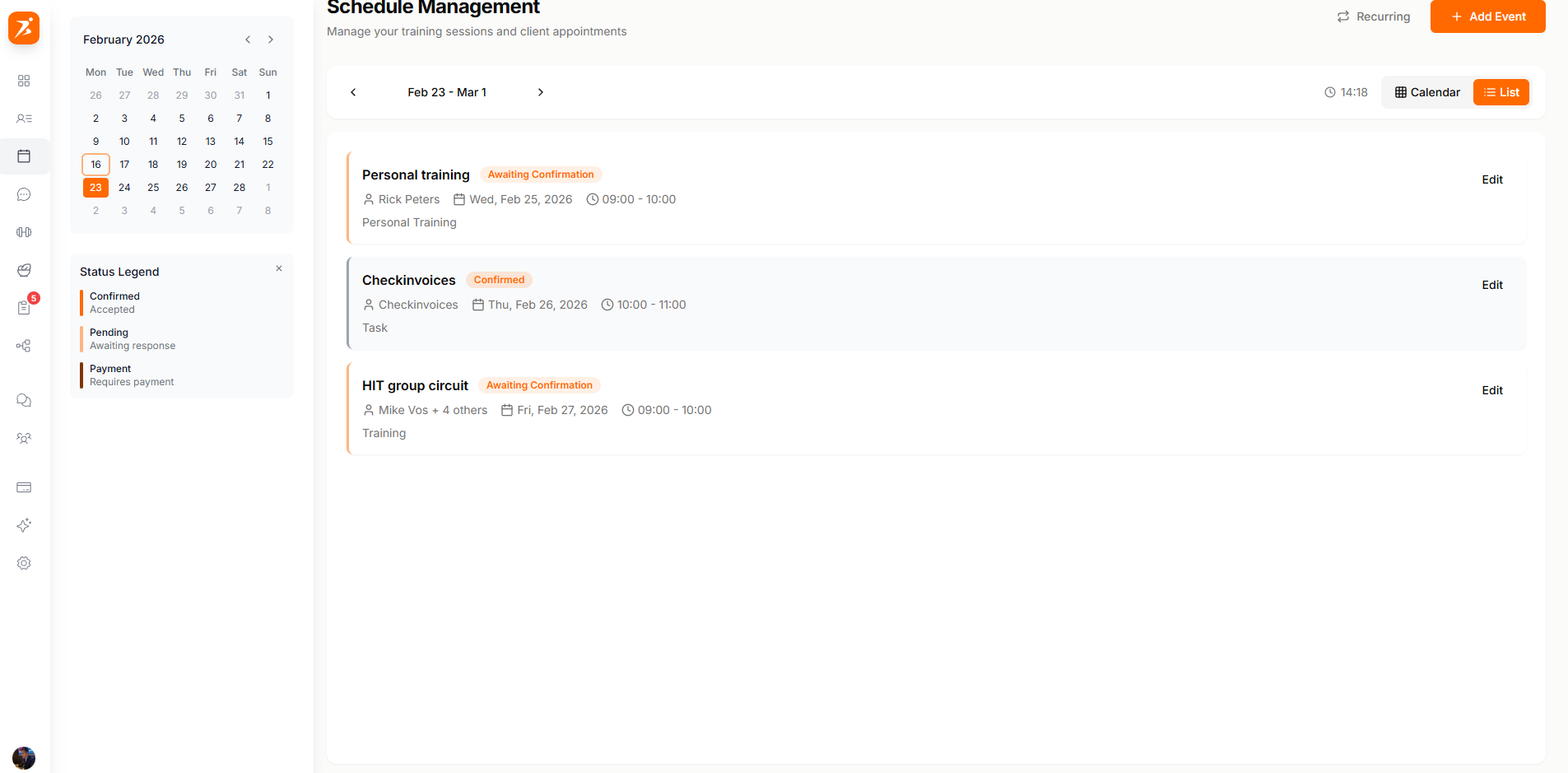
Screenshot: Session list view
Show: list view of upcoming sessions — 4 rows with color-coded status bars (green Confirmed, orange Pending, red Payment Due), session name, date/time, and price on each row
public/docs/session-list.png
At-a-glance metrics for your week, visible alongside the calendar.
Sessions scheduled today
Total sessions this week
Weekly earnings total
Payments awaiting collection
Week view with drag-and-drop rescheduling and color-coded status indicators.
Set weekly, bi-weekly, or monthly recurring sessions that auto-populate your calendar.
Built-in payment status for every session. Track who has paid and send reminders.
Book multiple clients per session with individual payment tracking and attendance.
Start scheduling smarter
Interactive calendar with drag-and-drop, recurring bookings, and payment tracking.
Get Started Free