Describe the program — type, duration, split, goals — and the AI generates a fully structured, periodized plan. Edit everything afterwards in the builder.
AI plan generation is a Plus feature. Free plan users will see it locked — upgrade to Plus or Premium to unlock it.
Select "Build with AI" when creating a new plan:
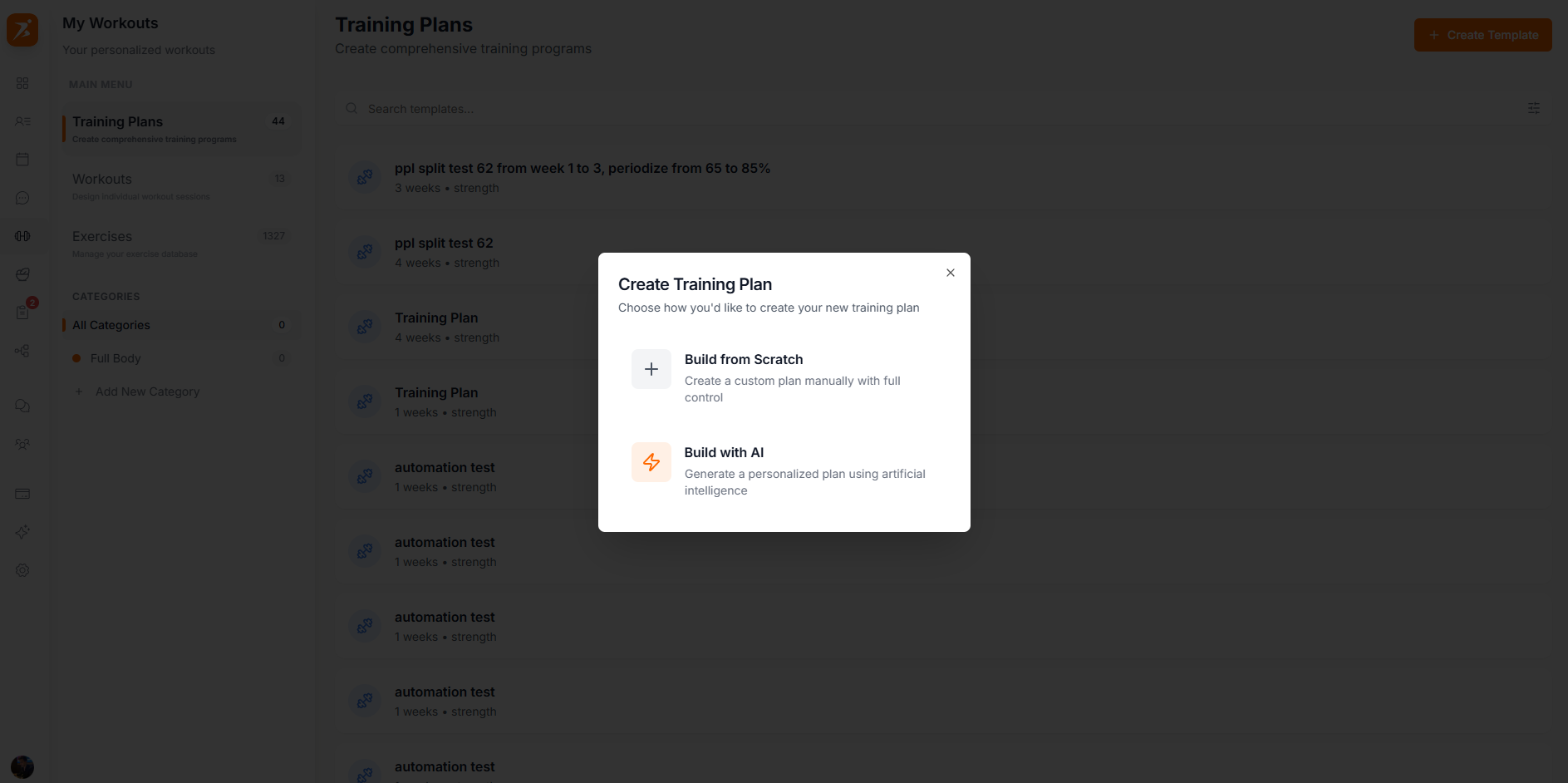
Screenshot: Choose creation method
Show: create dialog with "Build with AI" option highlighted or hovered
public/docs/ai-plan-method.png
Set the program name, duration, type, and provide specific goals or instructions:
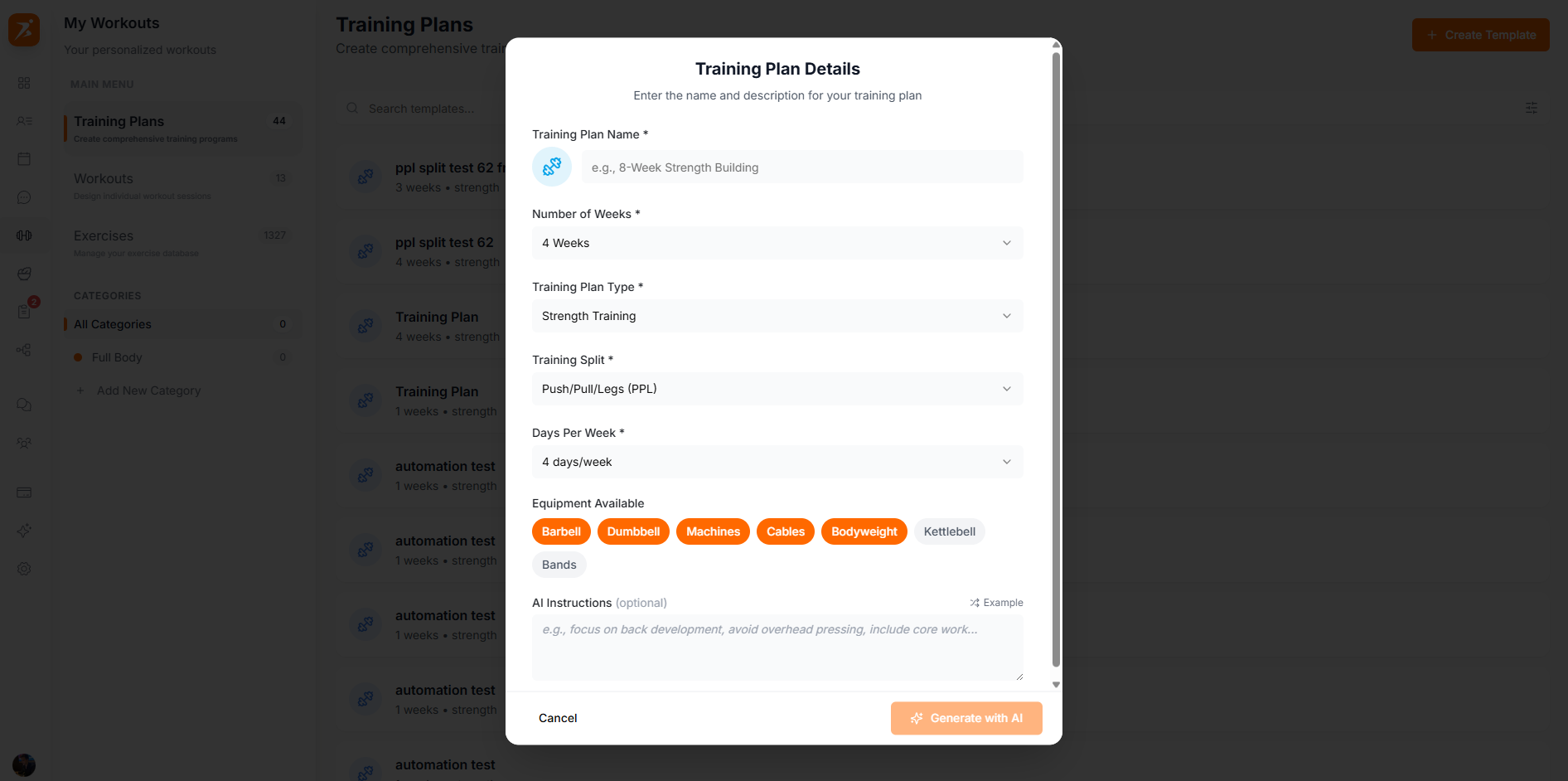
Screenshot: AI configuration form
Show: form filled with a program name, 12 weeks, Strength type, and detailed goals/instructions text
public/docs/ai-plan-config.png
The AI builds the full program based on your configuration. Takes 10-30 seconds:
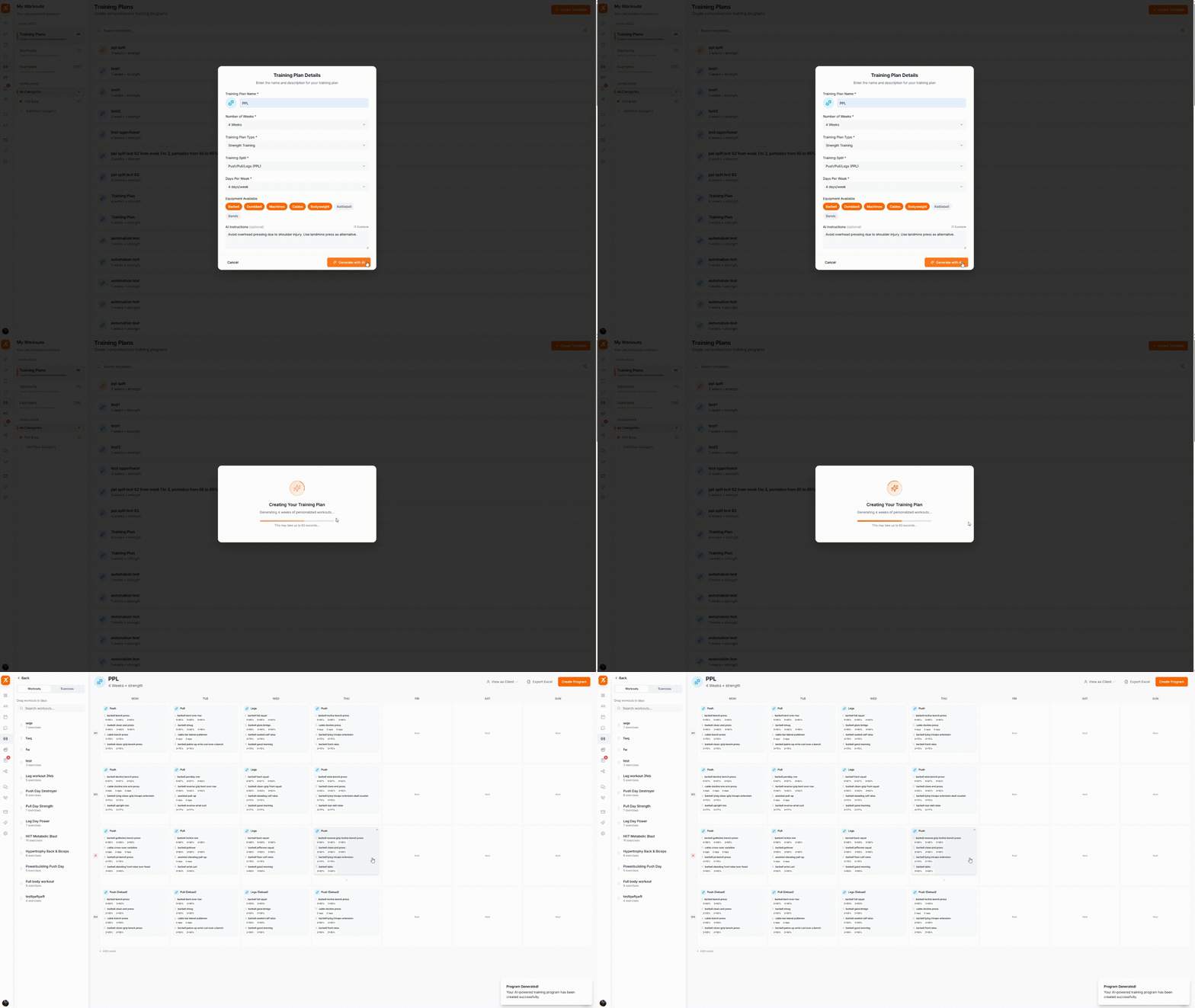
GIF: AI generating a training plan
Record: click "Generate with AI", show the loading animation/progress indicator, then the plan appearing
public/docs/ai-plan-generating.gif
After generation, you'll be taken to the Week Builder interface (covered in the Plan Builder documentation) where you can:
Let AI build your next training plan
Describe what you need — the AI does the rest. Edit everything after.
Try It Free