Assign training plans or individual workouts to a client's calendar. Plans auto-align to weeks; single workouts go on specific days.
The Training tab in each client profile shows their workout calendar:
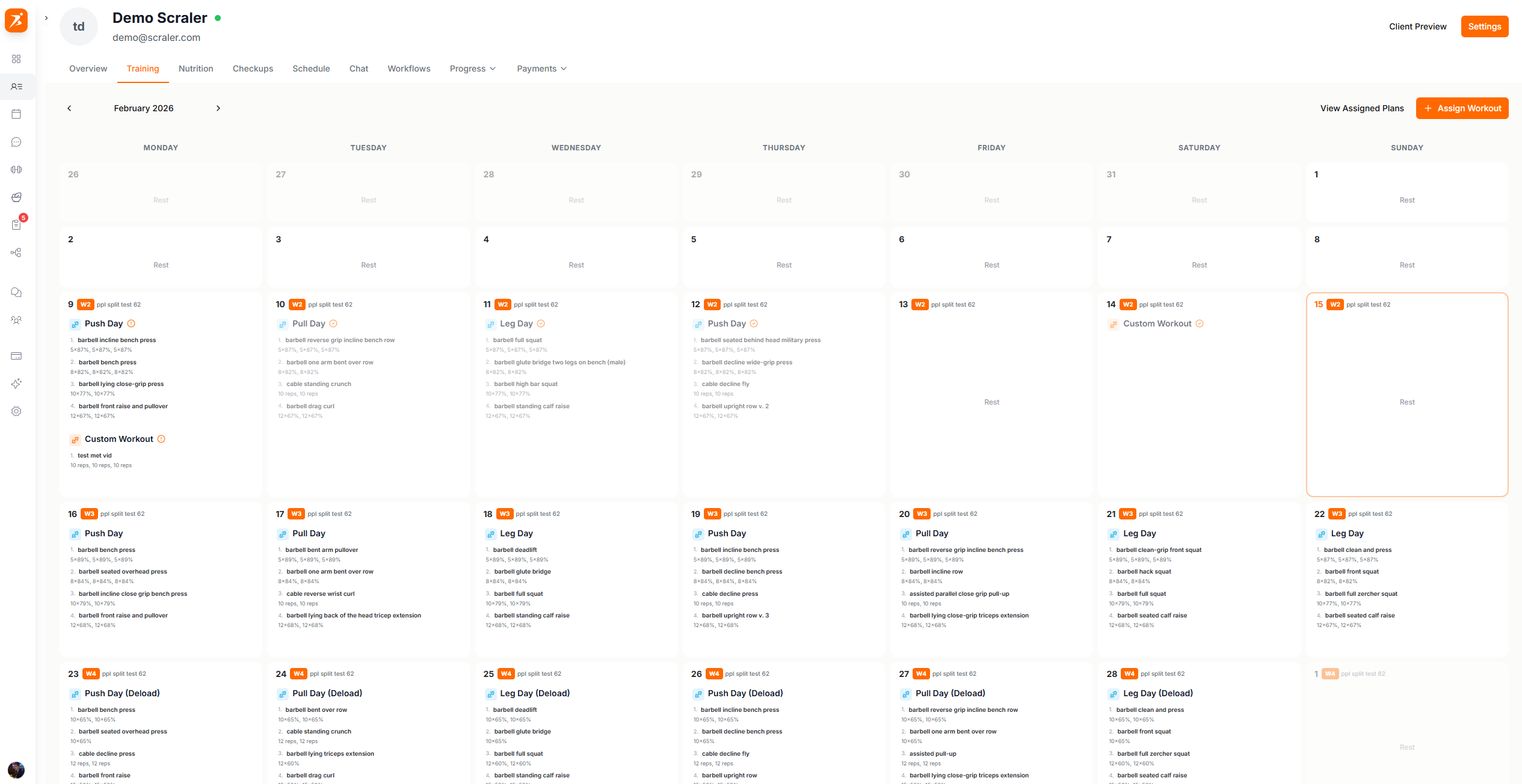
Screenshot: Client training calendar
Show: client profile Training tab with 3+ workouts scheduled on different days, week view visible
public/docs/client-training-calendar.png
Click the + button on any calendar date to see assignment options:
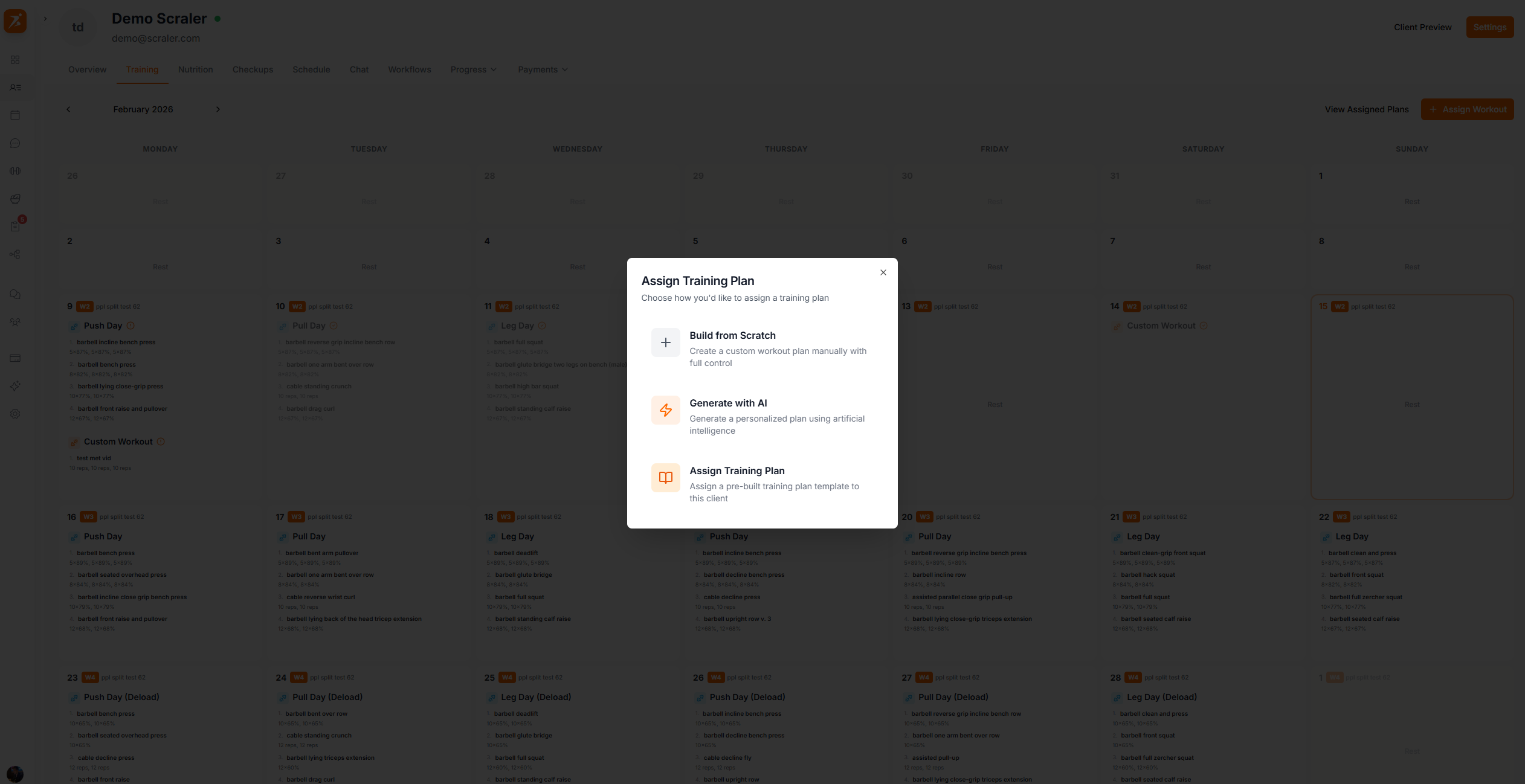
Screenshot: Choose assignment type
Show: assignment dialog with all options visible -- From Scratch, Generate with AI, From Template, Single Workout
public/docs/assignment-type.png
Build a custom training plan manually
Let AI create a personalized program
Use a saved training plan template
The "From Template" option shows all saved plans. Search, preview, and assign:
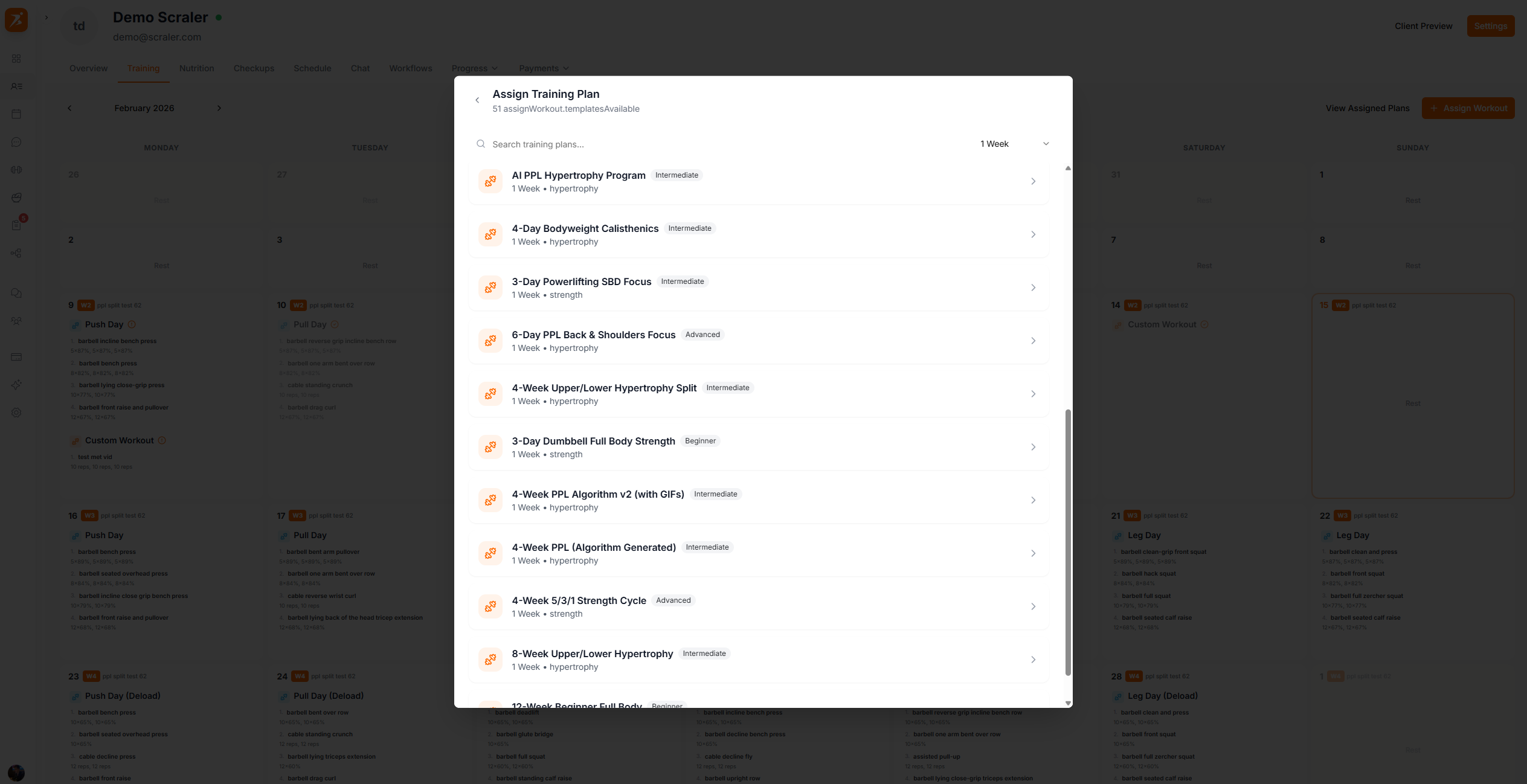
Screenshot: Select training plan
Show: plan picker with search bar, a plan selected, and preview panel showing weeks and workouts
public/docs/select-training-plan.png
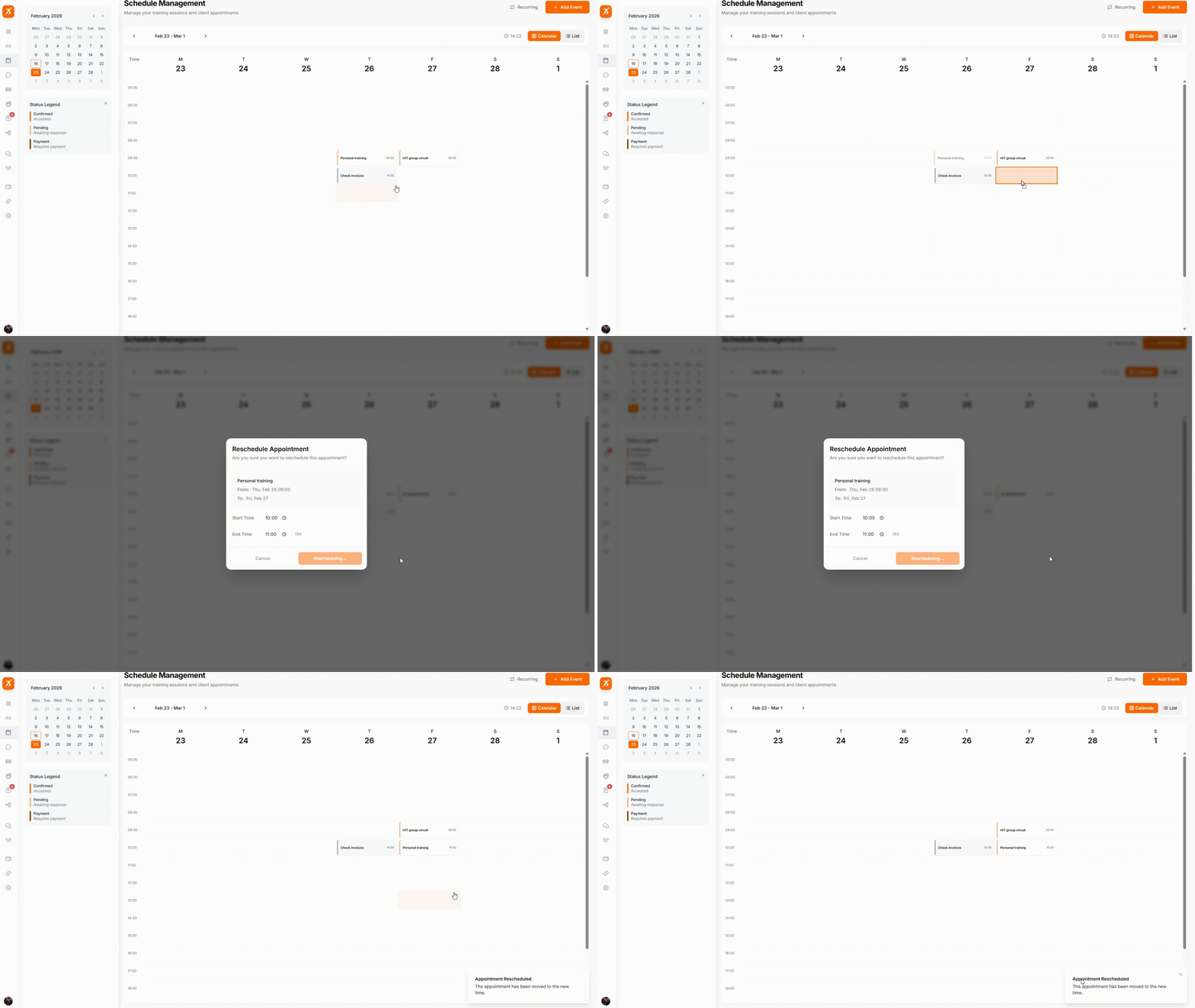
GIF: Drag & drop rescheduling
Record: drag a workout from one day to another on the client calendar, show it snapping into the new position
public/docs/drag-drop-rescheduling.gif
Grab the handle to drag • Drop on any date to reschedule • Changes save automatically
Get your clients training smarter
Assign plans, drag to reschedule, track completion — all from one calendar.
Get Started Free