Configure plan details, lay out weeks, add exercises per day, and set weight prescriptions.
Set the plan name, duration, difficulty, and category:
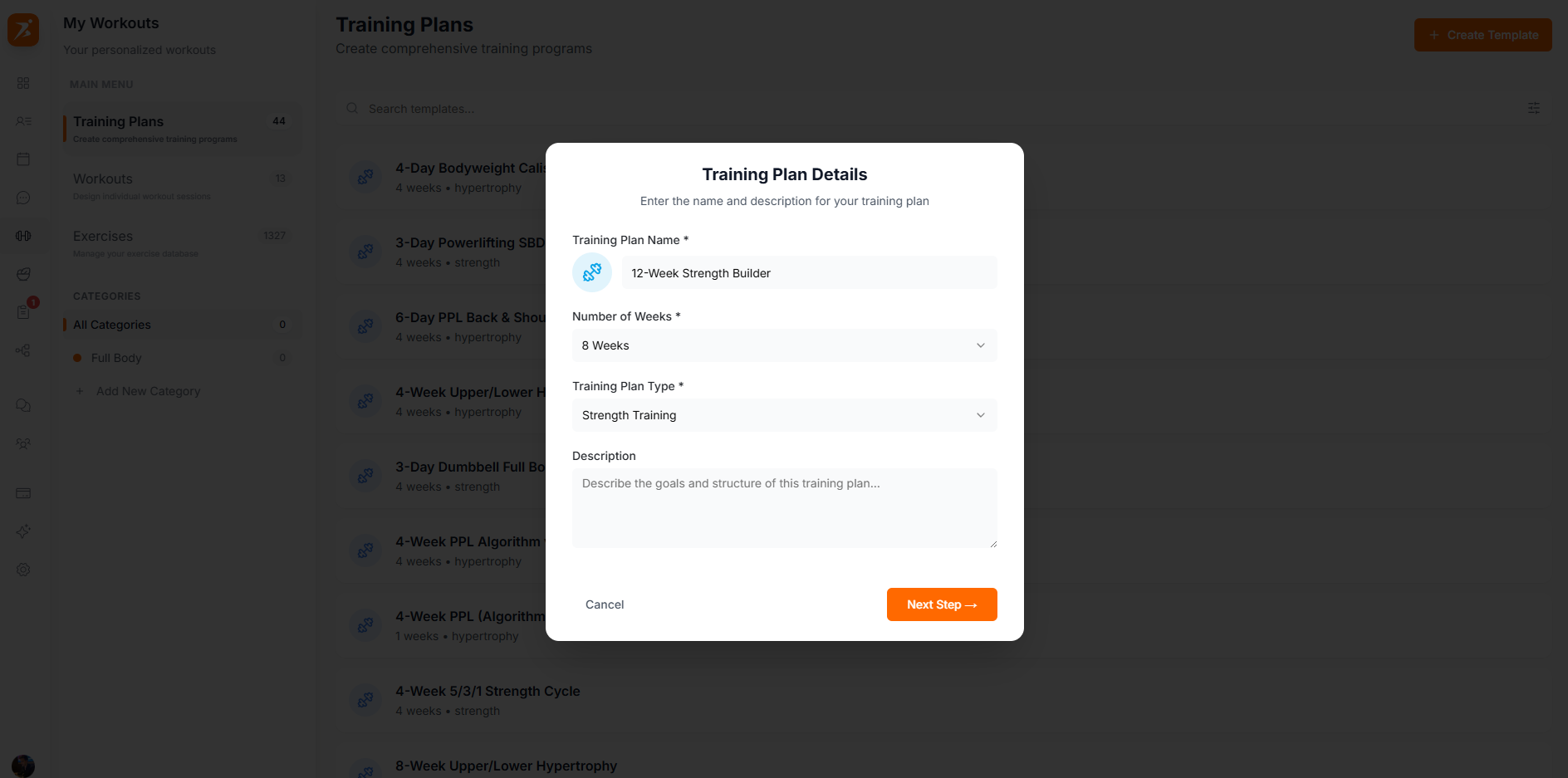
Screenshot: Plan setup form
Show: form filled with "12-Week Strength Builder", 8 weeks selected, Intermediate difficulty, Strength category
public/docs/plan-setup-form.png
Calendar grid with weeks on the left and workout library on the right. Drag workouts onto any day:
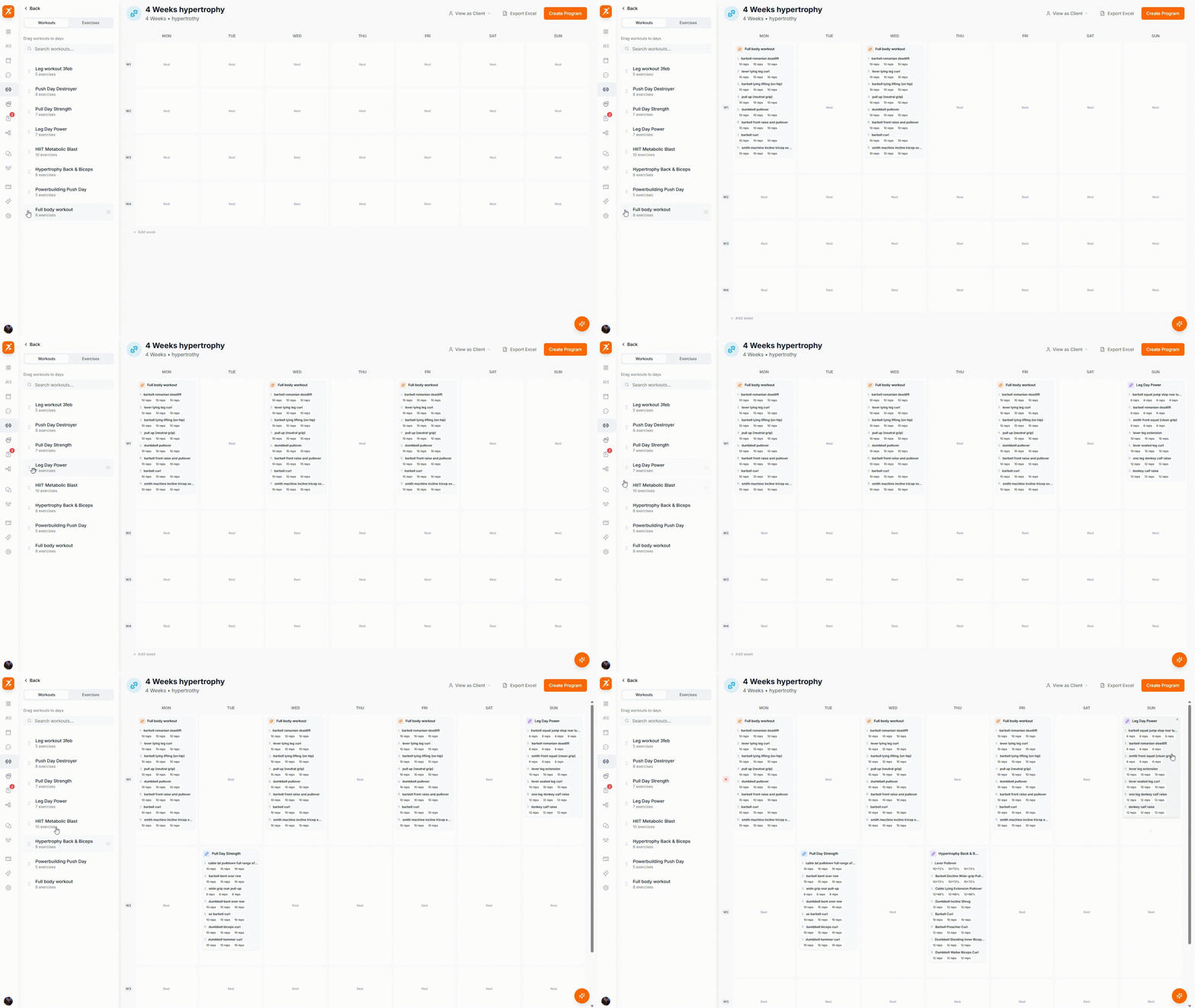
GIF: Drag & drop workout to calendar
Record: drag a workout from the sidebar library onto a day in the calendar grid, show it snapping into place
public/docs/drag-workout-to-calendar.gif
Drag workouts from the sidebar and drop them onto any day. You can also drag to reorder workouts within a day or move them between days.
Click any workout in the calendar to open the exercise list with configurable sets, reps, weight, RPE, and rest:
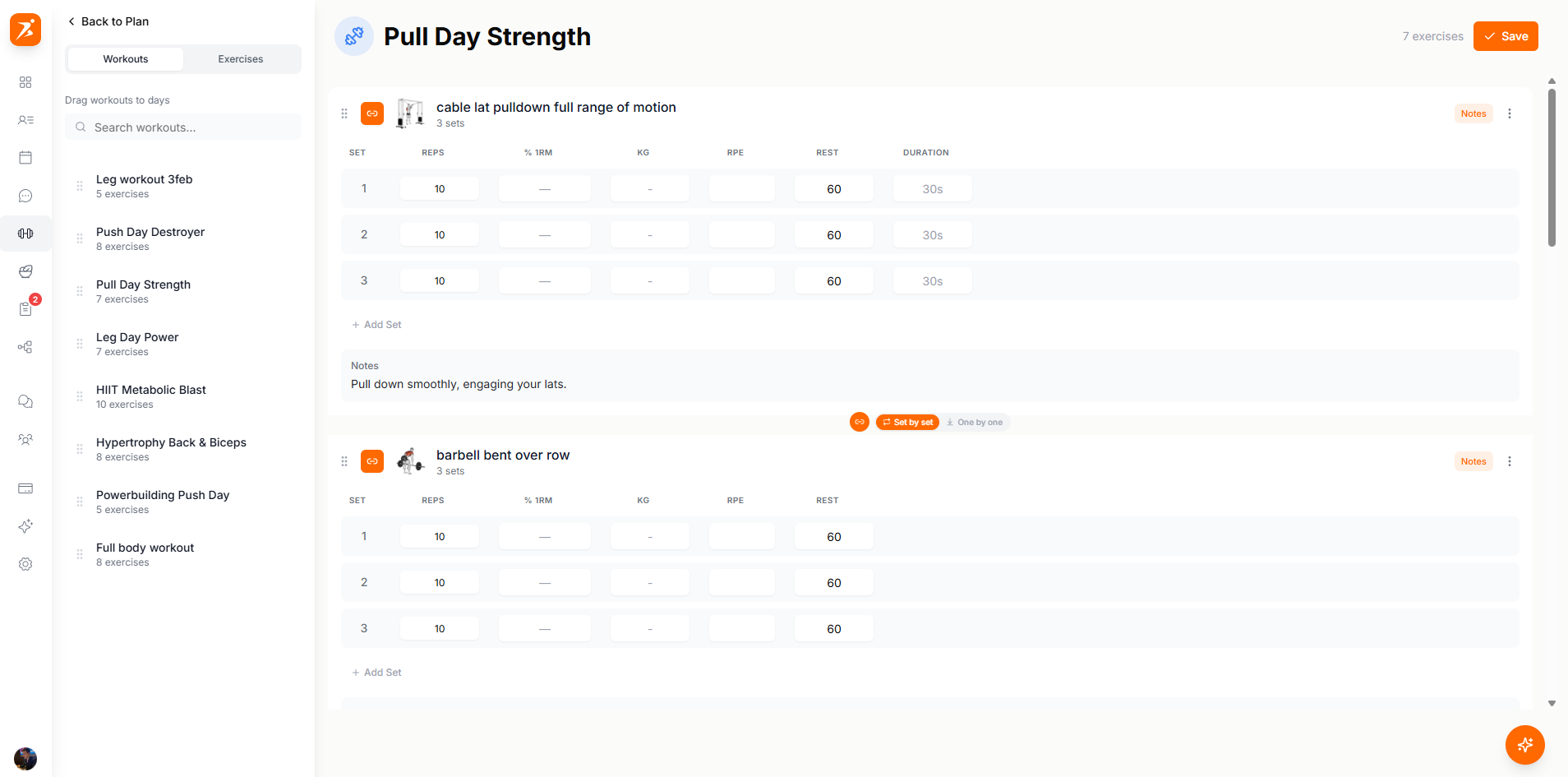
Screenshot: Editing a workout day
Show: workout open with 4-5 exercises, sets table filled with reps/weight/RPE columns, exercise library sidebar visible
public/docs/workout-day-editor.png
There are two ways to set weights for your exercises:
Relative to max strength
Weights scale automatically based on each client's 1RM. If a client's bench 1RM is 100kg and you set 80%, they'll see 80kg. Great for strength programs.
Fixed kg/lbs value
Specify exact loads (e.g., 60kg). Useful for accessories or when clients don't have 1RM data recorded yet.
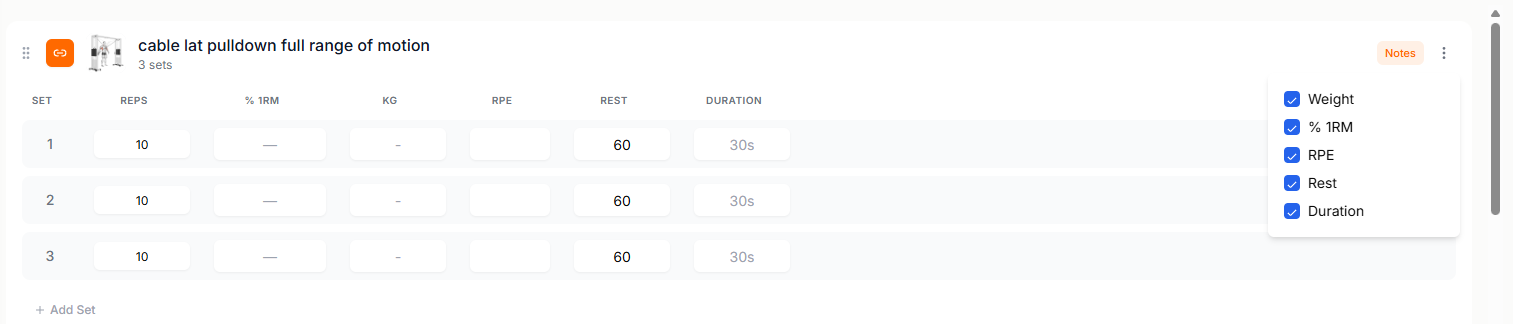
Screenshot: Weight configuration
Show: weight config options with percentage-based and absolute weight modes visible
public/docs/weight-config.png
Build training plans that get results
Everything you need to create professional, periodized programs.
Get Started Free