Schedule automated actions per client — messages, plan assignments, check-ins, payment requests, and more. Configure once and they execute on the set dates.
A calendar view of all scheduled actions for the client.
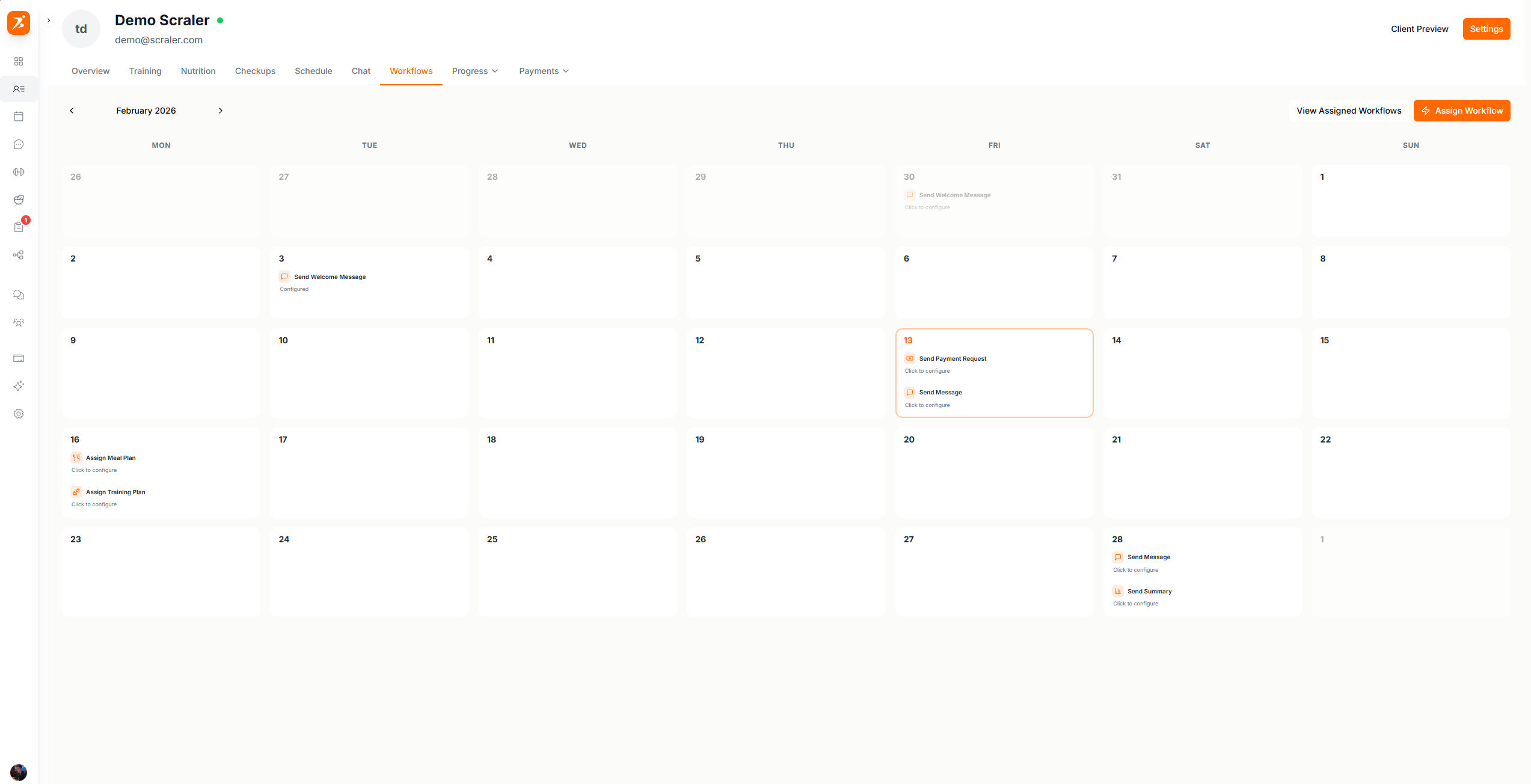
Screenshot: Client workflow calendar
Show: monthly calendar with colored action cards on various days (message, training plan, check-in), "Assign Workflow" button visible
public/docs/workflow-calendar.png
Drag actions from the panel onto calendar days to schedule them:
Send Welcome Message
Send a chat message to the client
Assign Training Plan
Assign a training plan template
Assign Meal Plan
Assign a meal plan template
Schedule Check-in
Schedule a recurring check-in
Send Summary
Generate and send a progress summary
Send Payment Request
Send a payment request to the client
Assign Subscription
Assign a subscription plan
To schedule an action:
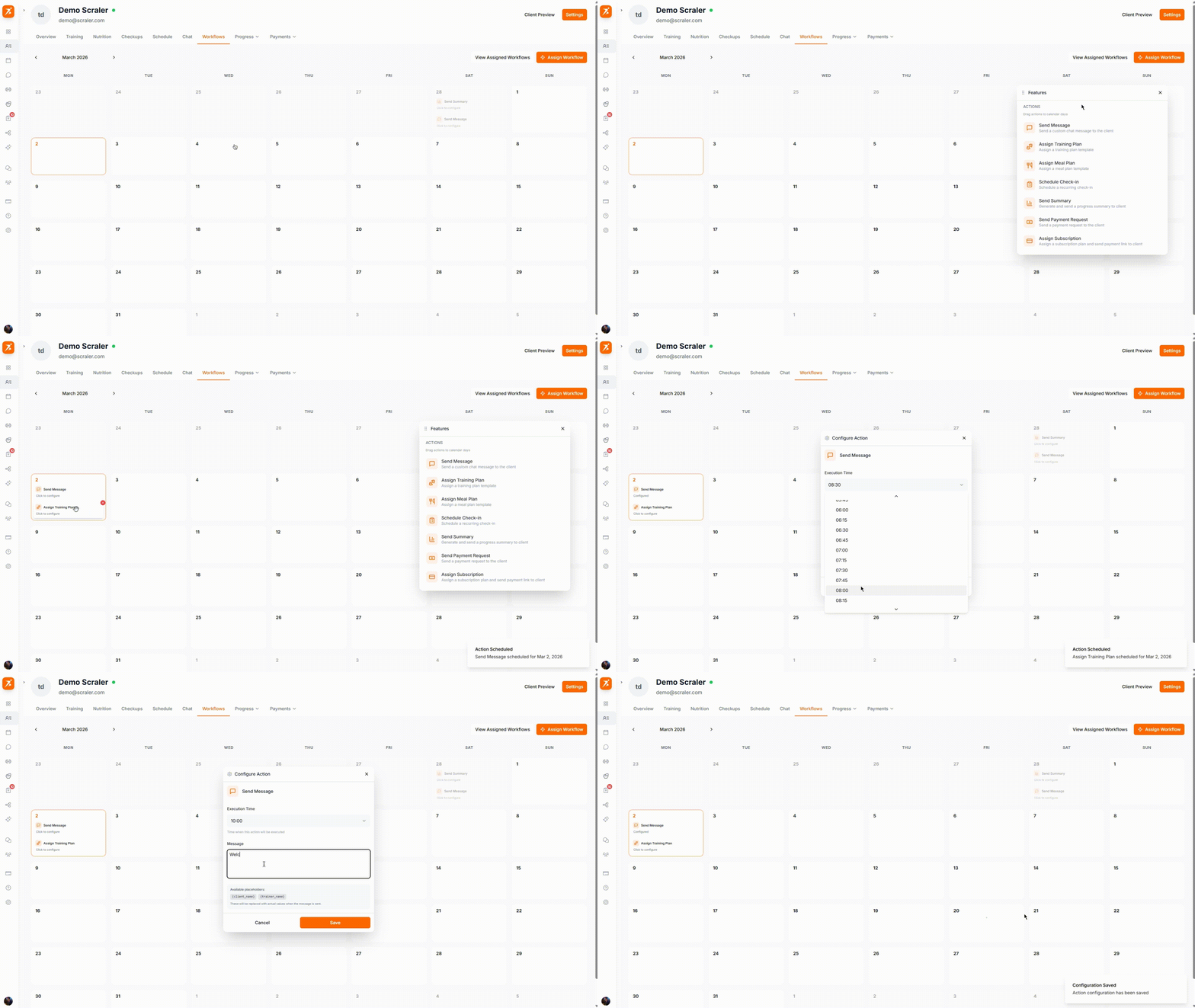
GIF: Scheduling a workflow action
Record: drag a "Training Plan" action from the sidebar panel onto a calendar day, show the config dialog appear
public/docs/assign-workflow.gif
Click a date on the calendar
Drag an action from the panel or select one from the menu
Configure the action (e.g., select which training plan to assign)
The action appears as a card on that day
Drag cards between dates to reschedule.
Templates are pre-built sequences that schedule multiple actions relative to a start date.
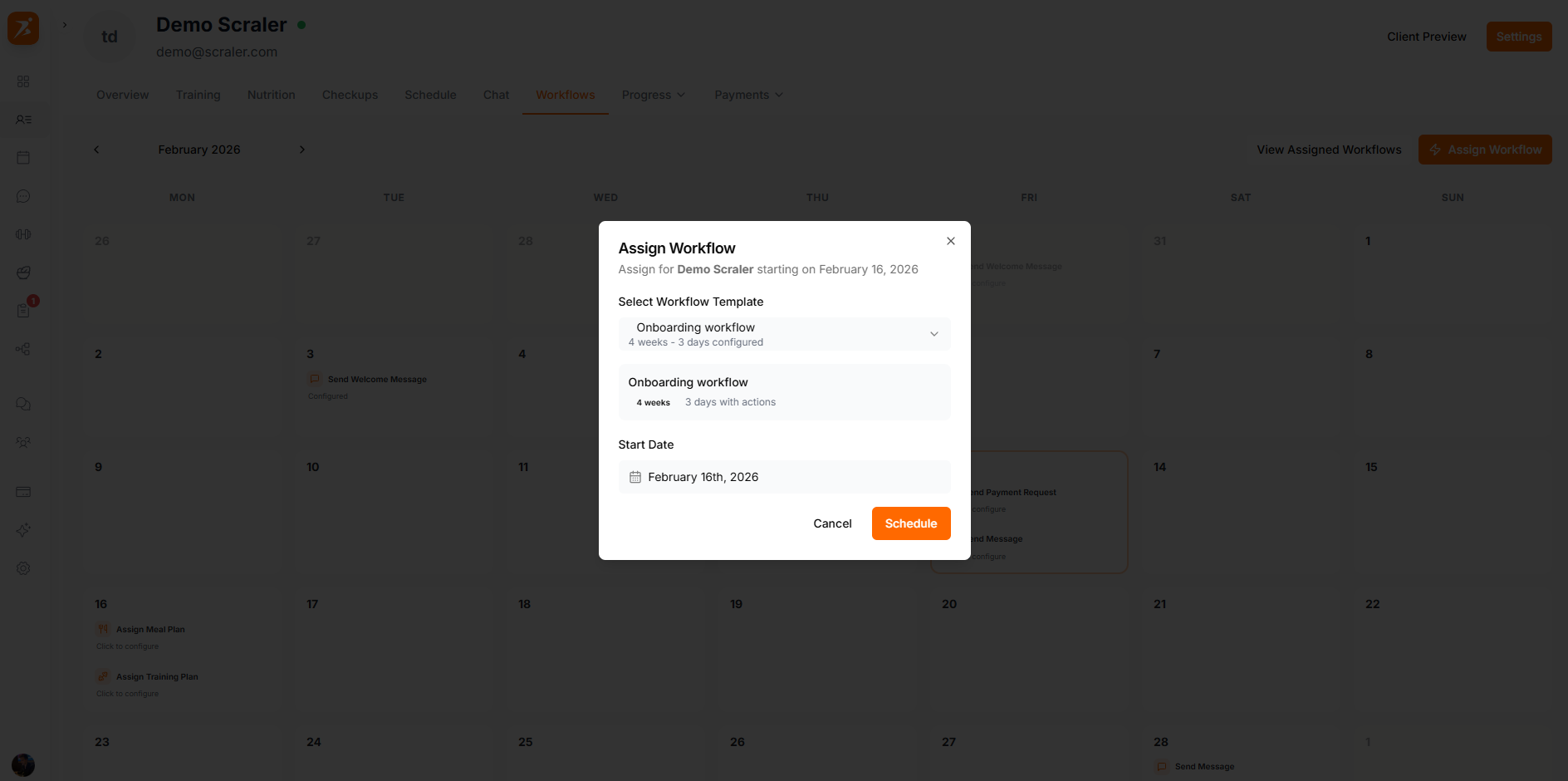
Screenshot: Assign workflow template
Show: workflow template picker showing "4-Week Onboarding" template selected, timeline preview with actions on different days
public/docs/assign-workflow.png
Want to create your own templates? Check out the Automation page for a full walkthrough.
Each workflow has a status indicator:
Scheduled
Waiting for the start date
Active
Currently executing actions
Paused
Temporarily halted, can be resumed
Completed
All actions executed
Cancelled
Permanently stopped — completed actions remain
Pause a workflow to halt execution. Resume to continue from where it stopped.
Cancelling drops all remaining actions. Completed actions are unaffected.
Click "View All" to see all workflow assignments for the client with statuses.
Onboarding — welcome message day 1, training plan day 3, first check-in day 7
Phase transitions — schedule new plan assignments between training blocks
Retention — regular check-ins and progress summaries
Billing — align payment requests with billing cycles
Put your client management on autopilot
Workflows handle the scheduling so you can focus on coaching.
Get Started Free