Create discount codes to offer promotions on your subscriptions and products. Set percentage or fixed-amount discounts with flexible rules like expiration dates, usage limits, and minimum purchase requirements.
Click "Create Coupon" to open the creation form. Enter a code (e.g. SAVE20), choose a discount type and value, then configure optional settings like duration, expiration, and usage limits.
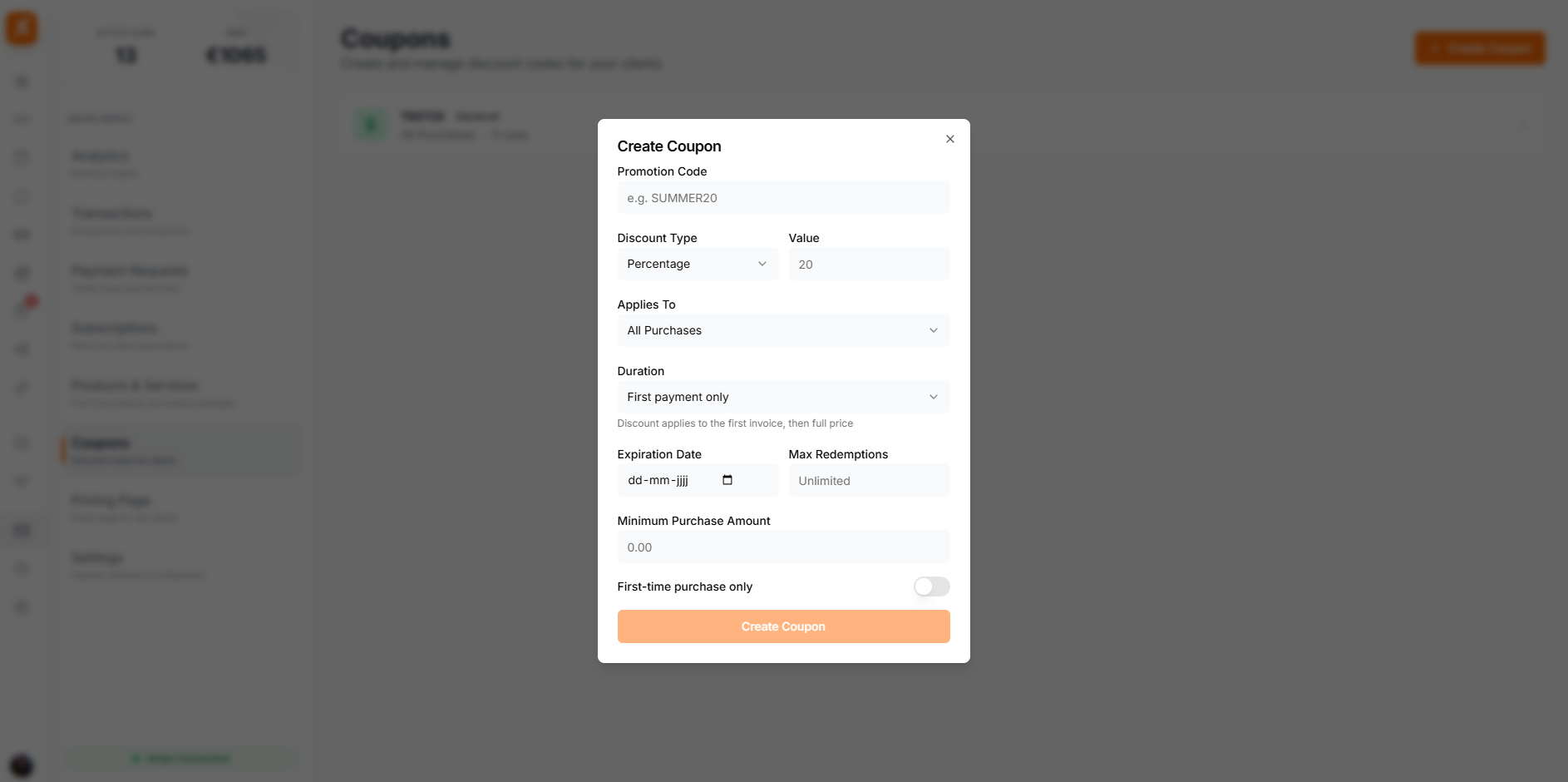
Choose between two discount types when creating a coupon.
Discount a percentage off the total. For example, 20% off a subscription or product price.
Discount a fixed currency amount. For example, €10 off the total price in your configured currency.
Fine-tune how your coupon works with these optional settings.
Choose whether the coupon applies to all purchases, subscriptions only, or products only.
Set how long the discount lasts: once (first payment only), forever, or repeating for a set number of months.
Limit how many times the coupon can be used in total. Leave empty for unlimited redemptions.
Set a date after which the coupon can no longer be redeemed. The coupon automatically becomes expired.
Require a minimum purchase amount before the coupon can be applied.
Restrict the coupon to new customers who haven't made a purchase before.
The Coupons tab shows all your coupons in a list with their code, discount value, status, usage count, and expiration date. Click any coupon to view its full details, copy the code, activate or deactivate it, or delete it.
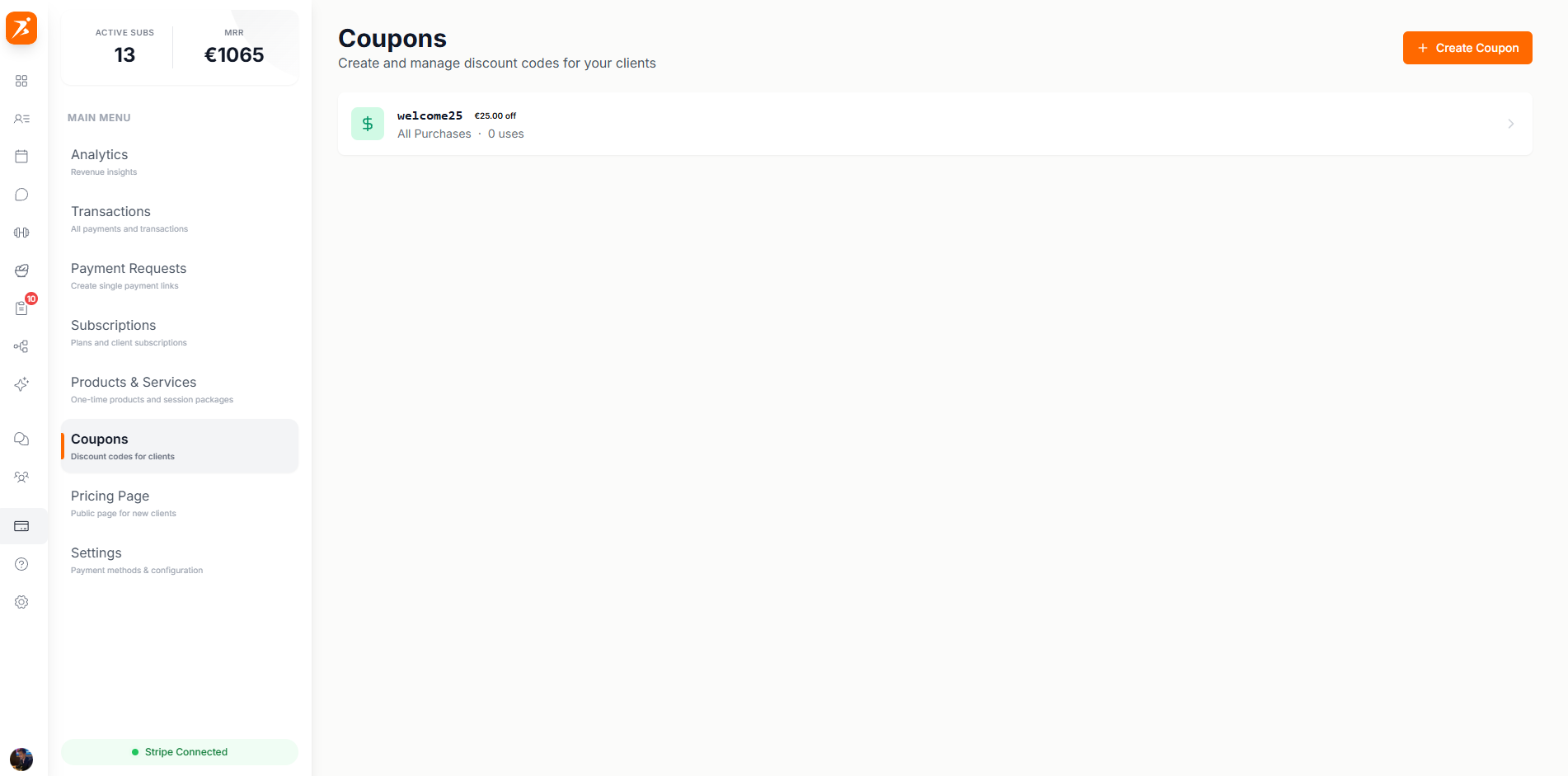
Each coupon has a status that indicates whether it can currently be redeemed.
The coupon is live and can be redeemed by clients.
The coupon has been deactivated and cannot be redeemed.
The coupon has passed its expiration date or reached its max redemptions.
Coupons are created and managed directly through Stripe for reliable payment processing.
Choose percentage or fixed-amount discounts with configurable duration and scope.
See how many times each coupon has been redeemed and set maximum usage limits.
Restrict coupons to first-time customers, set minimum purchase amounts, or limit to specific product types.
Boost sales with coupons
Create promotional codes and attract new clients with discounts.
Get Started Free