
Calendar or Fixed Delivery
Every client gets their training and nutrition in one of two ways. Calendar puts everything on dates you control. Fixed hands them a standing program they work through at their own pace.
What a delivery mode is
A delivery mode decides whether a client's plan sits on a calendar or is a standing set of days with no dates. You set it per client, not per plan. It changes the client's Training and Nutrition tabs for you, and what they open in their app. Both modes use the same builders, libraries and logging.
Calendar
You plan the weeks, and the client opens today to see exactly what's on.
Fixed
The program is always there, and the client trains it at their own pace.
Training and nutrition each have their own mode. A client can train from a fixed rotation while their nutrition still runs on a weekly calendar, or the other way round.
Choosing a mode
The first time you open a client's Training or Nutrition tab, you choose how that client gets their plan. Each card describes what the client will experience. Hover a card for a short animated preview, or press its info button for a walkthrough. Pick one and the tab shows only that mode from then on.
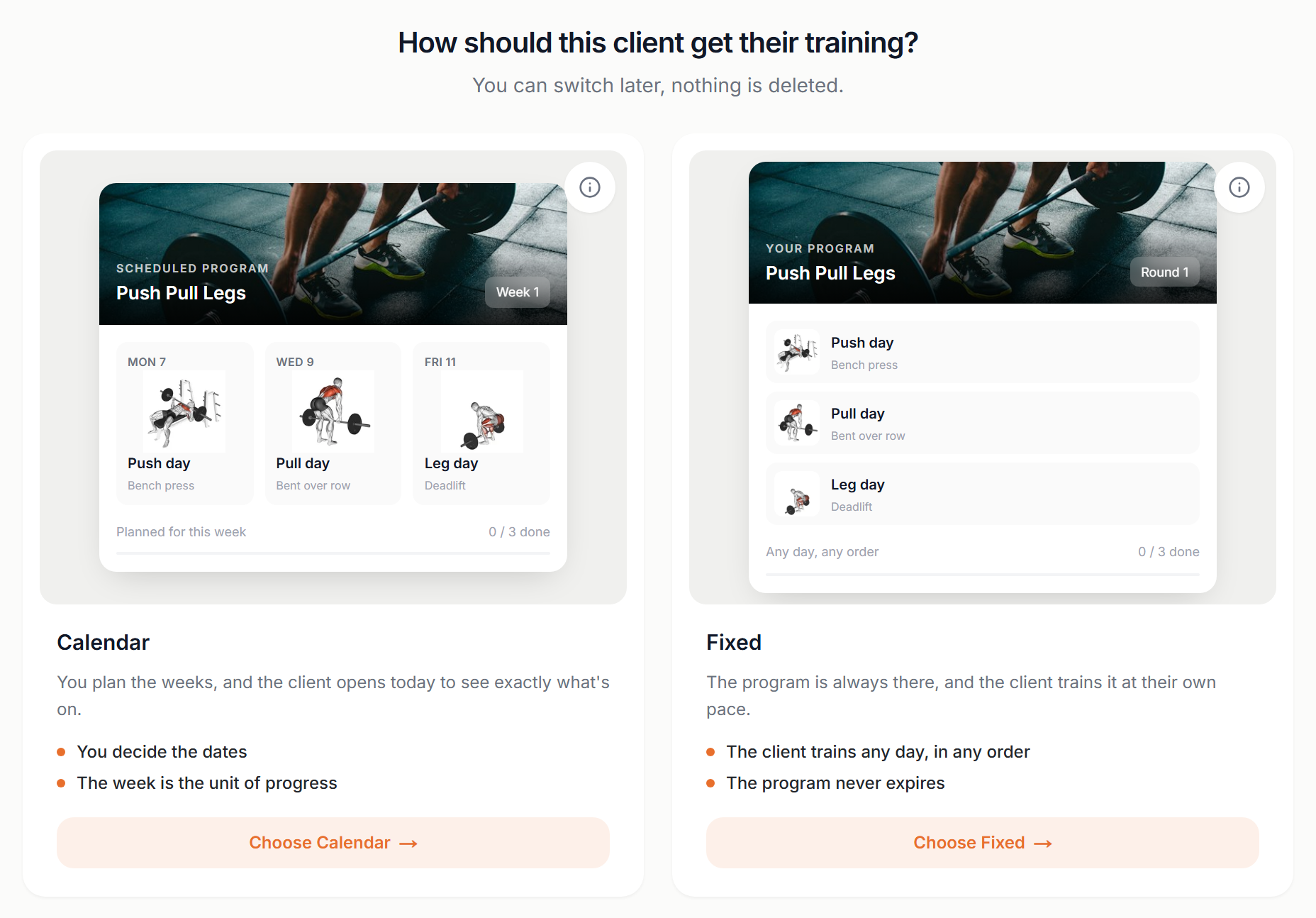
You are asked once per area, so a client can be set up for training on the first visit and for nutrition later.
Switching later
The mode lives in the client's Settings tab, in the Delivery card, with one row for training and one for nutrition. Switching asks you to confirm.

Switching is never destructive. Nothing is deleted: everything you already built stays exactly as it is and comes back if you switch again. A calendar you flip away from is still there, week for week, if you flip back.
What changes in fixed mode
Fixed mode removes the calendar, and with it a few things that only make sense when work is scheduled.
- Missed workouts
- Nothing is scheduled for a date, so nothing is late. Missed-workout alerts and reminders don't fire for fixed-mode clients.
- Consistency
- An adherence percentage would always read 100%, so you see workouts per week, current streak and days since the last session instead.
- Dates
- Programs and menus have no start or end date, so they never expire and never need reassigning.
- Automations
- A workflow that would assign a dated plan skips fixed-mode clients and notifies you, instead of quietly creating something the client would never see.
Which one to pick
Neither is a downgrade. Pick the one that matches how you coach that person.
- Calendar
- Pick it when the date matters: periodised blocks, an event you are building towards, in-person sessions on fixed days, or a client who needs to know that today is leg day.
- Fixed
- Pick it when the pace is theirs: shift workers and travellers, low-touch or self-serve clients, an evergreen program you sell once, or anyone with a backlog of missed workouts they never really missed.
You can mix modes freely across your client list, and mix them within one client. There is no plan-level setting to keep in sync.
Coach the way your clients actually live
Calendar for the ones who need a schedule, Fixed for the ones who need freedom.
Get Started Free