
Fixed Programs
A fixed program is a rotation of named days, such as Push, Pull and Legs, that a client trains whenever they want, in any order, for as long as you leave it assigned. No dates, no weeks, nothing to miss.
Fixed programs only appear for clients whose training is set to Fixed delivery. Read about delivery modes
Build the program
When you create a plan (from scratch or with AI), the popup asks how it's laid out. Choose Fixed and the builder opens with a strip of named days instead of the Monday-to-Sunday grid. Add days one at a time with "Add day".
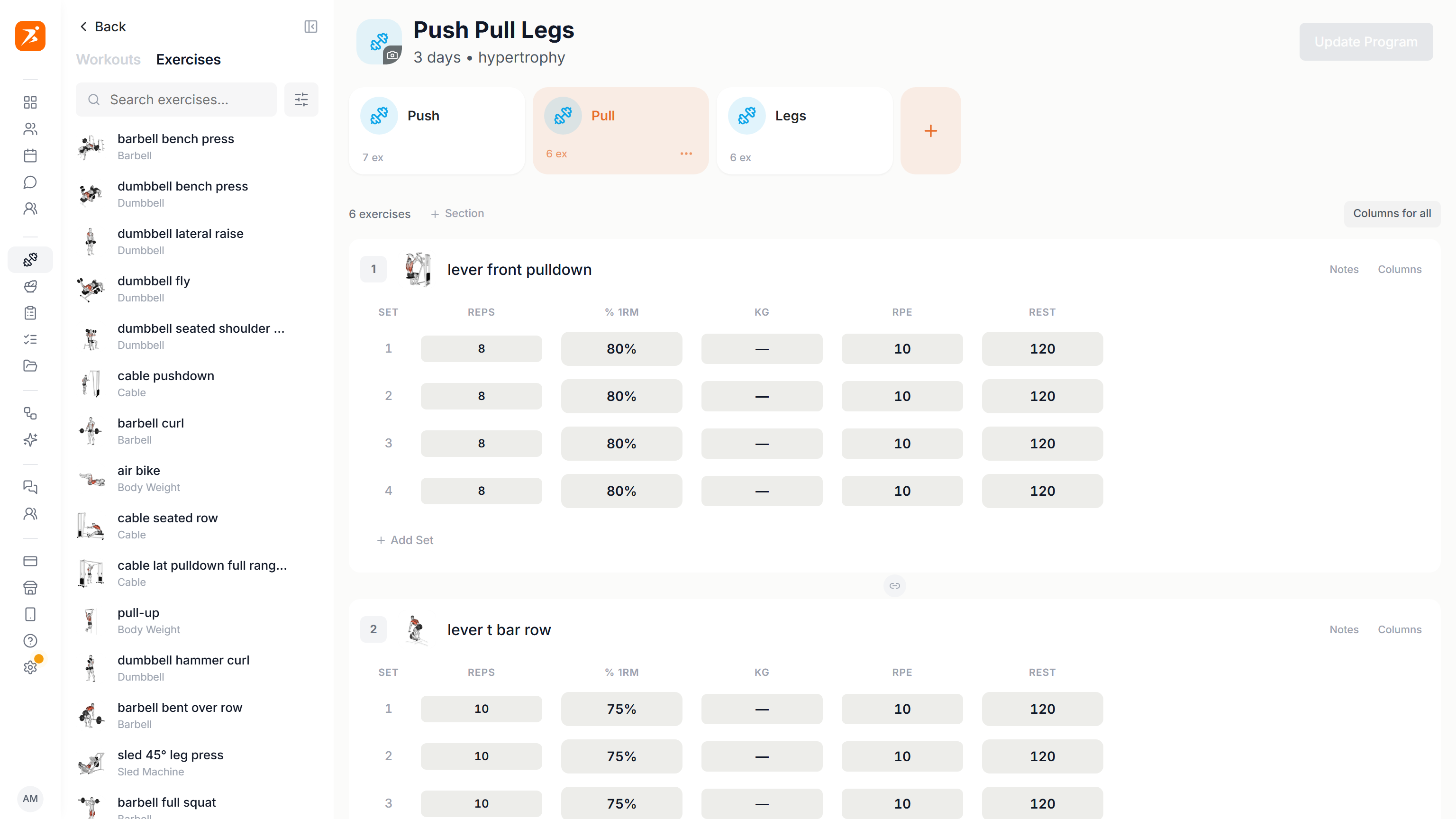
- Name every day
- A day's name is its identity: Push Day, Pull Day, Leg Day, Conditioning. The client sees those names, not weekdays. Days you leave unnamed fall back to Day 1, Day 2 and so on.
- The layout is set at creation
- A plan keeps the layout you chose when you created it. To offer the same training as a fixed rotation, create a new plan with the Fixed layout and build its days with the same workouts.
Everything else in the builder is unchanged: supersets, circuits, per-set schemes, rest, tempo and %1RM all work the same way.
Assign it to a client
Open the client's Training tab and press Assign program. You pick a program and that's the whole flow. There is no start date, because a fixed program doesn't have one.
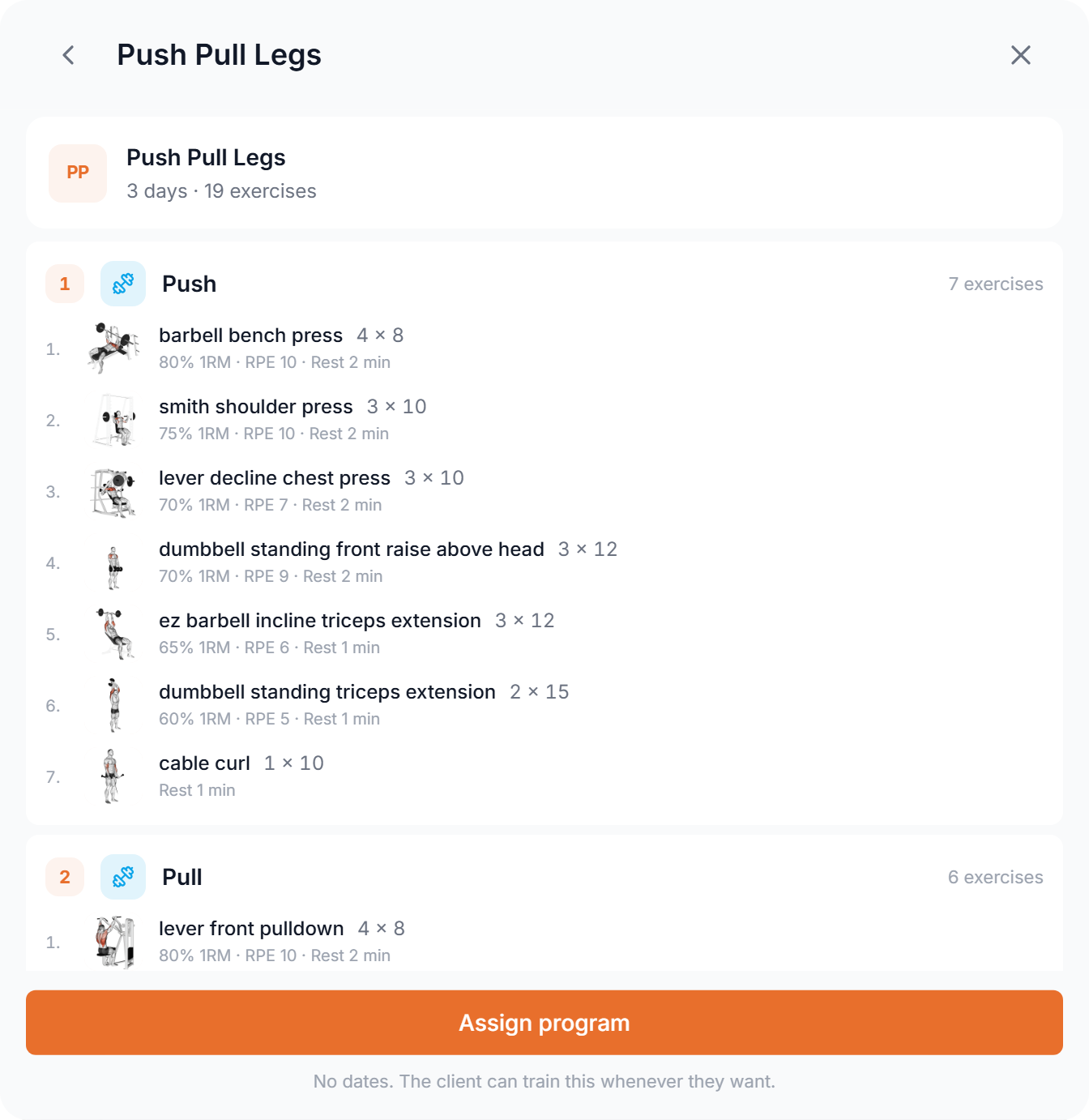
Only saved program templates can be assigned as a fixed program. Build and save the program in the plan builder first, then assign it.
You can assign several programs to the same client. They all stay available, and the client picks which one they're currently working through.
The Programs panel
Once a program is assigned, the client’s Training tab becomes a Programs panel. The current program is open with its days. Other assigned programs are collapsed under N other assigned programs.
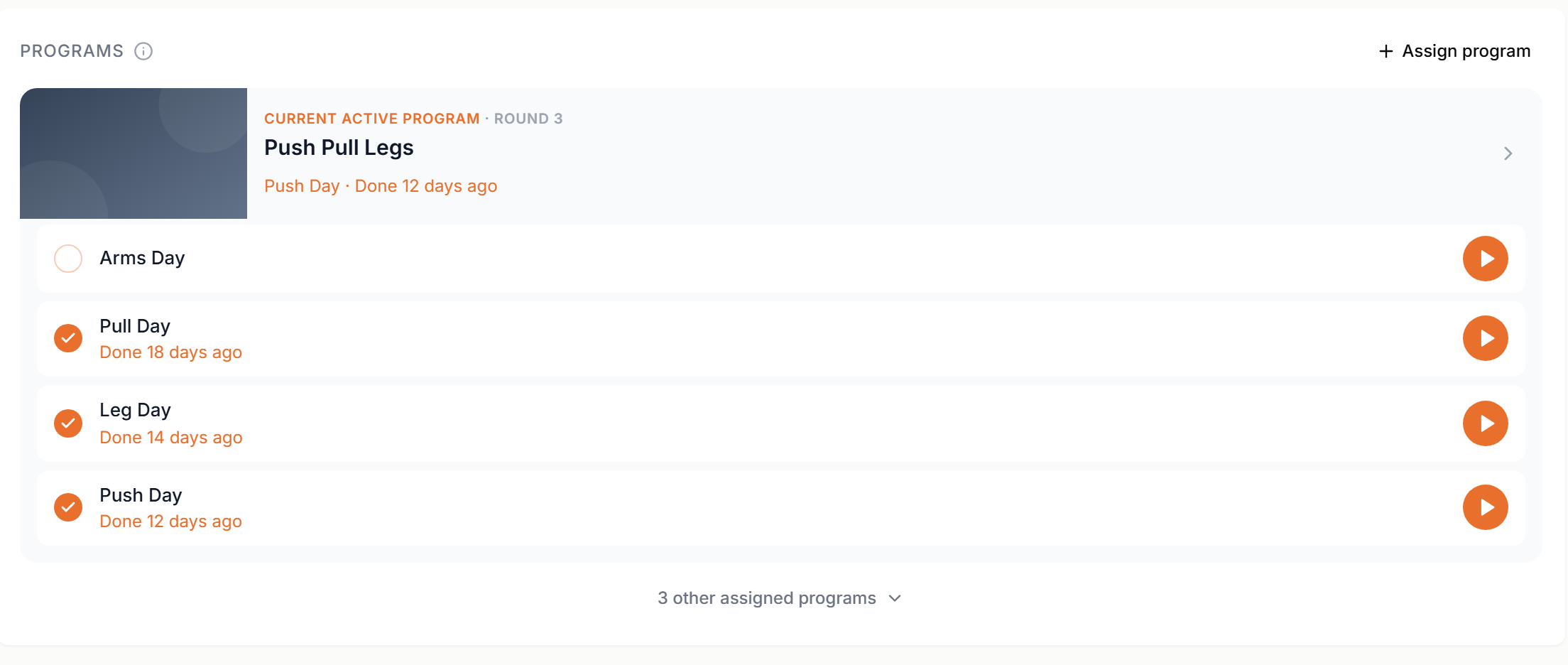
- Last done, per day
- Every day carries its own stamp: Done today, Done 3 days ago, In progress or Not done yet. You see at a glance which part of the rotation is being avoided.
- Edit without leaving
- Open a day and edit its exercises right there, with the same editor the builder uses. Rename days, add or remove them, and drag to reorder. The program’s icon, color and cover photo are set from the same panel.
- Recent activity
- A chronological list of the sessions the client logged. Click one to open the full session. Target versus actual, set by set.
The Programs panel is for the fixed programs you assign. Programs that clients start on their own are a different thing: Programs on the On-Demand page
The current program
Make this their program, on a program card, puts the client on that program: their app opens it now and again after every finished round. If they are midway through another program, Scraler asks first. Nothing is lost, that round is paused.
The app decides which program is the current one in this order:
- A program the client explicitly started with Start Program, until they train a different one.
- A program they're already midway through, if they trained it in the last 30 days.
- The program you chose with Make this their program.
- The only assigned program, if there is just one.
If none of those apply (several programs, none chosen, nothing trained recently), the client is shown a chooser instead of the app silently picking for them.
What the client sees
The client opens their current program and sees the rotation of days, each with its own Start button. There is no week counter and no progress bar towards a finish line. The program itself carries no dates.
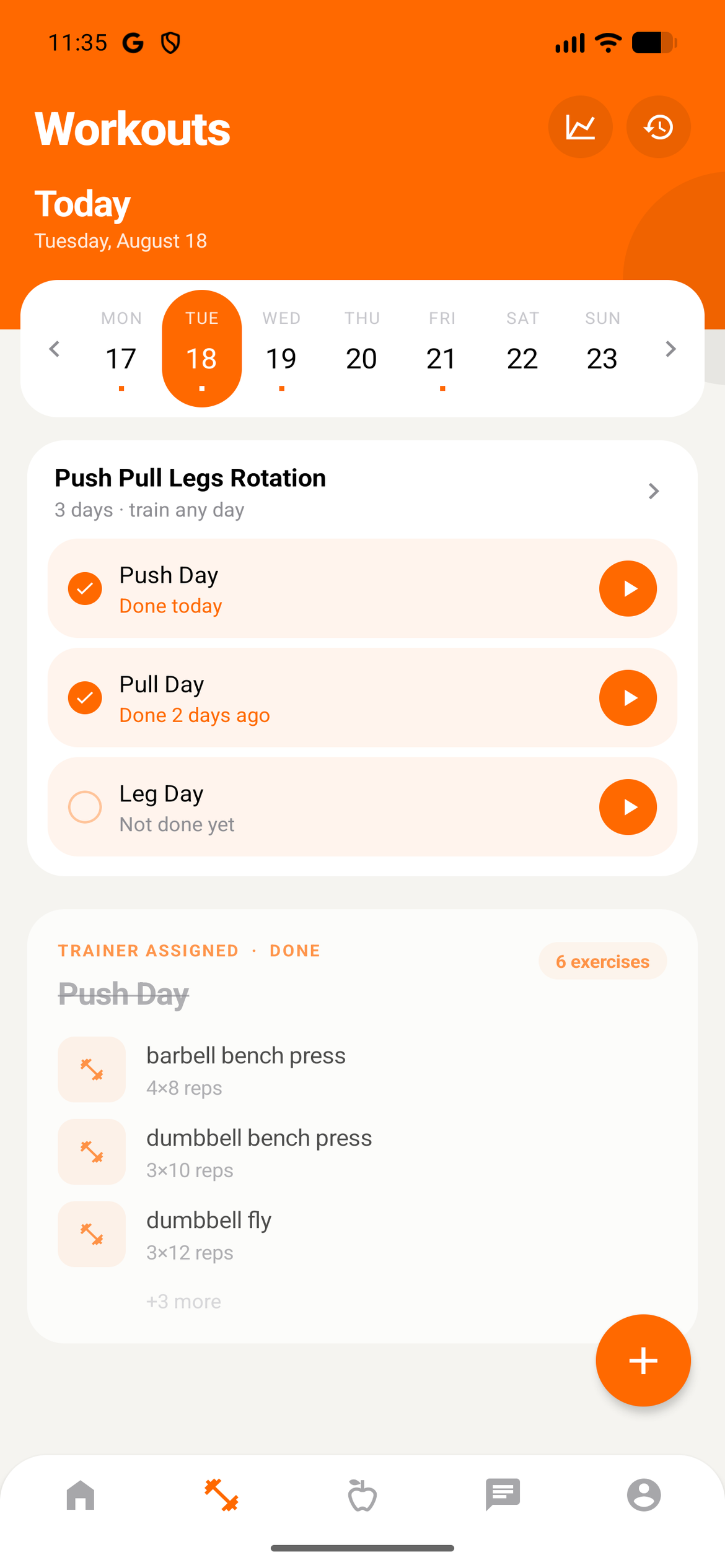
- Any day, any order
- They start whichever day suits them. Doing Pull twice in a row, or skipping Legs this round, is not an error state.
- Switching programs
- Change program opens a browser of everything you assigned, with covers, day previews and when each was last trained. Start Program makes it the current one.
- Logging is unchanged
- Starting a day opens the same player as any other workout. Sets, reps, weights, PRs and training history all behave exactly as they do on the calendar.
Rounds
A fixed program has no finish line, but a pass through it does. When the client completes the last outstanding day of the rotation, that round closes and a fresh one opens automatically. Every day back to not done yet.
A closed round is stamped with its start and end date and lands in the client's plan history, the same way a completed calendar plan does. So the program runs forever while each pass through it stays measurable.
A round that closes keeps its ticks visible for the rest of that day, so finishing the last workout doesn't blank the whole rotation the moment the client taps complete.
Tracking progress
Because nothing is scheduled, the panel reports consistency rather than adherence.
- Workouts per week
- How often they actually train, averaged over the period you're looking at.
- Current streak
- Consecutive weeks with at least one logged session.
- Days since last session
- The number that tells you when to reach out.
You won't find an adherence percentage or a missed-workout count here. In fixed mode the only sessions that exist are ones the client chose to start, so both figures would be meaningless.
Removing a program
Remove program takes it out of the client's app. Everything they already logged stays in their history and in their progress. Removing the program never removes the work.
Give your clients a program that waits for them
No dates, no missed workouts, no reassigning every twelve weeks.
Get Started Free