
Meal plans
Built by hand or drafted by AI, on a calendar or as a fixed menu.
What a meal plan is
A meal plan is a set of meals you build once and reuse with any client.
Create a meal plan
Start from scratch and name it. Calendar plans run on real dates. A fixed plan is one menu.
Fill a day with recipes
Open a day and fill it from your recipes. The totals update as you build.
Add single foods
Add single foods from the food database too, and name the meal.
Copy a day
Back on the week, copy the day to the rest of the week.
Bulk edits with the AI Coach
The AI Coach handles bulk edits, like scaling every day to a calorie target.
Duplicate the week and save
Duplicate the week, save, and the plan is in your library.
Draft a plan with AI
Or set the targets, describe what you want, and let AI draft the plan. Every ingredient comes from the food database.
More details and screenshots
Meal plans
Build a week of meals once, file it under a category, and assign it to clients with daily macro targets.
Building a meal plan
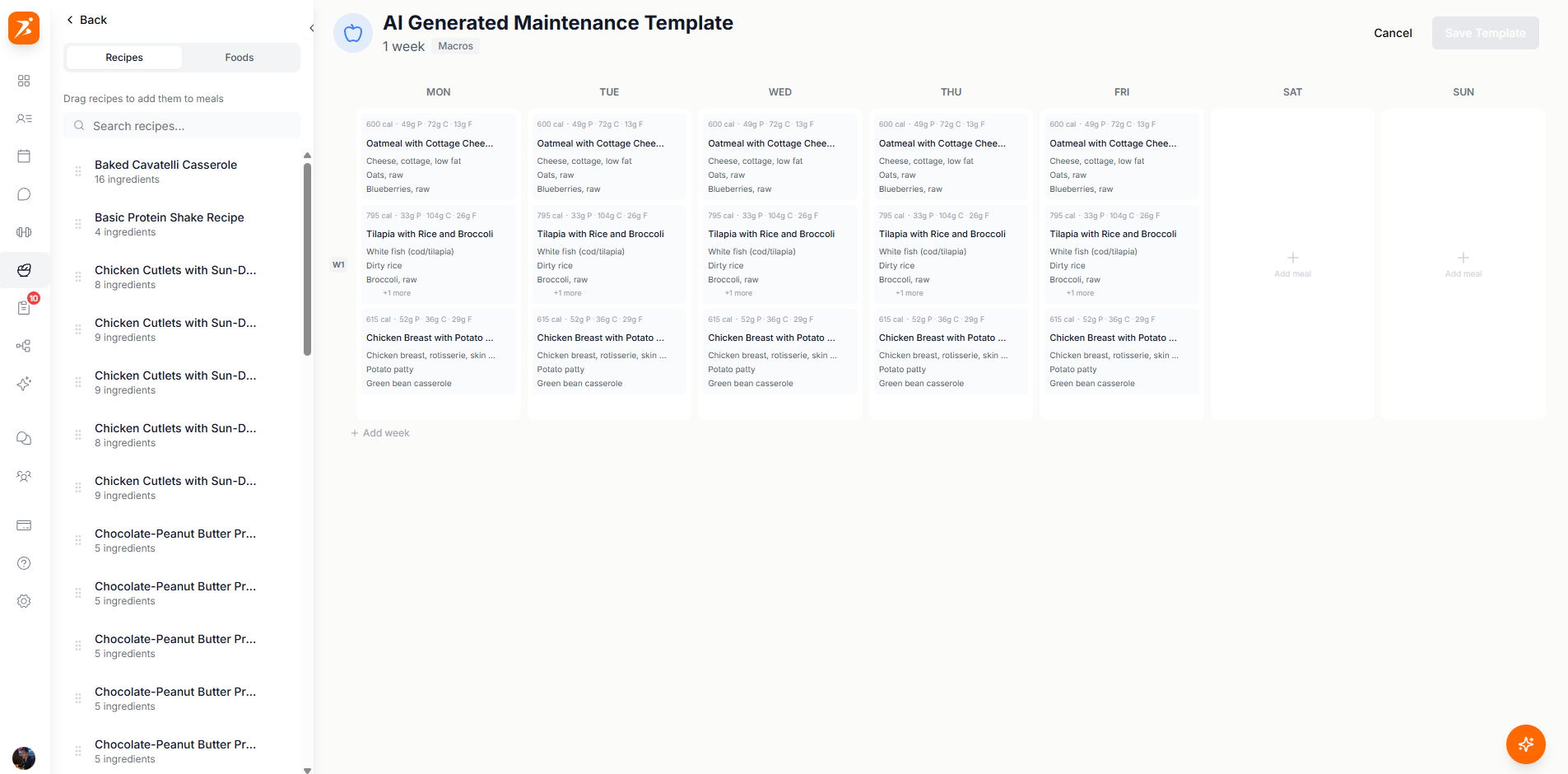
Click Create Meal Plan. The builder shows the week as a grid, one column per day from Monday to Sunday. The library on the left has a Recipes tab and a Foods tab: drag an item onto a day or into a meal. Click a day to open the day editor, where you name meals and fine-tune amounts. Save with Save Template.
- Totals
- Each meal card shows kcal, protein, carbs and fat. View macros opens the plan totals, and the g and % switch changes how they read.
- Weeks
- A plan can run for more than one week. Add week adds a row below the grid, and Duplicate last week repeats the last one.
- Copy
- Right-click a meal, a day or a week to copy it, then paste it somewhere else.
- AI
- The round AI button at the bottom right edits the plan for you. Ask for a swap, a new snack or different macros.
A plan can also be one fixed menu with no dates. See Fixed meal plans.
Categories
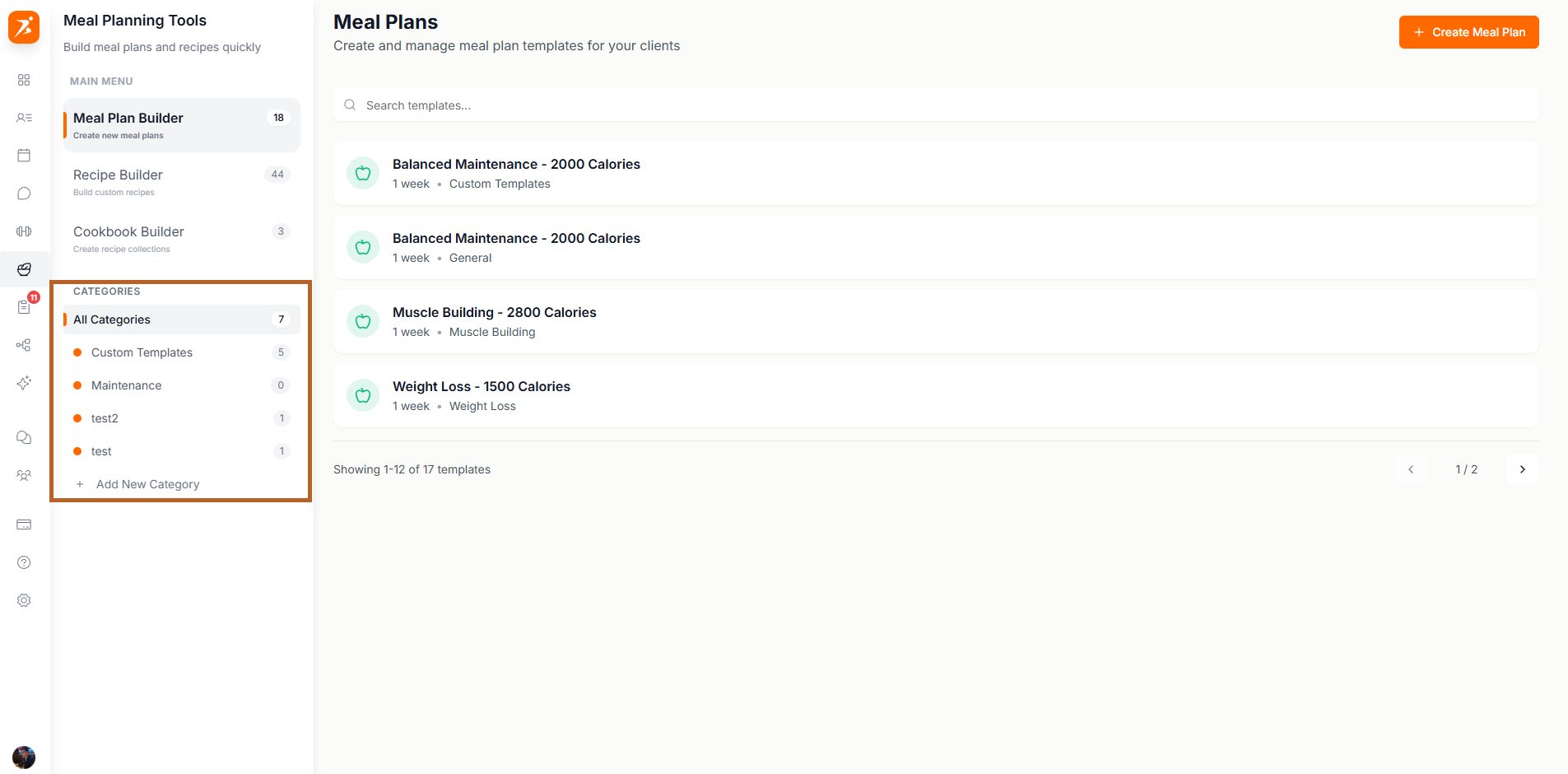
Meal Plan Builder keeps its own list of categories in the left sidebar. Click Add New Category and type a name, then hover a plan in the list and use the tag button to file it. A plan has one category. Hover a category and click the cross to delete it: the plans stay and become uncategorized. Recipes work the same way, see Recipes.
Assigning a plan to a client
Open a client and go to the Nutrition tab. The calendar shows each day's logged kcal against its target, and a plan icon on the days a meal plan covers. Click a day to see its meals and what the client logged. View Meal Plans lists the client's plans, and says Add Meal Plan until there is one.
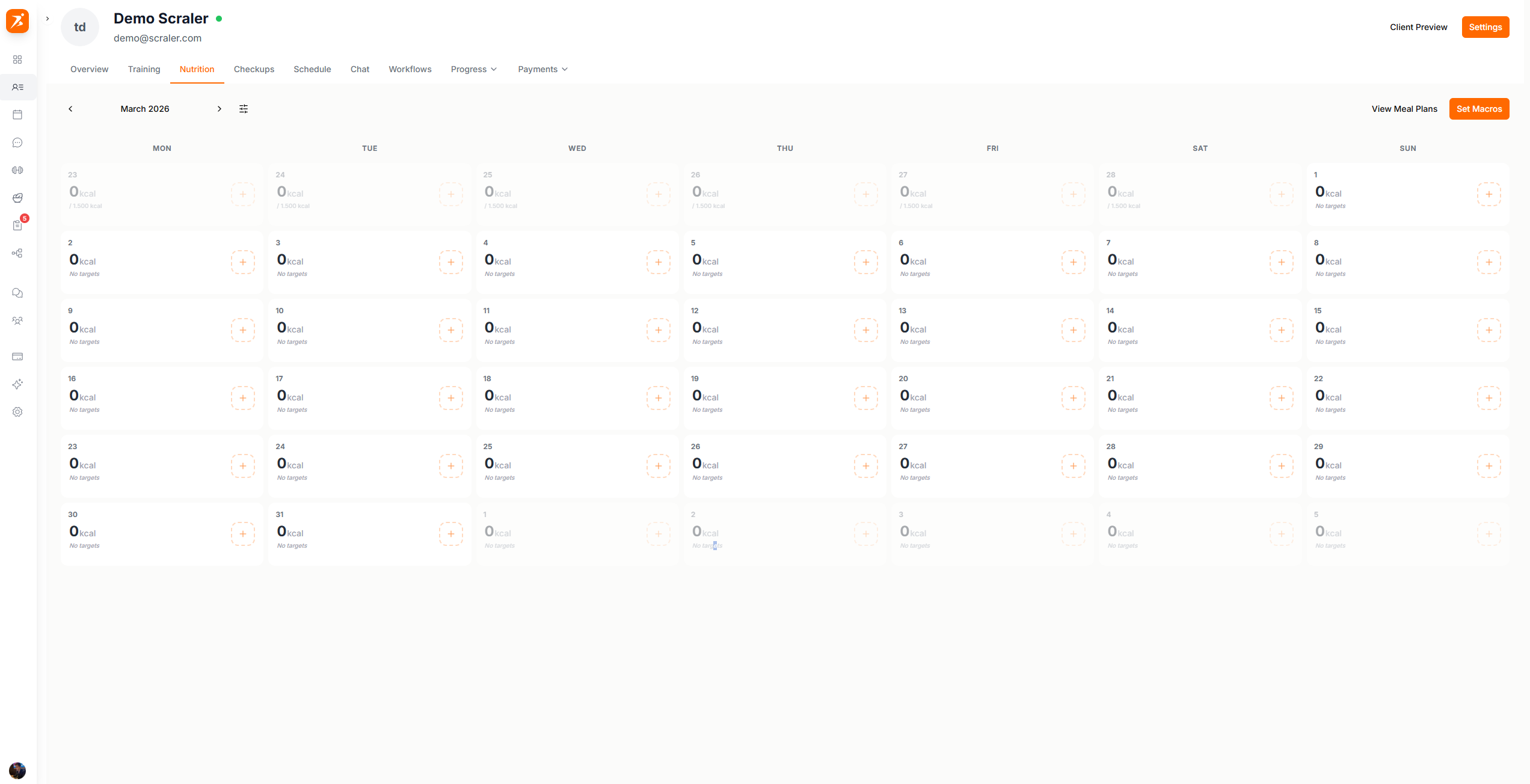
Click the + on a day without a plan to start one for that week. Plans start on a Monday and can run for several weeks.
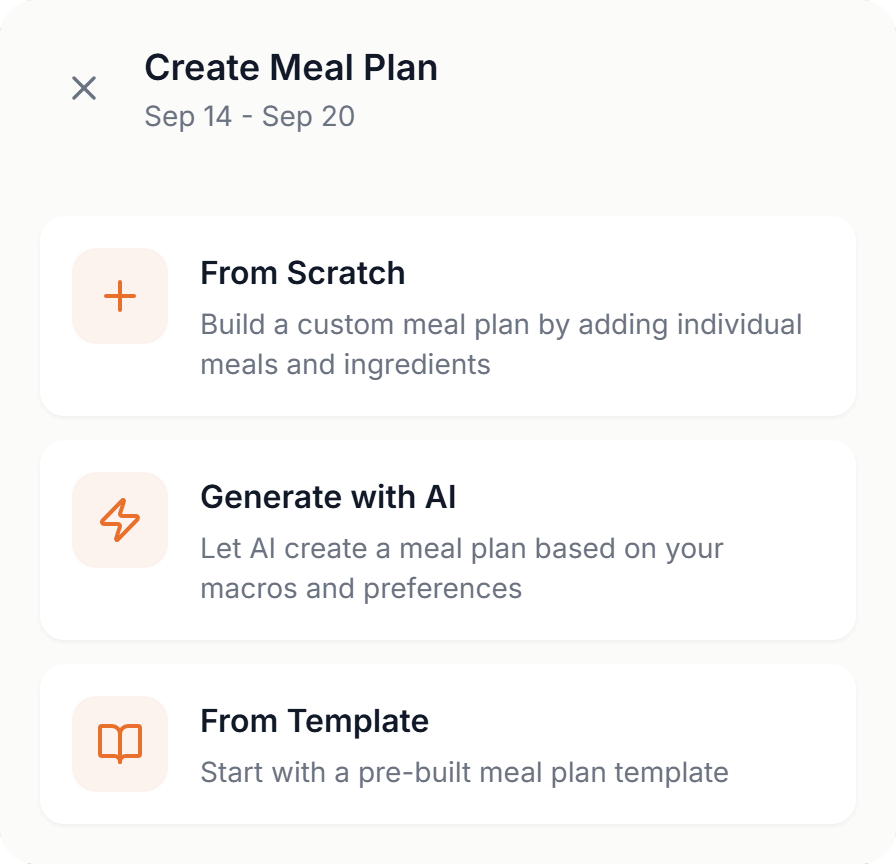
- From Scratch
- Opens the builder for that week.
- Generate with AI
- Builds the plan from the client's macro targets.
- From Template
- Starts from one of your meal plans, then you adjust it for this client.
Click the plan icon on a day to open the plan with that day selected.
Macro targets
Targets give the builder and the AI something to aim for, so set them before you build. Click Set Macros, click the days you want, and fill in the panel. The button then reads Select Days Active.
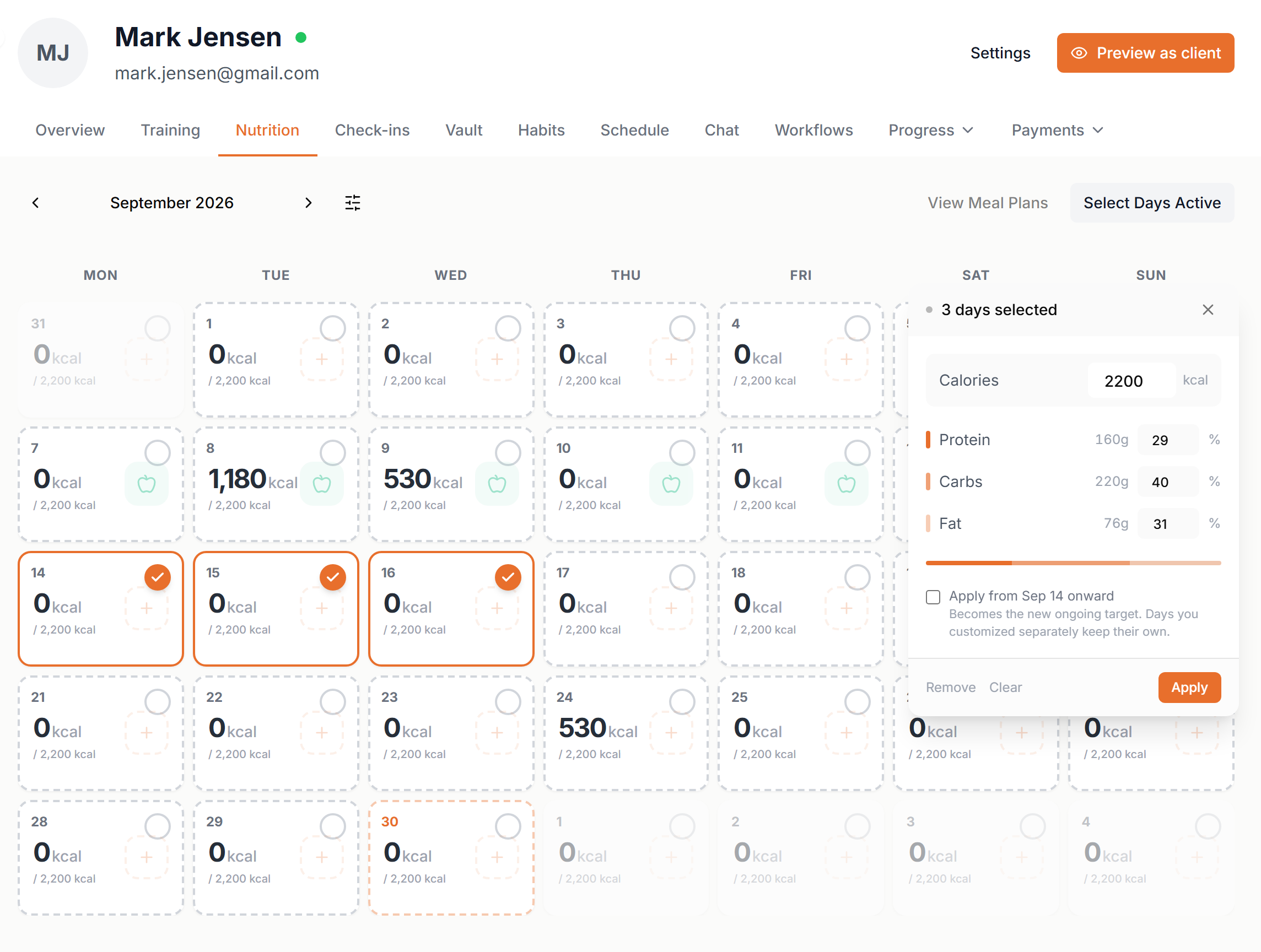
- Calories
- Type the daily calories. If the client's profile has weight, height, age and activity level, the panel shows their base maintenance as a guide.
- Protein, carbs, fat
- Type percentages and Scraler shows the grams. They must add up to 100 before Apply works.
- Apply from
- Tick Apply from a date onward to make these the new ongoing targets. Days you customized separately keep their own.
- Remove, Clear
- Remove deletes the targets on the selected days. Clear empties the selection.
If a selected day already has meals from a plan, Scraler asks whether to adjust their portions to the new targets. You can keep the meals as they are.
Different targets per day work for carb cycling: more carbs on training days, fewer on rest days.