
AI Coach
The AI Coach is a chat inside the builders. Describe a change in your own words and it edits the plan you have open. To create a whole plan from scratch, use Plans with AI or Meal plans with AI instead.
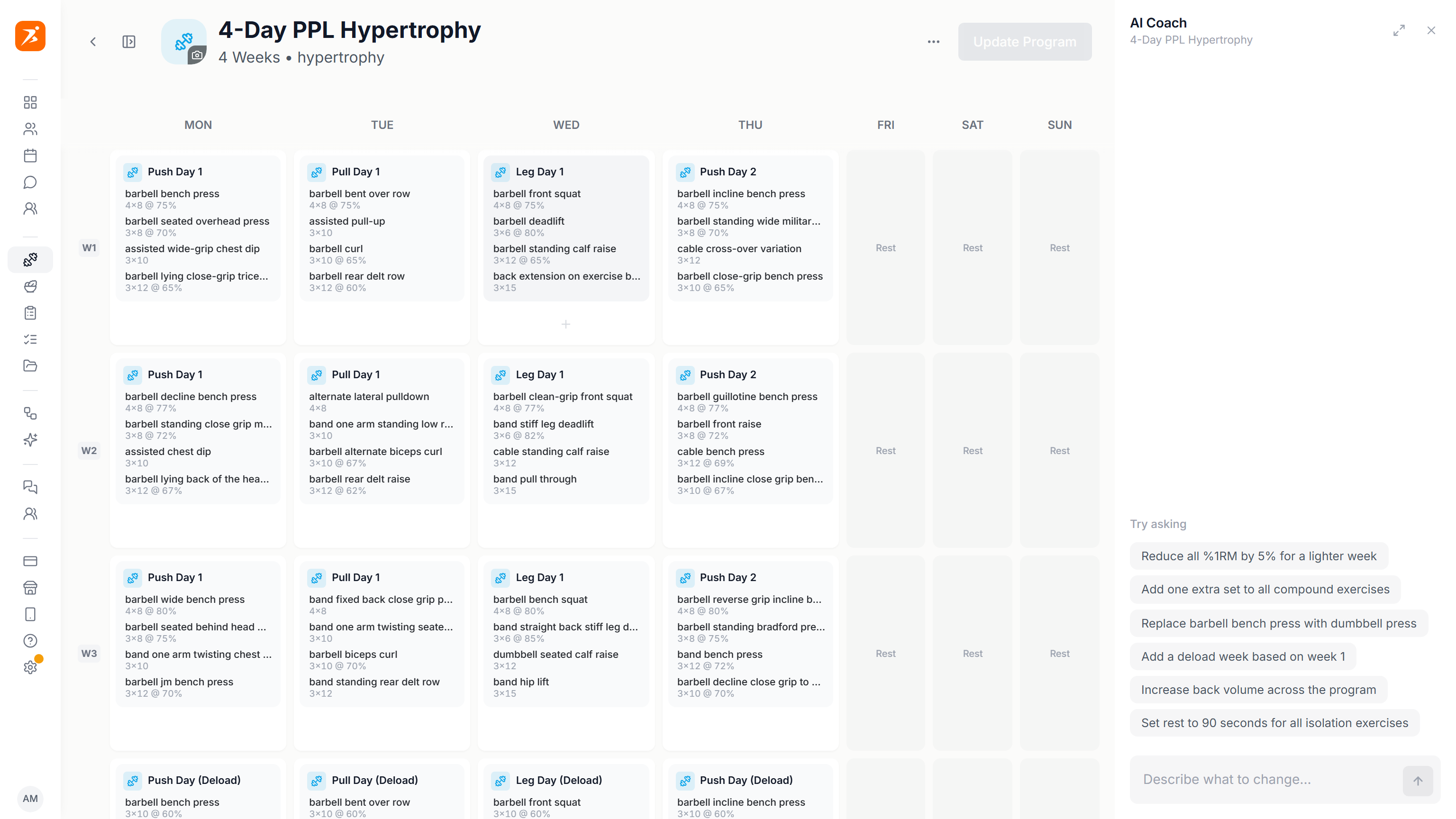
Where to open it
Open a plan in a builder and click the round sparkle button at the bottom right. The chat docks on the right, next to the plan, so it never covers your exercises.
- Training plans
- Calendar plans and fixed rotations. Works on weeks, days and exercises.
- Workouts
- The workout builder. Works on the one workout you have open.
- Meal plans
- Calendar plans and fixed menus. Works on weeks, days, meals and ingredients.
Under the title the panel shows what it is looking at, for example the workout or day you have open. A request that names no scope applies to that one. To point somewhere else, type @ and pick a week, workout, day or meal.
The landing page builder has its own AI chat, covered in the Landing page docs.
What you can ask
Write the way you would brief an assistant. It replies in the language you write in. Exercise names stay in English.
Training
Nutrition
Underneath, these are the kinds of edits it can make.
- Exercises
- Add, swap, remove, move, group into sections.
- Sets and loads
- Sets, reps, weight, rest, RPE and %1RM.
- Weeks and days
- Add, copy, delete, rename, swap and clear. Add deload weeks.
- Progression
- Weekly progression, tapering, pyramid and other rep schemes.
- Meals
- Add, remove, rename, retime, swap and rewrite meals. Change ingredients and amounts.
- Macros
- Scale to calories or protein, rebalance the protein, carbs and fat split, set daily targets.
On a fixed rotation there are no weeks. Ask by rotation day instead, for example "Rename day 2 to Pull".
Apply and undo
Changes land in the builder straight away, and the chat confirms what changed. Nothing is saved until you save the plan as usual.
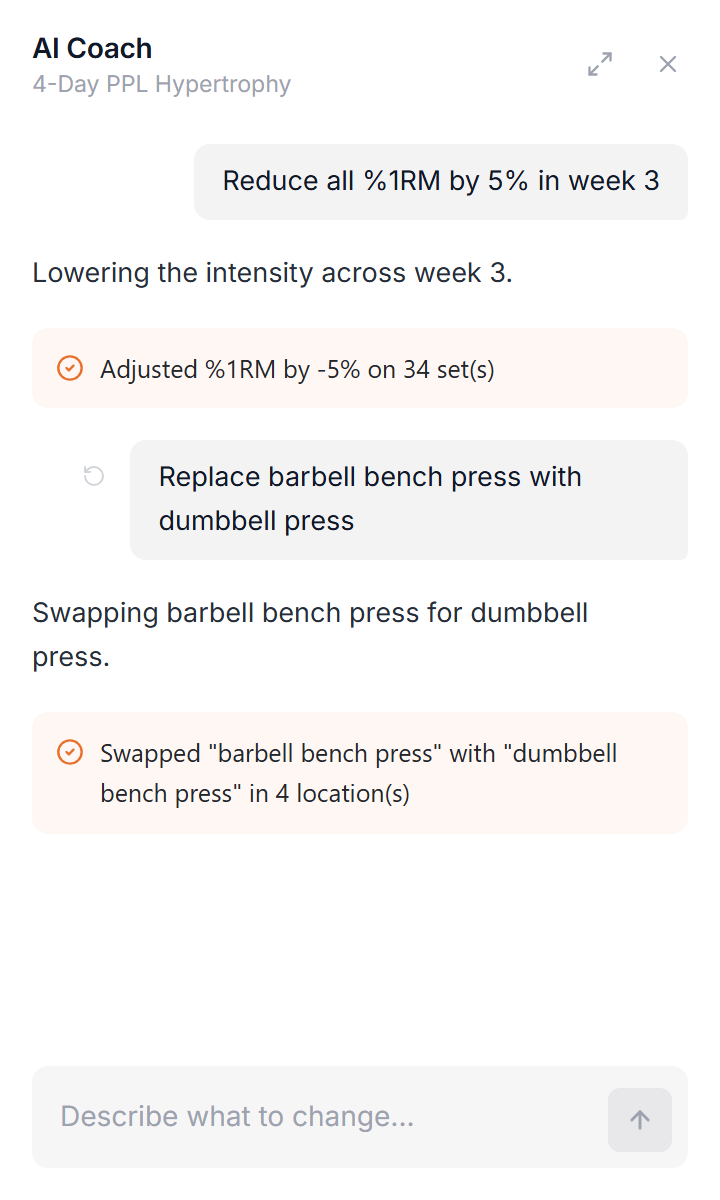
To undo, hover over one of your messages and click the undo icon, Revert to this point. The plan goes back to how it was before that message, and that message and everything after it leave the chat.
If a request would delete or overwrite something you did not ask about, the Coach holds off and asks you to say so. If a change is too large to apply in one step, ask for one day or one week at a time.
Limits by plan
- Basic
- No AI.
- Plus
- 5 generations a month, shared by AI meal plans, AI training plans, AI workouts and AI Coach chats. One chat counts as one generation, for up to 10 messages. The panel shows your credits and messages left. After 10 messages, Start new chat uses another generation.
- Premium, Ultimate
- Unlimited.
Tips
- Open the workout or day first, or use @, so the change lands where you mean it.
- One change per message is easier to check and easier to undo.
- Look over the plan before you save. The Coach is fast, you stay in charge.