Products and subscriptions
One-time products: a coaching plan, a training plan, a cookbook or a pack of sessions.
One-off products
Products are things a client pays for once: a coaching plan, a training plan, a cookbook, or a package of sessions.
Create a session package
Create a product and pick its type. This one is a session package. Name it and describe it.
Sessions and expiry
Set how many sessions it holds, how long each one is, and how many days the client has to use them.
Price
Give it a price.
Public or unlisted
Then choose who can buy it. Public lists it on your pricing page. Unlisted sells only through its link.
Share the payment link
Each product has a payment link to copy and share.
Purchases and refunds
Purchases lists every sale. Open one to refund it, in full or in part.
Add a product to a client
You can also add a product yourself, from a client's profile under Payments, at its price or at one you set. It appears right away, with the sessions they have left.
More details and screenshots
Products and subscriptions
Two ways to charge clients. Products are one-time purchases. Subscriptions bill every period.
Charging clients needs the Premium or Ultimate plan and a connected Stripe account. Everything bills in your Stripe account currency.
Products
Open Finance and go to Products & Services. My Products lists each product with its type, visibility, price and number of sales. Purchases lists every purchase. Search by name, or filter by All, Active, Inactive or Discounted.
Create Product opens a five step wizard: Type, Basics, Contents, Pricing and Review. Start by choosing what you sell.
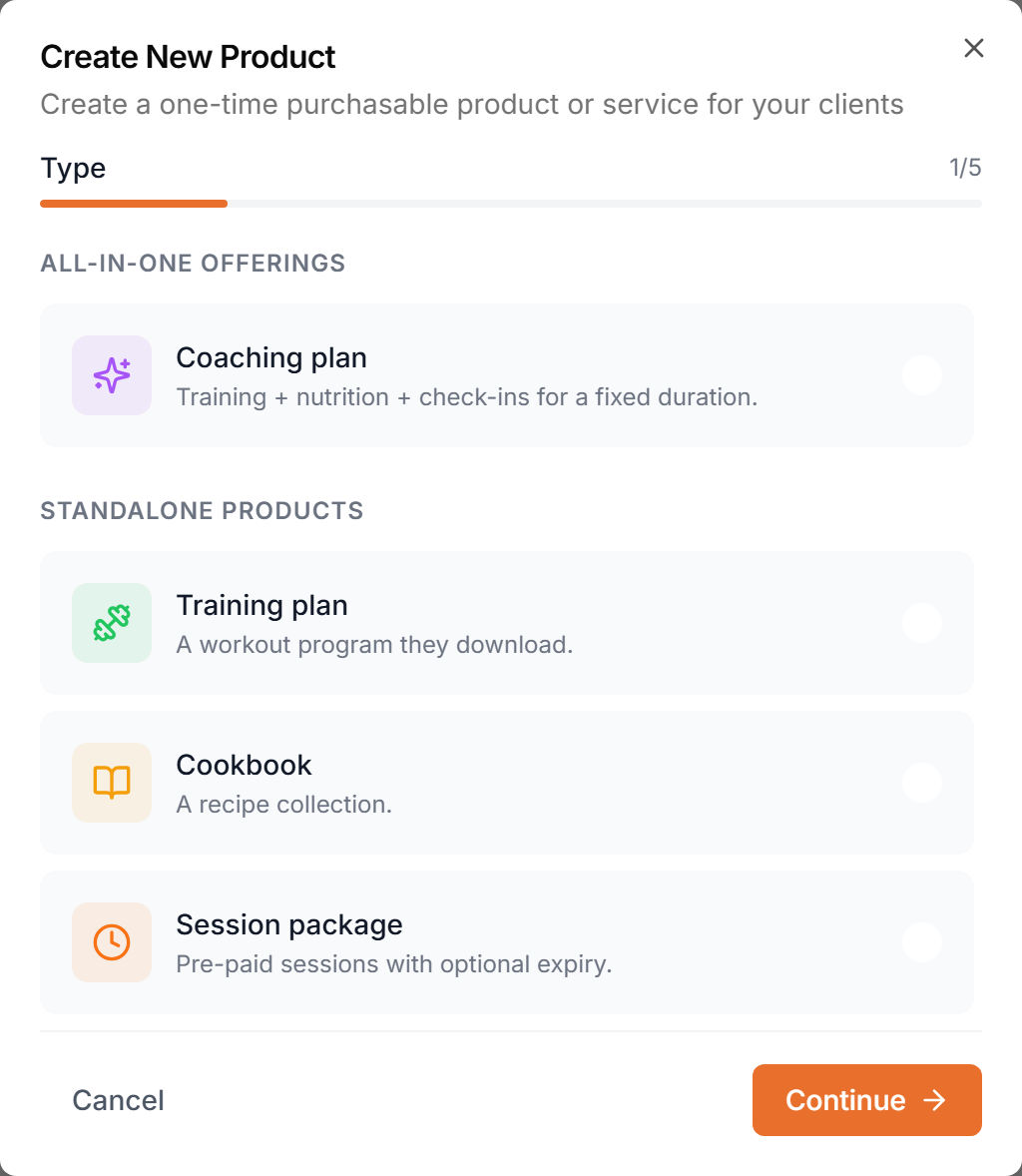
- Coaching plan
- Training + nutrition + check-ins for a fixed duration.
- Training plan
- A workout program they download.
- Cookbook
- A recipe collection.
- Session package
- Pre-paid sessions with optional expiry.
Set the visibility of each product.
- Public
- Listed on your pricing page. Anyone can buy.
- Unlisted
- Buyable only via a direct link you share.
- Inactive
- Not available for purchase (existing customers keep access).
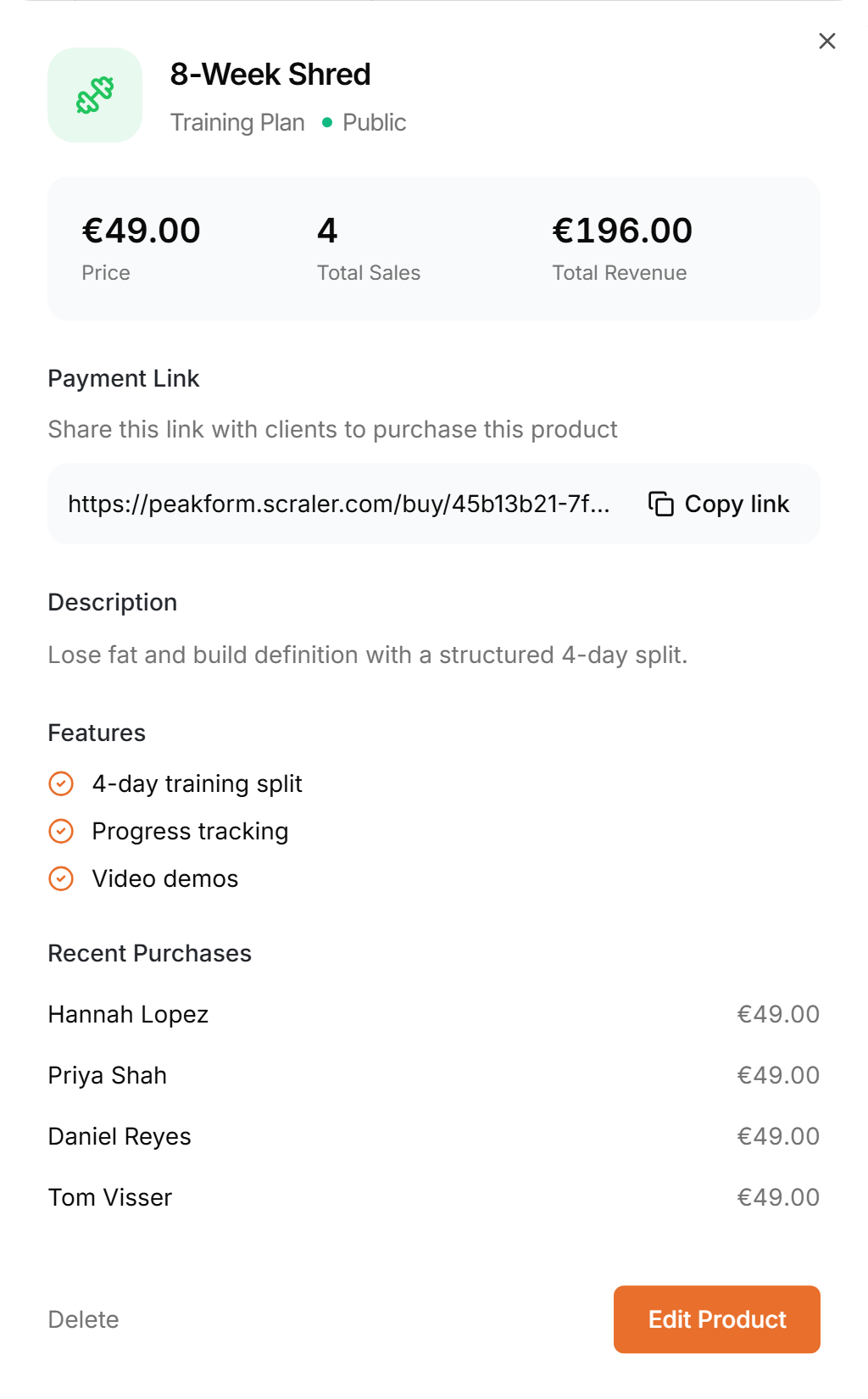
Click a product to see its price, total sales and revenue, the payment link to share, and the latest purchases. Edit Product changes it, Delete removes it.
Public products also appear on the pricing block of your landing page. See Landing page sections
Subscriptions
Open Subscriptions. My Plans lists your plans with price and billing period. Create Plan opens a five step wizard: Basics, Billing, Features, Highlights and Preview.
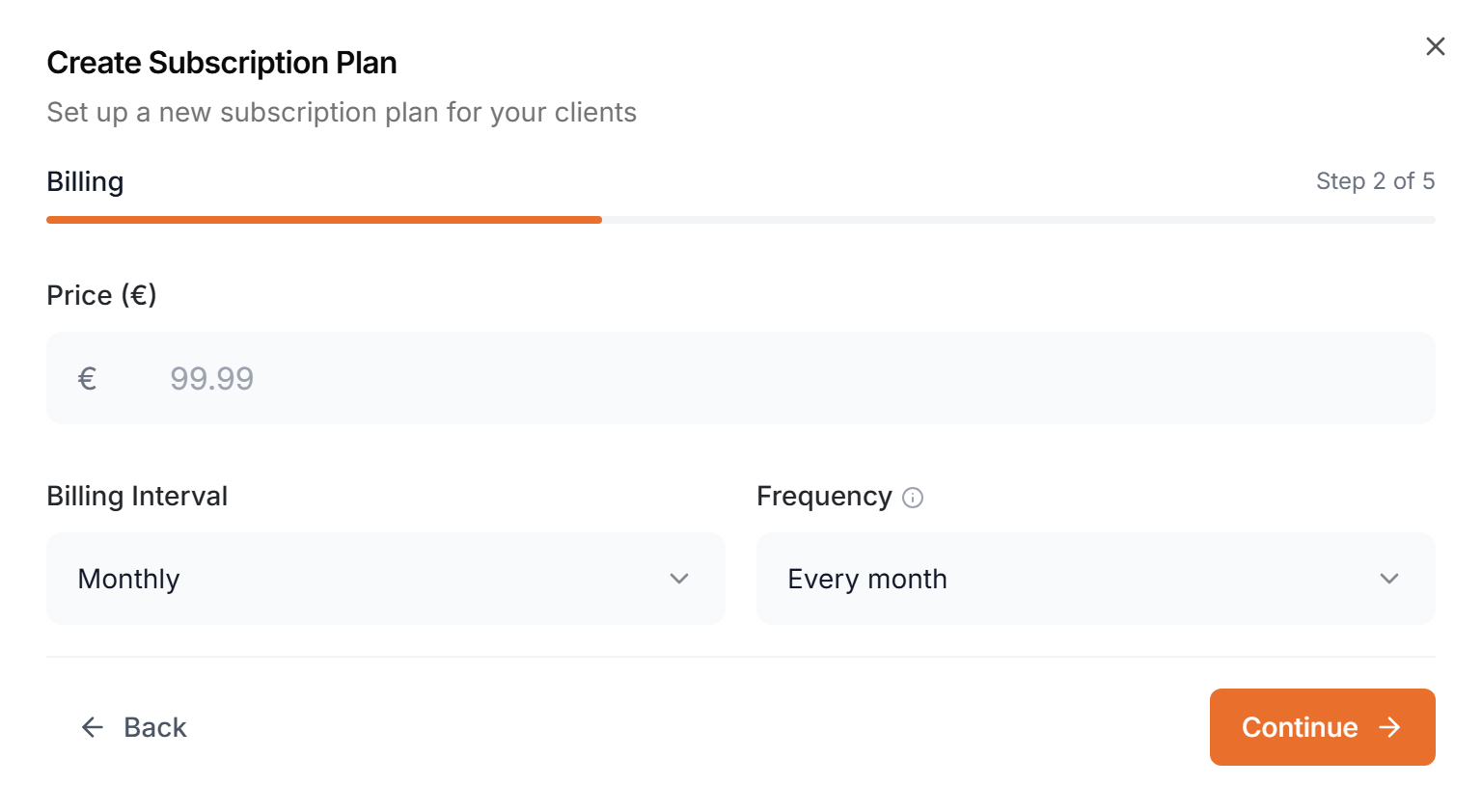
In Billing you set the price, the billing interval (daily, weekly, monthly or yearly) and how often it repeats, such as every 3 months. Under Features you choose which parts of the app a subscriber can use, like training plans, meal plans, chat or community.
Click a plan to share its payment link, see its subscribers, and turn Accepting new clients off. Deactivating a plan hides it from new signups, and current subscribers keep access and keep being billed. A plan with active subscribers cannot be deleted.
Open Client Subscriptions to see every subscription with its plan, status, price and next payment. Search by client or plan and filter by status or plan. Click Add Subscription to start one for a client.
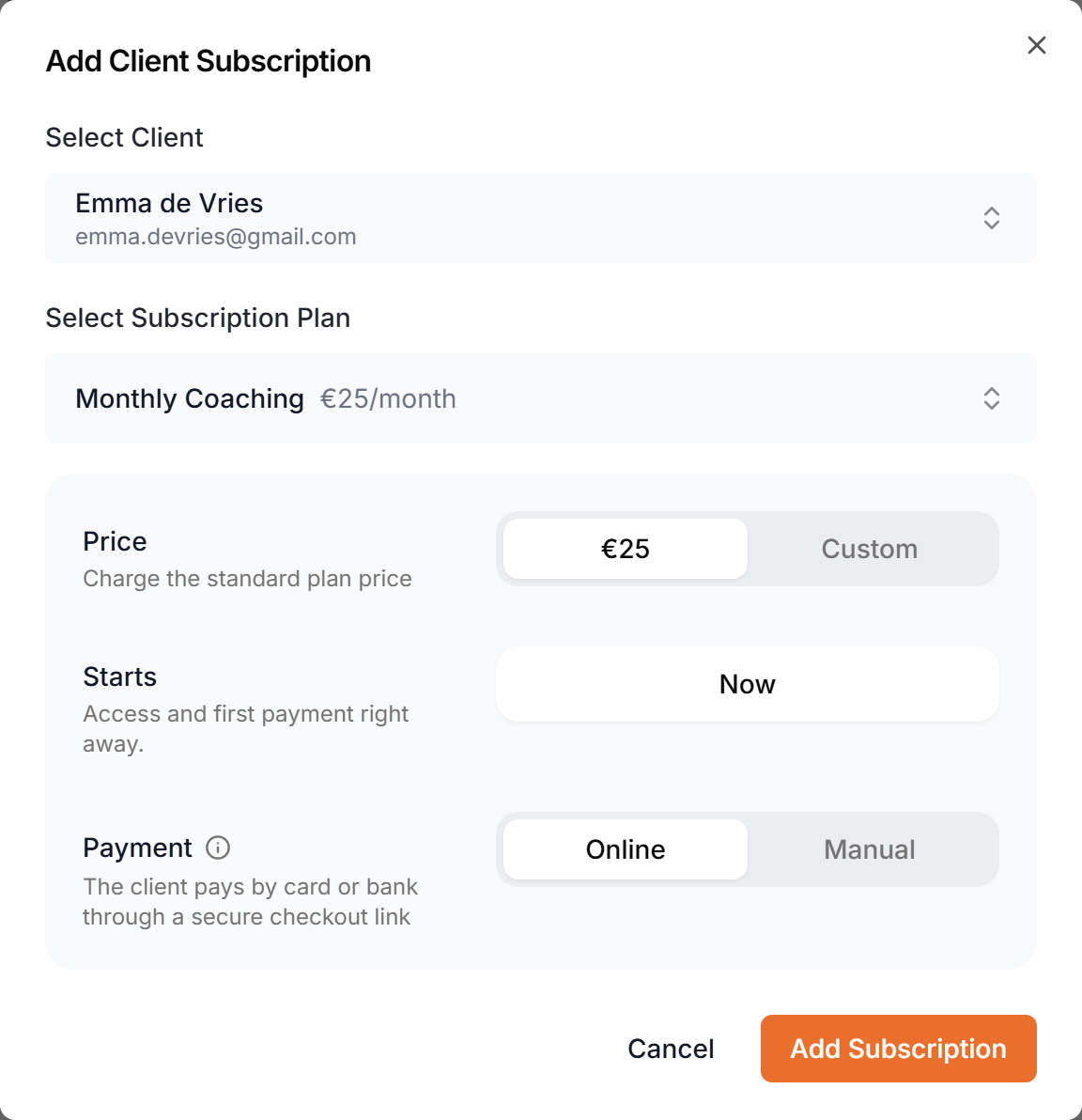
- Price
- Charge the plan price, or Custom for a different amount. 0 makes it free and active at once.
- Starts
- Now, or a later date. A future date makes it Scheduled.
- Payment
- Online (Stripe) sends the client a Stripe checkout link, and renewals charge automatically. Manual is for cash, bank transfer or other: Stripe still creates an invoice each period and you mark it as paid when the money arrives.
A subscription can be:
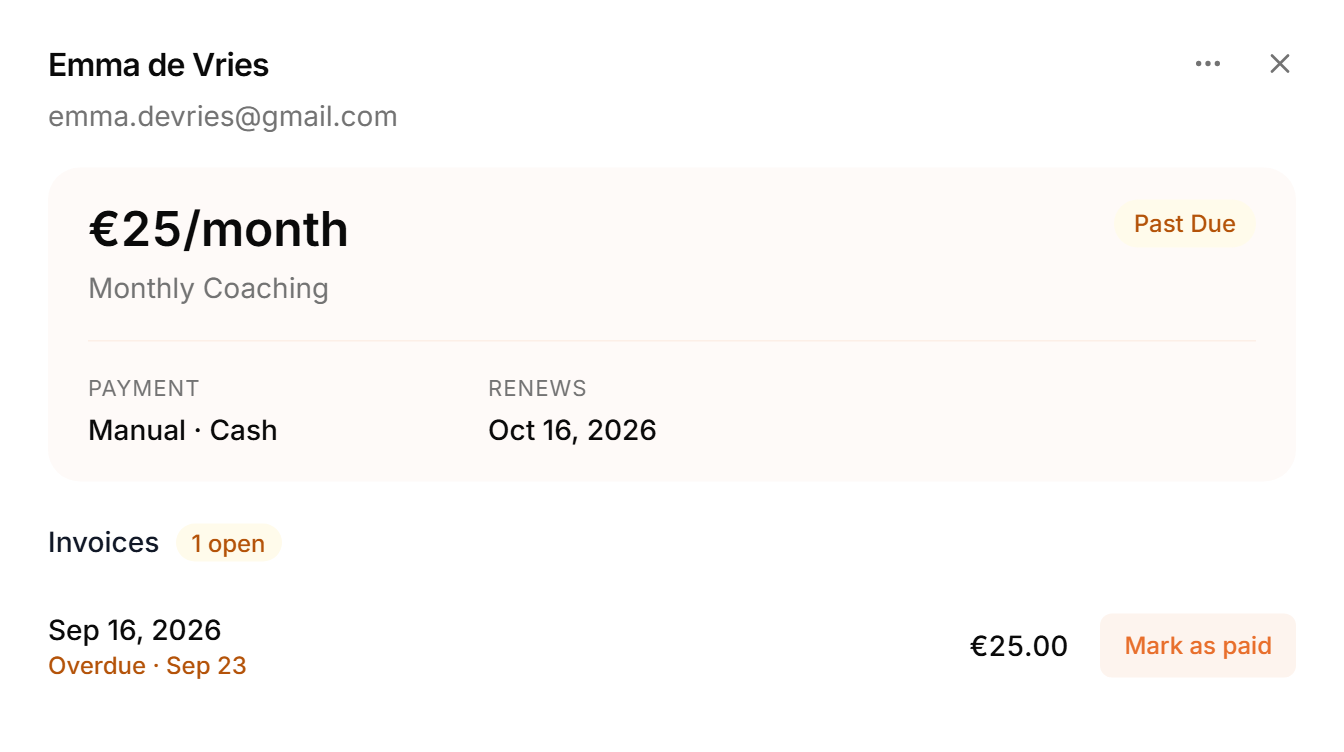
Click a subscription to see its plan, payment method, renewal date and invoices. The ⋮ menu has View in Stripe, cancel at period end, reactivate and delete. On a manual subscription, use Mark as paid for each invoice.