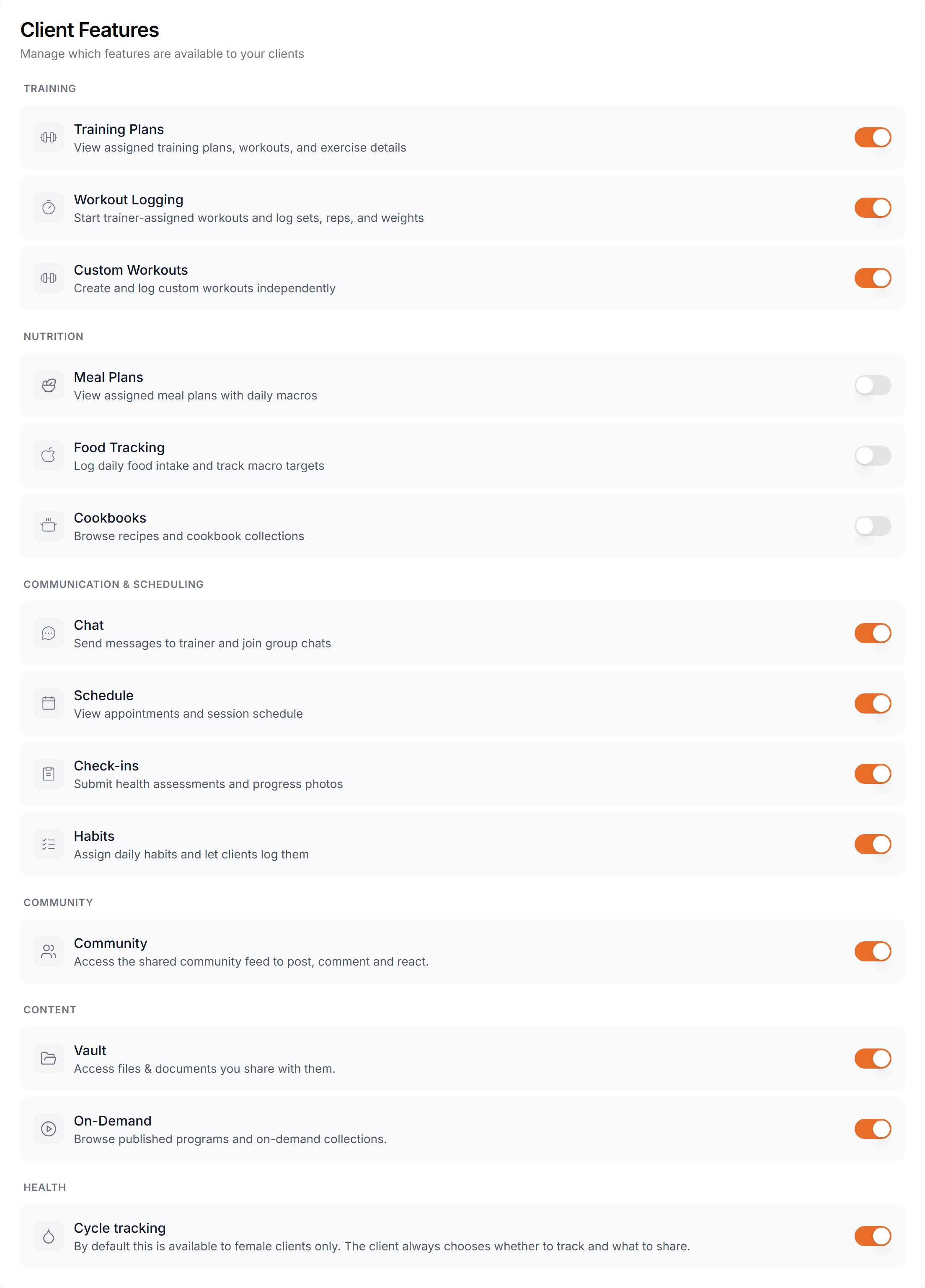
Control which features your clients can access. Toggle training plans, meal plans, chat, schedule, check-ins, and more.
Enable or disable client-facing features based on your coaching style and subscription plan.

There are 10 features across three categories. Each can be toggled independently for your clients.
Training Plans
Clients can view assigned training plans, track workouts, and log completed sessions.
Workout Logging
Clients can start trainer-assigned workouts and log sets, reps, and weights.
Custom Workouts
Clients can create and log their own workouts, independent of assigned plans.
Meal Plans
Clients can view assigned meal plans with daily meals, recipes, and macro breakdowns.
Food Tracking
Clients can log daily food intake and track calories and macros against their nutrition goals.
Cookbooks
Clients can browse your shared recipe collections and cookbooks.
Chat
Clients can message you directly in a one-on-one conversation.
Schedule
Clients can view their training calendar and book appointments with you.
Check-ins
Clients can submit regular progress check-ins with photos, measurements, and notes.
Habits
Clients can track daily habits you define, like water intake or sleep, and log them each day.
The toggles above are global defaults for clients without a paid subscription — clients on a subscription get their features from their plan instead. To override a single client regardless of subscription, open their profile and go to Settings. That panel repeats the 10 toggles above and adds four more: Community (the shared community feed), Vault and On-Demand under a Content category, and Cycle Tracking under Health, which is on by default for female clients.
Toggling features on or off is simple and takes effect immediately:
Disabling a feature hides it from the client's app and dashboard. Their data is preserved — re-enabling the feature restores everything.
Enable training plans and schedule only. Perfect for trainers who focus solely on workout programming.
Enable all features for a complete coaching experience — training, nutrition, chat, check-ins, and more.
Enable meal plans, food tracking, and cookbooks. Ideal for nutrition coaches and dietitians.
Enable only chat and check-ins. Great for accountability coaching or during onboarding.
Feature toggles take effect immediately — no need for clients to update their app.
These toggles set the default for clients without a subscription. To override one client, use the Features panel on their profile instead — see Global vs. Per-Client Features above.
Disabling a feature never deletes data. All workouts, meals, and messages are kept safe.
Feature visibility syncs automatically to the mobile app. Disabled features are hidden from navigation.