
Recipes
Ready-made recipes, your own, and any recipe from the web.
The recipe library
Your recipe library starts with hundreds of ready-made recipes, each with its macros.
Make a recipe your own
Open one and change anything, like adding a food. Saving makes it your own copy.
Create a recipe
To create a recipe, name it, pick the meal, and add foods. The macros add up as you go.
Steps and a photo
Write the steps and add a photo.
Import from a link
Found a recipe online? On Premium and Ultimate, paste the link. The ingredients are matched to the food database for you.
Categories and filters
Categories keep it organised, and filters find a recipe by source, meal, diet or macros.
More details and screenshots
Recipes
Build recipes from foods and steps, and Scraler works out the macros. Use them in meal plans and cookbooks.
Creating a recipe
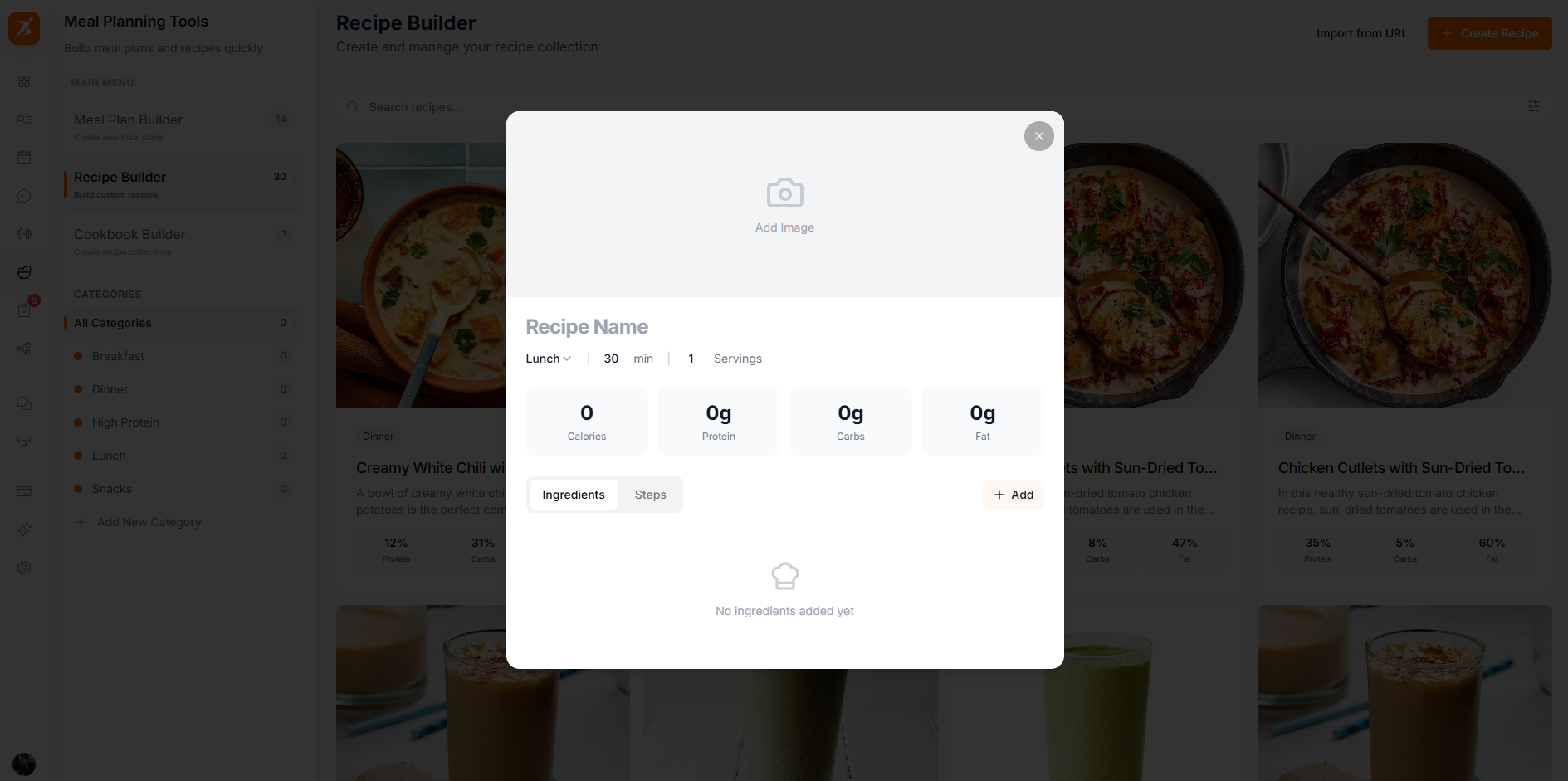
Click Create Recipe. The workspace opens with your food library on the left: drag a food in or click it, then set the amount. Add a photo, a name, a short description, the meal type, the time and the servings. Calories and macros update as you add foods.
- Totals
- Switch between Per serving and Full recipe to see the numbers either way.
- Steps
- Write the method on the Steps tab, next to Ingredients.
- Import
- Import from URL reads a recipe from a web page: name, ingredients, nutrition and steps. Premium and Ultimate only.
Your recipes and the library
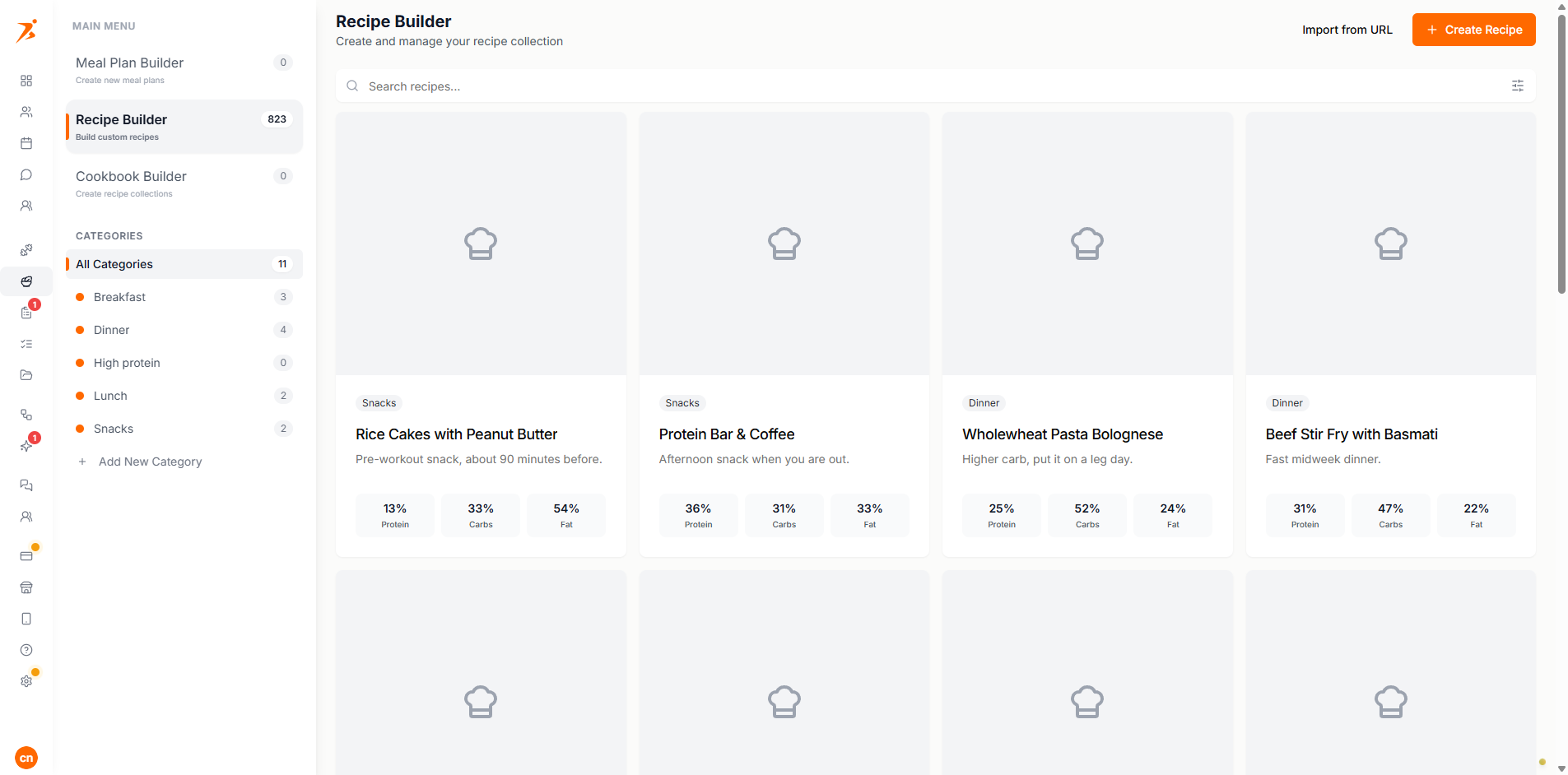
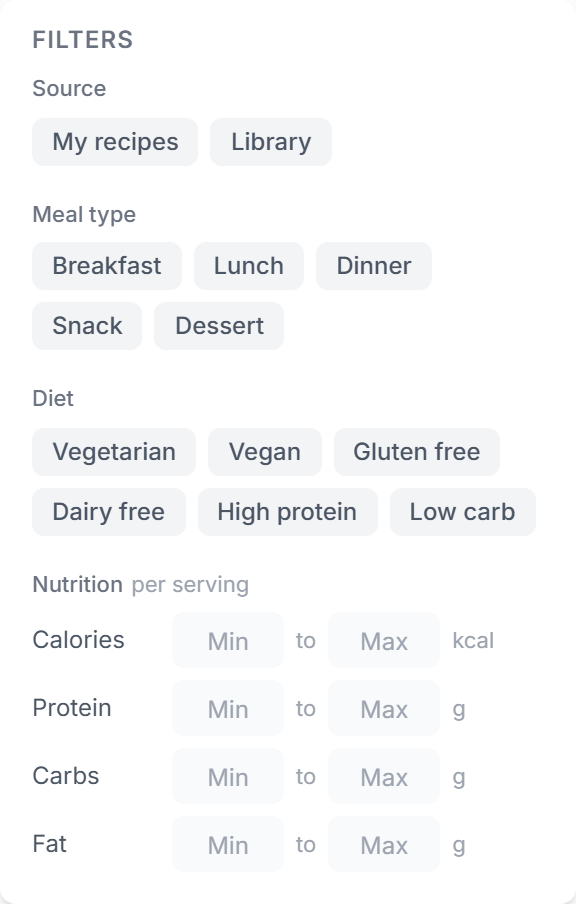
Recipe Builder shows every recipe as a card with calories and macros per serving. Search by name, or open the filter button to narrow by source, meal type, diet and a min and max for calories, protein, carbs and fat.
- Library
- Ready-made Scraler recipes sit in your grid, in your language. Use them in meal plans and cookbooks as they are. If you edit and save one, Scraler saves your own copy and leaves the original alone. Library recipes cannot be deleted.
- Your cards
- Hover one of your own recipes for copy, category and delete. Select lets you pick several at once to delete.
Categories
Categories are your own folders for recipes. Recipe Builder and Meal Plan Builder each keep their own list in the left sidebar. Cookbooks have none.
- Add
- Click Add New Category and type a name.
- File a recipe
- Hover a card, click the tag button and choose Move to Category. A recipe has one category, so a new pick replaces the old one.
- Filter
- Click a category to see only its recipes. All Categories shows everything.
- Delete
- Hover a category and click the cross. Its recipes stay and become uncategorized.
The meal type chip inside a recipe (Breakfast, Lunch, Dinner, Dessert, Snack) is separate. It is what the Meal type filter uses.