
AI training plans
Describe a program in your own words and the AI builds the full plan: weeks or a rotation, workouts, exercises, sets and reps. It opens in the builder, where you can change everything before you save.
Basic
No AI generation.
Plus
5 generations a month, shared by AI training plans, AI meal plans, AI workouts and AI Coach chats. One AI Coach chat counts as one, for up to 10 messages.
Premium, Ultimate
Unlimited.
Create a plan with AI
- 1
Open the AI popup
Go to Training Plans, click Create Template and choose Build with AI.
- 2
Choose the layout
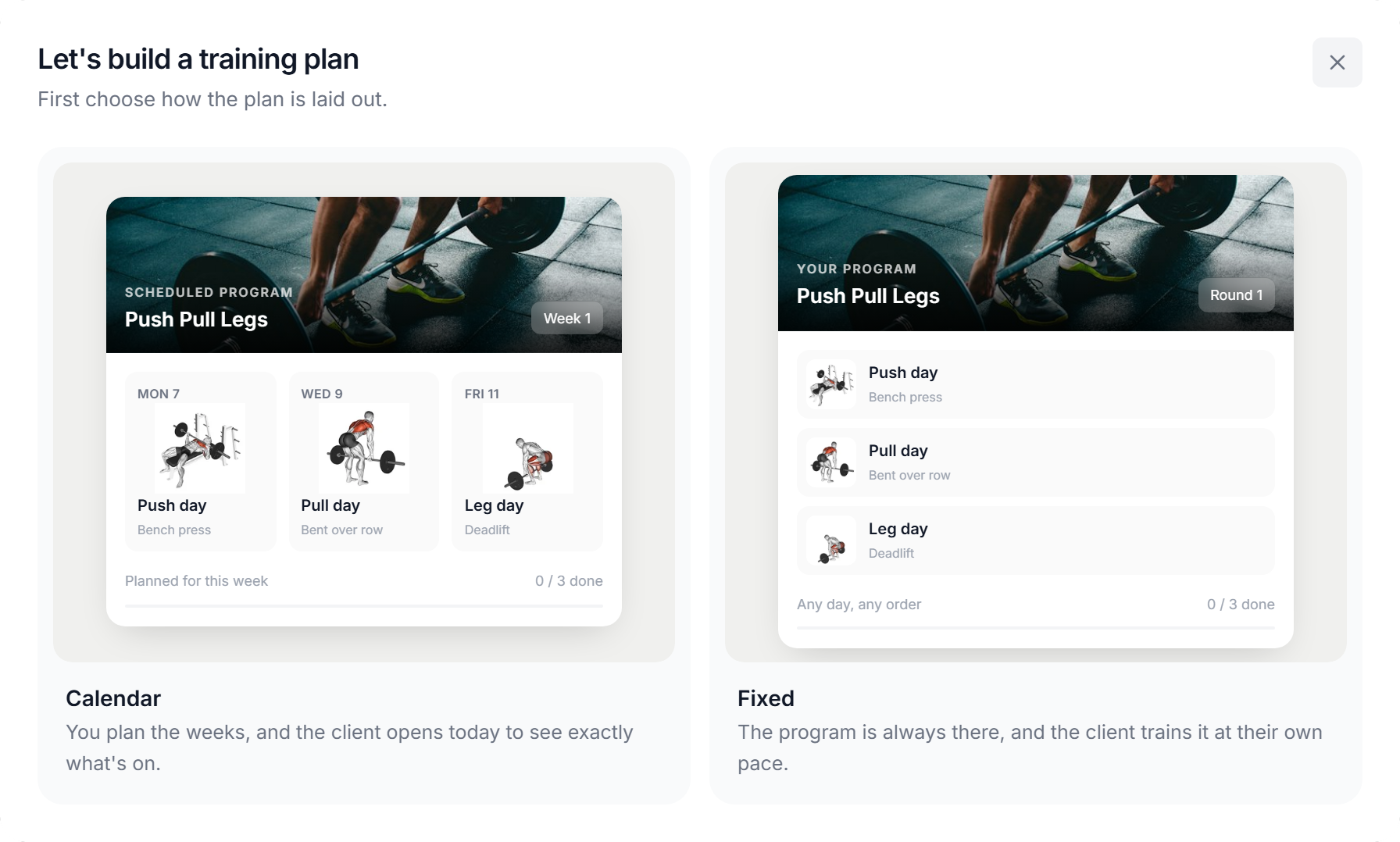
Calendar or Fixed. Nothing is preselected: clicking a card is the choice and takes you to the next step. Hover a card to see how the client will see it.
- 3
Describe the plan
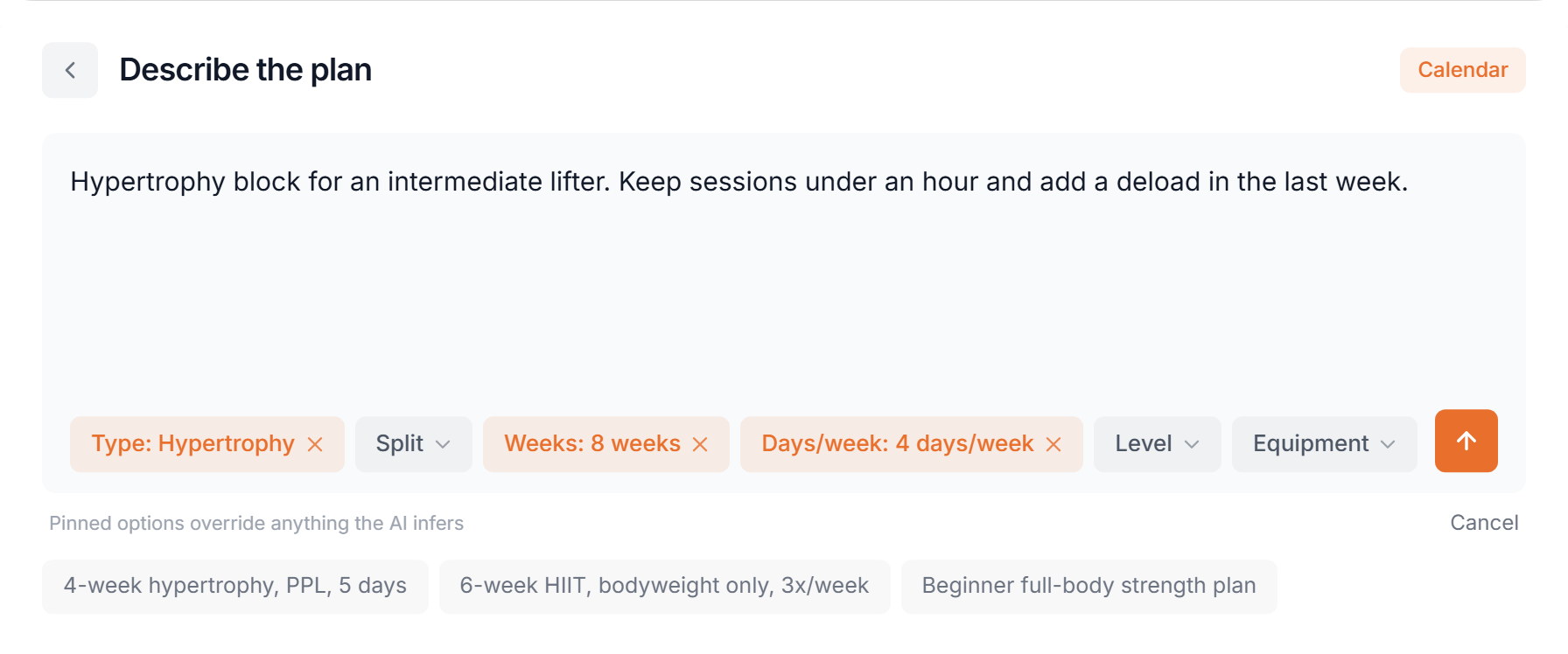
Type what you want, for example the goal, level, injuries or exercises to avoid. The chips pin exact values, and pinned options override anything the AI infers. Type @ to open the chips. Clicking an example sends it straight away. The Calendar or Fixed pill at the top takes you back to the layout.
- Type
- Strength, Hypertrophy, Powerlifting, Cardio, HIIT, Flexibility or Mixed.
- Split
- Push/Pull/Legs, Upper/Lower, Full Body, Bro Split, Arnold Split, 5x5, 5/3/1, PHAT or PHUL. Only for lifting types.
- Weeks
- 1 to 6, 8, 10 or 12. Calendar only.
- Days/week
- 2 to 6. Calendar only.
- Level
- Beginner, Intermediate or Advanced.
- Equipment
- Pick everything the client has.
- Rotation
- 2 to 8 days. Replaces Weeks and Days/week in Fixed.
- 4
Send
The assistant may ask one short question first. Then the popup switches to a loading view (Building your plan), followed by Creating Your Training Plan. It can take up to 60 seconds. Cancel generation stops it.
After generation
The plan opens in the builder and is not saved yet. Everything is editable: workouts, exercises, sets, reps, rest, the order of days and the number of weeks. Click Save Template to keep it. Plan builder
AI Coach. The round button at the bottom right of the builder opens the AI Coach next to the plan. Ask for changes in plain words, such as swapping an exercise or adding a week.
Calendar or Fixed
- Calendar
- Weeks with workouts on set days. The client opens today to see what's on.
- Fixed
- A rotation of days with no dates. The client trains it at their own pace, in any order.
Pick the layout that matches how the client gets their training. Fixed programs