
AI meal plans
Set the targets, add a short brief if you like, and the AI fills every day with meals. Every ingredient is matched to the food database. The plan opens in the builder, where you change anything before you save.
Basic
No AI generation.
Plus
5 generations a month, shared by AI meal plans, AI training plans, AI workouts and AI Coach chats. One AI Coach chat counts as one, for up to 10 messages.
Premium, Ultimate
Unlimited.
Create a meal plan with AI
- 1
Open the AI popup
Go to Meal Plans, click Create Meal Plan and choose Generate with AI.
- 2
Choose the layout
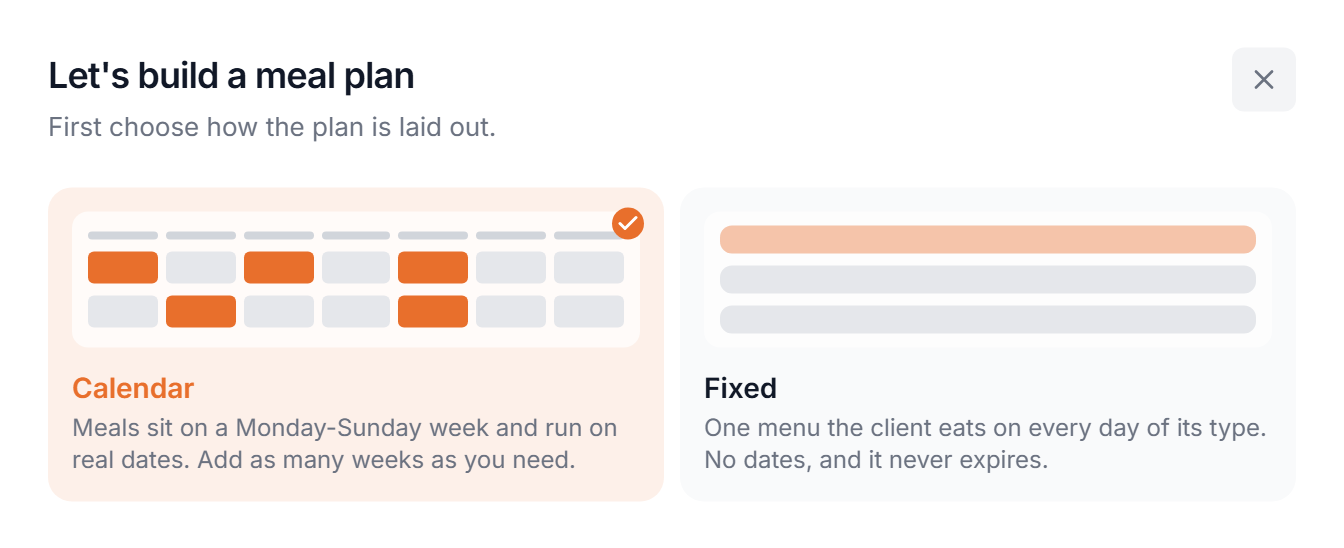
Calendar or Fixed. Clicking a card takes you to the next step. When you generate from a client's Nutrition tab this step is skipped: the client's nutrition mode decides.
- 3
Set targets and describe the plan
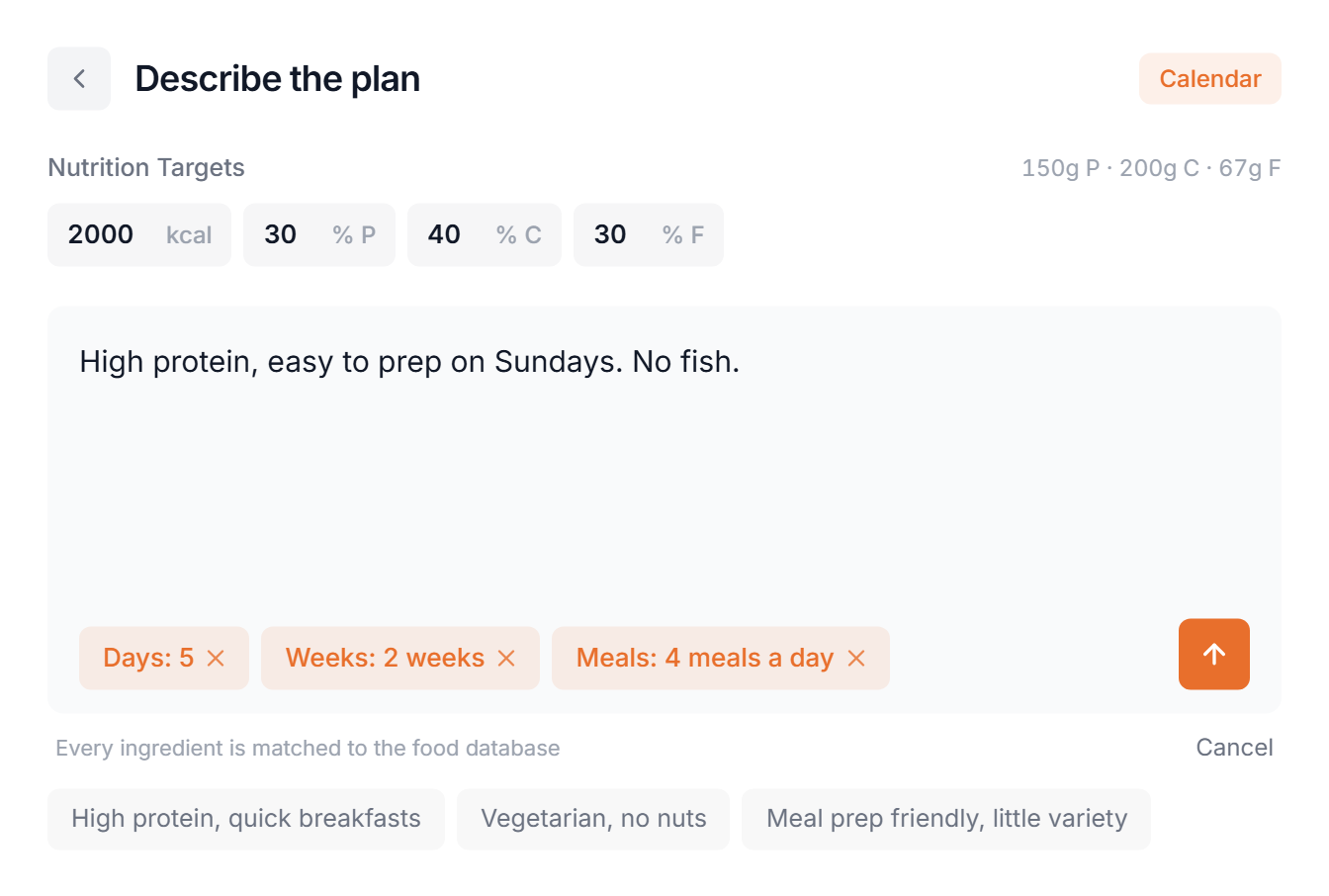
The brief is optional: diet, foods to avoid, prep style. Leave the chips unset to use the defaults. The Calendar or Fixed pill at the top takes you back to the layout.
- Targets
- Calories and the protein, carbs and fat split. For a client, filled in from their nutrition goals when they have them. Changing the calories keeps the split.
- Days
- Which weekdays get meals. Default: every day. Calendar only.
- Weeks
- 1 to 4. Default: 1. Calendar only.
- Meals
- 3 to 6 meals a day. Default: 3.
- 4
Send
There is no follow-up question. The popup shows Building your meal plan with live progress and closes when the plan is ready. If something fails, you land back on this step with your brief and options kept.
After generation
The plan opens in the builder and is not saved yet. Change meals, portions and ingredients, or drag in recipes and foods from the side panel. With more than one week, every week starts as a copy of the first, so change the weeks you want to differ. Save it when you are done. Meal plan builder
AI Coach. The round button at the bottom right opens the AI Coach as a panel next to the plan, so it never covers the meals. Ask for changes in plain words:
Type @ to point at a day or meal. With a day open, requests apply to that day only (the panel shows Looking at Monday). Revert to this point on any message undoes everything after it.
Calendar or Fixed
- Calendar
- Meals on Monday to Sunday weeks that run on real dates. The AI builds up to 4 weeks; you can add more in the builder.
- Fixed
- One menu the client eats on every day of its type. No dates, and it never expires. Only the Meals chip applies.
Pick the layout that matches how the client gets their nutrition. Fixed meal plans
Let AI do the meal planning for you
Generate a full plan in seconds, then fine-tune it in the builder.
Get Started Free