
Fixed meal plans
Fixed nutrition replaces the dated week with a short list of named days, like Training day and Rest day. Each day has its own targets and its own menu, and they apply until you change them.
Fixed nutrition only shows for clients whose nutrition delivery is set to Fixed. Read about delivery modes
Nutrition days
The client's Nutrition tab opens on a strip of days you define. Click Add day, name it, and start from scratch or from a meal plan template. Most trainers use two days, but one day called Every day, or four seasonal ones, work just as well.
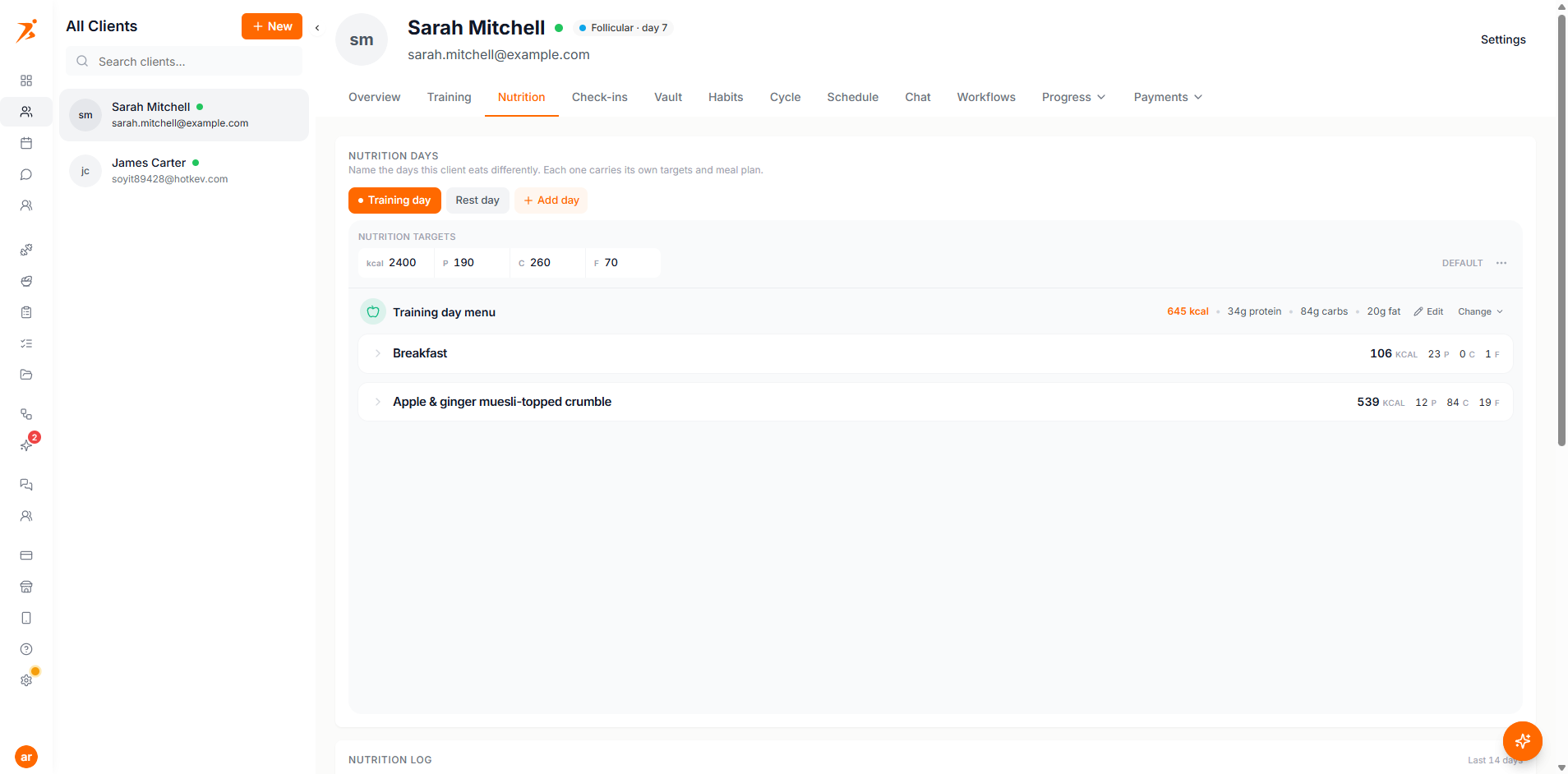
- Day options
- The three dots on a day let you Rename it, Set as default or Delete day. Drag the tabs to reorder them.
- Default
- The default day is the one that applies when nobody picked a day for a date.
- One day
- With a single day, it applies every day and no picker is ever shown, to you or to the client.
Standing targets
Open a day and set its calories and macros. These are standing values, not a target for one date: the same numbers apply every day of that type until you edit them. Nothing rolls forward each week and nothing expires.
After you change targets, Scraler can scale the menu's ingredient amounts so it lands on them.
Attach a menu
Each day holds one menu. Build it on the day itself with Add Meal, generate it with AI (the day needs targets first), or attach a meal plan made in the Fixed layout. In the meal plan builder, set How this plan is laid out to Fixed: the week disappears and you build a single day of meals, which the client eats on every day of that type.
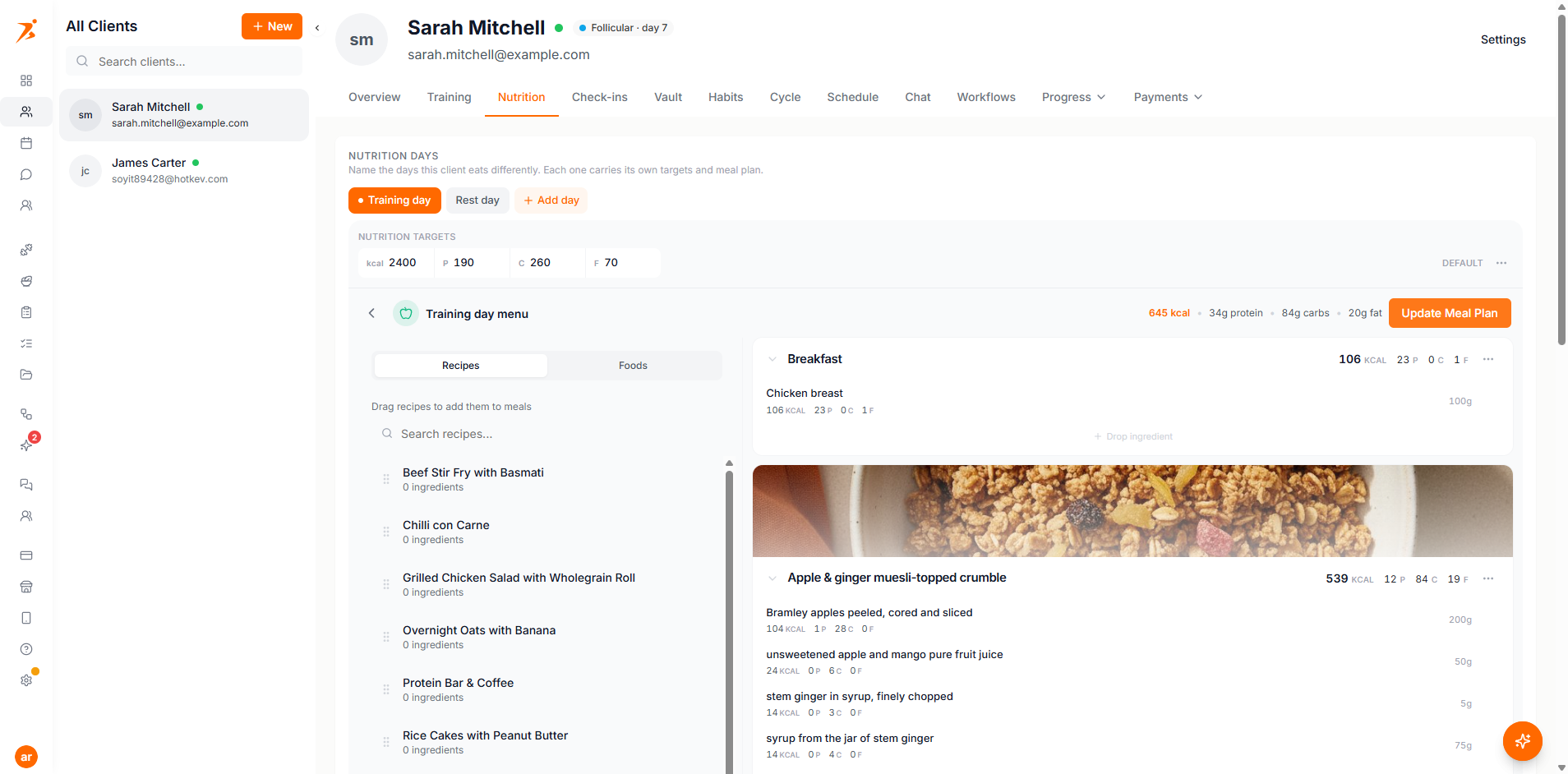
- One per day
- A plan belongs to one day. Attaching it to another day moves it off the first.
- No dates
- A fixed plan stays in the client's library and never expires, so it never needs assigning again.
How the day is decided
For any date the day resolves in one order, and the same rule drives both the macro targets and which menu opens:
- The client has exactly one day type. It applies, unconditionally.
- Someone picked a day for that date, you or the client. That pick wins.
- Otherwise the day you marked as the default applies.
The day is never guessed from logged workouts. Clients eat breakfast before they train, so guessing would change the day's targets halfway through the morning.
What the client sees
The client app shows the day's calories and macros as rings at the top, then a row naming the day that applies, and under it the menu attached to that day.
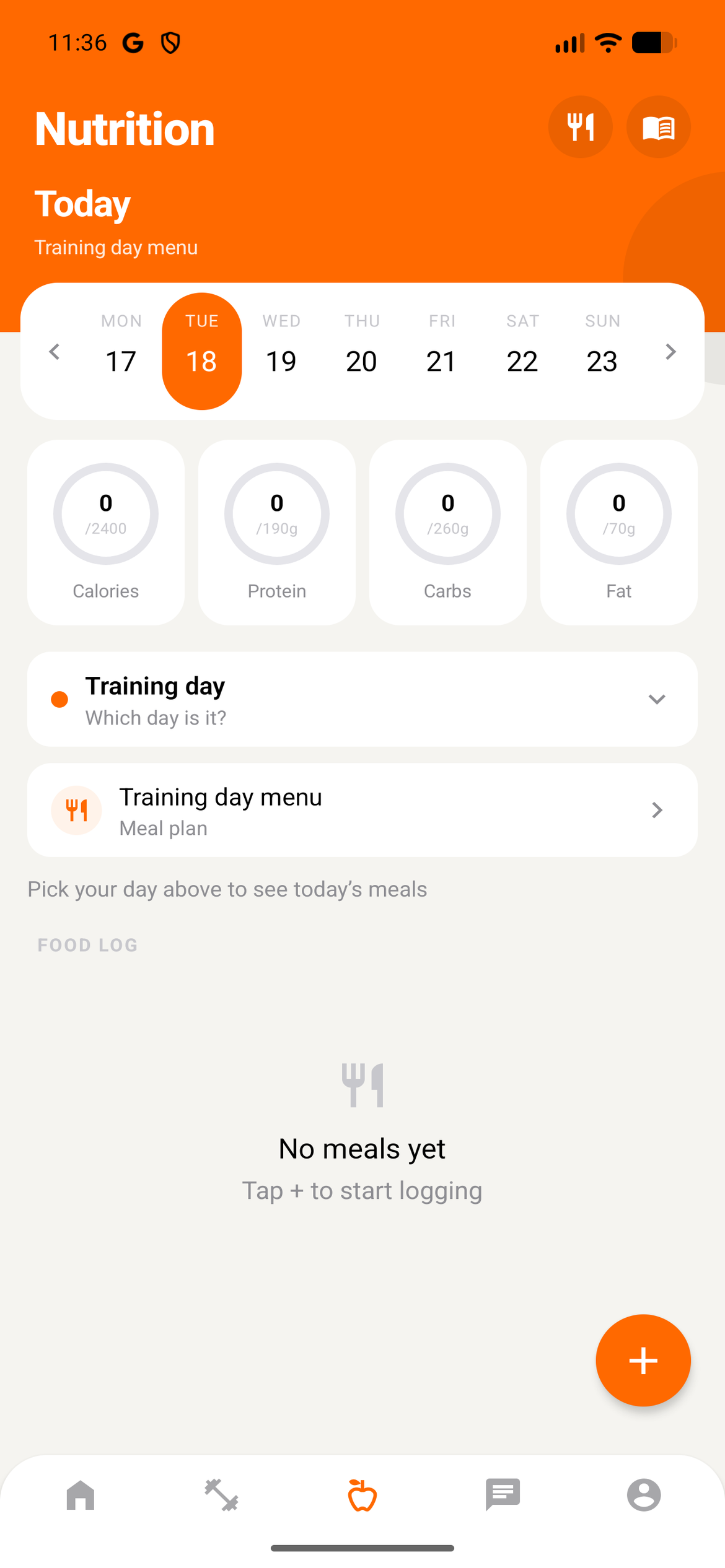
Tapping that row lets the client switch the day, which answers "I was supposed to rest but I trained". Their pick applies to that date only, and Back to default undoes it.
The nutrition log
Under the days sits a log of what the client ate, newest first. Show more goes further back. Days with nothing logged still get a row, so a missed week is easy to spot.
- Fix the day
- Change a row's day afterwards when a client forgot to switch, so they are not measured against the wrong target.
- Food diary
- Click a row to open that date in the food diary, with every entry the client logged.
Nutrition that doesn't need rewriting every week
Set the days once, and let your client tell you which one it is.
Get Started Free