
Cookbooks
Bundle recipes into cookbooks your clients can cook from, free or paid.
What a cookbook is
A cookbook bundles your recipes into something clients can browse, or buy.
Create a cookbook
Create one with a name and a short description.
Cover and pricing
Add a cover, then choose whether it's free for your clients or a paid product.
Add recipes
Open it, search your recipe library, and click to add.
Publish or sell
In settings, keep it a draft, include it for all your clients, or put it up for sale.
Cookbooks in the app
Published cookbooks show up in your clients' app. From the Food tab, a client opens the cookbook, picks a recipe, and scales the portions.
Log a recipe
One tap adds it to their day, ingredients and macros included.
More details and screenshots
Cookbooks
Group recipes into a cookbook and share it with clients, free or for sale.
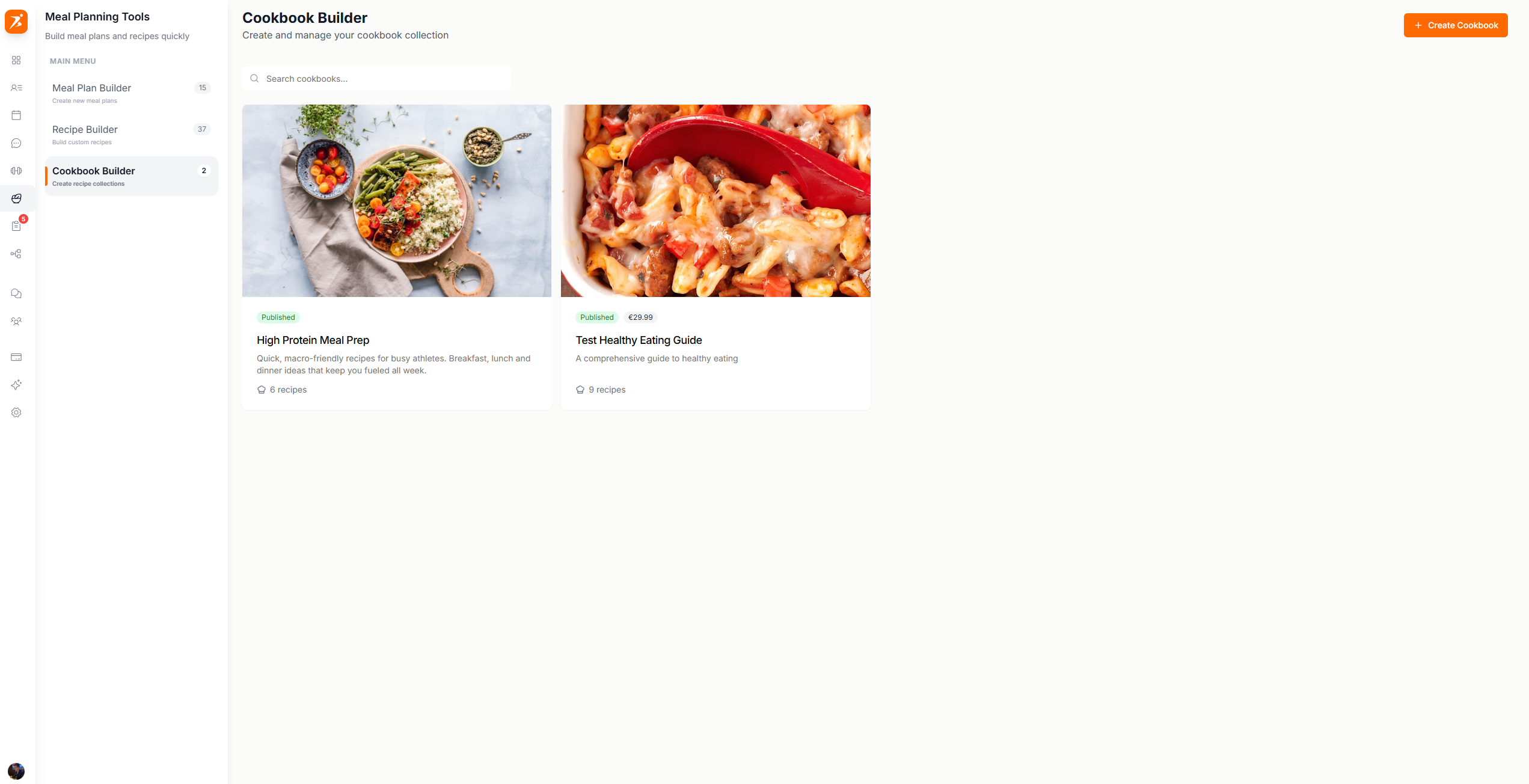
Creating a cookbook
Click Create Cookbook. A three step dialog asks for a name and description, an optional cover image, and the access type. Free Access is for all your clients. Paid Product needs a price. A new cookbook always starts as a draft.
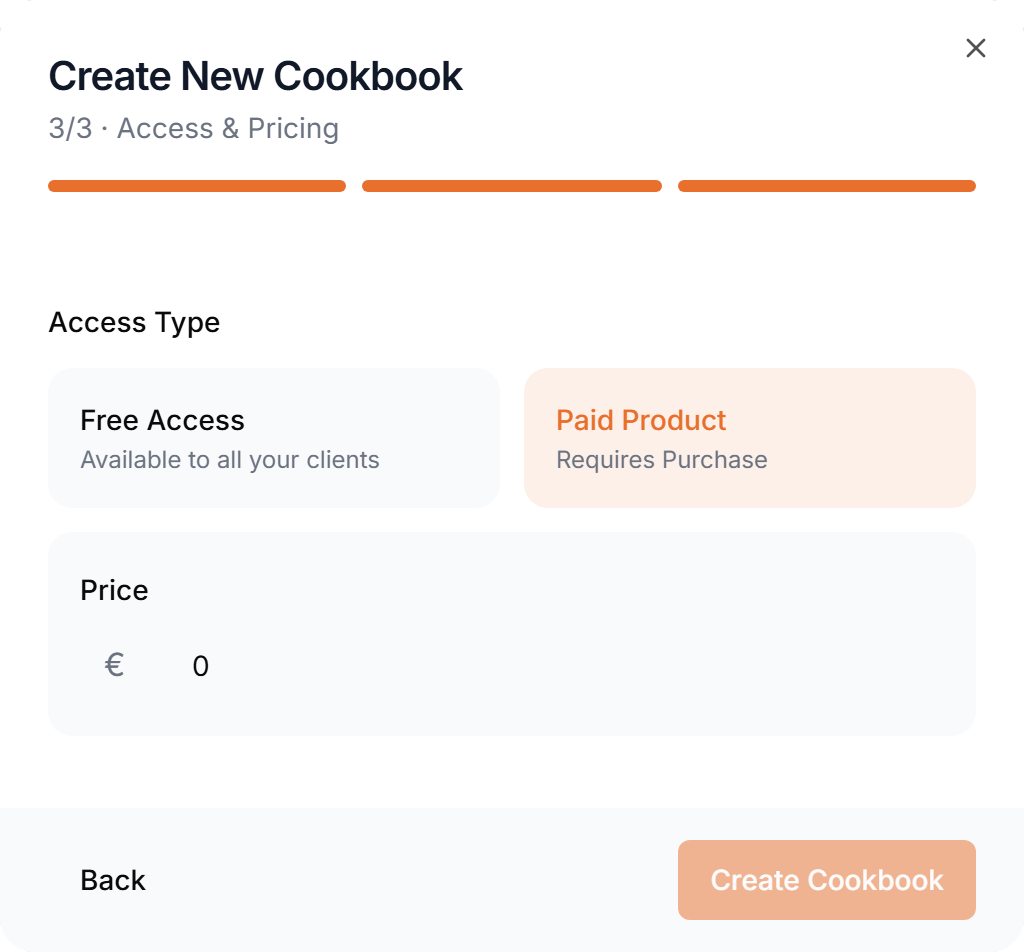
Selling needs a Premium or Ultimate plan and a connected Stripe account. The price is charged in your account currency.
Managing cookbooks
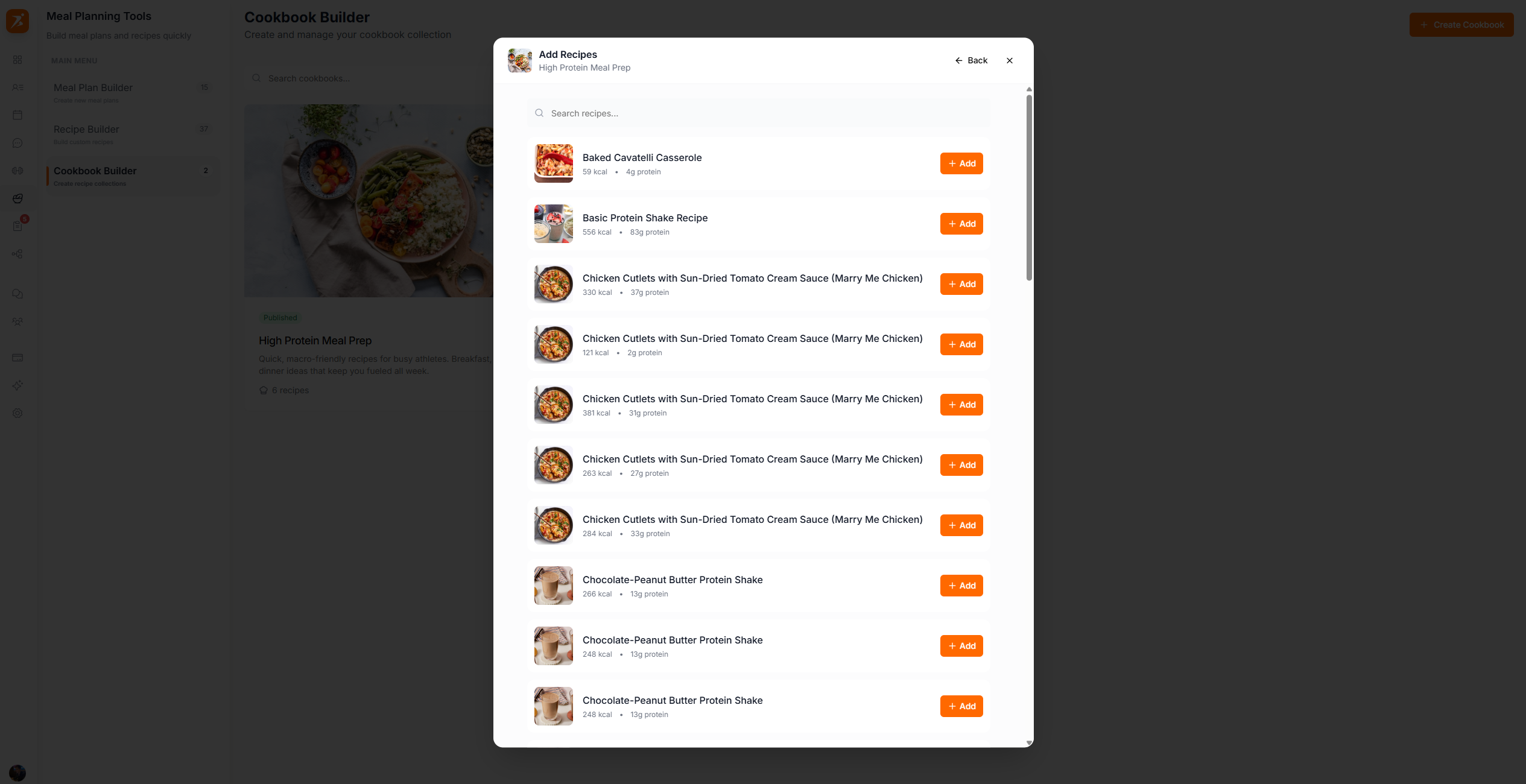
Click a cookbook to open it. Your recipe library is on the left: click a recipe to add it, and remove it again from the cookbook when you no longer want it. The two round buttons on the cover change the cover image and open Settings.
Settings holds the name, the description and the Availability. The badge on the cover and on the list card shows where a cookbook stands.
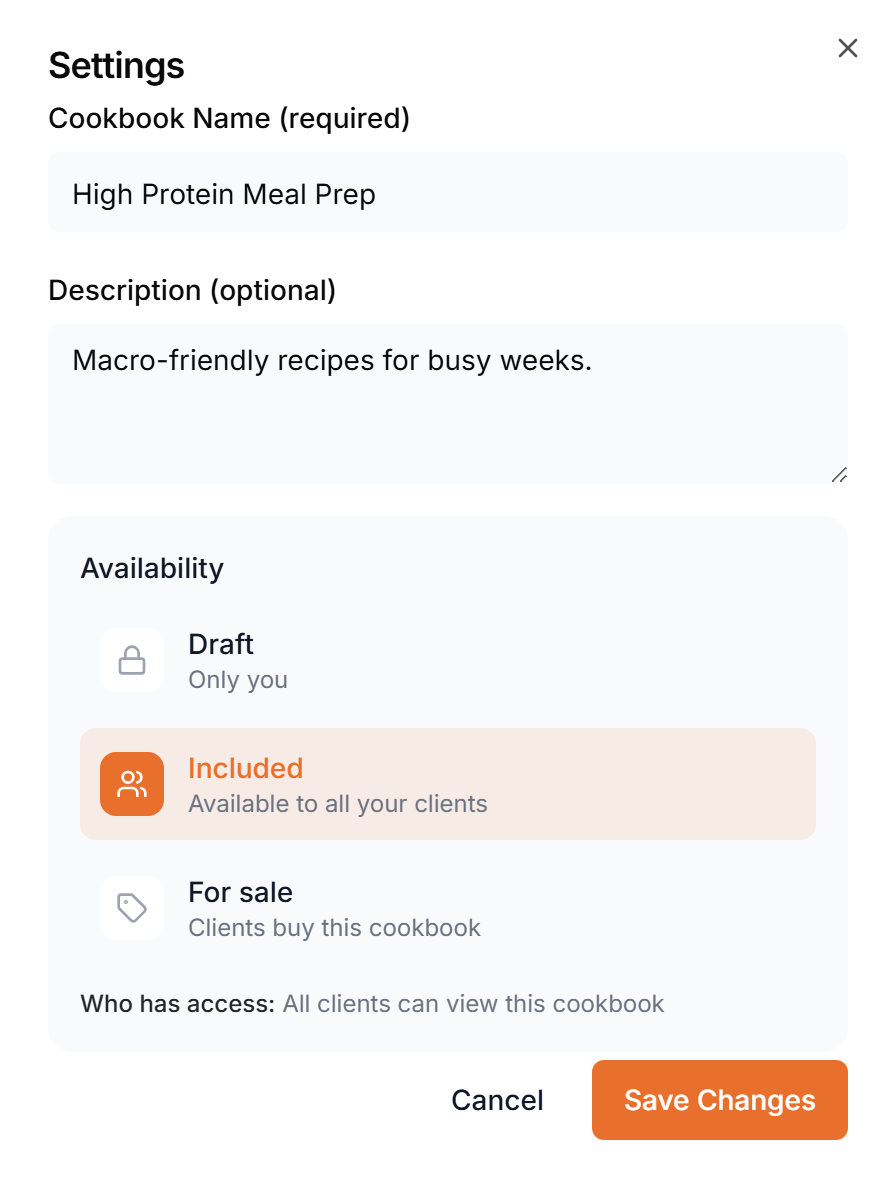
- Draft
- Only you can see it.
- Included
- Free for your clients.
- For sale
- Clients buy the cookbook, with a Stripe checkout.
Clients find cookbooks in the Cookbooks tab under Nutrition, once they buy one or you assign it to them.
On the list, hover a cookbook to edit, copy or delete it. A copy starts as a draft with the same recipes. If clients bought a cookbook, deleting it warns you first, because they lose access.