
Habits and challenges
Give clients small daily habits, and turn a habit into a challenge with a rising target and a leaderboard. Habits come with the Plus plan. The challenge board lives in your community, which comes with Premium.
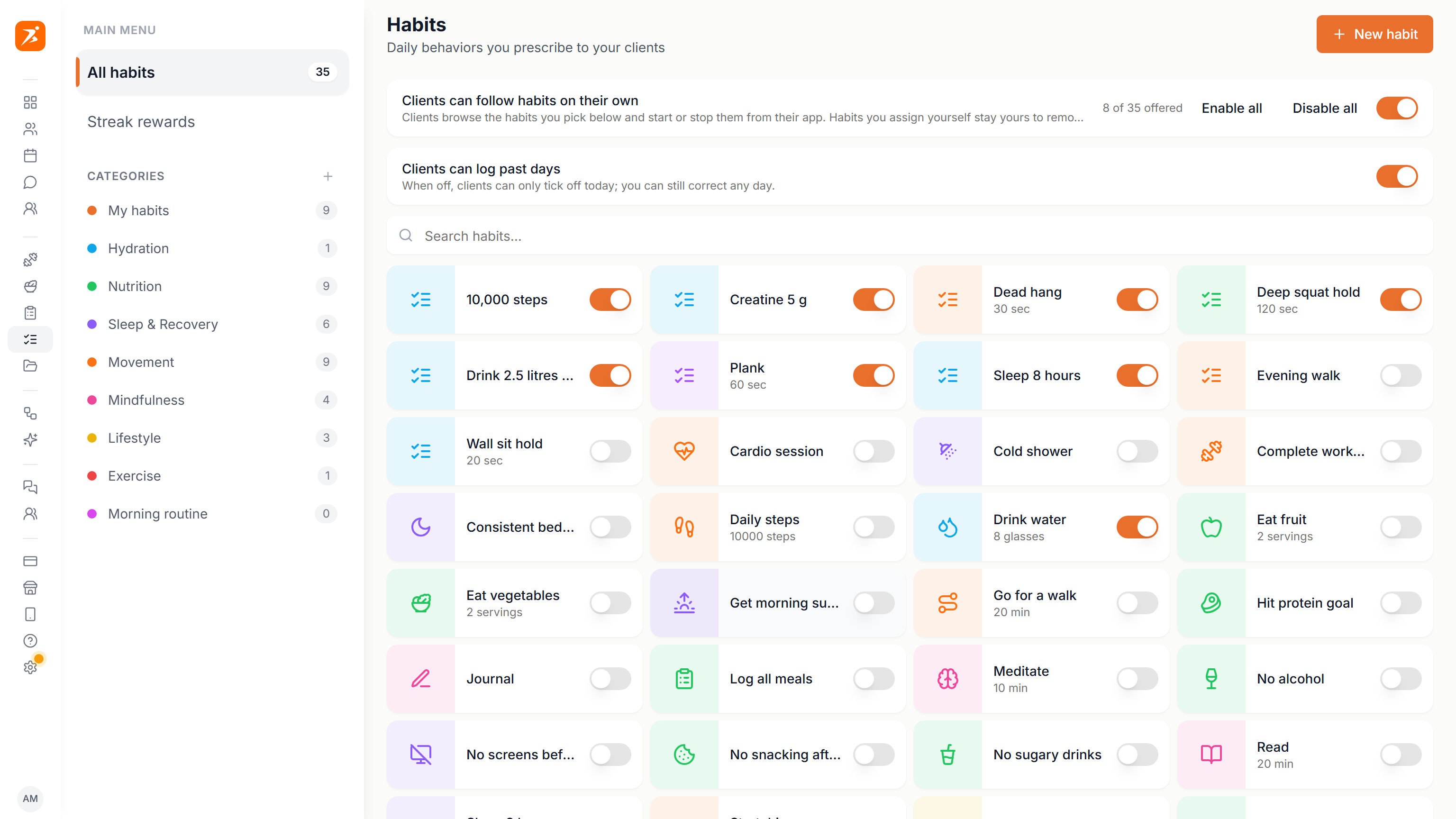
The habit library
Open Habits from the sidebar. All habits shows the ready-made library plus your own habits. Pick a category on the left to narrow the list, or My habits to see only the ones you made.
Click New habit to make your own. Give it a name, a cover (upload a photo or pick an icon and colour), an optional description the client sees, a category and a tracking type. Click a library habit to open it as a copy you can save as your own. Click one of your own to edit or delete it. Deleting ends it for every client, and their logged history is kept.
- Done / not done
- The client ticks the day off. Good for No alcohol or Sleep 8 hours.
- Quantity with target
- The client logs a number against your Target and Unit, like 8 glasses or 10,000 steps.
- Timed
- A quantity habit with the unit sec. The client gets a stopwatch instead of a number field. Put it in the Exercise category to link an exercise from your library, so the client can open its demo.
Two switches sit above the grid.
- Clients can follow habits on their own
- Clients browse the habits you switch on and start or stop them from their app. Each habit card gets its own switch, with Enable all and Disable all for the current list.
- Clients can log past days
- When off, clients can only tick off today. You can still correct any day.
Add your own category with the plus next to Categories. Deleting a category keeps its habits; they just lose the category.
Assigning a habit
Open a client, go to the Habits tab and click Assign habit. Drag a habit from the panel onto a day, or click it to start today. Then pick how often it repeats.
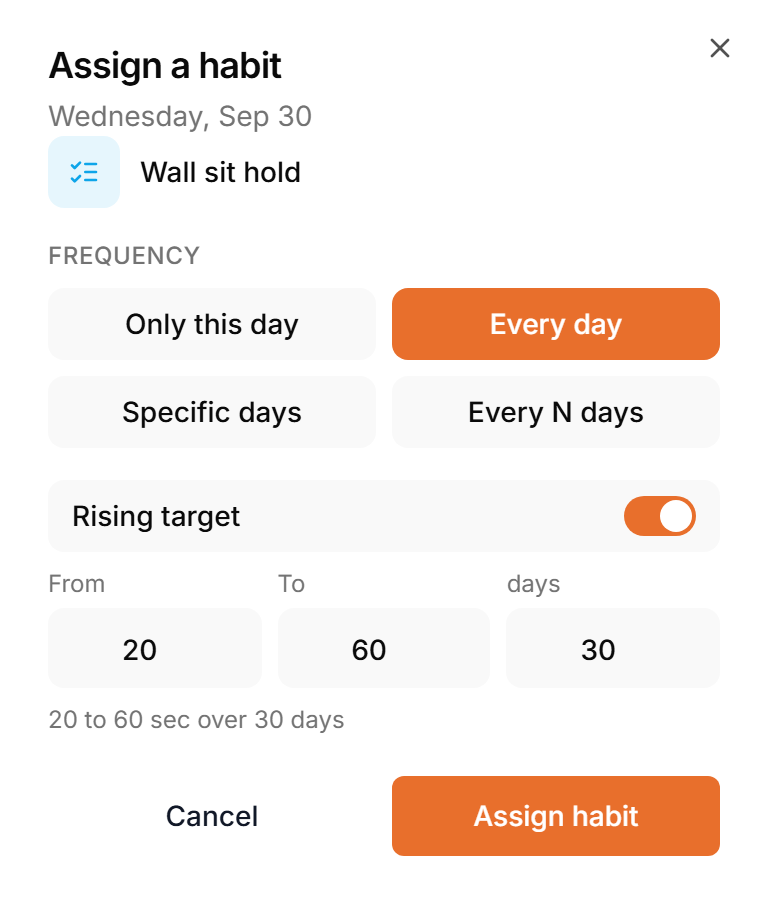
For a quantity habit you can switch on Rising target: set From, To and the number of days, and the target climbs a little each day. 20 to 60 sec over 30 days is a typical wall sit challenge.
The Habits tab shows a calendar with every scheduled habit. Click a day to log it for the client, or drag a habit to move it. List groups the habits by schedule, and you can log days there too. Recurring lists every repeating habit so you can change its schedule. End habit removes it from the client and keeps what they logged.
The client sees habits when their Habits switch is on, under Settings, Features in their profile. It is on by default.
Points and streak rewards
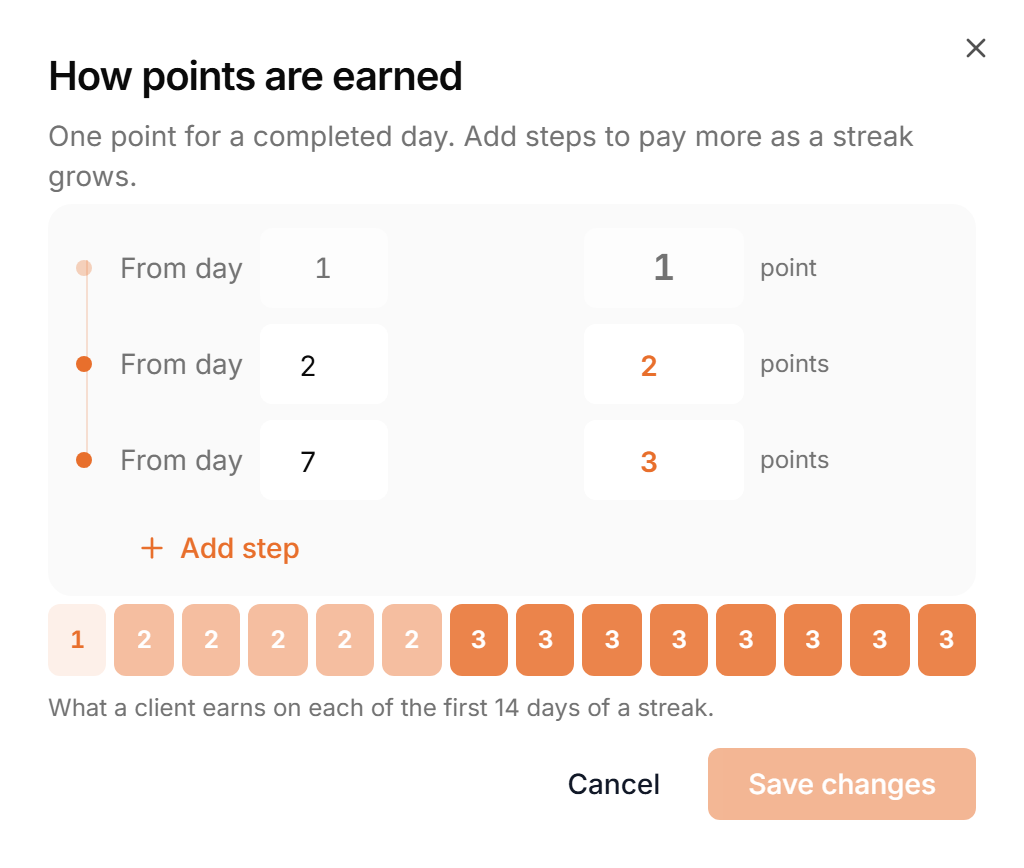
Every completed day earns points. Open Streak rewards in the Habits sidebar and click Edit next to How points are earned. Day 1 is always 1 point. Add steps to pay more as a streak grows, for example 2 points a day from day 2 and 3 from day 7. The row of squares shows what a client earns on each of the first 14 days.
Add reward creates a card with your own picture, a title and a message. The client sees it once, when their habit points reach the Points total you set. Switch a reward off to pause it without deleting it.

Challenges
A challenge is a habit you assign with a Rising target. Give the same challenge to several clients and they can compete on the challenge board.
To show a leaderboard, switch on Challenge board in your community. How it ranks clients and how they join is on the Community page.
In their app, clients see today's target for each challenge day, earn points for every completed day and can set a daily reminder.