Workouts are the building blocks of your training plans. Create them once as templates, then reuse them across plans or assign them directly to clients.
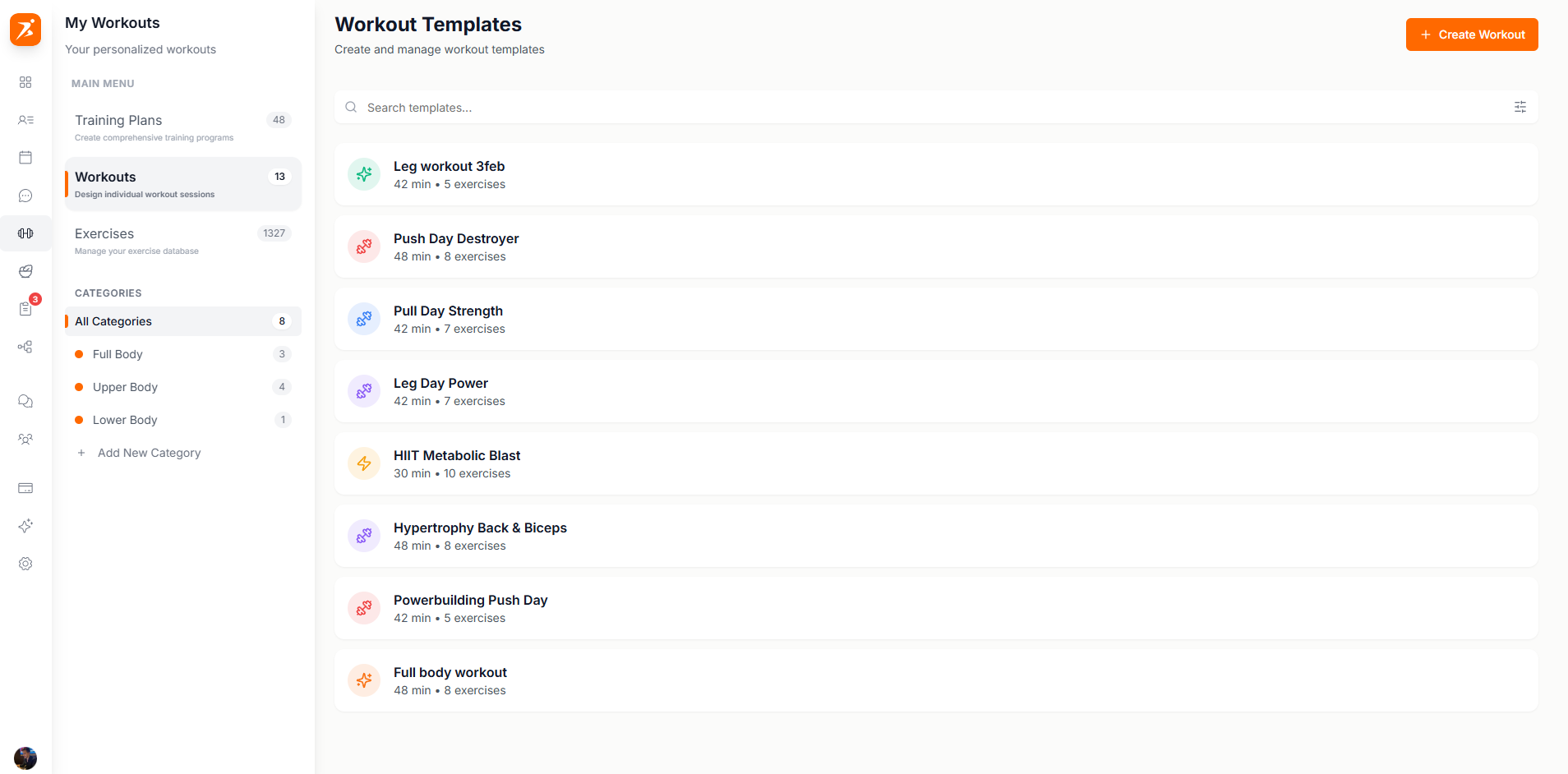
The Workouts page shows all your saved templates, searchable and filterable:
Click "Create Workout" to choose between AI or manual:
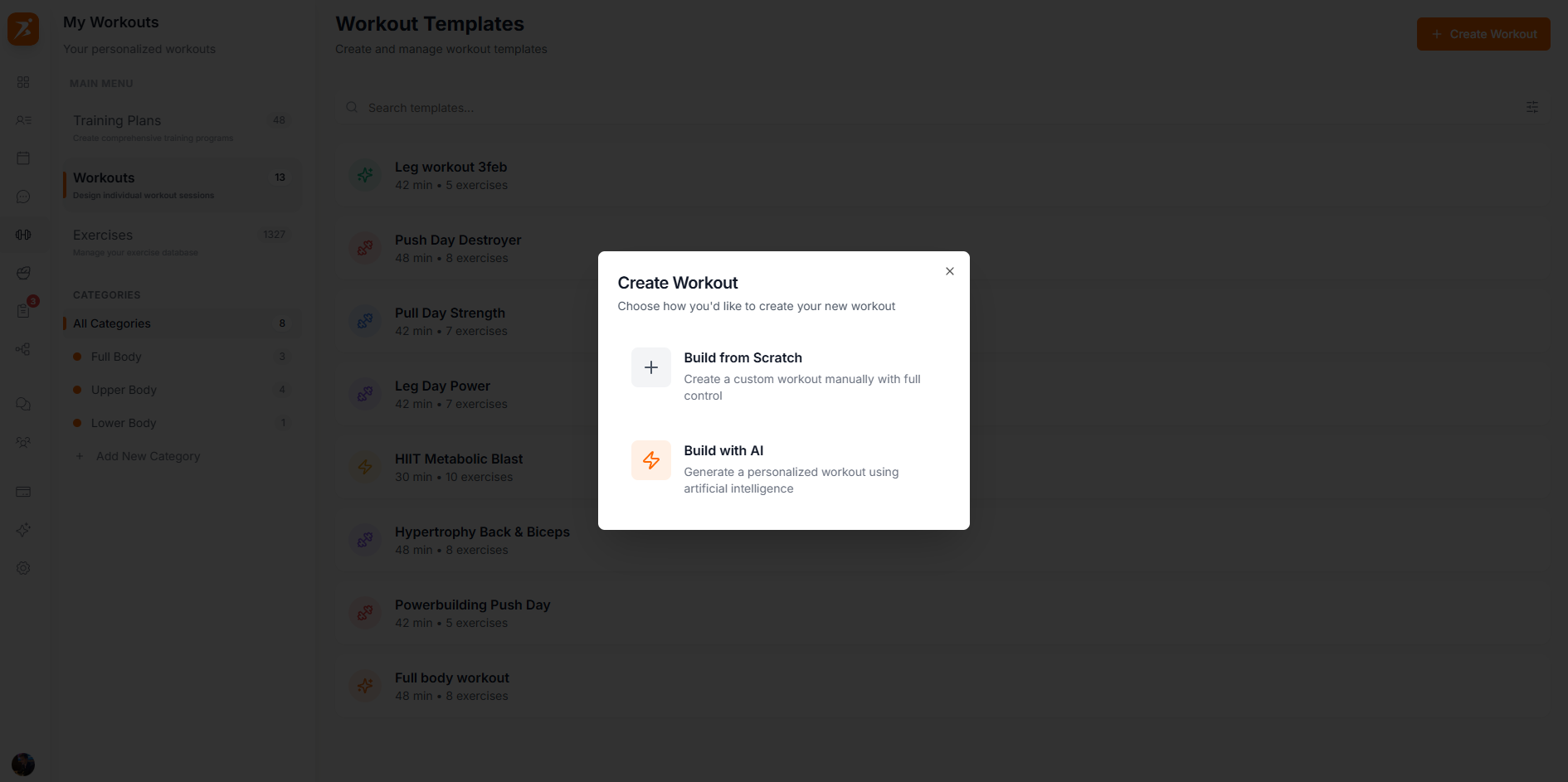
Create a custom workout manually
AI generates exercises based on your goals
The builder has your exercise library on the left and the workout on the right. Click or drag exercises to add them, then configure sets, reps, weight, and rest:
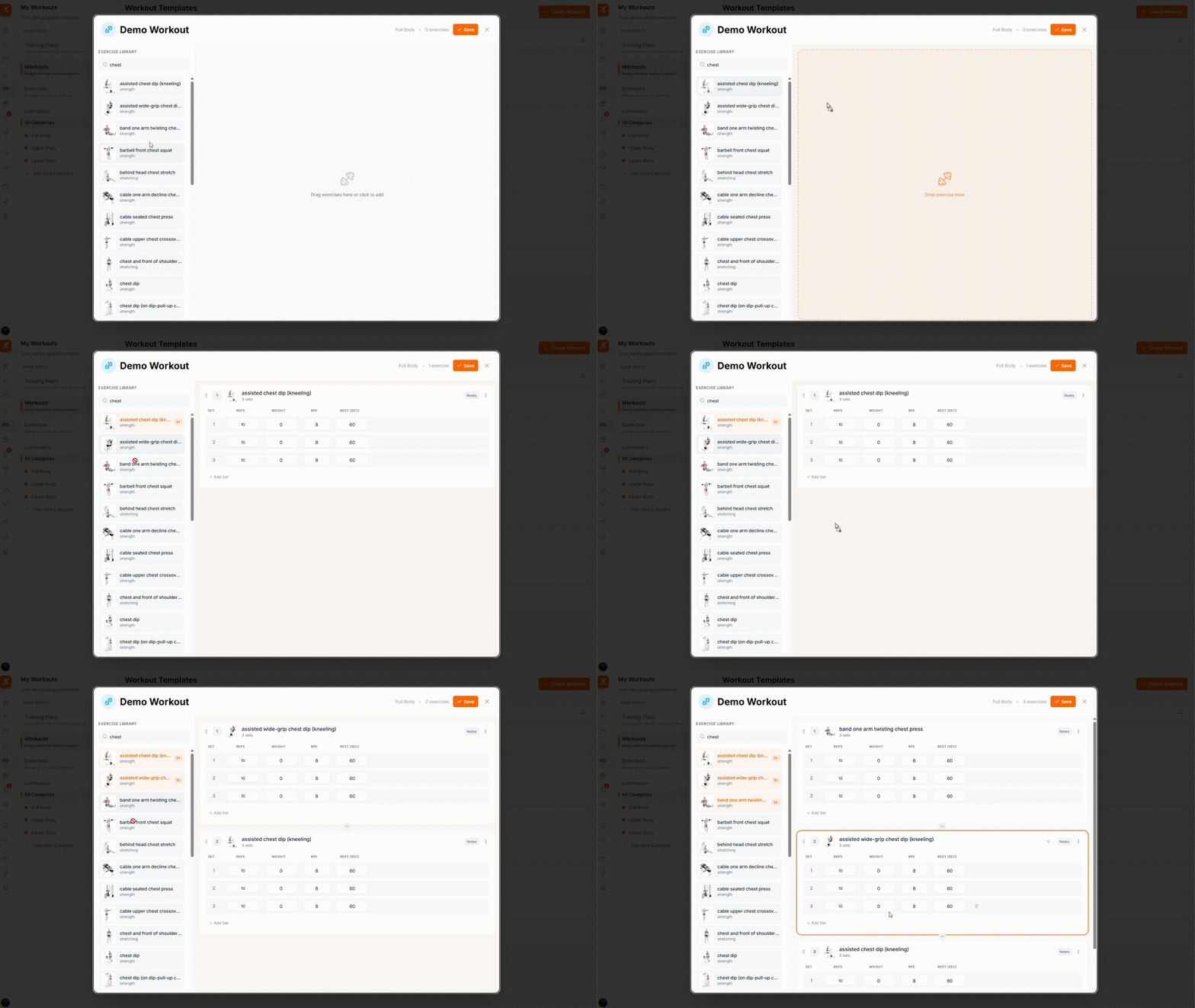
Drag exercises from the library to add them. Click the chain icon between any two exercises to link them as a superset.
Click the chain icon between exercises to link them together. Link two exercises for a superset, or three or more for a circuit:
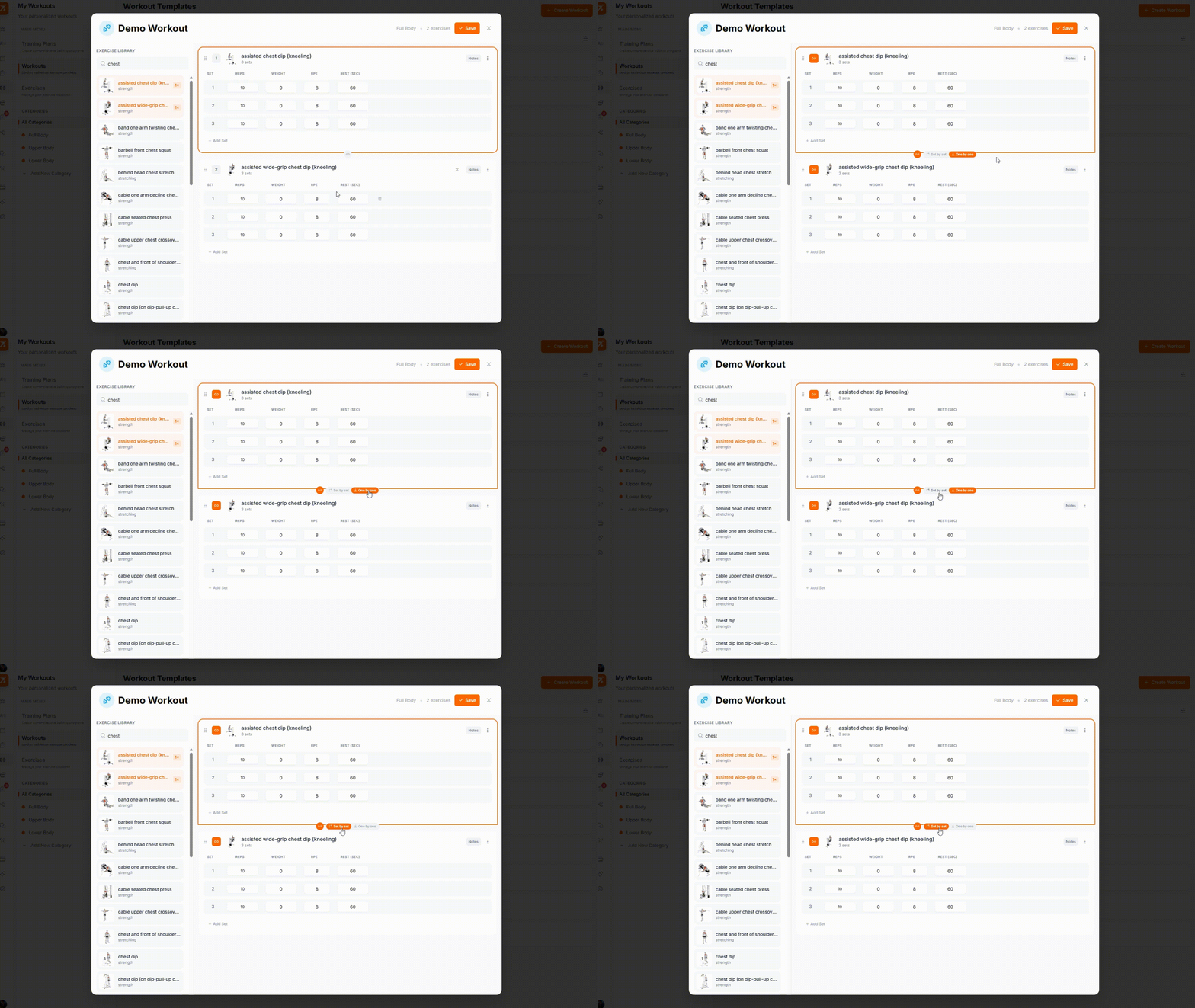
Linked exercises are visually grouped with an orange Superset or Circuit label.
Circuits are programmed in rounds instead of per-exercise sets. Use the +/- controls to set how many rounds, then edit each round individually.
Each exercise has a settings icon to configure which columns appear in the sets table:
Reps (always shown). Add a + after the number, e.g. 5+, to mark a set AMRAP.
Weight (kg/lbs)
RPE (Rate of Perceived Exertion)
% 1RM (Percentage of 1 Rep Max)
Rest (seconds)
Duration
Cardio exercises
Distance
Cardio exercises
Create workouts your clients will love
Drag-and-drop builder, supersets, and customizable columns — all included.
Get Started Free