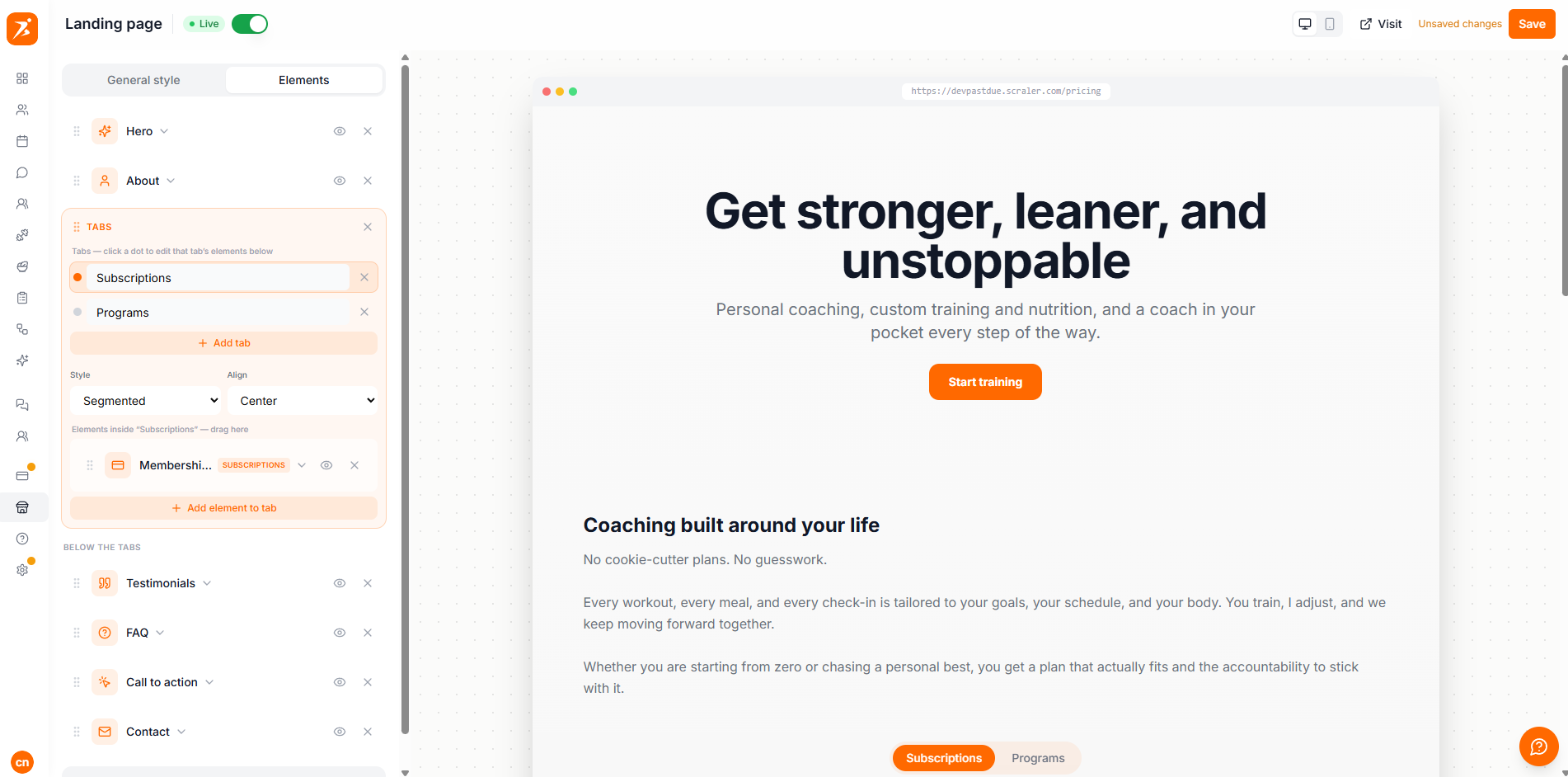
Pick a look, preview it on every device, and publish when you're ready. Going live takes one click once your domain is connected.
Choose from eight background styles — Clean, Bold, Dark, Minimal, Glass, Gradient, Soft, and Contrast. Each one automatically adapts to your brand color, so your page looks designed without any fiddly settings.
Set your default button text once in the General style tab and every new button picks it up automatically.
The builder shows a live preview that matches your published page exactly. Toggle between desktop and mobile views to check how everything looks before you publish.
Edit and drag sections directly on a full-width, interactive preview.
Preview your page inside a phone frame. Editing happens in desktop view.
When your page is ready, publishing is a single switch. You just need a domain connected first.
Keep your page in Draft while you're still building — it won't be visible to visitors until you switch it to Live.
Open with a clear headline and a strong photo so visitors instantly get what you offer.
Add a CTA section after your testimonials and again near the bottom of the page.
Testimonials and transformations build trust faster than any sales copy.
Always check the mobile view — most visitors will land on your page from their phone.
