Check-ins are structured progress forms that clients fill out on their own schedule. You define what data to collect, and they report it.
A check-in is a form sent to a client that collects specific progress data. Check-ins can include:
Body Measurement
Weight, waist, arms, and more, tracked on the client's progress charts.
Custom Metric
Any number you want to track over time, like visceral fat or sleep hours.
Progress Photos
Front, side, and back
Open Question
Free-text answer, not charted.
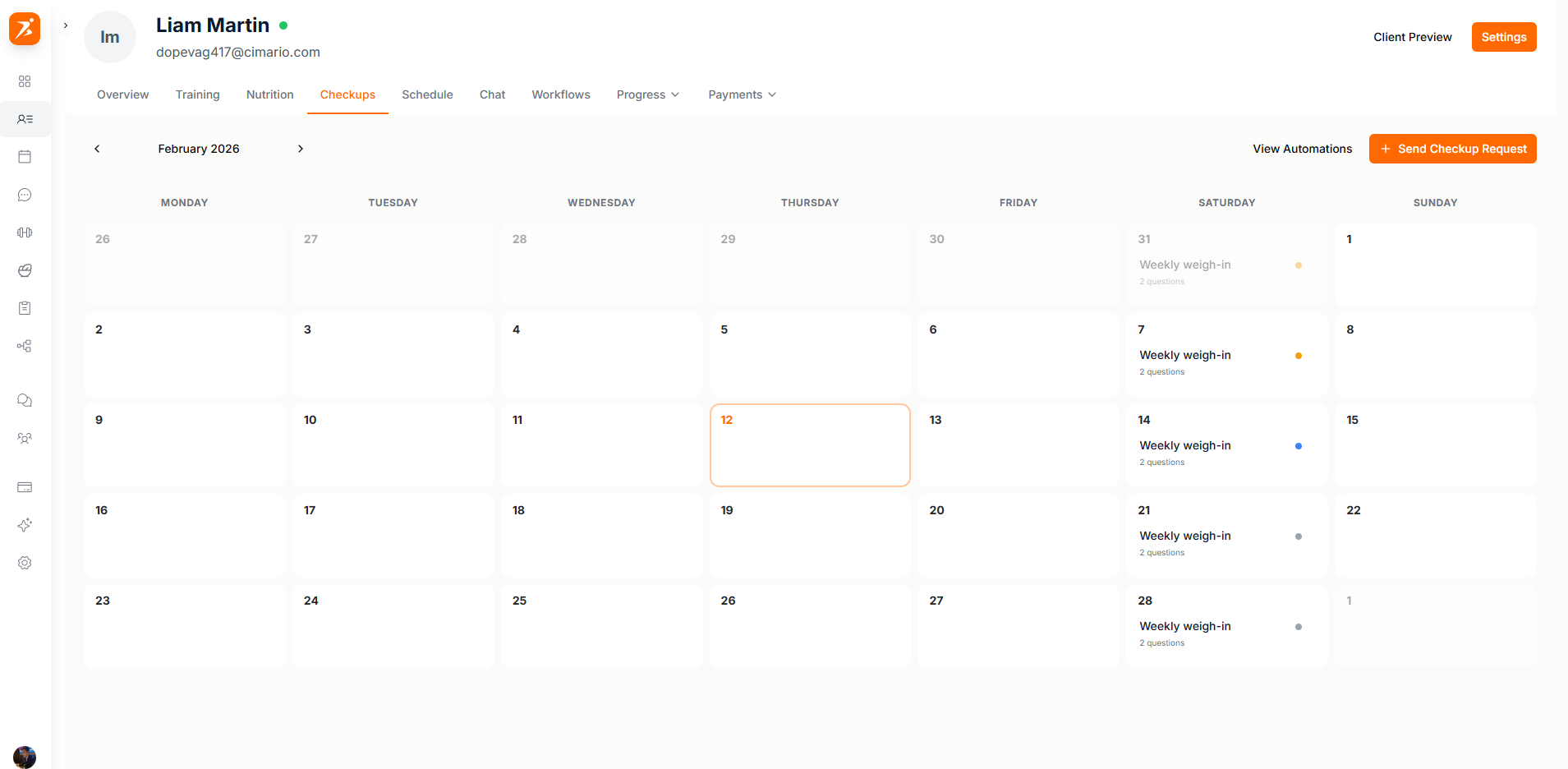
Click "Send Check-in Request" on the Templates tab, then build a check-in from scratch or start from a saved template:
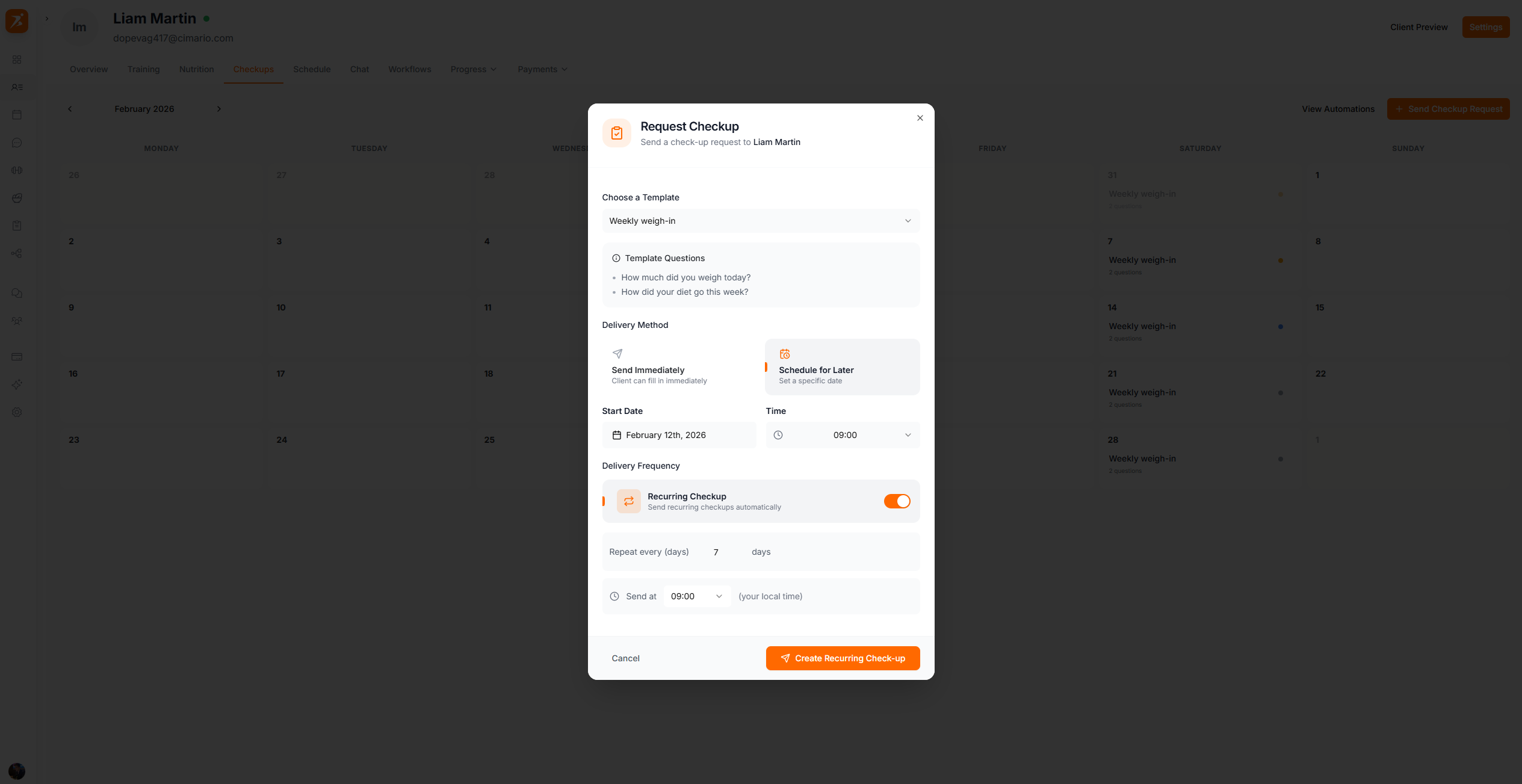
Three delivery options:
Sends now, client fills it in at their convenience
Send on a specific date
Repeats on a day or monthly interval, with an option to auto-add each answer to progress.
Save reusable check-in configurations as templates. Examples:
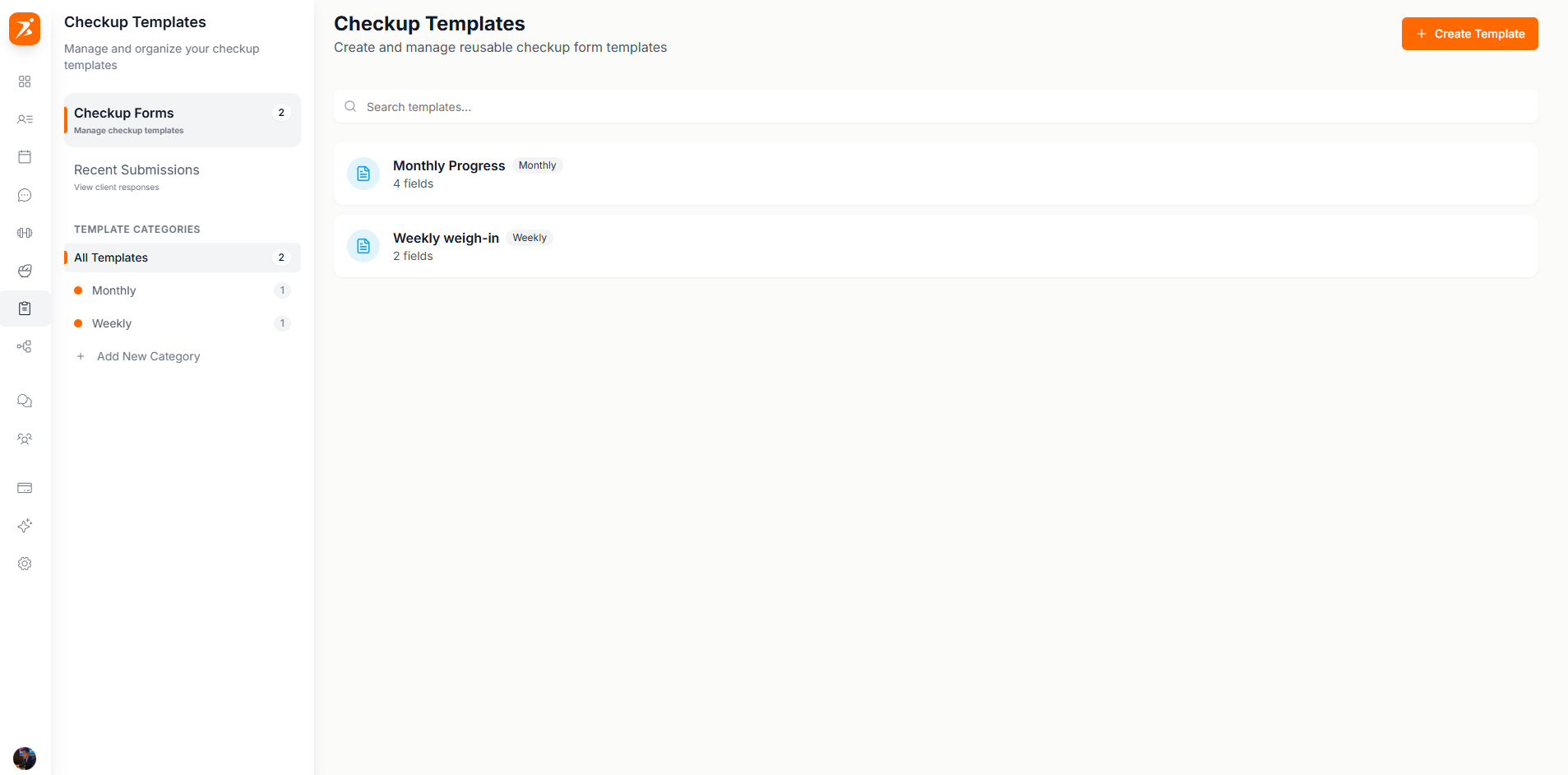
Weekly Weigh-in
Weight and notes
Monthly Progress
Weight, measurements, photos
Program Check
Custom training questions
Intake Form
Initial assessment
Submitted check-ins show all responses in a single view:
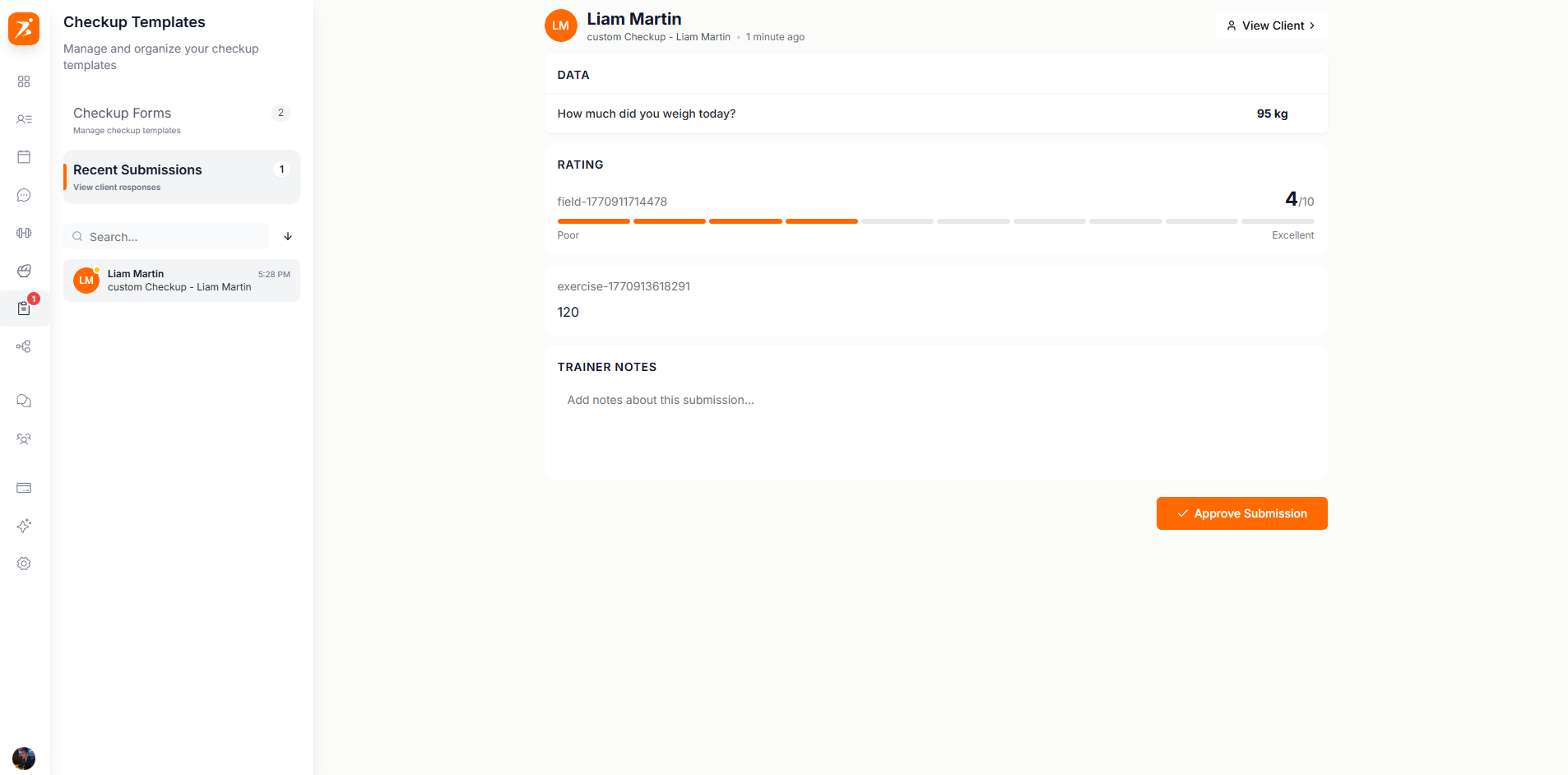
After reviewing, you can add the data to the client's progress charts, reply with a message or a video, send it back for changes, or leave a private note only you can see.
Type a reply, record a video, or both. You record it in the browser from your dashboard — no extra app, no Loom account — and your client watches it right on the check-in, in their dashboard and in the app. Video Replies
Stay on top of every client's progress
Automated check-ins, templates, and approval workflows.
Get Started Free