Go to a client's profile, open the Nutrition tab, and create a meal plan for a specific week.
A monthly calendar showing macro targets per day. Days with a meal plan have a badge.
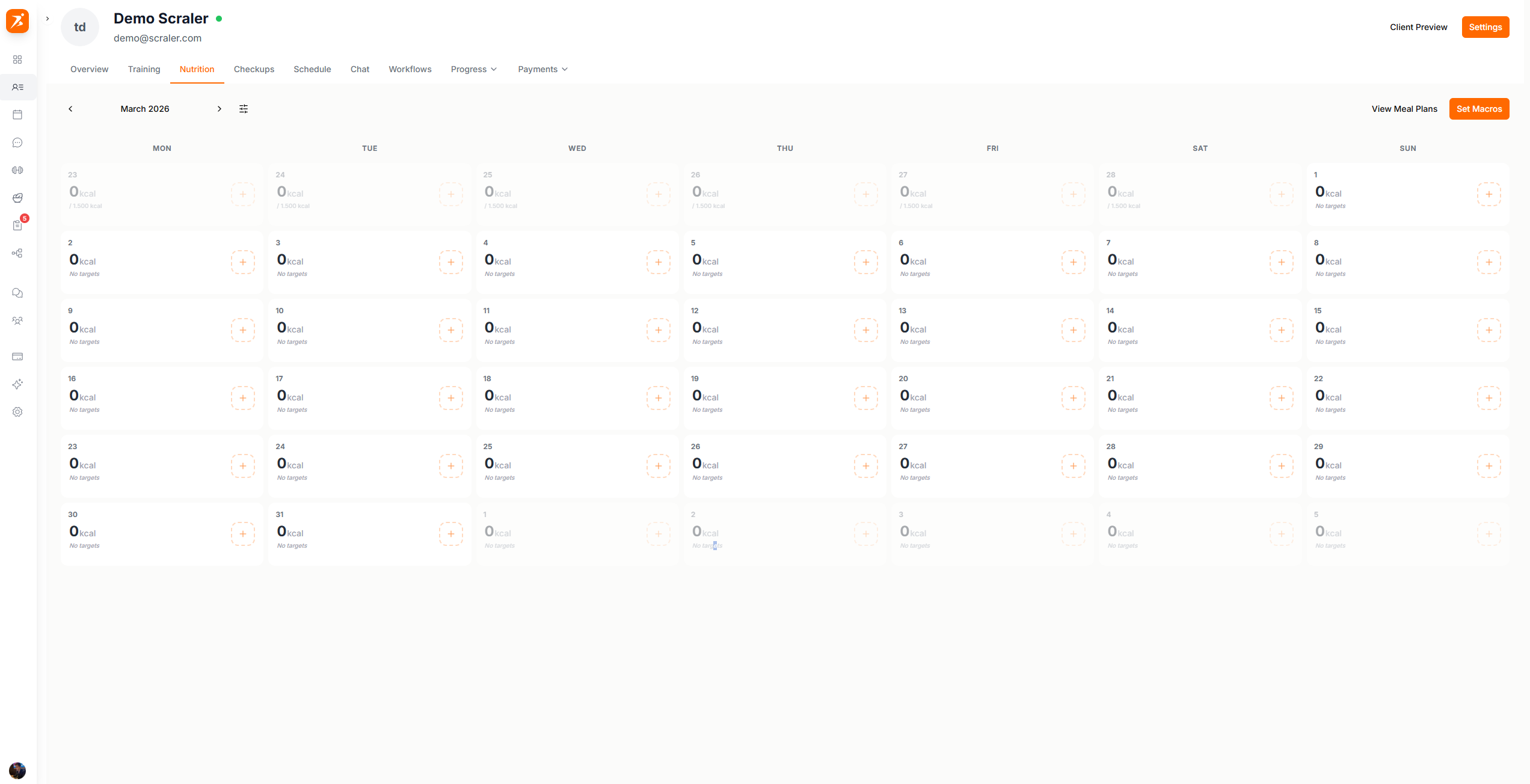
Set macro targets for a week before creating a meal plan.
Plans are assigned per week (Mon–Sun).
Build the plan yourself from scratch, or let AI generate it. Both options open the builder where you can make changes.
Click any day on the calendar to see what meals are planned, what the client logged, and how their macros look.
Click "Add Meal Plan". A popup gives you two options:
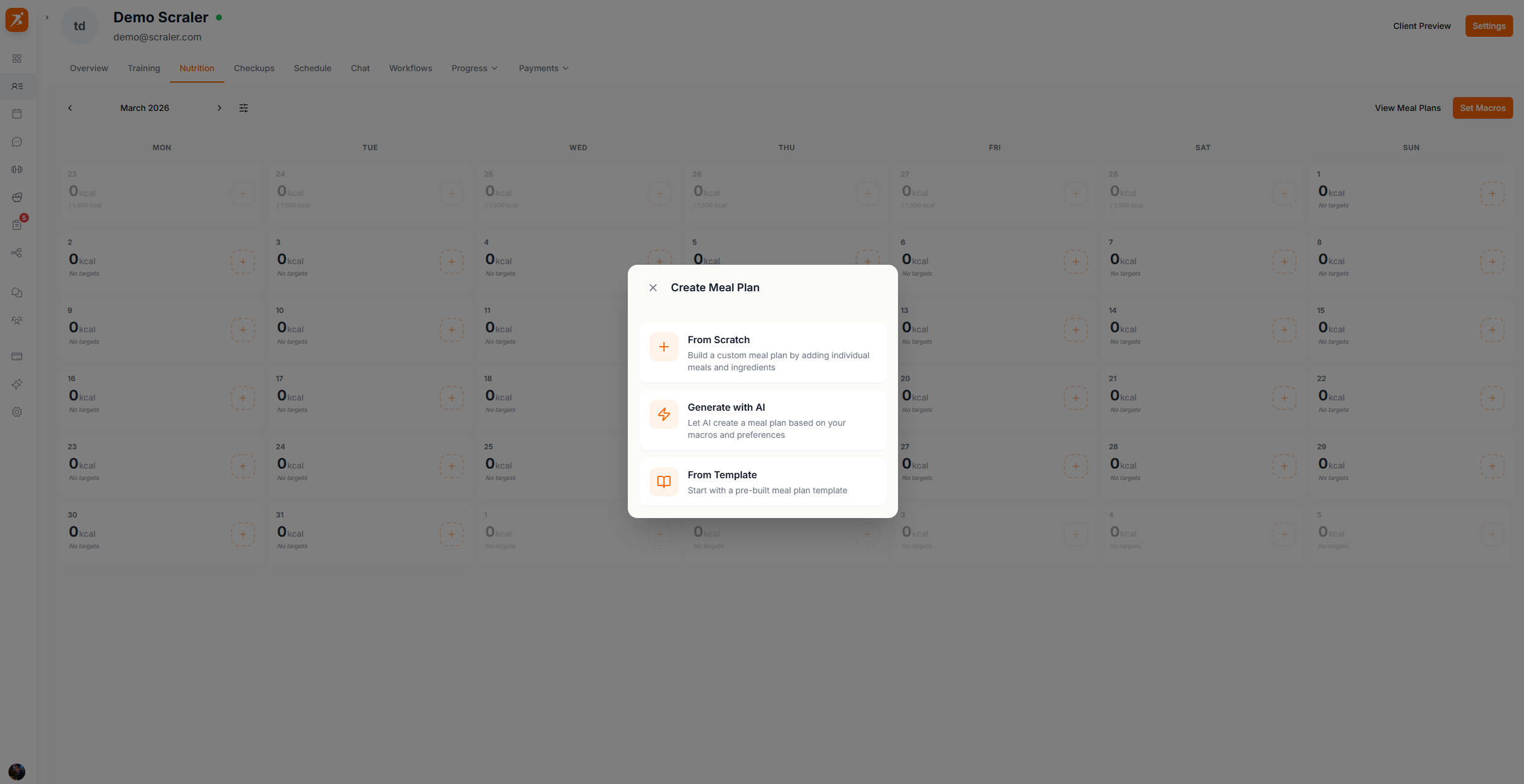
Opens the builder so you can add meals and foods yourself, day by day.
AI builds the whole plan for you based on the client's macro targets.
Click "Set Macros", select days on the calendar, then set calories and macros for those days.
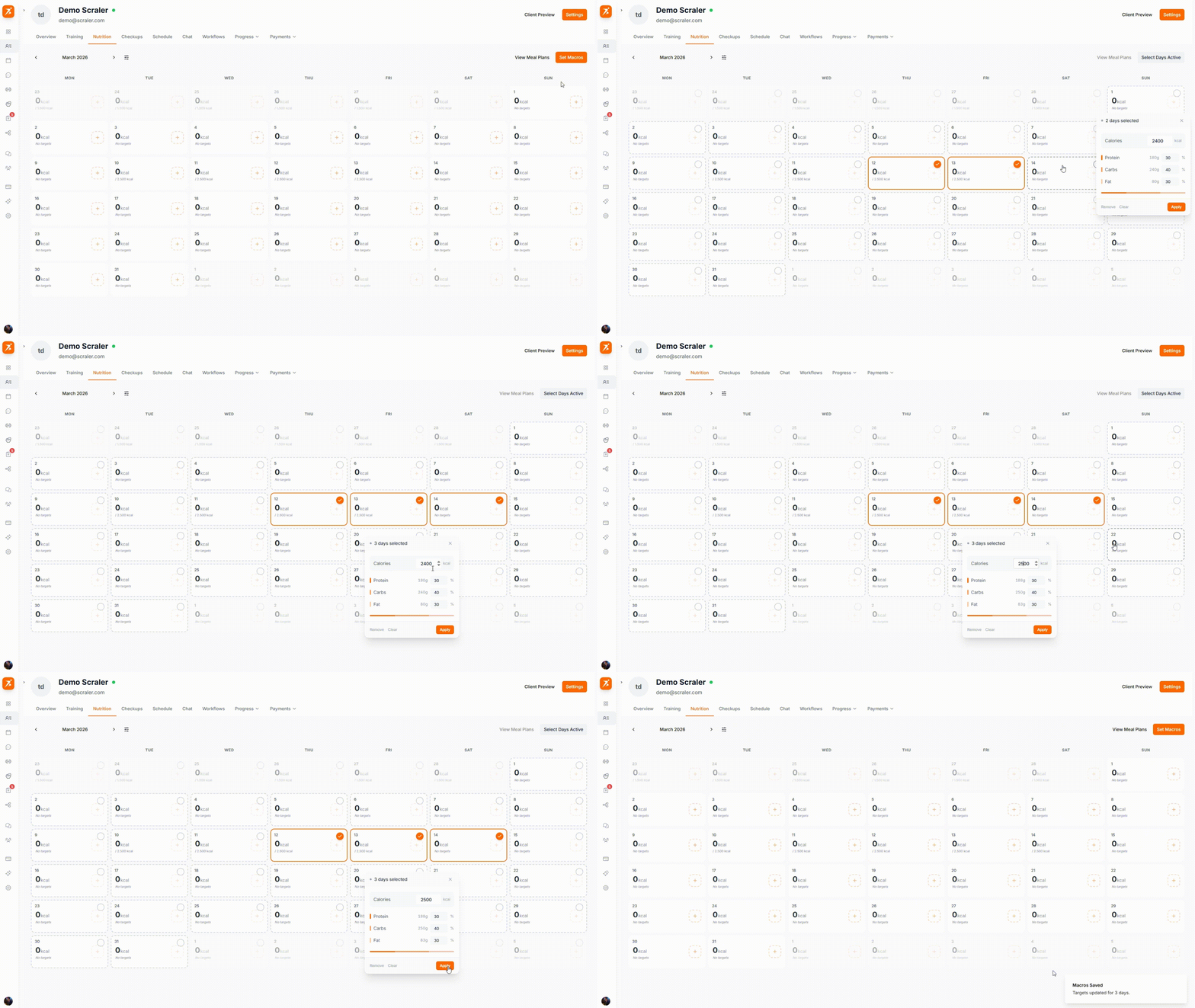
Click days to select them, then set calories and macros for all selected days at once
Get your clients on the right nutrition plan
Assign meal plans, set macros, and track progress — all from one calendar.
Get Started Free