Assign daily habits to your clients and track how consistently they keep them. Build from a ready-made library or create your own, then set the schedule when you assign a habit to a client.
Open Habits from the sidebar to see your library. It is split into "My habits", the ones you created, and the base library organized by category: Hydration, Nutrition, Sleep & Recovery, Movement, Mindfulness, Lifestyle, and Other. Click "New habit" to add one, or search to find an existing one.
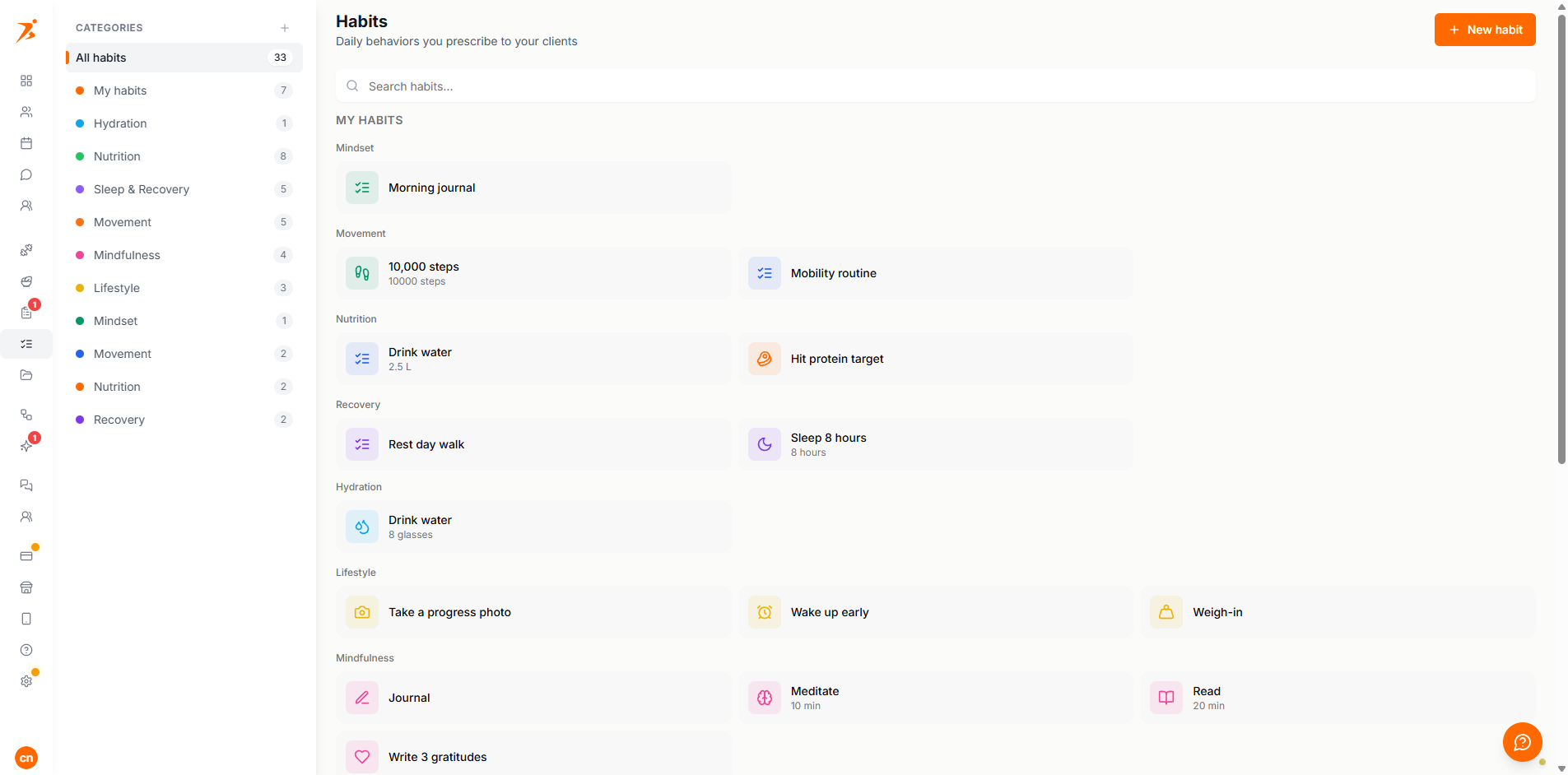
Habit coaching needs a Plus plan or above, plus the client's own "Habits" toggle in their profile, under Settings, Features, Training. It is on by default for every client, but you can turn it off per client if you do not want them to see the Habits tab.
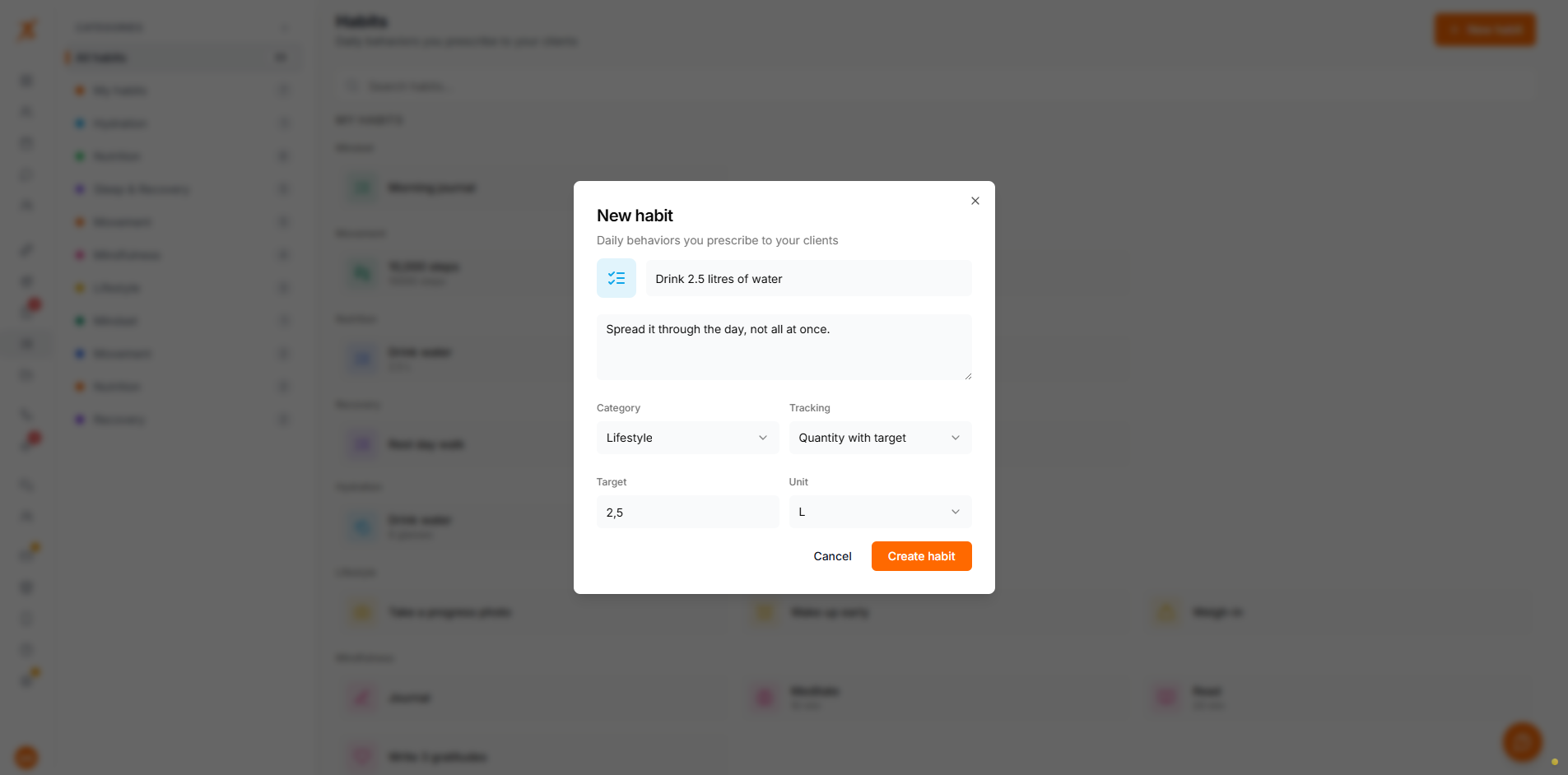
A habit needs a name, an icon and colour, and a tracking type. You can also add a description the client sees, and put it in a category. To start from a base habit instead of a blank one, click the copy icon on any library habit. It opens the form pre-filled so you can adjust it into your own.
Done / not done
The client marks the day complete or not. Good for habits like "No alcohol" or "Sleep 8 hours".
Quantity with target
The client logs a number against a target and unit you set, like 8 glasses of water or 10,000 steps.
Add your own categories from the sidebar, or drag a habit onto one to move it. Deleting a category does not delete its habits. They become uncategorized instead.
Habits are assigned from a client's profile, on their Habits tab. Drag a habit onto a day on the calendar, or click it to assign it to today. Set how often it repeats: every day, specific weekdays, every few days, or a number of times per week. You can also drop it on a single day for a one-off. Edit the schedule or end the assignment at any time.
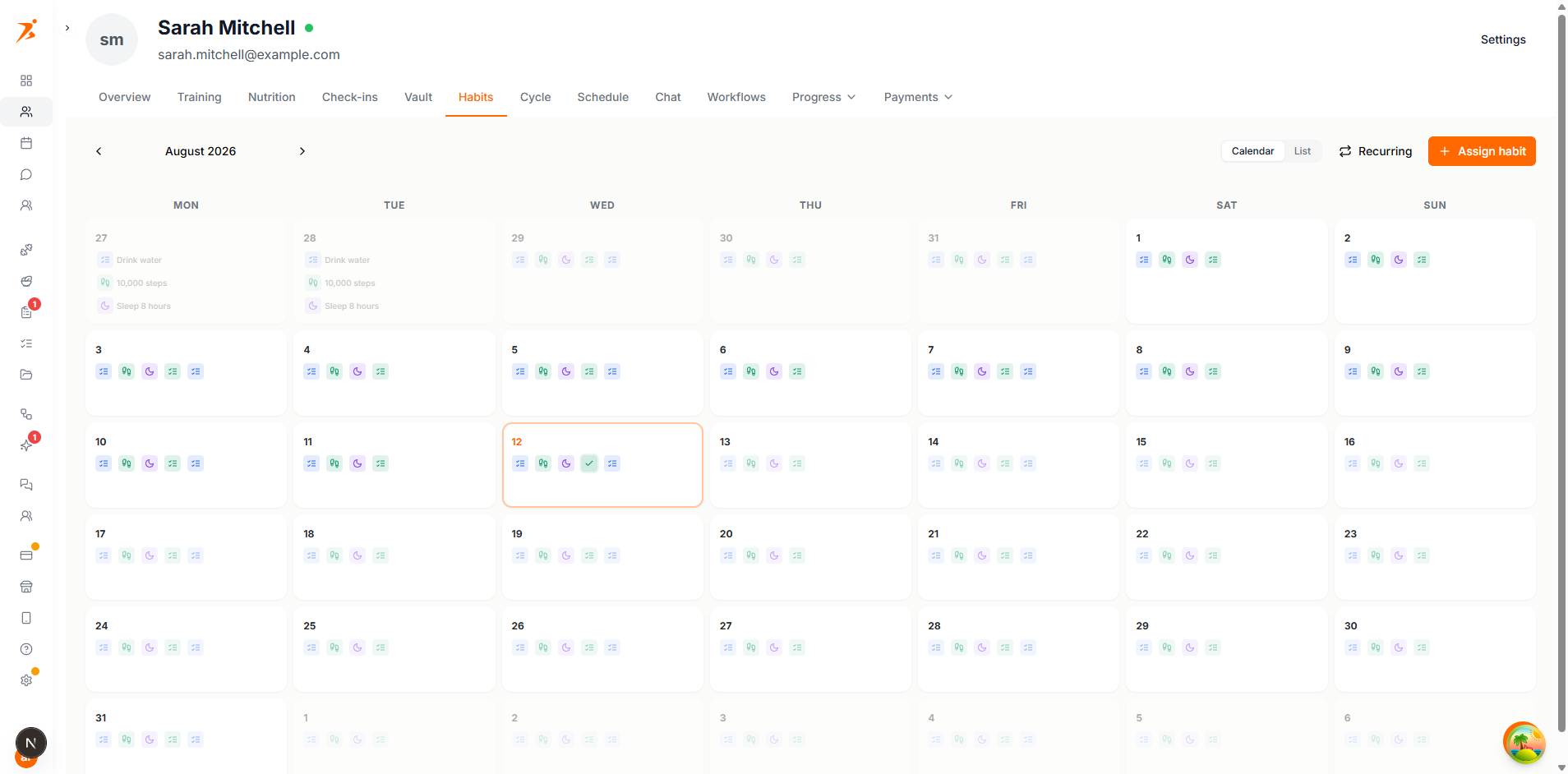
Ending an assignment removes a habit from one client only. Their logged history is kept. Deleting the habit definition itself, from the library, ends it for every client it is assigned to, and their logged history is kept too.
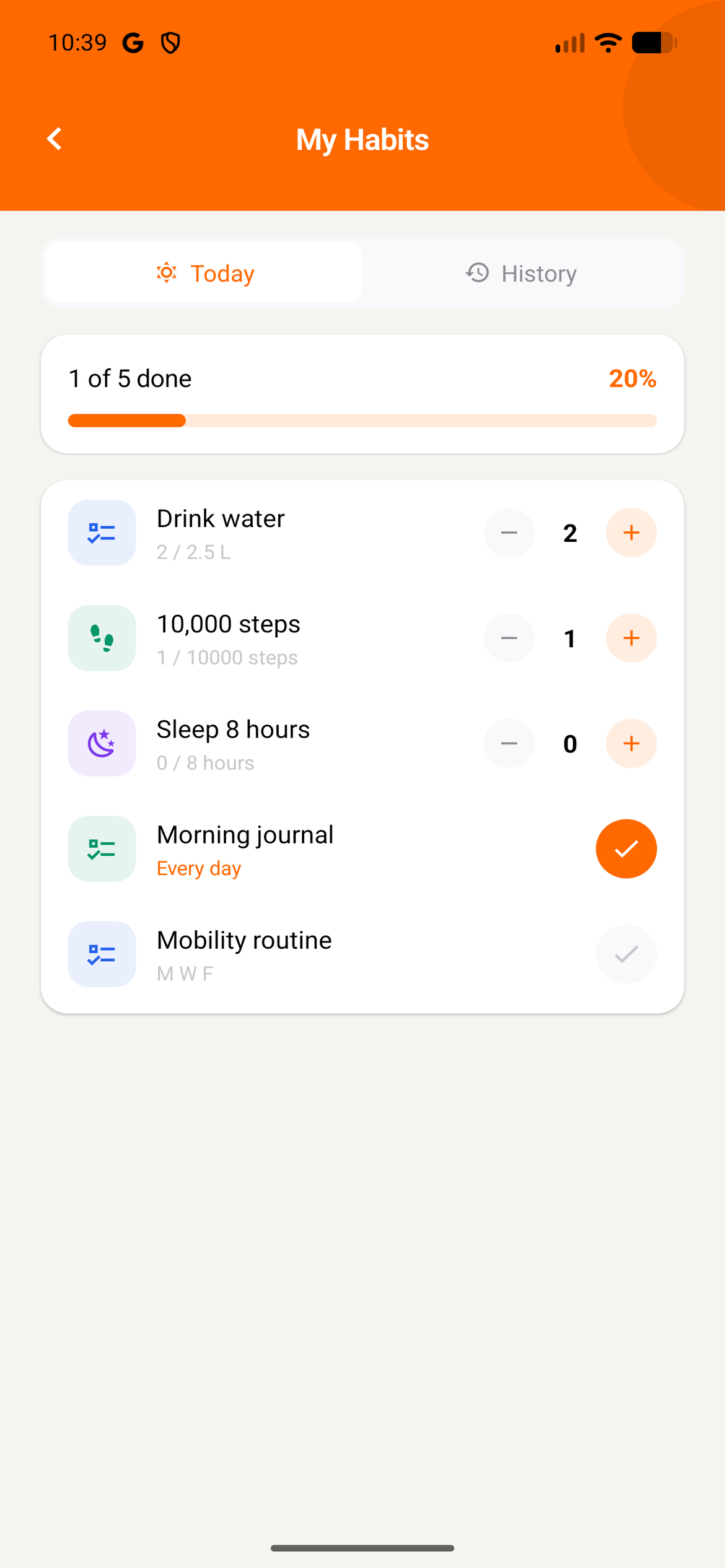
Clients track their habits from My Habits, with a Today view for logging and a History view showing streak, best streak, and completion percentage for each habit.
Build routines that stick
Assign the habits that matter and let your clients build streaks.
Start Free Trial