Your page is built from sections — modular blocks you stack in any order. Mix story-telling sections with sellable ones to guide visitors from interest to checkout.
Build your page by adding sections from the Elements tab and arranging them in the order that tells your story best.
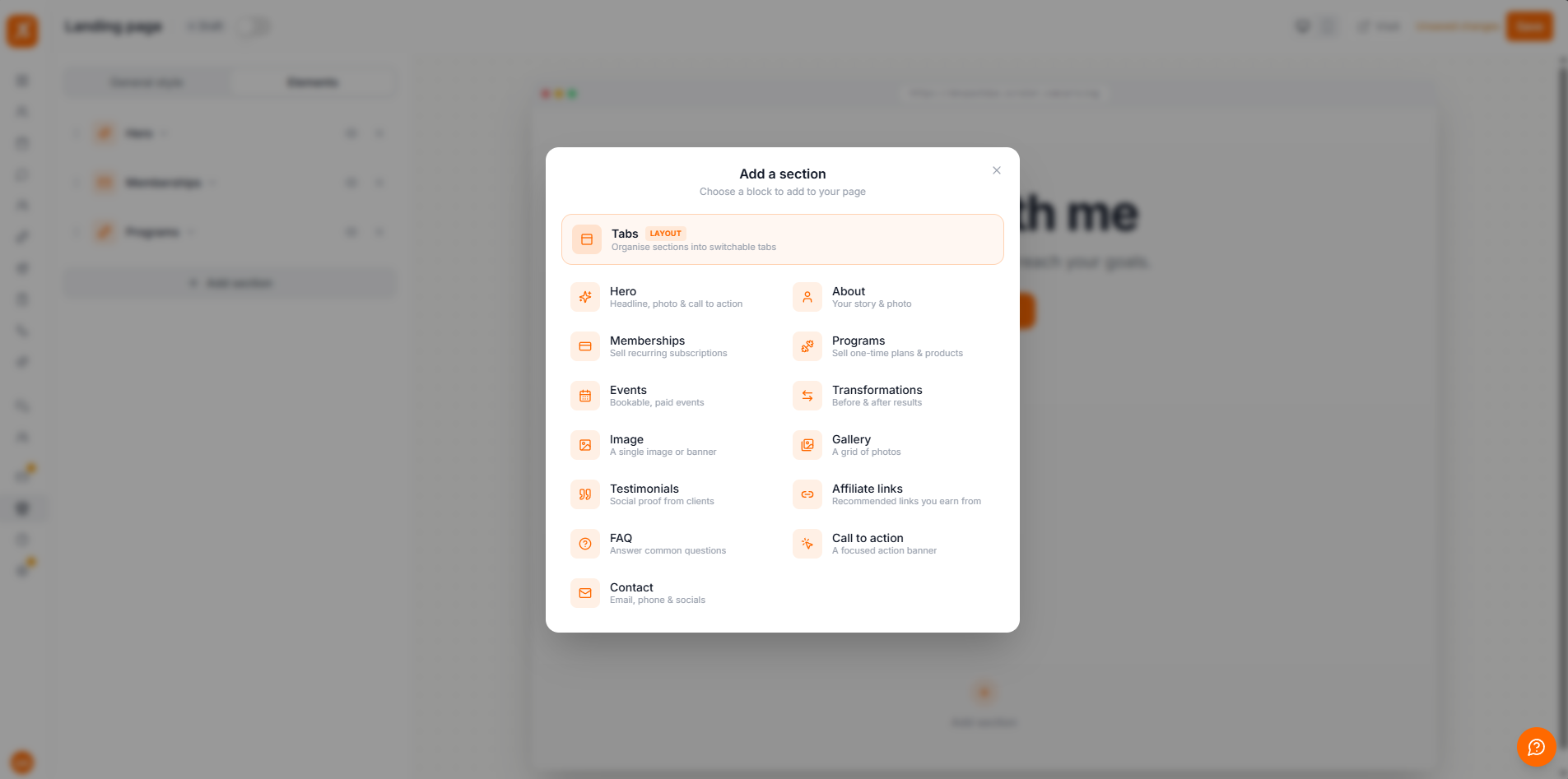
Content sections tell your story and build trust. Use them to introduce yourself, show your results, and answer questions before visitors even ask.
The headline, photo, and main call-to-action at the very top of your page.
Your story and a photo — who you are and who you help.
Client quotes with names, roles, photos, and star ratings for social proof.
Before-and-after results with the outcome, like "−8 kg in 12 weeks".
Single banner images or a grid of photos with captions.
Recommend products you love with links you can earn from. Unlike the sections above, affiliate links are plain outbound links — they don't run through Scraler checkout.
Answer common questions to remove doubts before sign-up.
Your email, phone, and social links so visitors can reach you.
A focused banner with a headline and button to drive the next step.
Sellable sections connect directly to what you offer in Scraler. Visitors can buy right from your page, and checkout is handled for you.
Show your recurring subscription plans so visitors can subscribe in a couple of taps.
Sell one-time products and programs from your product catalog.
List bookable, paid events that visitors can reserve and pay for.
Let visitors book and pay for a session with you directly from your page.
Sellable sections always show your live prices and details — update them once in your account and your page stays in sync.
The Tab Switcher block lets you split your page into tabs — for example "Coaching" and "Cookbooks". Assign sections to a tab and they only appear when that tab is selected, keeping a busy page tidy. Choose a tab style and alignment to match your design.
