Weight trends, body measurements, training gains, and nutrition — all updated automatically from check-ins, workouts, and food tracking.
Weight, body fat, and BMI charts over time
Per-exercise 1RM and volume trends
Saved branded reports you can revisit and send via chat
Key metrics at the top, followed by trend charts:
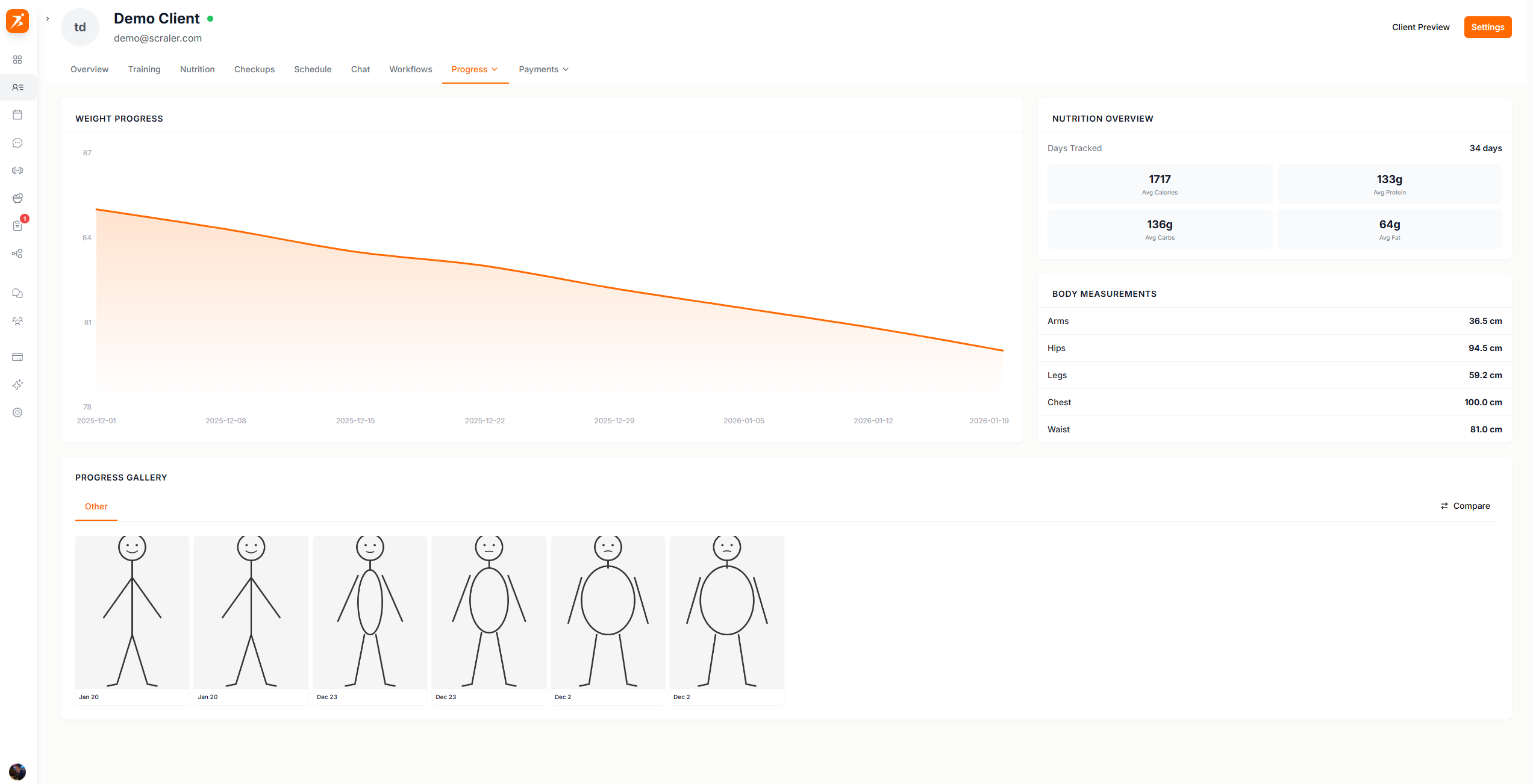
Click Customize in the top right of General Progress to search and toggle every metric card on or off — custom metrics, nutrition, health & activity, body measurements, and more.
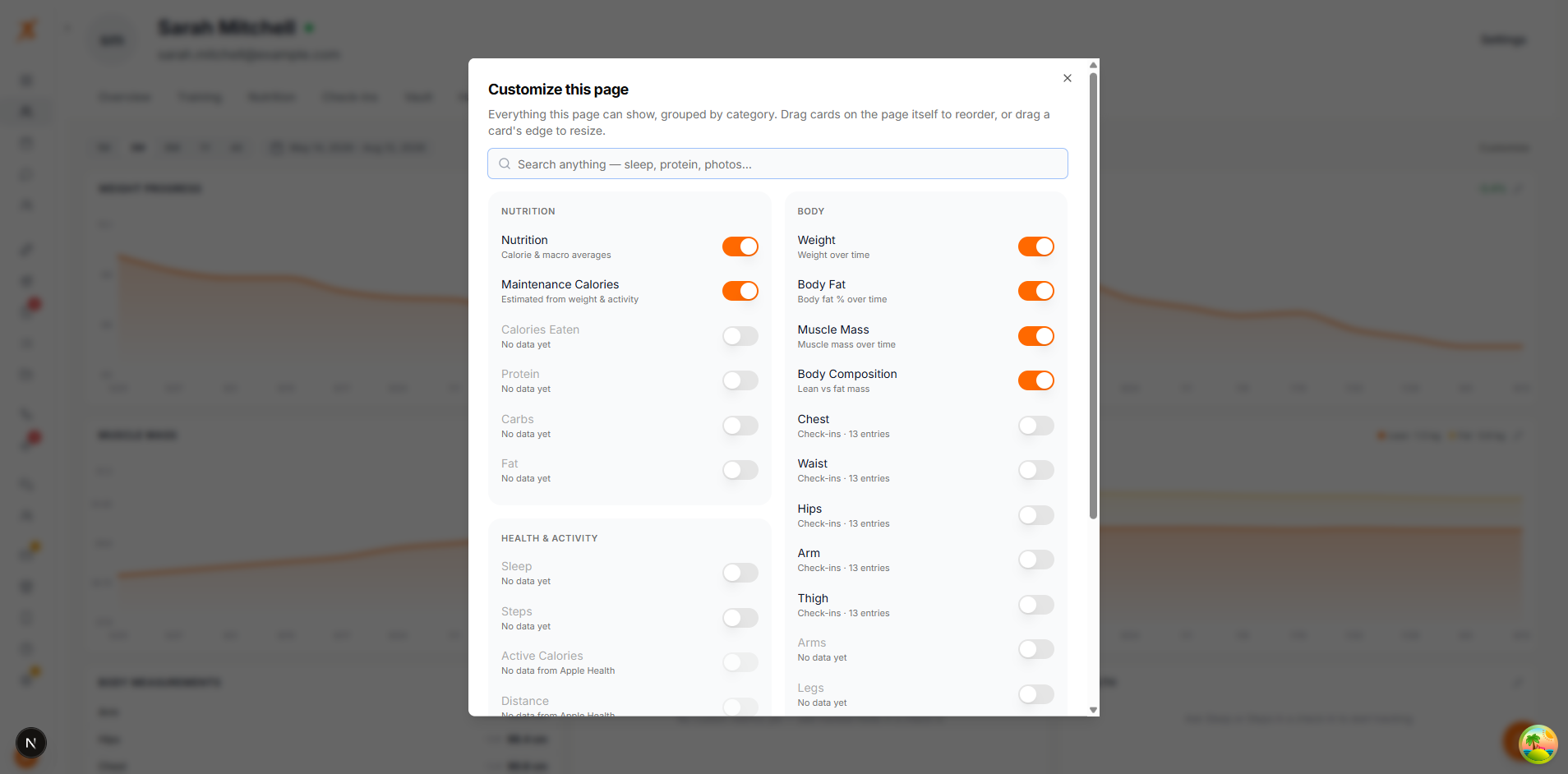
If a client has connected Apple Health or Android health sync but their data hasn't come through yet, it shows as "awaiting sync" inside Customize instead of an empty card on the page. Once synced, metrics like active calories, distance, exercise minutes, heart rate variability, resting heart rate, and VO2 max each get their own card.
Progress data is aggregated automatically from:
Check-ins
Weight, body fat, measurements, and photos
Workout Sessions
Sets, reps, and loads from completed workouts
Food Tracking
Nutrition data from logged meals
Client Settings
Target weight and height for goal calculations
Lists every tracked exercise with best lifts and sparkline progression charts:
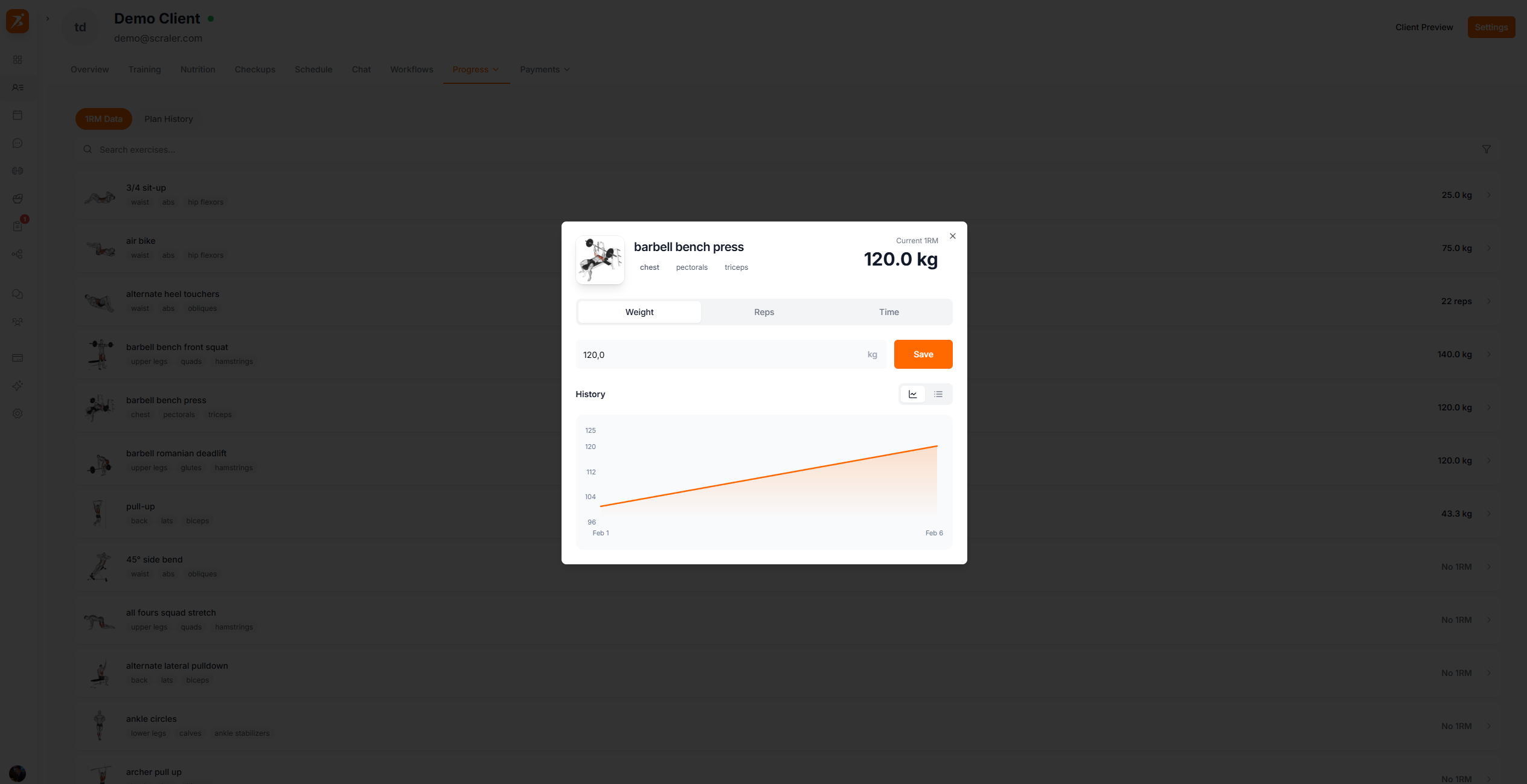
The weight you see next to each exercise is their 1RM (one-rep max) — the heaviest they've lifted for that movement. This gets calculated automatically from their logged workout sessions.
Create branded progress reports for your clients. Each report is saved automatically so you can revisit, resend, or compare over time. When ready, send it via chat as a Stories-style slideshow.
The Progress Summary tab opens to your report list. Each saved report shows the date range, how many days it covers, and when it was created. Reports that have already been sent to the client are marked with a "Sent" badge.
New Report
Click to configure a fresh report
Saved Reports
Click any report to view or resend it
Delete Report
Hover a report row to reveal the delete icon
Set the timeframe and choose which components to include. Each component can be toggled on or off independently.
Manual Dates
Pick any start and end date with the date range picker
Assigned Plan
Automatically use the date range from a training plan or meal plan assigned to the client
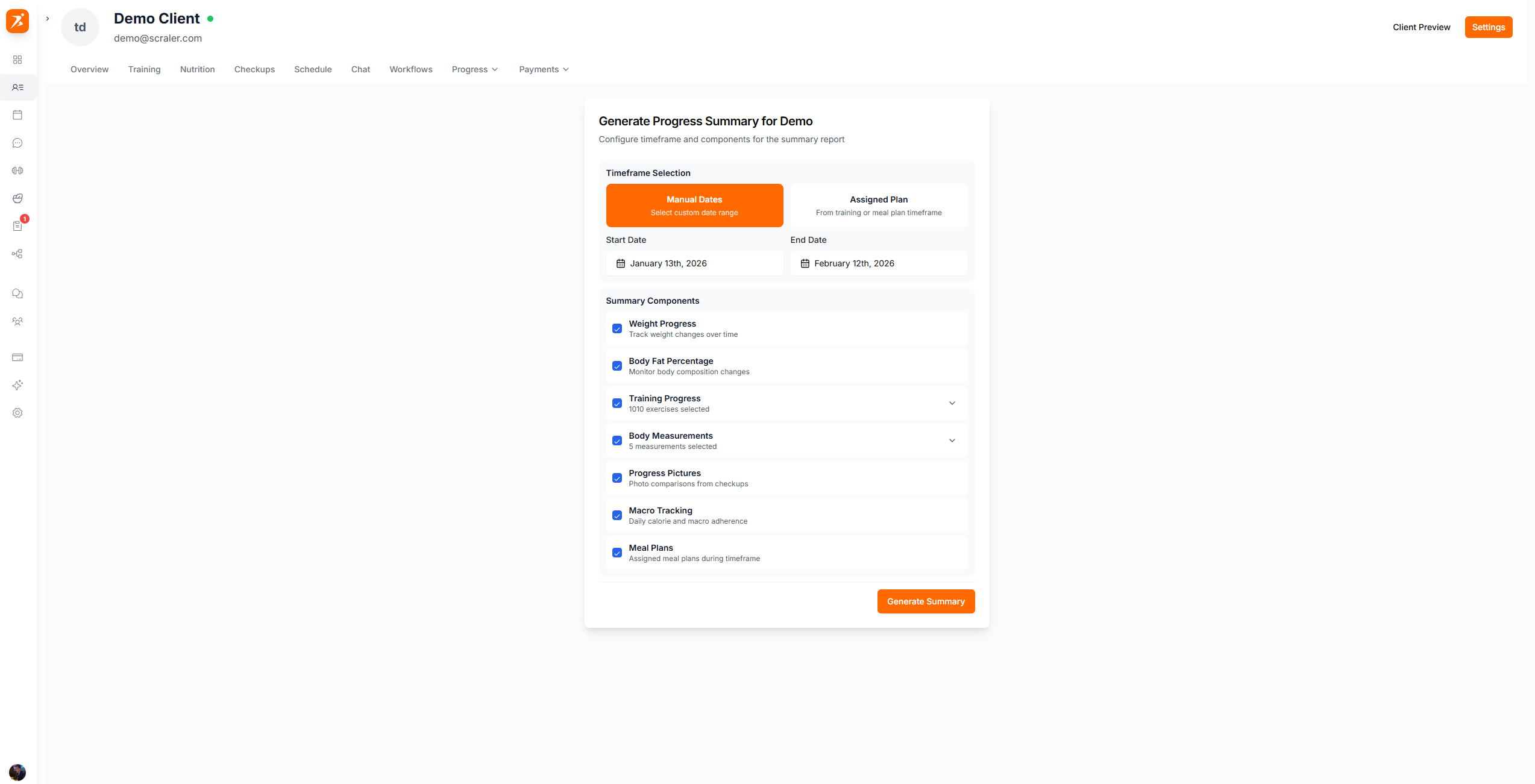
Summary Components
Weight Progress
Body weight changes over the selected period
Body Fat Percentage
Body composition changes over time
Training Progress
Select specific exercises from a dropdown to include their strength data
Body Measurements
Select specific measurements from a dropdown (waist, chest, arms, etc.)
Progress Pictures
Before/after comparison photos from check-in submissions
Macro Tracking
Daily calorie and macro adherence vs targets
Meal Plans
Meal plans assigned to the client during the timeframe
After clicking Generate Summary, your report is built and saved automatically. It shows a dashboard with all the metrics you selected — stat cards, charts, measurement deltas, and more.
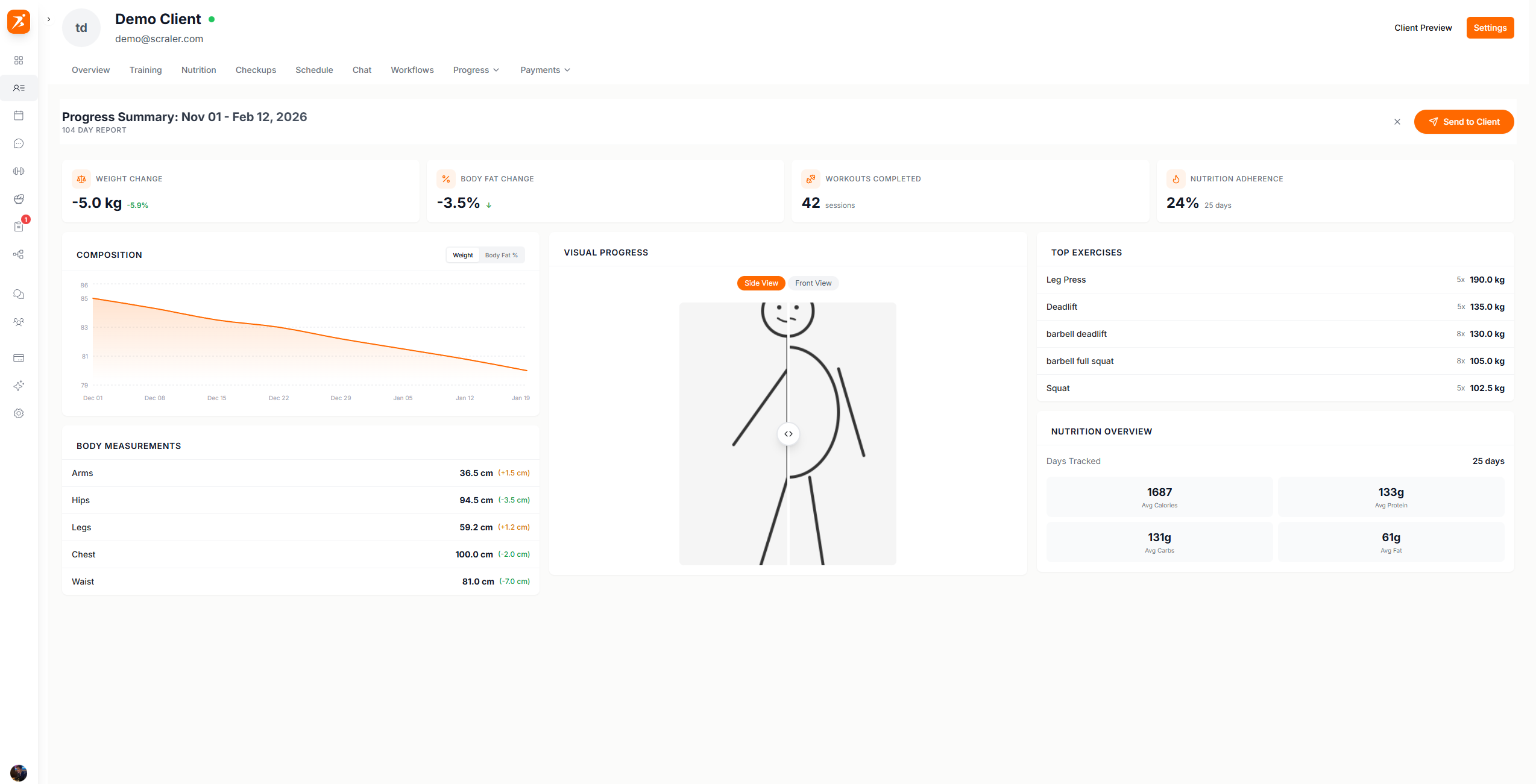
Click "Send to Client" to deliver the report as a chat message. The client receives a progress report card they can tap to open the full slideshow.
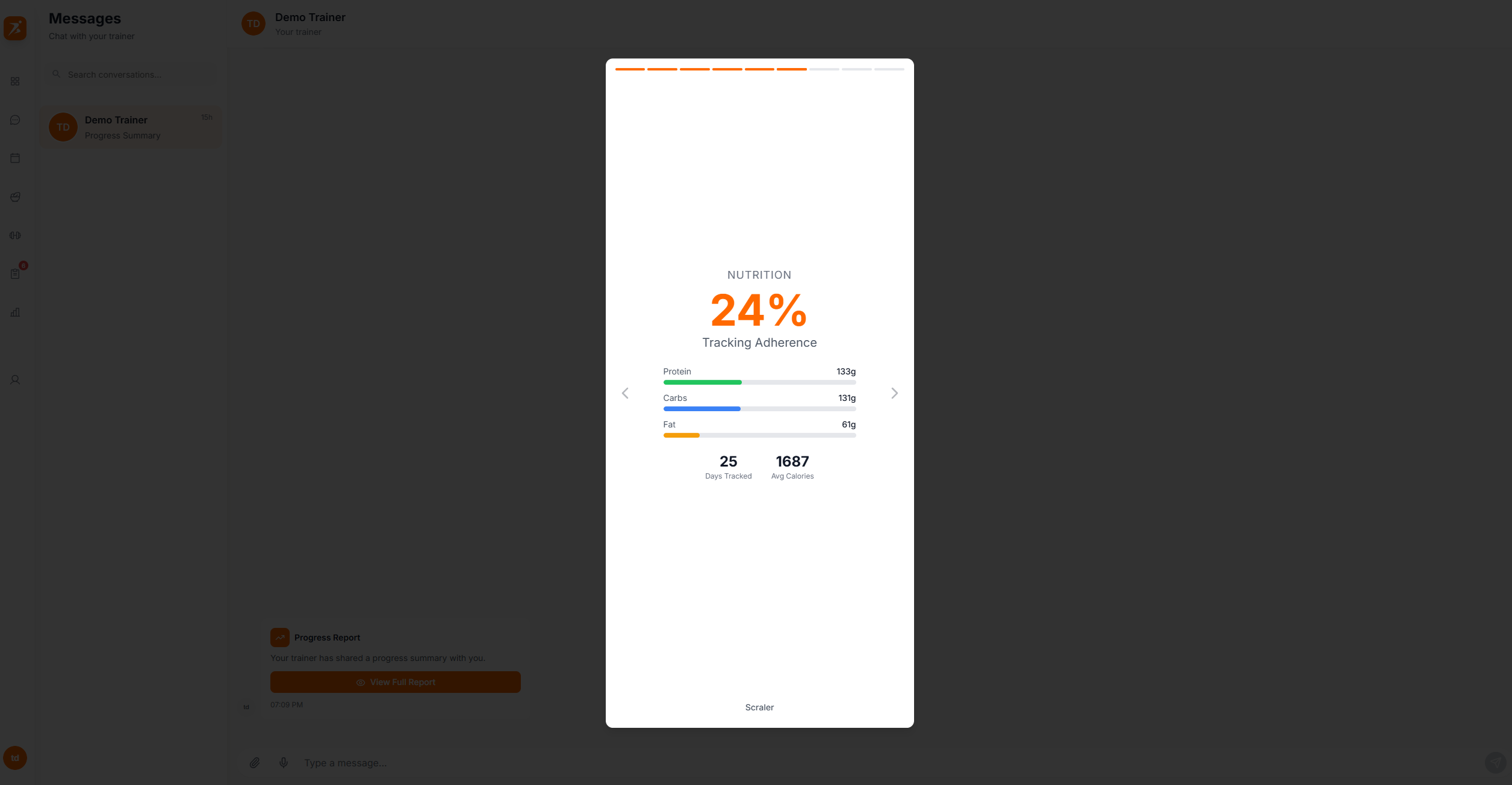
Clients see a full-screen Stories-style slideshow of their progress:
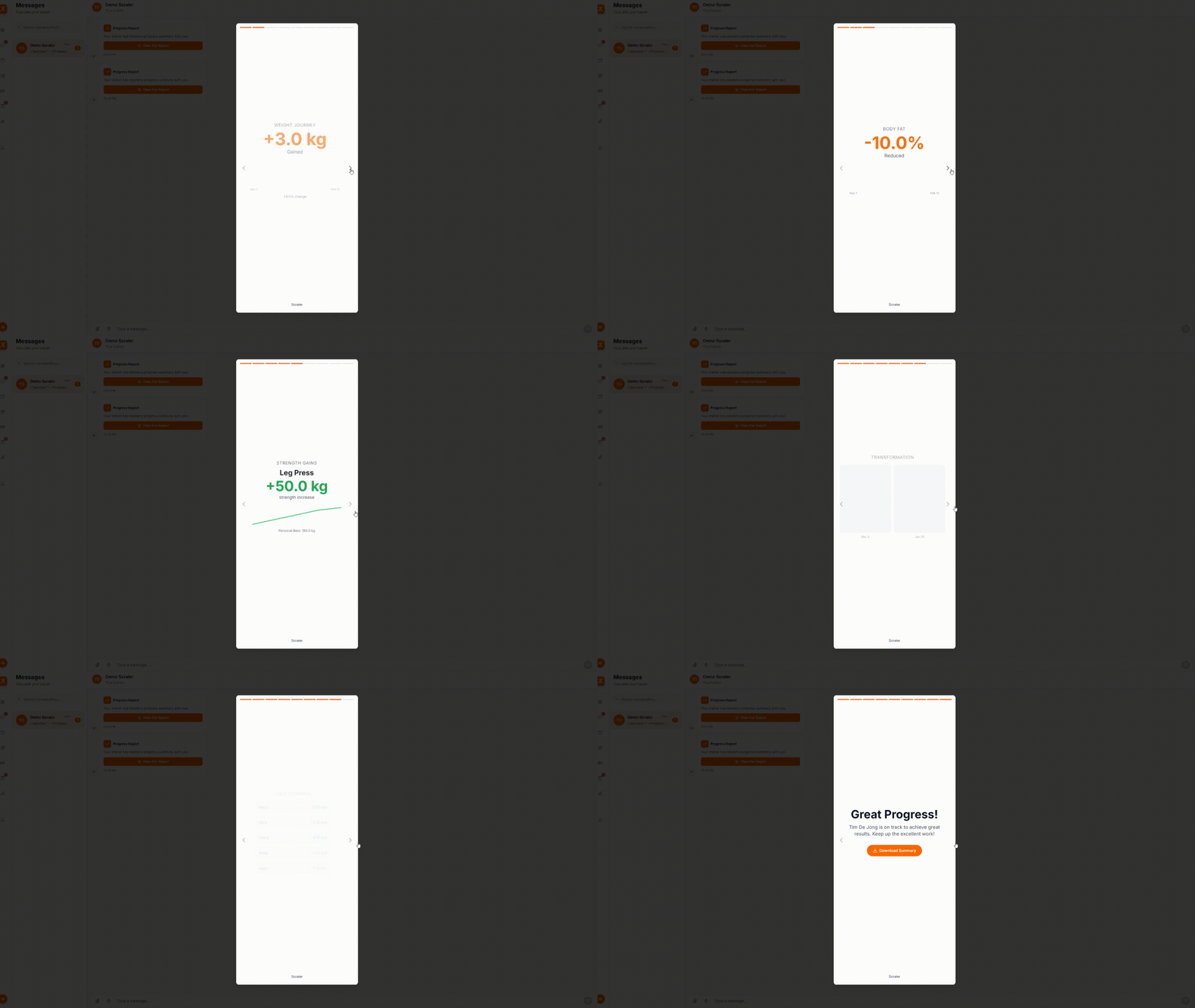
Slide Types
Slides are generated based on the components you selected:
Intro
Client name, date range, and "Tap to continue" prompt
Weight
Total weight change with sparkline chart
Body Fat
Body fat percentage change with chart
Workouts
Total workouts completed and exercises tracked
Strength
Top exercise improvements with charts
Nutrition
Tracking adherence and macro breakdown
Meal Plans
Assigned meal plans with calorie and macro targets
Photos
Side-by-side before/after comparison slider
Measurements
Body measurement changes with deltas
Outro
Congratulations message with download button
Show your clients how far they've come
Charts, 1RM tracking, and Instagram-style progress summaries.
Get Started Free