Every session, recurring session and bookable service can carry a location. That is what gives each club its own view of the calendar, and what keeps a coach at one club out of another club's schedule.
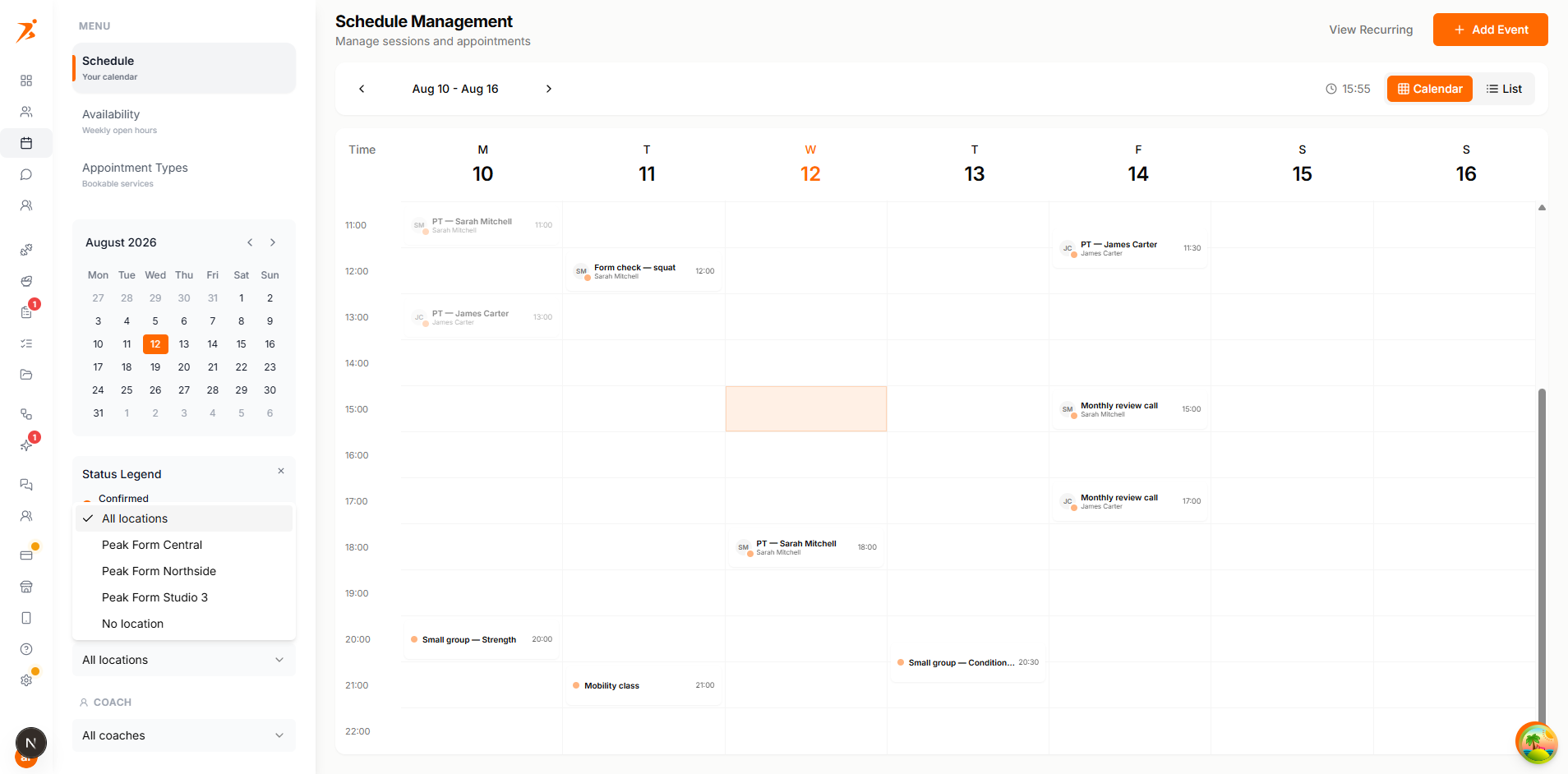
The Schedule sidebar gets a Location dropdown once your studio has more than one active location. It filters on the server, so what you see is what that club actually has booked.
The list offers "All locations", every active location by name, and "No location" for sessions you never tagged. Whatever you pick also becomes the default location for the next session you create from that page.
The new appointment form has a "Location" field whenever your studio has locations. It fills itself in before you touch it:
Recurring sessions carry a location the same way. Changing the location on a recurring session applies to its future sessions. Sessions that already happened keep the location they were held at.
A group session is one session with several clients on it. Add the extra clients while you create it, or afterwards with "Add Clients to Session". The session has one location, so every client on it is booked at that club.
Make it repeat and you get a standing class at that club: a weekly group session that shows on that location's calendar and nowhere else. Clients added to the series join every session in it.
Clients never see who else is on a group session. They see their own booking, not the other names.
Filter the calendar to one club before you build a class there. The location is then already filled in on every session you create, so a full week of classes lands at the right club without extra clicks.
A coach assigned to one or more locations only sees the sessions at those locations. Sessions with no location are not visible to them at all.
Narrowed to their locations on the server. They get no location dropdown of their own, because there would be nothing left for it to filter.
A coach tied to one location has it applied automatically to the sessions and clients they create. A coach tied to several has to pick one of their own before it can be saved.
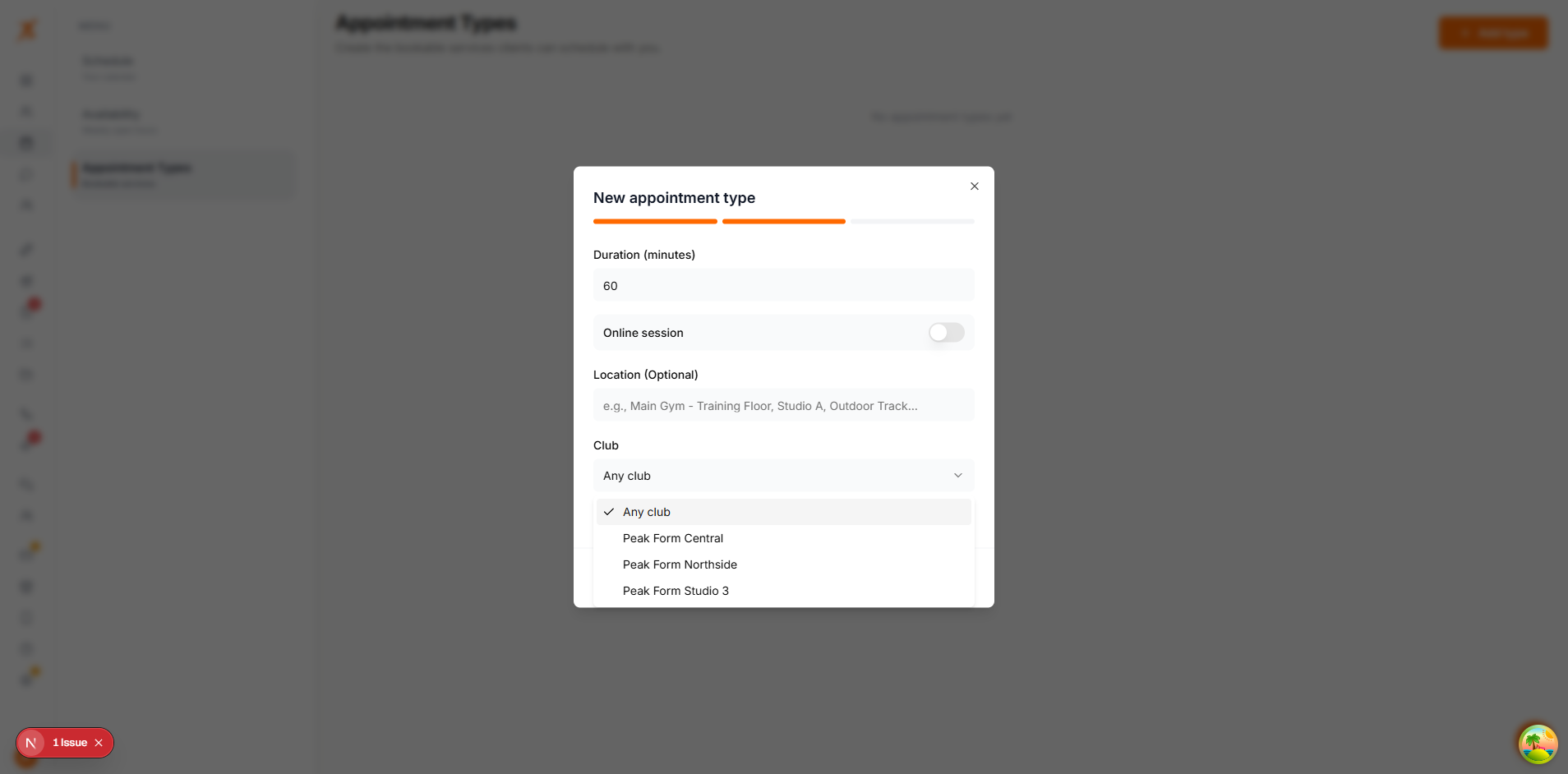
Appointment types are the services clients can book themselves. Each one can be pinned to a club, which is how a club ends up with its own bookable timetable.
Clients see the club name on the service while they are booking. They do not pick a location themselves. They pick a service, and the service decides where it happens.
The weekly hours under Availability belong to your studio, not to a location. There is one set of general hours, and no location selector on that screen.
To give a club its own hours, put the service at that club and turn on "Only bookable at specific times". Those times replace your general weekly hours for that service, which is how a per-club timetable is built.
