Add clients individually via "Add New Client", or bulk import from an Excel file.
A 4-step form collects client details. Only name and email are required.
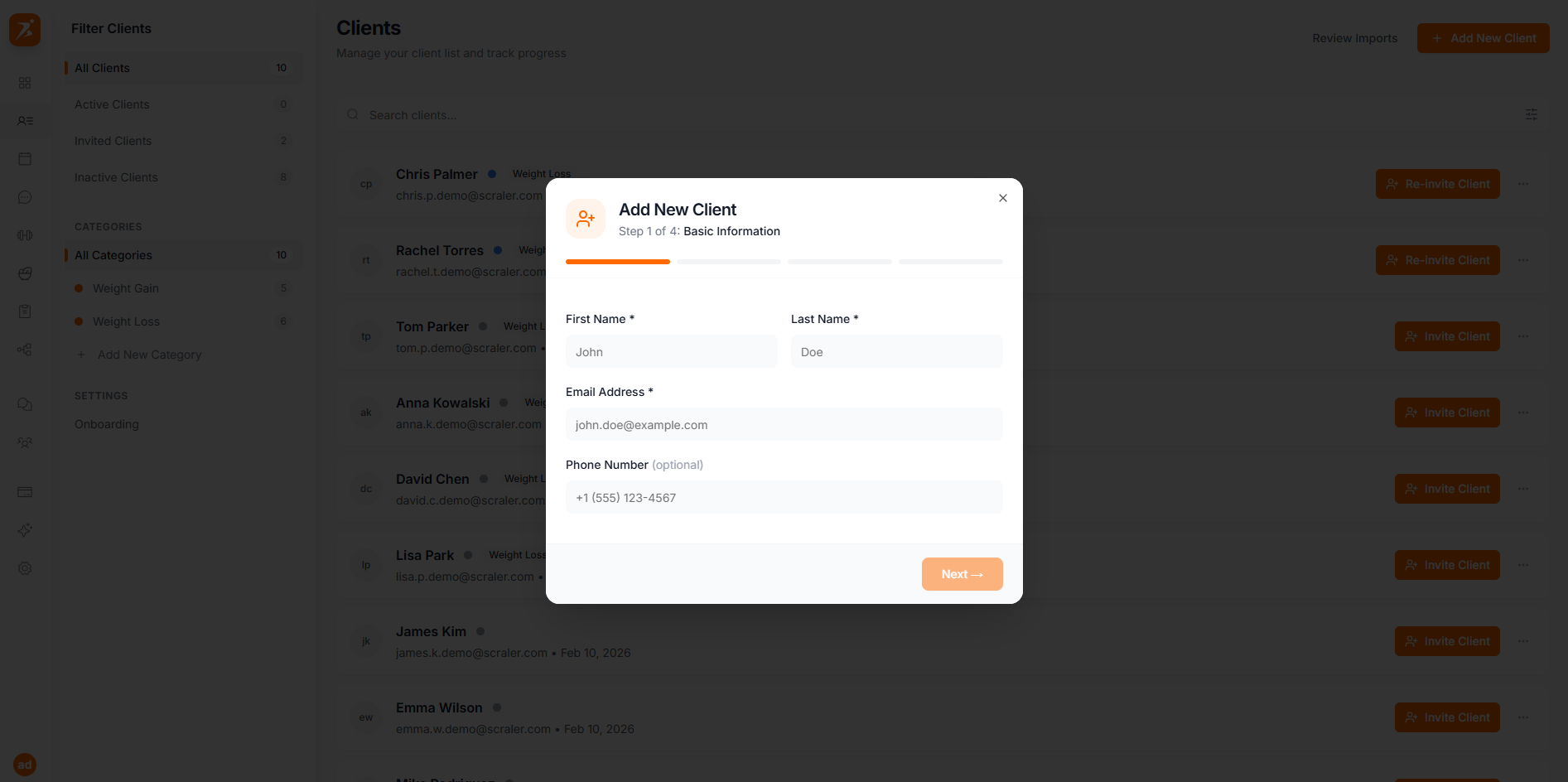
The form has 4 steps:
Basic Information*
First name, last name, email, phone
Physical Information
Date of birth, gender, height, weight
Fitness & Health
Fitness goals, activity level
Review
Confirm all details before creating
Only name and email are required. Everything else can be added later.
When you use "Add New Client", Scraler automatically emails your client an invitation the moment their profile is created — there's no extra step. Their status shows as Invited right away. If the email doesn't go through, or you want to resend it, use the "Re-invite Client" button on their profile. See Invitations & Status for the full walkthrough.
Add your first client in under a minute
Manual entry or bulk import — whatever works for you.
Get Started Free