The client profile is your command center for each client. Access all their training, nutrition, progress, payments, and communication from one place.
At the top of the overview you'll see summary cards with your client's most important numbers. These update automatically as new data comes in from check-ins and workout sessions.
Latest recorded weight, with the change since their first entry.
Distance to their target weight, if one is set.
Workouts completed versus scheduled over the last 28 days.
How closely they've hit their nutrition targets over the past week.
Habit completion rate over the last 28 days.
When the client last opened the app.
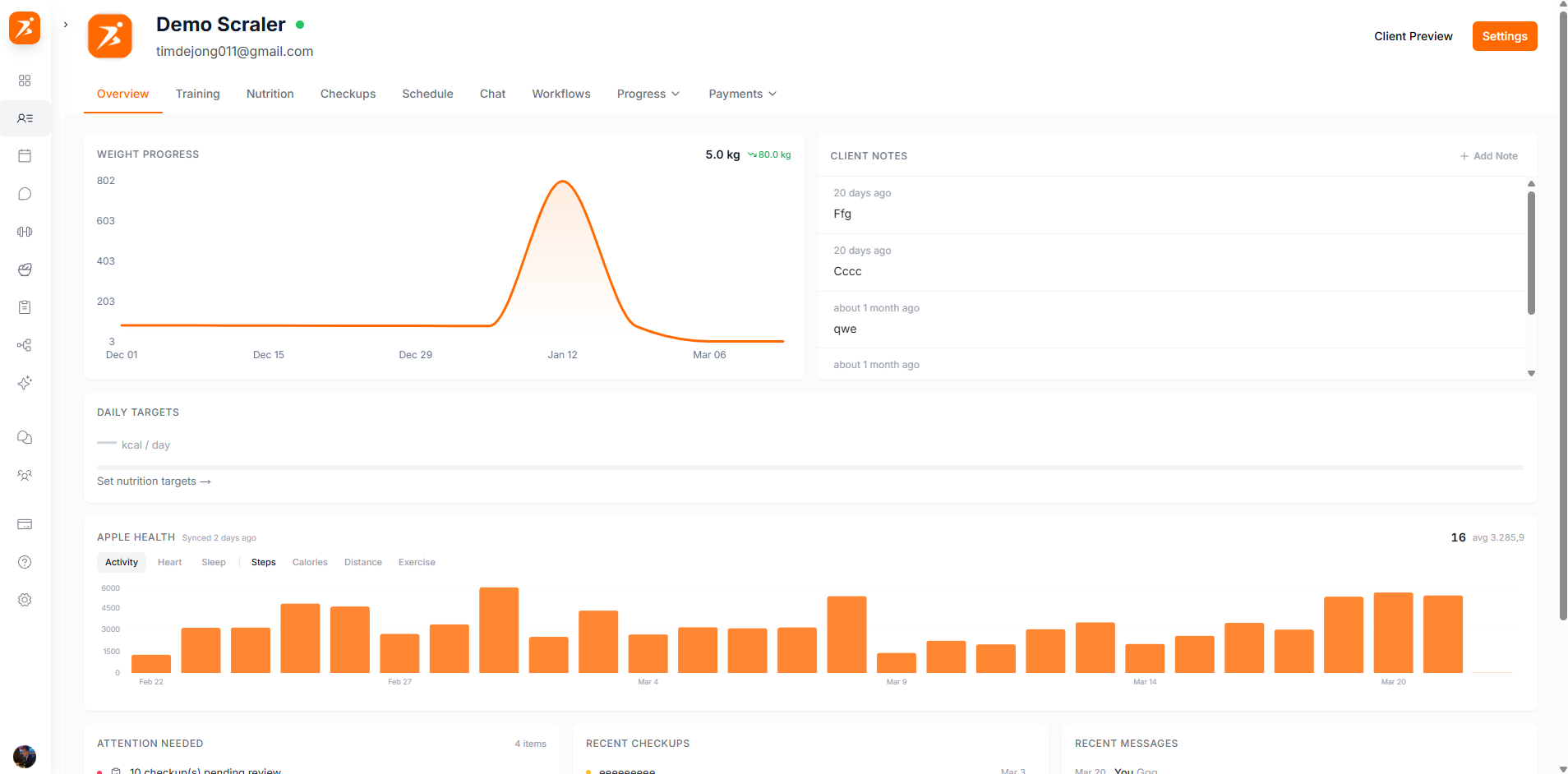
The attention section highlights things that need your action. These are flagged automatically so you never miss something important.
Check-in Awaiting Review
The client submitted a check-in that you haven't reviewed yet.
Check-in Awaiting Response
You sent a check-in request and the client hasn't responded yet.
Missed Workout
A scheduled workout wasn't completed on the planned date.
Unconfirmed Appointment
An upcoming appointment hasn't been confirmed yet.
Plan Expiring Soon
A training or meal plan assigned to this client is expiring soon.
Pending Payment
A payment request was sent but hasn't been paid yet.
Subscription Issue
There's a billing problem with the client's subscription that needs your attention.
Only the flags that currently apply to this client are shown.
Below the attention card, the overview pulls together data from across the client's profile so you don't have to switch tabs.
Nutrition Targets & Compliance
Daily macro targets alongside how closely they've hit them over the past week.
Training Snapshot
Their current plan and recent workout completion at a glance.
Habits Today
Which of today's habits they've checked off so far.
Steps & Sleep
Daily steps and sleep synced from Apple Health or Android, once connected.
Trainer Notes
Your private notes on this client — never visible to them.
Onboarding Answers
Their responses from the onboarding questionnaire.
If they have an active subscription or a recent payment, a summary card for that shows here too.
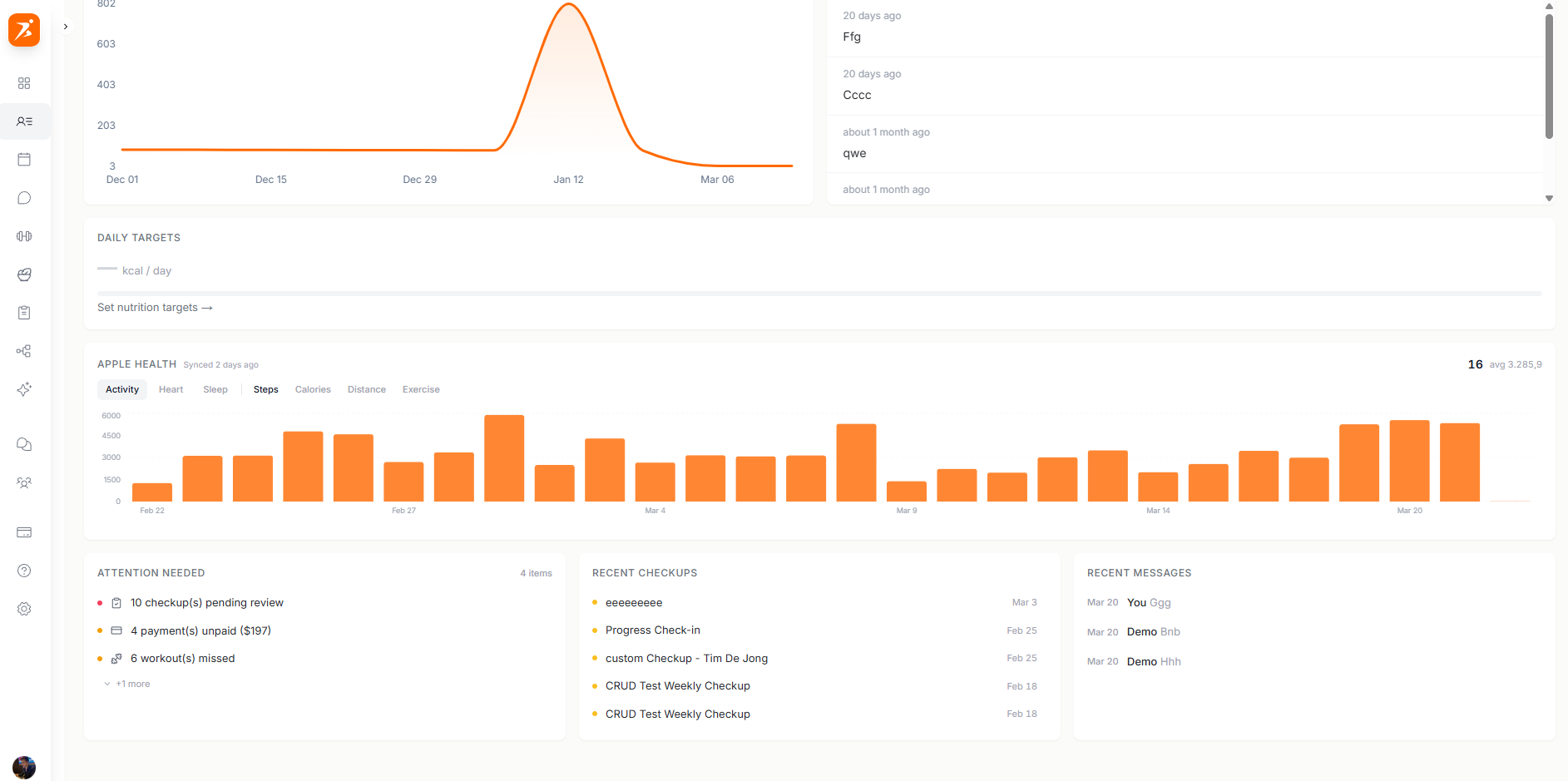
The profile also has a Resources tab (labeled "Vault" in your dashboard) plus Habits and Cycle tabs when those features are enabled on your plan — covering file storage, daily habit tracking, and cycle tracking.
