A studio can run from more than one club. Each location keeps its own coaches, clients and sessions, and you can narrow most of the dashboard down to a single one.
A location is a name and an optional address. Everything else about it comes from what you attach to it: the coaches who work there, the clients who train there, and the sessions that happen there. You manage them in Studio Management under Locations.
Locations are part of the studio feature set, so they are only available on the Ultimate plan. Creating and editing them also needs the studio management permission, which studio owners have by default.
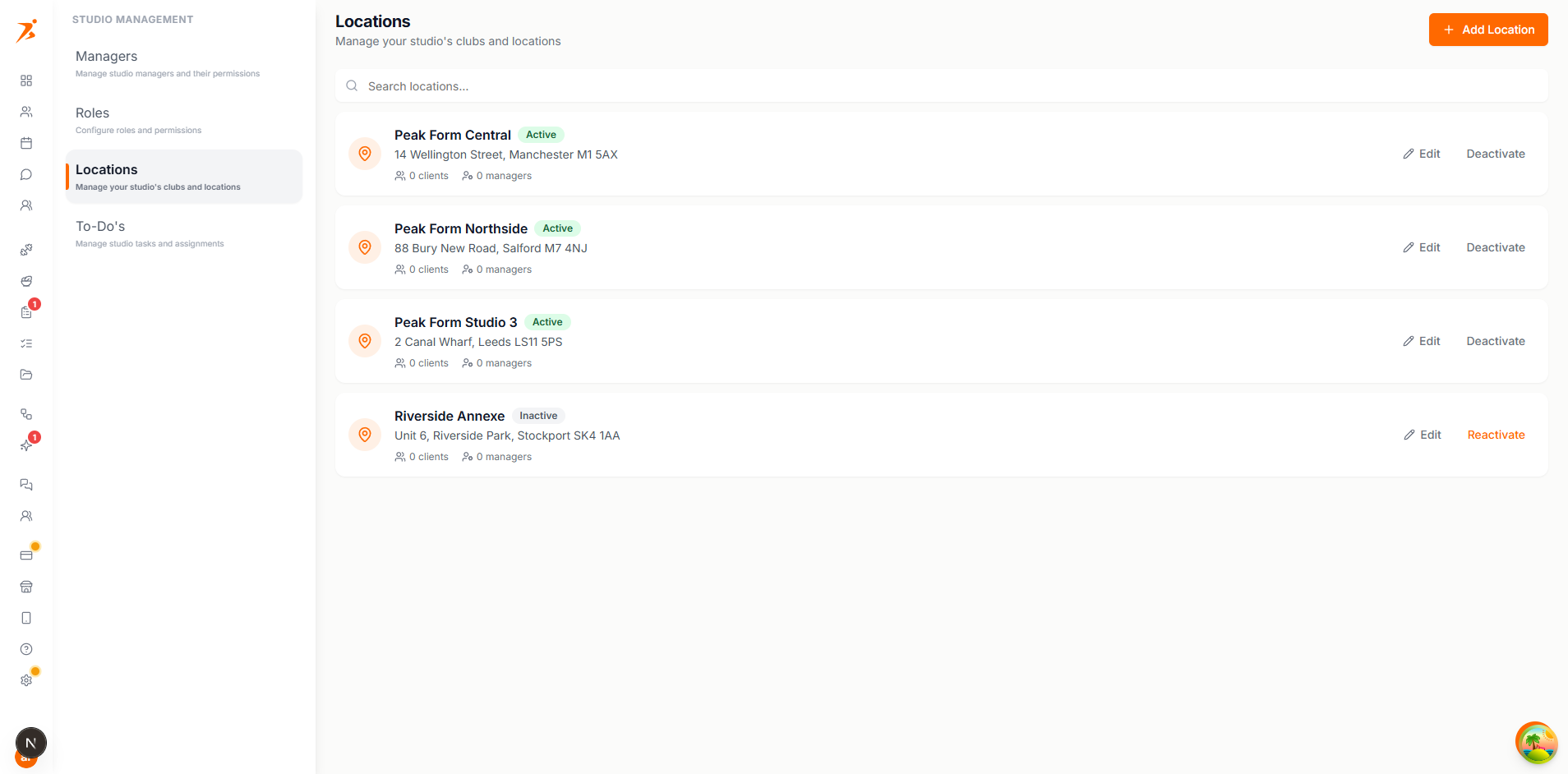
You can add as many locations as your studio needs.
There is no primary location. The filters on the calendar and the clients list only appear once you have more than one active location, so a studio with a single club looks unchanged.
Click a location to open it. It has a Coaches tab and a Clients tab, each listing the people currently assigned there. Use the Add button to assign more, and the cross on a row to remove someone from the location without removing them from your studio.
Assigning a coach here is the same as setting their locations on their own record. It decides which calendar and which clients they can reach.
Moving a client to a location brings their upcoming sessions with them. A client belongs to one location or to none.
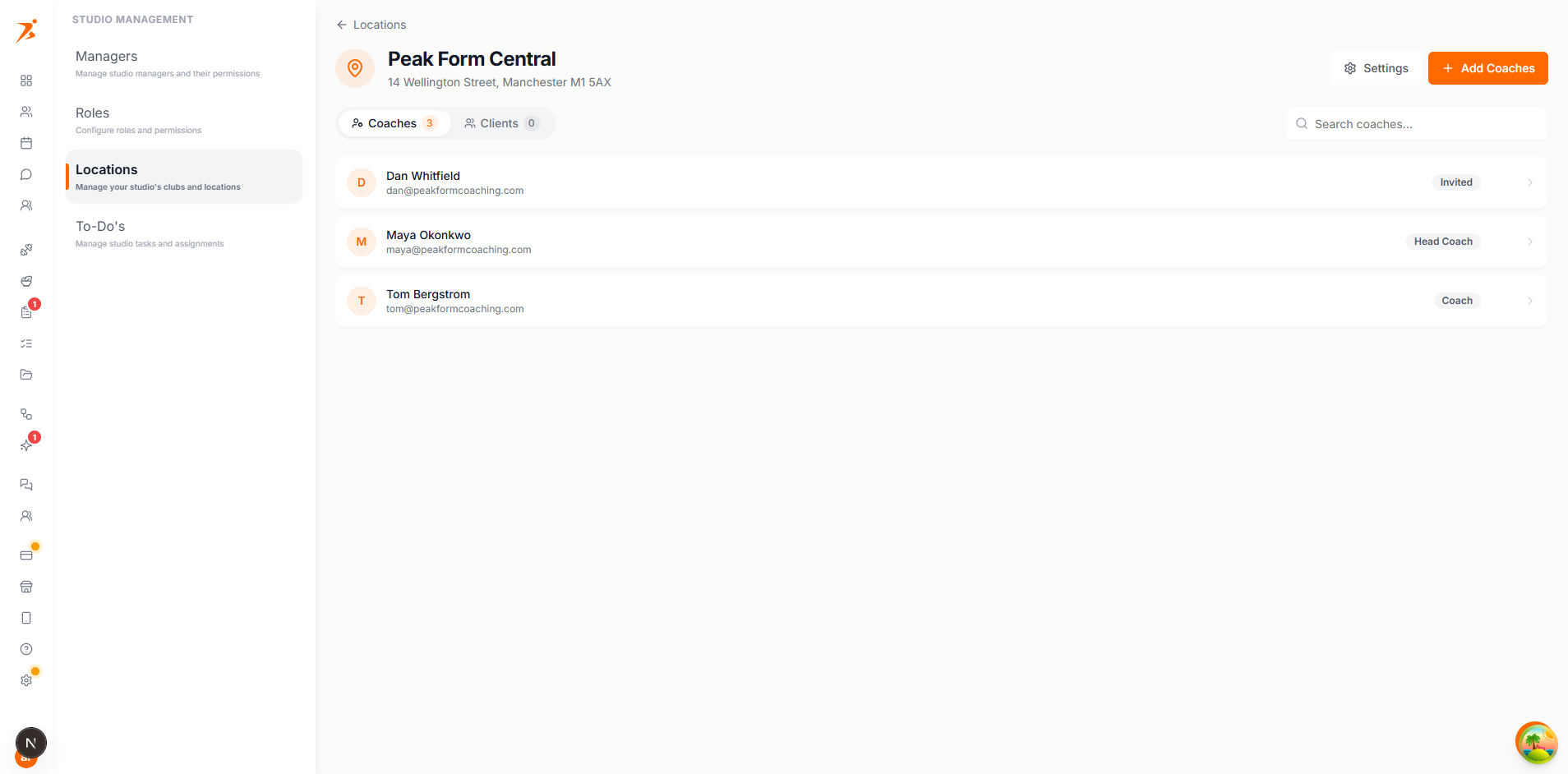
A manager's location assignment is the strongest filter in the studio. Set it from the Coaches tab of a location, or from the manager's own record when you add or edit them.
The manager sees every location. The form says so directly: "No selection — this manager sees every location."
The manager "Only sees clients and sessions from the selected locations." Rows with no location at all are hidden from them rather than shown as unassigned.
The scope is applied on the server on every read, so a manager cannot widen it by changing a filter in the interface.
Set it when you add the client, from the client's record, or from the Clients tab of a location.
On the clients list, a location filter appears once you have more than one active location. It offers "All locations", each location by name, and "No location" for clients you have not placed yet.
A manager tied to a single location has that location applied automatically to every client they add. A manager tied to several has to choose one of their own before the client can be created.
Open a location and use Settings to change its name or address. Both are editable at any time and the change shows everywhere the name appears.
Locations are deactivated, not deleted, so past sessions keep their label. When you deactivate one you choose where its clients and upcoming sessions should go: another active location, or "No location".
The move covers clients, upcoming sessions, active recurring sessions, upcoming events and bookable services. Sessions that already happened stay pointed at the deactivated location.
A deactivated location stays in the list with an Inactive badge. Click "Reactivate" to bring it back. Nothing that was moved away comes back on its own.
Sessions, recurring sessions and bookable services all carry a location, and the calendar can be narrowed to one club at a time. Read how scheduling per location works.
