Assign a workflow template to a client, or schedule one-off actions directly on their calendar.
To schedule an action:
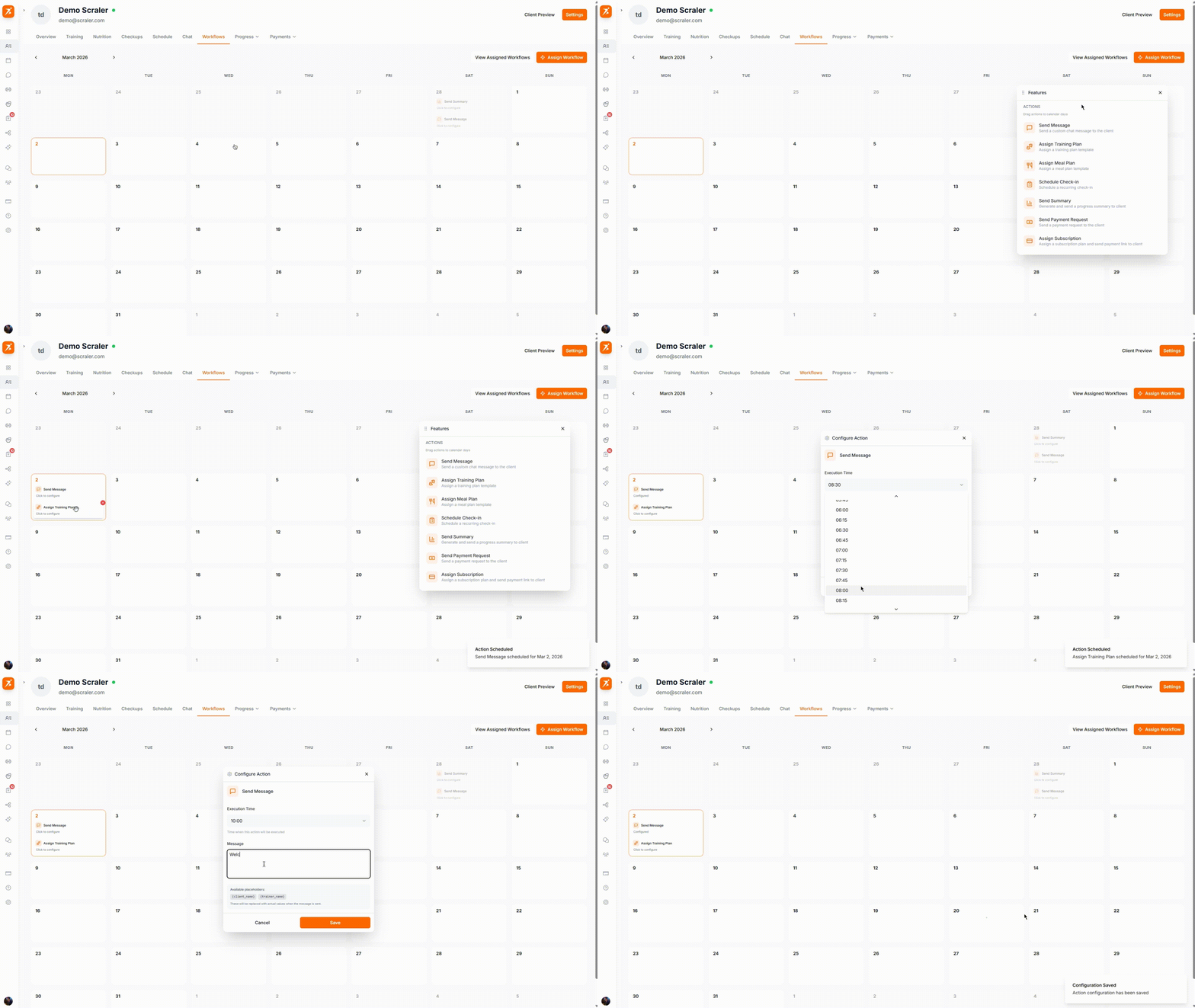
Click a date on the calendar
Drag an action from the panel or select one from the menu
Configure the action (e.g., select which training plan to assign)
The action appears as a card on that day
Drag cards between dates to reschedule.
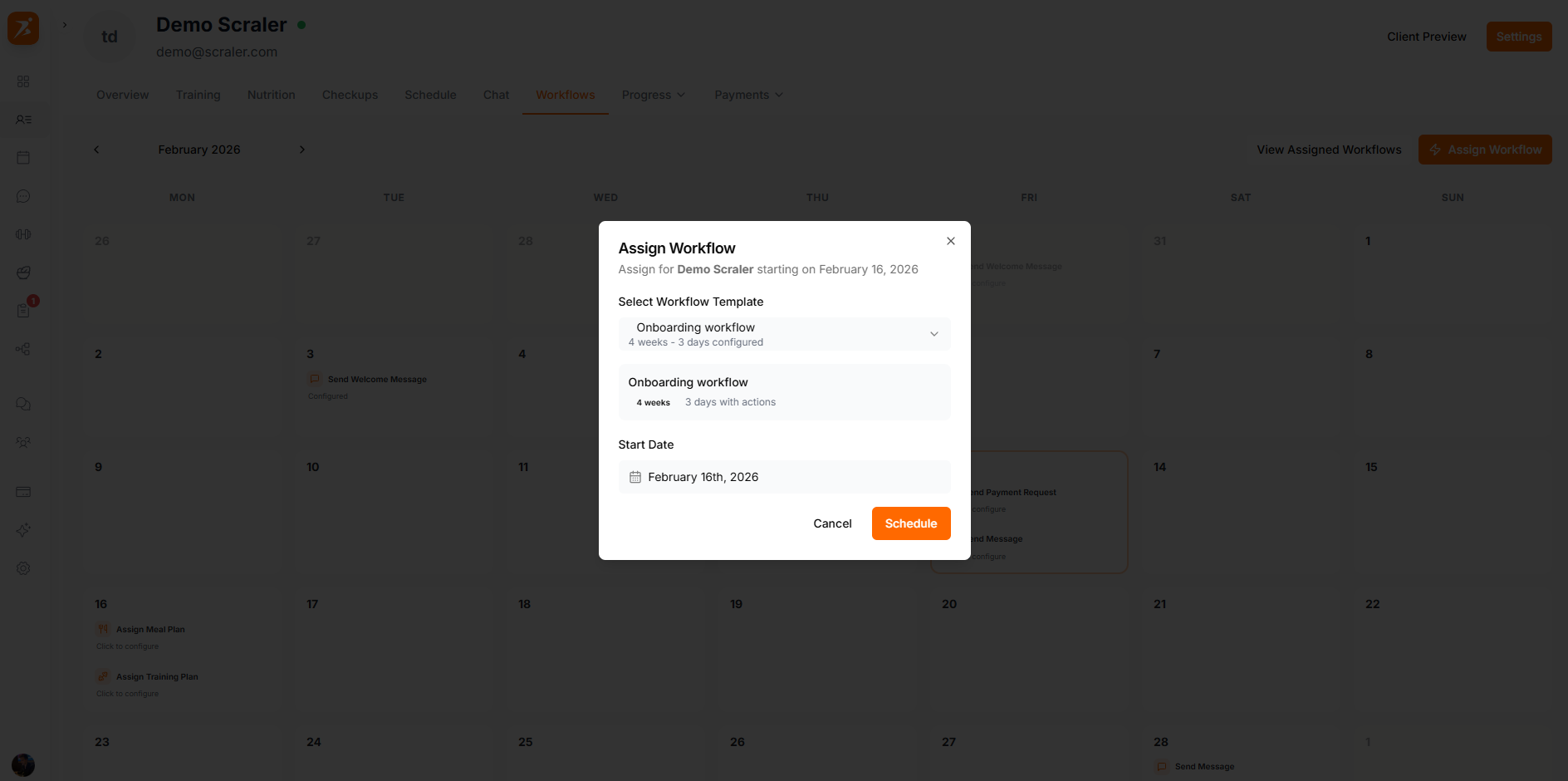
Templates are pre-built sequences that schedule multiple actions relative to a start date.
Pause a workflow to halt execution. Resume to continue from where it stopped.
Cancelling drops all remaining actions. Completed actions are unaffected.
Click "View All" to see all workflow assignments for the client with statuses.
Put your client management on autopilot
Workflows handle the scheduling so you can focus on coaching.
Get Started Free